Mods / Block Overlay

Tags:
Cheat Utility QoL
Author:
Xel
Side:
Client
Created:
Apr 29th 2023 at 5:17 PM
Last modified:
3 days ago
Downloads:
101415
Follow Unfollow 1216
Latest release (for Vintage Story 1.21.5 - 1.21.6, potentially outdated):
blockoverlay-4.8.2.zip  1-click install
For testers (for Vintage Story 1.22.0-rc.1 - 1.22.0-rc.8):
blockoverlay-4.10.3.zip  1-click install

For modders to test their worldgen, and for people who don't have 8 hours a day to search for iron.


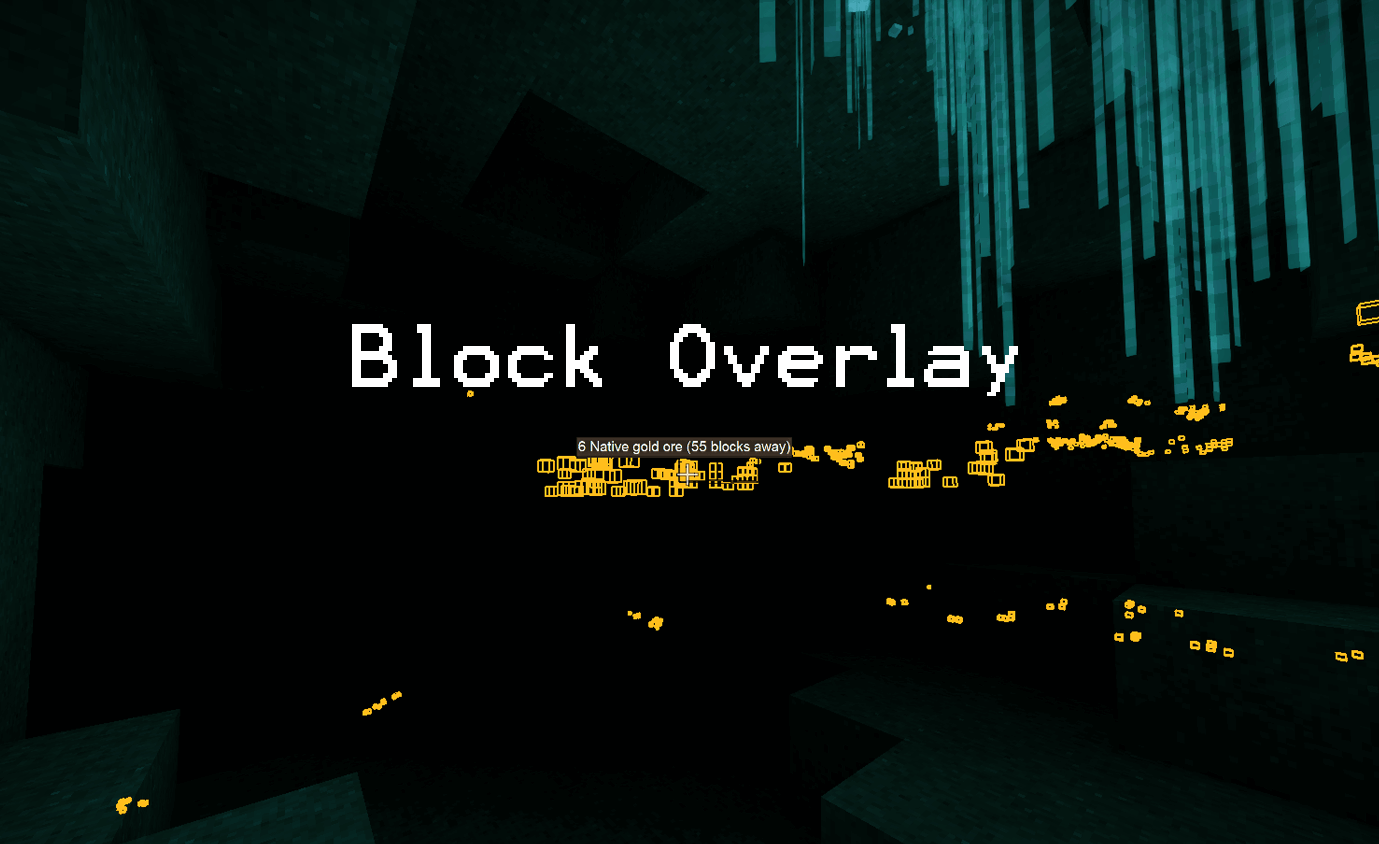
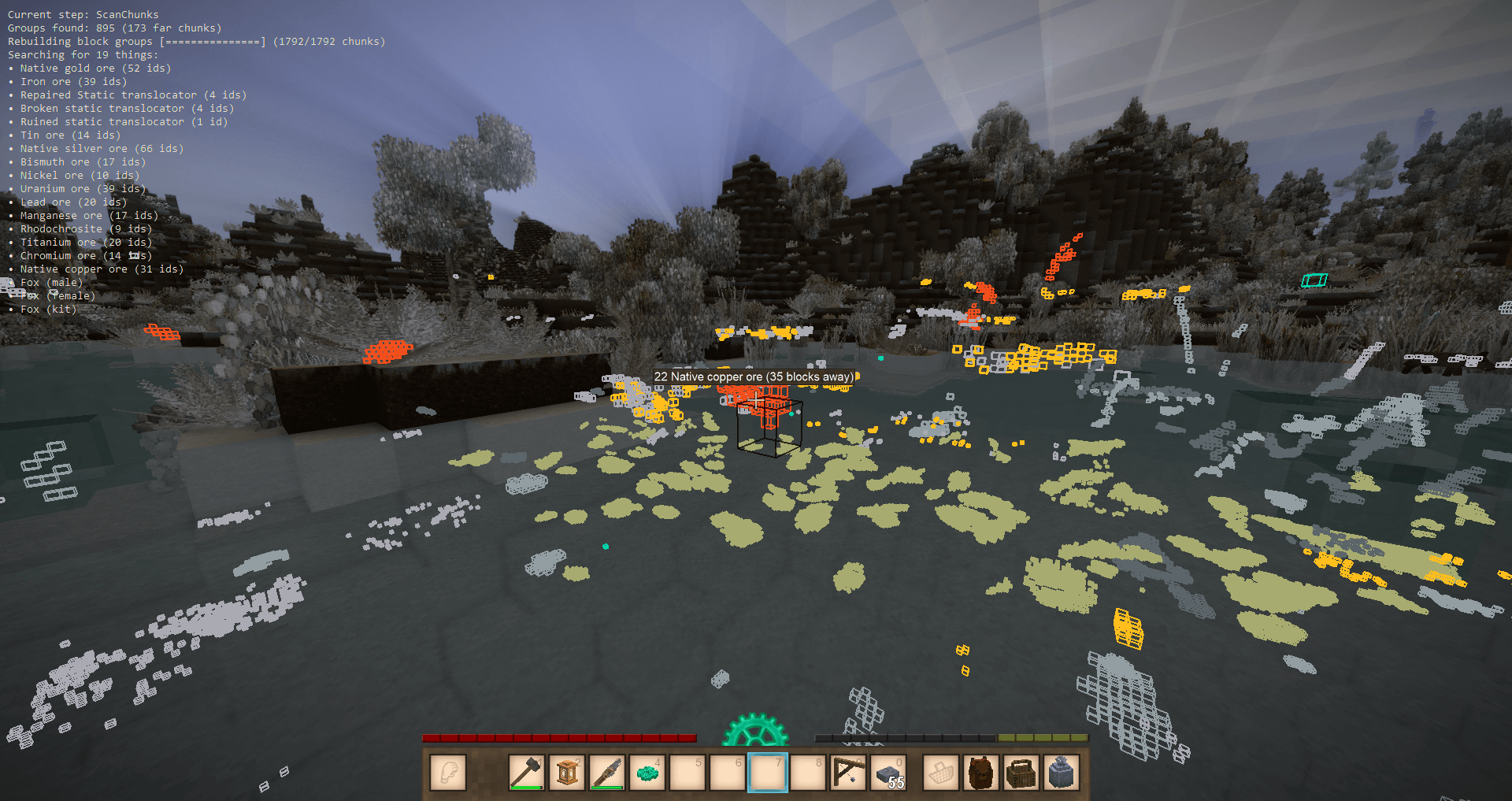
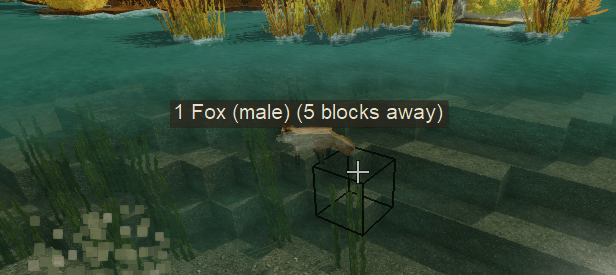
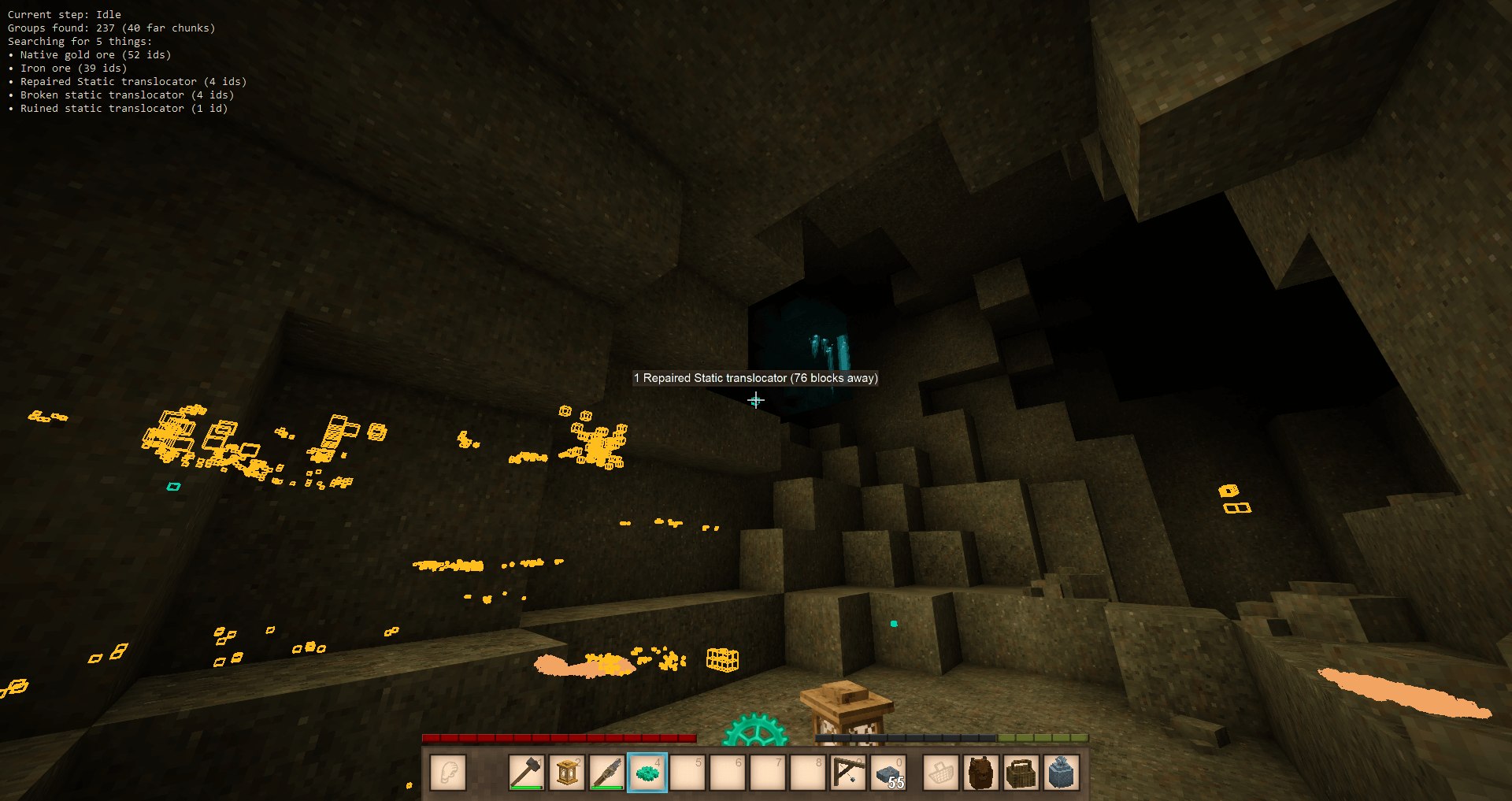
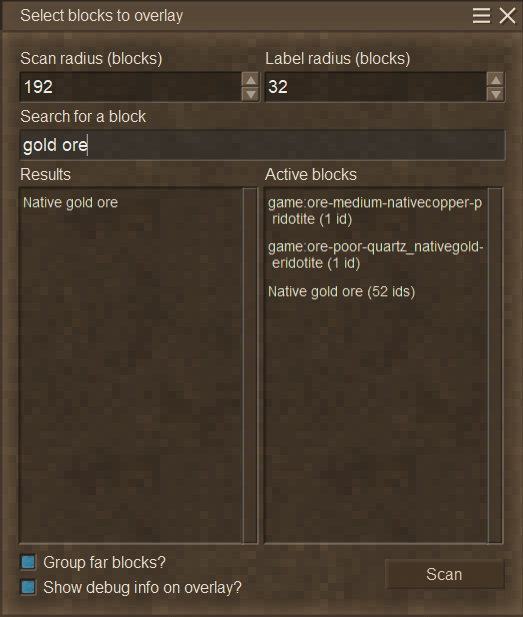
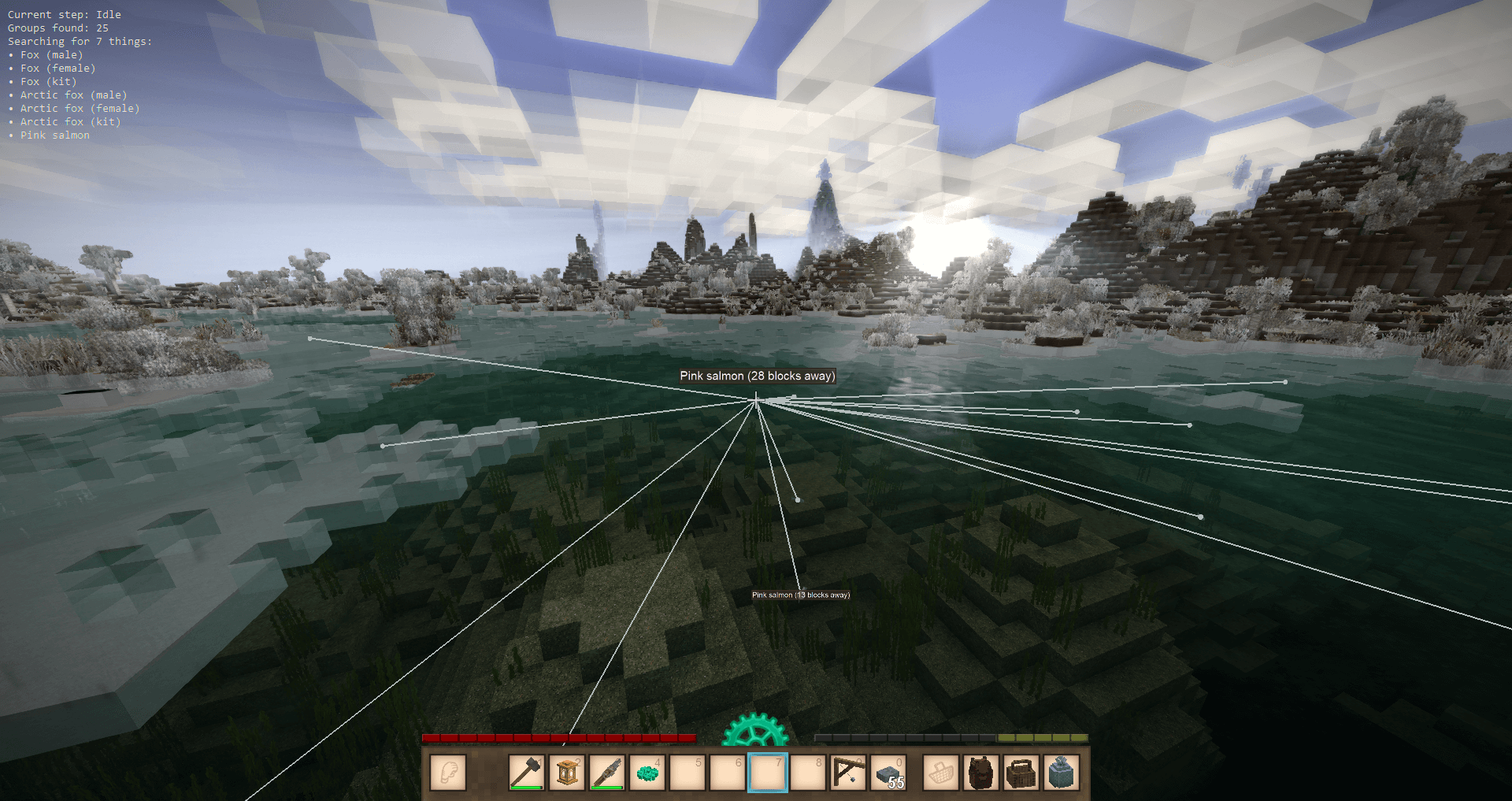
This mod allows you to pick any block or entity to scan all loaded chunks for and display on the hud. Search by either block name, block code, or wildcard to find blocks and entities. The entity search range is less than the block search range - entities get unloaded when you aren't near them.

The default GUI hotkey is ctrl+]. The default overlay hotkey is ].


image

How to search:

  Example Match type Supports
Display name copper ore Partial match Blocks, Entities
Asset code game:ore-medium-nativecopper Partial match Blocks, Entities
Block asset code with wildcard game:ore-*-nativecopper-* Exact match

Blocks


Left click the color swatch on an active search item to change its color. Right click to reset the color.


Config options
Name Type Default Description
MaxSearchRadius integer 120 Max distance away a block will be highlighted, in blocks. The maximum value is your chunk load distance.
MaxLabelRadius integer 16 Max distance away a block will have a "nametag" label shown, in blocks
ScanDelay integer 20000 How often to rescan for blocks, in milliseconds.
ShouldShowDebugText boolean true Whether to display extra info about the scan on the overlay.
ShouldShowEntityLines boolean false Whether to draw lines from the reticle to scanned entities.
LabelScale number 1 How big to scale the labels. Value between 0 and 1.
DebugOverlayPosition
{ X: number, Y: number }
{ X: 10, Y: 10 }
X and Y screen position to draw the overlay text.
SearchDebounceMs integer 500 How long to wait after you stop typing to begin the search.
SearchAutomatically boolean true Whether to begin the search without needing to press the "go" button.
AutoFocusDialogs
boolean true Whether to focus the search bar immediately upon opening the search dialog.
LargeBlockGroupThreshold integer 500000 If there are more than this many blocks in a single group, only the outermost layer of blocks will be highlighted.
Parallelism integer 50% of cpus How many parallel processes to use.
LineWeight number 1 How much to scale line thickness.

Mod Version Mod IdentifierFor Game version Downloads Released Changelog Download 1-click mod install*
4.10.3 blocksoverlay
1.22.0-rc.1 - 1.22.0-rc.8
155 3 days ago blockoverlay-4.10.3.zip 1-click install
  • Prevent crash if there is somehow a group with 0 things in it
  • Remove the gear icon since it is no longer in the game in rc8
4.10.2 blocksoverlay
1.22.0-rc.1 - 1.22.0-rc.7
457 Apr 5th at 2:37 AM blockoverlay-4.10.2.zip 1-click install

- Add buttons to the group manager gui to move the selected group up and down in the list

4.10.1 blocksoverlay
1.22.0-rc.1 - 1.22.0-rc.6
346 Mar 30th at 12:50 AM blockoverlay-4.10.1.zip 1-click install
  • Fix crash when changing video settings while overlay is open
  • Do not crash for invalid colors from config, instead log the error and ignore the invalid color
4.10.0 blocksoverlay
1.22.0-rc.1 - 1.22.0-rc.6
160 Mar 28th at 10:20 PM blockoverlay-4.10.0.zip 1-click install
  • Nicer group manager gui
  • Clicky button sounds all around
  • Added a fancy color picker to change your outline colors in game
4.9.0 blocksoverlay 846 Mar 7th at 6:54 PM blockoverlay-4.9.0.zip 1-click install
  • Update to 1.22 RC1
4.8.2 blocksoverlay
1.21.5 - 1.21.6
7101 Feb 17th at 12:39 AM blockoverlay-4.8.2.zip 1-click install
  • HandleLevelFinalize goes in a big try/catch so I get actual useful error info
  • Print an error message if config file deserialization fails
  • Print an error message if groups file deserialization fails
4.8.1 blocksoverlay
1.21.5 - 1.21.6
4316 Jan 22nd at 3:30 AM blockoverlay-4.8.1.zip 1-click install

- Fix the wrong number of results being shown in large groups

4.8.0 blocksoverlay
1.21.5 - 1.21.6
38 Jan 22nd at 3:14 AM blockoverlay-4.8.0.zip 1-click install
  • Improve the mesh generation algorithm for more efficient meshes with less separate lines
  • Improve block chunking algorithm.
    • Large groups (>500k blocks by default) are rendered as hollow groups for better raytrace performance.
    • All blocks in large groups are included instead of only every 100. Tested with a single group of 2 million blocks (the stone underground)
  • Code cleanup again
4.7.1 blocksoverlay 6284 Dec 14th 2025 at 11:22 PM blockoverlay-4.7.1.zip 1-click install
  • Improved raytracing for block labels and added raytracing to entity labels
4.7.0 blocksoverlay 1239 Dec 8th 2025 at 12:31 AM blockoverlay-4.7.0.zip 1-click install
  • Replace entity dots with wireframes
  • Code cleanup
4.6.1 blocksoverlay 3004 Nov 17th 2025 at 1:06 AM blockoverlay-4.6.1.zip 1-click install
  • Build the search index immediately instead of on first search
4.6.0 blocksoverlay 2989 Oct 29th 2025 at 1:46 AM blockoverlay-4.6.0.zip 1-click install
  • Make searching moderately faster
4.5.4 blocksoverlay 5274 Sep 30th 2025 at 1:52 AM blockoverlay-4.5.4.zip 1-click install
  • Fix searching clutter blocks in 1.21.1
4.5.3 blocksoverlay 6670 Aug 27th 2025 at 12:01 AM blockoverlay-4.5.3.zip 1-click install
  • Check if the ModData/searchgroups.json file exists before trying to read from it
  • Check if the mod config was successfully loaded from the json before re-writing the json to prevent overwriting the config with defaults
4.5.2 blocksoverlay 984 Aug 3rd 2025 at 3:31 PM blockoverlay-4.5.2.zip 1-click install
  • Fix some blocks not getting grouped by name
  • Add claypot-*-cooked to the list of Meals that cause exceptions when getting the collectible name
4.5.1 blocksoverlay 319 Jul 25th 2025 at 1:35 AM blockoverlay-4.5.1.zip 1-click install

- Fix crash when search results include a meal block

4.5.0 blocksoverlay
1.21.0-pre.1 - 1.21.0-rc.1
146 Jul 24th 2025 at 12:31 AM blockoverlay-4.5.0.zip 1-click install
  • Update to vs 1.21
  • Fix list height math
  • Optimizations in parallel tasks
4.4.1 blocksoverlay
1.20.11 - 1.20.12
9645 May 20th 2025 at 2:15 AM blockoverlay-4.4.1.zip 1-click install
  • Probably prevent using a disposed shader after modifying game graphics settings
4.4.0 blocksoverlay
1.20.9 - 1.20.10
3145 May 8th 2025 at 12:28 AM blockoverlay-4.4.0.zip 1-click install
  • Clutter blocks are more easily searchable
4.3.2 blocksoverlay 1341 Apr 28th 2025 at 11:58 PM blockoverlay-4.3.2.zip 1-click install

- Add a new option AutoFocusDialogs to control whether the search dialog and search bar are focused upon opening. Defaults to true.
- Remove override of PrefersUngrabbedMouse on search dialog

4.3.1 blocksoverlay 1882 Apr 17th 2025 at 12:37 AM blockoverlay-4.3.1.zip 1-click install
  • Fix crash when removing an active search target before searching for something else
4.3.0 blocksoverlay 536 Apr 15th 2025 at 2:25 AM blockoverlay-4.3.0.zip 1-click install
  • Add new config option for search debounce delay
  • Add new config option to disable debounce searching entirely
  • Results in the currently-active list no longer appear in the search results list
  • Move labels into i18n files instead of having them hardcoded
4.2.0 blocksoverlay 4309 Mar 9th 2025 at 3:28 AM blockoverlay-4.2.0.zip 1-click install
  • Better handling of scan radii of less than 1 chunk
  • Parallelize mesh generation
  • User-configured color keys should hopefully work with ids with wildcards now
4.1.2 blocksoverlay 2366 Feb 21st 2025 at 12:55 AM blockoverlay-4.1.2.zip 1-click install

- Remove overrides for GUI input order to hopefully fix whatever is causing some people to not be able to click on the gui. I cant reproduce this so its probably some other mod drawing over mine.

4.1.1 blocksoverlay 864 Feb 16th 2025 at 11:04 PM blockoverlay-4.1.1.zip 1-click install
  • Probably fix a crash on load from loading Lang strings too early
  • Parallel group building uses a concurrent-safe list
4.1.0 blocksoverlay 470 Feb 15th 2025 at 2:59 AM blockoverlay-4.1.0.zip 1-click install
  • Less lag when searching for blocks that have a lot of search results
  • Faster scans for common blocks, like stone
  • Scanning for common blocks like stone only renders a cube on every hundredth block instead of all 7 million of them
  • Group building is parallel now
  • Long-running scans are properly cancelled when closing the overlay
4.0.4 blocksoverlay 2197 Feb 1st 2025 at 4:38 PM blockoverlay-4.0.4.zip 1-click install

Fix blocks with dark or transparent textures using outline colors that are not visible

4.0.3 blocksoverlay 1833 Jan 24th 2025 at 12:19 AM blockoverlay-4.0.3.zip 1-click install
  • Fix a possible crash that I couldn't reproduce when trying to save a group's name while the current group's index was out of bounds?? somehow. But it checks for that now
4.0.2 blocksoverlay 3374 Dec 6th 2024 at 1:00 PM blockoverlay-4.0.2.zip 1-click install

Recompile for 1.20 RC1

4.0.1 blocksoverlay 933 Nov 19th 2024 at 1:11 AM blockoverlay-4.0.1.zip 1-click install

- No longer close the overlay when Escape is pressed

4.0.0 blocksoverlay 627 Nov 10th 2024 at 2:11 PM blockoverlay-4.0.0.zip 1-click install
  • Fixed a memory leak from the wireframe renderer
  • Far away labels are shown when mousing over any part of the blocks instead of just the center
  • Add an option to draw lines to scanned entities so they're easier to find
  • Remove unused options
4.0.0-pre.1 blocksoverlay 995 Oct 24th 2024 at 2:01 AM blockoverlay-4.0.0-pre.1.zip 1-click install
  • Experimental cube renderer
  • Replace the dots with cubes for even better performance. Now you can search for grass and keep your frames! Entity search will continue to use dots.
  • New config option ScanDelay. Defaults to 20 seconds
3.4.0 blocksoverlay 495 Oct 21st 2024 at 1:51 AM blocksoverlay-3.4.0.zip 1-click install
  • Add block/entity icons next to the search results
  • Move the saved search lists out of ModConfig and into ModData
3.3.1 blocksoverlay 492 Oct 17th 2024 at 12:05 AM blocksoverlay-3.3.1.zip 1-click install

Compile for 1.20.0-pre.6

3.3.0 blocksoverlay 387 Oct 10th 2024 at 1:22 AM blocksoverlay-3.3.0.zip 1-click install

- Compile for 1.20 prereleases up until 1.20.0-pre.5

3.2.4 blocksoverlay
1.19.0 - 1.19.3 1.19.5 - 1.19.8
5949 Jun 30th 2024 at 2:41 PM blockoverlay-3.2.4.zip 1-click install
  • Replace the Vec3 class with FastVec3 structs to try to improve performance/mem usage
  • Scan chunks in parallel using 50% of available processors for faster scans
3.2.3 blocksoverlay
1.19.0 - 1.19.3 1.19.5 - 1.19.8
480 Jun 30th 2024 at 2:02 AM blockoverlay-3.2.3.zip 1-click install
  • Add wildcard searching
3.2.2 blocksoverlay
1.19.0 - 1.19.3 1.19.5 - 1.19.7
2556 Apr 6th 2024 at 1:39 PM blockoverlay-3.2.2.zip 1-click install
  • Fix label zindexing
3.2.1 blocksoverlay
1.19.0 - 1.19.3
2351 Feb 3rd 2024 at 3:17 AM blockoverlay-3.2.1.zip 1-click install
  • Add a color config option so players can extend or modify the built-in dot color map
  • Start the first scan immediately on opening the overlay
3.1.0 blocksoverlay
1.19.0 - 1.19.3
783 Jan 27th 2024 at 5:19 PM blockoverlay-3.1.0.zip 1-click install
  • Fix rendered block groups not including new dots when the player moves
  • Add a new option OutlineLightnessThreshold to set when dark dots should be outlined in white so they can be seen
3.0.0 blocksoverlay
1.19.0 - 1.19.1
797 Jan 21st 2024 at 5:11 PM blocksoverlay-3.0.0.zip 1-click install
  • Dot renderer no longer uses a huge canvas and instead uses actual renderers
  • Big performance improvements!
2.6.0 blocksoverlay 1167 Dec 24th 2023 at 3:50 PM blockoverlay-2.6.0.zip 1-click install

Update for 1.19

2.5.0 blocksoverlay 1888 Nov 16th 2023 at 2:20 AM blockoverlay-2.5.0.zip 1-click install
  • Improve renaming of saved groups
  • Add a new config option DebugOverlayPosition so you can move the debug text around. Edit ModConfig/blocksoverlay.json to change it.
2.4.1 blocksoverlay
1.18.9 - 1.18.15
1267 Oct 17th 2023 at 1:41 AM blockoverlay-2.4.1.zip 1-click install
  • Potentially fix the issue where scanning gets stuck if there are unknown blocks in a chunk
2.4.0 blocksoverlay
1.18.9 - 1.18.10
1189 Sep 12th 2023 at 2:25 AM blockoverlay-2.4.0.zip 1-click install
  • Add LabelScale option. Same as DotScale but for labels
  • Add the ability to save your searches so you don't need to type them in again each time
  • Very slight Cairo tweaks that probably didn't do anything
2.3.0 blocksoverlay
1.18.9 - 1.18.10
599 Sep 7th 2023 at 2:16 AM blockoverlay-2.3.0.zip 1-click install
  • Dots and labels now scale based on the game's GUI scale
  • Dots are 80% bigger
  • New config option DotScale added to scale the dots up or down even more
2.2.1 blocksoverlay
1.18.9 - 1.18.10
794 Aug 23rd 2023 at 4:18 PM blockoverlay-2.2.1.zip 1-click install
  • Removed the number from labels over nearby entities
  • Properly sort everything by distance instead of only blocks
2.2.0 blocksoverlay 447 Aug 23rd 2023 at 1:00 AM blockoverlay-2.2.0.zip 1-click install
  • Xray for entities
2.1.2 blocksoverlay 1406 Jul 13th 2023 at 12:16 AM blockoverlay-2.1.2.zip 1-click install
  • Move Lang.GetMatching out of LINQ calls to fix an occasional crash when opening the filter gui
2.1.1 blocksoverlay
1.18.2 - 1.18.5
1018 Jun 15th 2023 at 11:38 PM blockoverlay-2.1.1.zip 1-click install
  • Add ability to search by asset code for exact matches
2.1.0 blocksoverlay 911 May 11th 2023 at 12:42 PM blockoverlay-2.1.0.zip 1-click install
  • Add an option to hide the debug text in the top left of the screen when the overlay is open
2.0.0 blocksoverlay 626 May 6th 2023 at 12:59 PM blockoverlay-2.0.0.zip 1-click install

- GUI and overlay now respect the user's UI scale setting


293 Comments (oldest first | newest first) (threaded | flat)

AussieBlunder, 4 days ago (modified 3 days ago)

Set an aged chest as the target in the config menu and it crashed. Now if i load in i can open the overlay fine but if i try and open the config it crashes to desktop.

also i tried uninstalling VS and the modloader and all the mod caches. reinstalled all of it and it is still doing the same thing cant access config to change block

Crash Report

Running on 64 bit Windows 10.0.26200.0 with 31909 MB RAM
Game Version: v1.22.0-rc.7 (Unstable)
15/04/2026 11:51:25 AM: Critical error occurred in the following mod: blocksoverlay@4.10.2
Loaded Mods: primitivesurvival@5.0.4, sortablestorage@3.0.0, specializedclasses@2.2.0-rc.1, game@1.22.0-rc.7, waterunderfarmland122@1.0.0, alchemy@1.9.0-rc.2, attributerenderinglibrary@3.0.0-pre.10, egocaribautomapmarkers@5.0.1, bedspawnv2@1.6.4, betterruins@0.6.0-rc.2, blocksoverlay@4.10.2, carryon@1.14.0-pre.3, chunklod@1.1.0, deathcorpses@2.7.1, feverstonewilds@2.1.0-rc.3, infinitumpickupmod@1.2.8, minorbackpackupgrade@1.0.0, rivers@5.0.0, toolsmithfork@1.2.20, creative@1.22.0-rc.7, survival@1.22.0-rc.7, scoopofjammod@1.2.0-rc.1
System.InvalidOperationException: Sequence contains no elements
at System.Linq.ThrowHelper.ThrowNoElementsException()
at System.Linq.Enumerable.First[TSource](IEnumerable`1 source)
at BlockOverlay.Util.BuiltinColorMap.GetCachedColorForGroup(ICoreClientAPI capi, CodeSearchGroup group, IDictionary`2 configColors, Single hsvThreshold)
at BlockOverlay.Gui.GuiElementSearchResultListItem.Compose()
at BlockOverlay.Gui.GuiElementSearchResultListItem.Initialize()
at BlockOverlay.Gui.GuiElementSearchResultListItem.OnRenderInteractiveElements(ICoreClientAPI api, Single dt)
at Vintagestory.API.Client.GuiElementCellList`1.RenderInteractiveElements(Single deltaTime) in VintagestoryApi\Client\UI\Elements\Impl\Interactive\GuiElementCellList.cs:line 292
at Vintagestory.API.Client.GuiComposer.Render(Single deltaTime) in VintagestoryApi\Client\UI\GuiComposer.cs:line 737
at Vintagestory.API.Client.GuiDialog.OnRenderGUI(Single deltaTime) in VintagestoryApi\Client\UI\Dialog\GuiDialog.cs:line 396
at Vintagestory.Client.NoObf.GuiManager.OnRenderFrameGUI(Single deltaTime) in VintagestoryLib\Client\Systems\Gui\GuiManager.cs:line 309
at Vintagestory.Client.NoObf.ClientMain.RenderToDefaultFramebuffer(Single dt) in VintagestoryLib\Client\ClientMain.cs:line 1045
at Vintagestory.Client.GuiScreenRunningGame.RenderToDefaultFramebuffer(Single dt) in VintagestoryLib\Client\MainMenu\Screens\GuiScreenRunningGame.cs:line 251
at Vintagestory.Client.ScreenManager.Render(Single dt) in VintagestoryLib\Client\ScreenManager.cs:line 782
at Vintagestory.Client.ScreenManager.OnNewFrame(Single dt) in VintagestoryLib\Client\ScreenManager.cs:line 685
at Vintagestory.Client.NoObf.ClientPlatformWindows.window_RenderFrame(FrameEventArgs e) in VintagestoryLib\Client\ClientPlatform\GameWindow.cs:line 112
at OpenTK.Windowing.Desktop.GameWindow.Run()
at Vintagestory.Client.ClientProgram.Start(ClientProgramArgs args, String[] rawArgs) in VintagestoryLib\Client\ClientProgram.cs:line 354
at Vintagestory.Client.ClientProgram.<>c__DisplayClass10_0.<.ctor>b__1() in VintagestoryLib\Client\ClientProgram.cs:line 131
at Vintagestory.ClientNative.CrashReporter.Start(ThreadStart start) in VintagestoryLib\Client\ClientPlatform\ClientNative\CrashReporter.cs:line 95

Event Log entries for Vintagestory.exe, the latest 3
==================================
{ TimeGenerated = 15/04/2026 11:47:24 AM, Site = , Source = Application Error, Message = Faulting application name: VintageStory.exe, version: 1.22.0.0, time stamp: 0x691d0000
Faulting module name: openal32.dll, version: 1.23.0.0, time stamp: 0x63dd31ad
Exception code: 0x40000015
Fault offset: 0x00000000000df046
Faulting process id: 0x82b0
Faulting application start time: 0x1dccc79a3c56535
Faulting application path: C:\Users\Aidan\AppData\Roaming\Vintagestory\VintageStory.exe
Faulting module path: C:\Users\Aidan\AppData\Roaming\Vintagestory\Lib\openal32.dll
Report Id: cc96327a-c501-4c30-b905-84fd007ff1e1
Faulting package full name:
Faulting package-relative application ID: }
--------------
{ TimeGenerated = 15/04/2026 11:43:18 AM, Site = , Source = Application Error, Message = Faulting application name: VintageStory.exe, version: 1.22.0.0, time stamp: 0x691d0000
Faulting module name: openal32.dll, version: 1.23.0.0, time stamp: 0x63dd31ad
Exception code: 0x40000015
Fault offset: 0x00000000000df046
Faulting process id: 0x7fdc
Faulting application start time: 0x1dccc7924a3735d
Faulting application path: C:\Users\Aidan\AppData\Roaming\Vintagestory\VintageStory.exe
Faulting module path: C:\Users\Aidan\AppData\Roaming\Vintagestory\Lib\openal32.dll
Report Id: 6901f8d2-0407-48d0-9dcd-b638f06198d9
Faulting package full name:
Faulting package-relative application ID: }
--------------
{ TimeGenerated = 15/04/2026 11:41:47 AM, Site = , Source = Application Error, Message = Faulting application name: Vintagestory.exe, version: 1.22.0.0, time stamp: 0x691d0000
Faulting module name: openal32.dll, version: 1.23.0.0, time stamp: 0x63dd31ad
Exception code: 0x40000015
Fault offset: 0x00000000000df046
Faulting process id: 0x3944
Faulting application start time: 0x1dccc78ebe171df
Faulting application path: C:\Users\Aidan\AppData\Roaming\Vintagestory\Vintagestory.exe
Faulting module path: C:\Users\Aidan\AppData\Roaming\Vintagestory\Lib\openal32.dll
Report Id: 3c24b0c7-eb6f-4d74-ba16-a16389b646c6
Faulting package full name:
Faulting package-relative application ID: }

Dr_Swackyy, Apr 1st at 5:06 AM (modified Apr 1st at 5:08 AM)

trying to scan just results in this error message: "field not found: Vintagestory.API.Common.Entities.Entity.Pos"

what does this mean/ what can i do about it?

Etheriyal, Mar 31st at 4:58 PM

For anyone getting the error/crash as soon as you use this mod in game, just make sure you go clear out your mod data folders in VS. I was using this mod with the previous 1.21 version and when I updated to 1.22, it kept all the data from the old one. So the new updated mod would try to create its first instance of in game data for lists/groups, realise one was already there, try to read that older version instead and crash the game. Soon as you clear those it works perfectly.

Ijkdenem, Mar 30th at 10:34 PM

nevermind i figured out the mod. i was using the wrong control + something combo so it would not work lol

Ijkdenem, Mar 30th at 7:00 PM

i copy pasted the whole chart i will try to figure all this out.

Ijkdenem, Mar 30th at 6:25 PM

lol i found a hollow tree tree after i used the mod and it was not even running right. i don't know how to use it.

Ijkdenem, Mar 30th at 4:49 AM (modified Mar 30th at 4:49 AM)

i use the Primitive Survival Mod. in that mod it has Hollow tree trunk sections that are rare loot holders. what would i type to search using this mod for that specific block? i also use version stable vs 1.21.6 at the moment if that matters.

CallMeBEEF, Mar 29th at 7:10 PM

Got a pretty instant crash changing the overlay colour of a block. Can't use the mod's gui anymore now until this gets fixed I suppose

Crash Report

Running on 64 bit Windows 10.0.26200.0 with 32691 MB RAM
Game Version: v1.22.0-rc.6 (Unstable)
29-Mar-26 12:07:07 PM: Critical error occurred in the following mod: blocksoverlay@4.10.0
Loaded Mods: game@1.22.0-rc.6, blocksoverlay@4.10.0, creative@1.22.0-rc.6, survival@1.22.0-rc.6
System.ArgumentException: The color matched for game:soil-compost-none (game:soil-compost-none) is invalid. Value must be a valid hex color string.
at BlockOverlay.Util.BuiltinColorMap.FindRgbaColorForCode(AssetLocation code, IDictionary`2 configuredColors)
at BlockOverlay.Util.BuiltinColorMap.<>c__DisplayClass3_0.<GetCachedColorForBlock>b__0(String key)
at System.Collections.Concurrent.ConcurrentDictionary`2.GetOrAdd(TKey key, Func`2 valueFactory)
at BlockOverlay.Util.BuiltinColorMap.GetCachedColorForBlock(ICoreClientAPI capi, Block block, IDictionary`2 configuredColors, Single hsvThreshold)
at BlockOverlay.Util.BuiltinColorMap.GetCachedColorForGroup(ICoreClientAPI capi, CodeSearchGroup group, IDictionary`2 configColors, Single hsvThreshold)
at BlockOverlay.Gui.GuiElementSearchResultListItem.Compose()
at BlockOverlay.Gui.GuiElementSearchResultListItem.Initialize()
at BlockOverlay.Gui.GuiElementSearchResultListItem.OnRenderInteractiveElements(ICoreClientAPI api, Single dt)
at Vintagestory.API.Client.GuiElementCellList`1.RenderInteractiveElements(Single deltaTime) in VintagestoryApi\Client\UI\Elements\Impl\Interactive\GuiElementCellList.cs:line 292
at Vintagestory.API.Client.GuiComposer.Render(Single deltaTime) in VintagestoryApi\Client\UI\GuiComposer.cs:line 737
at Vintagestory.API.Client.GuiDialog.OnRenderGUI(Single deltaTime) in VintagestoryApi\Client\UI\Dialog\GuiDialog.cs:line 396
at Vintagestory.Client.NoObf.GuiManager.OnRenderFrameGUI(Single deltaTime) in VintagestoryLib\Client\Systems\Gui\GuiManager.cs:line 309
at Vintagestory.API.Client.DummyRenderer.OnRenderFrame(Single deltaTime, EnumRenderStage stage) in VintagestoryApi\Client\API\IClientEventAPI.cs:line 88
at Vintagestory.Client.NoObf.ClientEventManager.TriggerRenderStage(EnumRenderStage stage, Single dt) in VintagestoryLib\Client\Util\ClientEventManager.cs:line 257
at Vintagestory.Client.NoObf.ClientMain.TriggerRenderStage(EnumRenderStage stage, Single dt) in VintagestoryLib\Client\ClientMain.cs:line 855
at Vintagestory.Client.NoObf.ClientMain.RenderToDefaultFramebuffer(Single dt) in VintagestoryLib\Client\ClientMain.cs:line 1045
at Vintagestory.Client.GuiScreenRunningGame.RenderToDefaultFramebuffer(Single dt) in VintagestoryLib\Client\MainMenu\Screens\GuiScreenRunningGame.cs:line 251
at Vintagestory.Client.ScreenManager.Render(Single dt) in VintagestoryLib\Client\ScreenManager.cs:line 782
at Vintagestory.Client.ScreenManager.OnNewFrame(Single dt) in VintagestoryLib\Client\ScreenManager.cs:line 685
at Vintagestory.Client.NoObf.ClientPlatformWindows.window_RenderFrame(FrameEventArgs e) in VintagestoryLib\Client\ClientPlatform\GameWindow.cs:line 112
at OpenTK.Windowing.Desktop.GameWindow.Run()
at Vintagestory.Client.ClientProgram.Start(ClientProgramArgs args, String[] rawArgs) in VintagestoryLib\Client\ClientProgram.cs:line 354
at Vintagestory.Client.ClientProgram.<>c__DisplayClass10_0.<.ctor>b__1() in VintagestoryLib\Client\ClientProgram.cs:line 131
at Vintagestory.ClientNative.CrashReporter.Start(ThreadStart start) in VintagestoryLib\Client\ClientPlatform\ClientNative\CrashReporter.cs:line 95

Event Log entries for Vintagestory.exe, the latest 2
==================================
{ TimeGenerated = 29-Mar-26 12:01:21 PM, Site = , Source = Application Error, Message = Faulting application name: Vintagestory.exe, version: 1.22.0.0, time stamp: 0x693c0000
Faulting module name: openal32.dll, version: 1.23.0.0, time stamp: 0x63dd31ad
Exception code: 0x40000015
Fault offset: 0x00000000000df046
Faulting process id: 0xa20
Faulting application start time: 0x1dcbfae5680f803
Faulting application path: C:\Users\Owner\AppData\Roaming\Vintagestory\Vintagestory.exe
Faulting module path: C:\Users\Owner\AppData\Roaming\Vintagestory\Lib\openal32.dll
Report Id: 85b814ec-68c8-41e5-9cbc-322b57a45155
Faulting package full name:
Faulting package-relative application ID: }
--------------
{ TimeGenerated = 29-Mar-26 11:59:44 AM, Site = , Source = Application Error, Message = Faulting application name: Vintagestory.exe, version: 1.22.0.0, time stamp: 0x693c0000
Faulting module name: openal32.dll, version: 1.23.0.0, time stamp: 0x63dd31ad
Exception code: 0x40000015
Fault offset: 0x00000000000df046
Faulting process id: 0x4af4
Faulting application start time: 0x1dcbfae228f1bb8
Faulting application path: C:\Users\Owner\AppData\Roaming\Vintagestory\Vintagestory.exe
Faulting module path: C:\Users\Owner\AppData\Roaming\Vintagestory\Lib\openal32.dll
Report Id: 8b874a6d-89f0-4cc7-84f6-9c4e0b0762aa
Faulting package full name:
Faulting package-relative application ID: }

SlateSlavens, Mar 28th at 11:47 PM

I had the following crash with 1.22.0rc6 today when I tried to clear the FXAA box under Settings->Graphics:

Crash Report
Game Version: v1.22.0-rc.6 (Unstable)
3/28/2026 1:49:54 PM: Critical error occurred
Loaded Mods: tallheightwatershedslandforms@2.1.1, blocklayeroverhaul@1.0.2, game@1.22.0-rc.6, vsimgui@1.2.0, blocksoverlay@4.9.0, bloodtrail@1.2.0, configlib@1.10.14, footprints@1.2.0, placeonslabs@1.0.4-pre.1, realsmoke@1.2.0-rc.5, rivers@5.0.0, creative@1.22.0-rc.6, survival@1.22.0-rc.6, waterfall@1.0.0, terrainslabs@1.0.12-pre.1
System.ObjectDisposedException: Cannot access a disposed object.
Object name: 'System.Threading.ThreadLocal`1[[System.Random, System.Private.CoreLib, Version=10.0.0.0, Culture=neutral, PublicKeyToken=7cec85d7bea7798e]]'.
at System.Threading.ThreadLocal`1.GetValueSlow()
at Vintagestory.GameContent.WeatherSimulationSnowAccum.UpdateSnowLayer(SnowAccumSnapshot sumsnapshot, Boolean ignoreOldAccum, IServerMapChunk mc, Vec2i chunkPos, IWorldChunk[] chunksCol) in VSEssentials\Systems\Weather\WeatherSimulationSnowAccum.cs:line 508
at Vintagestory.GameContent.WeatherSimulationSnowAccum.onThreadStart() in VSEssentials\Systems\Weather\WeatherSimulationSnowAccum.cs:line 286
at System.Threading.Thread.StartCallback()
Game Version: v1.22.0-rc.6 (Unstable)
3/28/2026 4:42:03 PM: Critical error occurred in the following mod: blocksoverlay@4.9.0
Loaded Mods: tallheightwatershedslandforms@2.1.1, blocklayeroverhaul@1.0.2, game@1.22.0-rc.6, vsimgui@1.2.0, blocksoverlay@4.9.0, bloodtrail@1.2.0, configlib@1.10.14, footprints@1.2.0, placeonslabs@1.0.4-pre.1, realsmoke@1.2.0-rc.5, creative@1.22.0-rc.6, survival@1.22.0-rc.6, waterfall@1.0.0, watersheds@4.1.7, terrainslabs@1.0.12-pre.1
System.InvalidOperationException: Can't use a disposed shader!
at Vintagestory.Client.NoObf.ShaderProgramBase.Use() in VintagestoryLib\Client\ClientPlatform\ShaderProgramBase.cs:line 304
at BlockOverlay.Renderers.BlockLabelRenderer.OnRenderFrame(Single deltaTime, EnumRenderStage stage)
at Vintagestory.Client.NoObf.ClientMain.RenderToDefaultFramebuffer(Single dt) in VintagestoryLib\Client\ClientMain.cs:line 1045
at Vintagestory.Client.GuiScreenRunningGame.RenderToDefaultFramebuffer(Single dt) in VintagestoryLib\Client\MainMenu\Screens\GuiScreenRunningGame.cs:line 251
at Vintagestory.Client.ScreenManager.Render(Single dt) in VintagestoryLib\Client\ScreenManager.cs:line 782
at Vintagestory.Client.ScreenManager.OnNewFrame(Single dt) in VintagestoryLib\Client\ScreenManager.cs:line 685
at Vintagestory.Client.NoObf.ClientPlatformWindows.window_RenderFrame(FrameEventArgs e) in VintagestoryLib\Client\ClientPlatform\GameWindow.cs:line 112
at OpenTK.Windowing.Desktop.GameWindow.Run()
at Vintagestory.Client.ClientProgram.Start(ClientProgramArgs args, String[] rawArgs) in VintagestoryLib\Client\ClientProgram.cs:line 354
at Vintagestory.Client.ClientProgram.<>c__DisplayClass10_0.<.ctor>b__1() in VintagestoryLib\Client\ClientProgram.cs:line 131
at Vintagestory.ClientNative.CrashReporter.Start(ThreadStart start) in VintagestoryLib\Client\ClientPlatform\ClientNative\CrashReporter.cs:line 95


I'll grab 4.10.0 and see if it happens again..

Thanks!

BigTeb, Mar 23rd at 9:08 PM

@prototype464 Not only did I change the mod.id I also changed the name of the entire mod, folders etc. but it's still not working on the lil server my friend group set-up.. maybe I did something wrong or is there anything else I could try? 

GhostTM, Mar 23rd at 2:56 AM

Xel Hello!
I removed my forked version as best as I could. I'm not sure how to do the harmony - > UI stuff but if I get time I'll look into it.

If you got a copy of my changes feel free to use them to update your original if that's of any interest to you.

Love the mod and wish you the best!

Raelyk, Mar 19th at 6:55 AM

Ethereum particleplus-2.3.1.zip > modinfo.json > line 2 "modid": "particlesplus",

Ethereum, Mar 14th at 11:04 AM

prototype464 Hi, I've looked at the modinfo.json file but I can't find the id option. Where is that line of code located? I've checked all the JSON files, and found nothing.

Syntaxis, Mar 12th at 12:55 AM

Xel hotkey is not wokring and as Quarzee said the settings do not show up under Debug and Macros or anywhere else under the settings menu. Using 4.8.2

Xel , Mar 12th at 12:20 AM

Cosokabe

image

I set the hotkey to BracketRight. If BracketRight is Plus, BracketLeft, 9, etc and not BracketRight on some systems I cannot fix that.

Cosokabe, Mar 11th at 6:49 PM

Note to ppl haveing issue with the hot key for some reason the default hot that was set for me is + (not on numpad) and CTRL + "+"  if thats the same case for you the mod author should really EDIT his mod desc. bcs it took me a hot minute to notice ...

Quarzee, Mar 11th at 6:23 PM

Not sure if its a clientside issue, but I cant seem to find the hotkeys in my settings. I go to controls, I look under "Debug and Macros", and theres nothing there. Can someone explain?

prototype464, Mar 10th at 3:45 PM (modified Mar 10th at 3:46 PM)

VaelophisNyx

Just tested the other day, the server-side blacklist is so incredibly easy to bypass it's not even funny. Literally all you have to do is change the Mod ID in the JSON config to something else.

This mod absolutely needs to be made server side. I have been hearing from the grapevine that it is a scourge in multiplayer servers. It's also a fault on the game devs for implementing the blacklist in such an easily bypassable manner.

Well-designed mod, really easy to use. Helped to investigate someone who was using this mod to cheat on the co-op. Really needs to be declared as server-side. Could add a setting for server owners to allow usage of the mod.

NiclAss, Mar 7th at 7:19 PM

Thank for the update Xel we need this mod so much on our creative server for finding blocks and chests in structures <3

SakuraSen, Mar 6th at 1:32 PM

i hope this will work on 1.22
it just saves sooooo much time in singleplayer

Xel , Feb 24th at 12:39 AM

scanning for items inside inventories is currently not supported, though it would be cool to have

CollabsBunny, Feb 23rd at 7:00 AM

I couldn't find a way to scan for the ceramic items that spawn in ruins, like the cooking pot and bowls (in Ground Storage), and crucible (in cold/extinguished/clutter firepit, not sure which). I'm super, super interested in being able to do this for silly speedrun reasons, is it possible with this mod?

Xel , Feb 21st at 4:54 PM

Im not installing 1.22 until theres a release candidate version available so until then my mods will probably not work with 1.22 given the large number of API changes

BigRandy, Feb 21st at 3:48 PM

Xel For 1.22 pre.3 in a singleplayer world the mod GUI will open up but when I try to search for anything I get the error at the top left of the screen: 

Error during scan: One or more errors occurred. (Field not found: 'Vintagestory.API.Common.Entities.Entity.Pos'.)

Notmeine, Feb 16th at 2:14 AM
Running on 64 bit Windows 10.0.26200.0 with 15596 MB RAM
Game Version: v1.21.6 (Stable)
2/15/2026 8:10:50 PM: Critical error occurred in the following mod: blocksoverlay@4.8.1
Loaded Mods: altarmor@1.1.2, cbr@2.0.1, chiseltools@1.16.2, fagothic@1.3.2, fahussar@1.1.4, falandsknecht@1.2.3, fatemplar@1.4.4, favarangian@1.0.7, faviking@1.1.3, fuelbriquettes@1.0.1, hangingoillamps@1.0.5, dolabra@1.0.8, jsonpatcheslib@1.3.0, millwright@1.3.1, overhaullib@1.20.10, pipeleaf@2.5.1, playermodellib@1.10.0, primitivesurvival@4.0.3, prospecttogether@2.1.2, game@1.21.6, vsimgui@1.1.16, wildfarmingrevival@1.4.2, aculinaryartillery@2.0.0-dev.11, alchemy@1.8.2, allclasses@2.0.9, animalcages@4.0.2, attributerenderinglibrary@2.8.1, barkcanoe@1.1.10, betterfirepit@1.2.0, betterruins@0.5.7, blocksoverlay@4.8.1, butchering@1.12.0, caneconomy@1.0.12, carryon@1.12.2, cartwrightscaravan@1.8.0, coinage@1.21.1, combatoverhaul@0.16.4, commonlib@2.8.0, configlib@1.10.14, desertwear@1.0.0-dev.1, extrainfo@1.10.1, farseer@1.3.3, fendragonbcs@0.2.1, feverstonehorses@2.3.1, foodshelves@2.3.3, freedomunits@1.1.5, groundskeeper@0.0.2, itemizer@1.1.2, maltiezcrossbows@1.8.1, maltiezfirearms@1.7.5, materialneeds@1.1.13, noticeboard@1.2.3, petai@4.0.3, purposefulstorage@1.5.1, racialequality@0.1.27, rivers@4.7.5, rpcharacterinfo@1.2.1, rpvoicechat@2.4.2, rubberbandaid@1.0.1, rustboundmagic@3.1.19, rustyshellfork@0.1.1, smithingplus@1.8.3, stonebakeoven@1.2.0, temperatureheighttweak@0.3.0, terraprety@7.9.0, toolsmith@1.2.14, universalhusbandry@1.1.1, creative@1.21.6, vsroofing@1.4.2, survival@1.21.6, xlib@0.9.0-pre.2, armory@1.10.2, cats@4.0.1, claims@4.2.3, expandedfoods@2.0.0-dev.7, em@3.4.2, mannyextrafirearms@0.7.9, glockmaker@1.1.0, heraldry@1.0.2, mnflowers@0.0.0, playercorpse@1.12.0, quiversandsheaths@0.8.7, stonequarry@3.5.1, tabletopgames@3.0.5, thebasics@5.2.3, wolftaming@4.1.4, xskills@0.9.0-pre.2, zombpspatch@1.7.0, heraldrybanners@1.0.1, capes@1.0.0, xskillsgilded@1.3.5
System.NullReferenceException: Object reference not set to an instance of an object.
   at BlockOverlay.BlockOverlaySystem.HandleLevelFinalize()
   at Vintagestory.Client.NoObf.ClientEventAPI.TriggerLevelFinalize() in VintagestoryLib\Client\API\ClientEventAPI.cs:line 397
   at Vintagestory.Client.NoObf.ClientSystemStartup.HandleLevelFinalize(Packet_Server packet) in VintagestoryLib\Client\Systems\Startup.cs:line 1087
   at Vintagestory.Client.NoObf.ClientMain.ExecuteMainThreadTasks(Single deltaTime) in VintagestoryLib\Client\ClientMain.cs:line 786
   at Vintagestory.Client.GuiScreenConnectingToServer.RenderToDefaultFramebuffer(Single dt) in VintagestoryLib\Client\MainMenu\Screens\GuiScreenConnectingToServer.cs:line 298
   at Vintagestory.Client.ScreenManager.Render(Single dt) in VintagestoryLib\Client\ScreenManager.cs:line 760
   at Vintagestory.Client.ScreenManager.OnNewFrame(Single dt) in VintagestoryLib\Client\ScreenManager.cs:line 663
   at Vintagestory.Client.NoObf.ClientPlatformWindows.window_RenderFrame(FrameEventArgs e) in VintagestoryLib\Client\ClientPlatform\GameWindow.cs:line 112
   at OpenTK.Windowing.Desktop.GameWindow.Run()
   at Vintagestory.Client.ClientProgram.Start(ClientProgramArgs args, String[] rawArgs) in VintagestoryLib\Client\ClientProgram.cs:line 347
   at Vintagestory.Client.ClientProgram.<>c__DisplayClass10_0.<.ctor>b__1() in VintagestoryLib\Client\ClientProgram.cs:line 131
   at Vintagestory.ClientNative.CrashReporter.Start(ThreadStart start) in VintagestoryLib\Client\ClientPlatform\ClientNative\CrashReporter.cs:line 95
 
Event Log entries for Vintagestory.exe, the latest 3
==================================
{ TimeGenerated = 2/15/2026 2:25:43 PM, Site = , Source = Application Error, Message = Faulting application name: Vintagestory.exe, version: 1.21.6.0, time stamp: 0x67fe0000
Faulting module name: ntdll.dll, version: 10.0.26100.7623, time stamp: 0x5b6dddee
Exception code: 0xc0000374
Fault offset: 0x00000000001176b5
Faulting process id: 0x1b68
Faulting application start time: 0x1dc9eae489ccdca
Faulting application path: C:\Users\jjose\AppData\Roaming\Vintagestory\Vintagestory.exe
Faulting module path: C:\WINDOWS\SYSTEM32\ntdll.dll
Report Id: b32ebfda-32ea-44cb-a4a0-6ffb2b760498
Faulting package full name: 
Faulting package-relative application ID:  }
--------------
{ TimeGenerated = 1/31/2026 11:21:11 AM, Site = , Source = Application Error, Message = Faulting application name: Vintagestory.exe, version: 1.21.6.0, time stamp: 0x67fe0000
Faulting module name: openal32.dll, version: 1.23.0.0, time stamp: 0x63dd31ad
Exception code: 0x40000015
Fault offset: 0x00000000000df046
Faulting process id: 0x3408
Faulting application start time: 0x1dc92d5e5d30723
Faulting application path: C:\Users\jjose\AppData\Roaming\Vintagestory\Vintagestory.exe
Faulting module path: C:\Users\jjose\AppData\Roaming\Vintagestory\Lib\openal32.dll
Report Id: 57151d08-59ce-48de-88ed-6eddb85477b8
Faulting package full name: 
Faulting package-relative application ID:  }
--------------
{ TimeGenerated = 12/23/2025 7:51:56 PM, Site = , Source = Application Error, Message = Faulting application name: Vintagestory.exe, version: 1.21.6.0, time stamp: 0x67fe0000
Faulting module name: openal32.dll, version: 1.23.0.0, time stamp: 0x63dd31ad
Exception code: 0x40000015
Fault offset: 0x00000000000df046
Faulting process id: 0x6e3c
Faulting application start time: 0x1dc74723e2ec2ba
Faulting application path: C:\Users\jjose\AppData\Roaming\Vintagestory\Vintagestory.exe
Faulting module path: C:\Users\jjose\AppData\Roaming\Vintagestory\Lib\openal32.dll
Report Id: 12b7c7e8-79bc-4404-8574-4b60ab4a438a
Faulting package full name: 
Faulting package-relative application ID:  }
grintera, Feb 7th at 10:38 PM

Bug Report for version 1.22-rc1

Mod loads ok, but when I try to open the menu I get an error message at the top left with message "Error during scan: Field not found: 'Vintagestory.API.Common.Entities.Entity.Pos'."

Carlito2928, Feb 7th at 12:19 PM

I need help please. I have the window, i make search whit "chicken" but no way or signs in my screen. I don't understand what happen, someone can help me, i need this mod for find dragon eggs please. (maybe conflict whit one mod?)

BT34011, Feb 1st at 6:29 AM (modified Feb 1st at 6:29 PM)

Edit: it also recently started spewing this at the bottom for now i will have to delete this mod until somone gives me advice or the modder can fix this and i understand if it's unfixable

Crash Report
Event Log entries for Vintagestory.exe, the latest 1
==================================
{ TimeGenerated = 1/31/2026 10:29:56 PM, Site = , Source = Application Error, Message = Faulting application name: VintageStory.exe, version: 1.21.6.0, time stamp: 0x67fe0000
Faulting module name: coreclr.dll, version: 8.0.1124.51707, time stamp: 0x67115e10
Exception code: 0xc0000005
Fault offset: 0x00000000001c7b0e
Faulting process id: 0x131c
Faulting application start time: 0x01dc93436c9b6801
Faulting application path: C:\Users\1969w\AppData\Roaming\Vintagestory\VintageStory.exe
Faulting module path: C:\Program Files\dotnet\shared\Microsoft.NETCore.App\8.0.11\coreclr.dll
Report Id: b5a477a1-c6b7-404a-83a7-b83ba0647aab
Faulting package full name:
Faulting package-relative application ID: }

just got this mod but it crashes my game and i have no idea how to fix this here is exactly what the crash reporter says except for the loaded mods part

Crash Report
Running on 64 bit Windows 10.0.19045.0 with 16191 MB RAM
Game Version: v1.21.6 (Stable)
1/31/2026 10:25:56 PM: Critical error occurred in the following mod: blocksoverlay@4.8.1
System.NullReferenceException: Object reference not set to an instance of an object.
at BlockOverlay.BlockOverlaySystem.HandleLevelFinalize()
at Vintagestory.Client.NoObf.ClientEventAPI.TriggerLevelFinalize() in VintagestoryLib\Client\API\ClientEventAPI.cs:line 397
at Vintagestory.Client.NoObf.ClientSystemStartup.HandleLevelFinalize(Packet_Server packet) in VintagestoryLib\Client\Systems\Startup.cs:line 1087
at Vintagestory.Client.NoObf.ProcessPacketTask.ProcessPacket(Packet_Server packet) in VintagestoryLib\Client\Systems\ProcessPacketTask.cs:line 18
at Vintagestory.Client.NoObf.ProcessPacketTask.Run() in VintagestoryLib\Client\Systems\ProcessPacketTask.cs:line 12
at Vintagestory.Client.NoObf.ClientMain.ExecuteMainThreadTasks(Single deltaTime) in VintagestoryLib\Client\ClientMain.cs:line 786
at Vintagestory.Client.GuiScreenConnectingToServer.RenderToDefaultFramebuffer(Single dt) in VintagestoryLib\Client\MainMenu\Screens\GuiScreenConnectingToServer.cs:line 298
at Vintagestory.Client.ScreenManager.Render(Single dt) in VintagestoryLib\Client\ScreenManager.cs:line 760
at Vintagestory.Client.ScreenManager.OnNewFrame(Single dt) in VintagestoryLib\Client\ScreenManager.cs:line 663
at Vintagestory.Client.NoObf.ClientPlatformWindows.window_RenderFrame(FrameEventArgs e) in VintagestoryLib\Client\ClientPlatform\GameWindow.cs:line 112
at OpenTK.Windowing.Desktop.GameWindow.Run()
at Vintagestory.Client.ClientProgram.Start(ClientProgramArgs args, String[] rawArgs) in VintagestoryLib\Client\ClientProgram.cs:line 347
at Vintagestory.Client.ClientProgram.<>c__DisplayClass10_0.<.ctor>b__1() in VintagestoryLib\Client\ClientProgram.cs:line 131
at Vintagestory.ClientNative.CrashReporter.Start(ThreadStart start) in VintagestoryLib\Client\ClientPlatform\ClientNative\CrashReporter.cs:line 95


Yarro, Jan 31st at 2:49 AM

Tsumugi, try deleting your cache folder. That fixed my  "Operations that change non-concurrent collections must have exclusive access" crash.

Praef, Jan 23rd at 6:17 AM

For folks confused about the command; it is actually CTRL+[ by default instead of CTRL+] I noticed the command didn't seem to be working, and once I checked the debug options I noticed the command was different.

VaelophisNyx, Jan 22nd at 1:35 AM

Nyarc there's a server mod blacklist/whitelist feature

non-issue

Tsumugi, Jan 21st at 4:49 PM

I quite like this mod, though it has been causing crashes for me when trying to add it lately.

Kazako, Jan 21st at 6:09 AM

This mod is insanely useful, but I concurr that this being clientside is insanely damaging to dedicated multiplayer servers. I run with friends when I play and it's not an issue there, but I simply must demand that this be made server-side.

Nyarc, Jan 21st at 1:44 AM

Please make this mod a Serverside Mod. The abuse potential is too high. VS Team is discouraging against making modifications like this.
Yeah sure it can mostly mitigated by Blacklist and FairPlayGuardian, but this beeing purely Clientside is easily abusable.

KDLynch, Jan 21st at 12:09 AM (modified Jan 21st at 12:10 AM)

EmeraldX GoblinCZ  For me, pause menu > Settings > Controls under the Debug/Macros section: "Show blocks overlay" and "Show blocks overlay config".  I had to change them both as another mod was using same keybinds and overriding them.

EmeraldX, Jan 19th at 5:58 AM

Also similar issue, I don't see it in-game. I have it enabled. No controls for seeing config, default keybinds don't do anything.

GoblinCZ, Jan 16th at 10:57 PM

Does anybody know why I dont see shortcuts for this mod in my controls in debug and macros?

tehtelev, Jan 5th at 5:33 PM (modified Jan 5th at 5:51 PM)

I don't know why, but with your mod, when I look at huge veins of any ore, my video card stops displaying any image. However, the game and everything else on my computer continues to work as expected. (RTX 3070)

GoblinCZ, Jan 4th at 7:43 PM

DaddyRob I trying it in generaten world, I never try it in menu! Its not in generated world.

DaddyRob, Jan 4th at 3:35 PM

GoblinCZ Okay, if you didn't see the edit, you do need to be inside a generated world to access the setting. It will not appear in the Main/Title screen Settings list. 

GoblinCZ, Jan 2nd at 9:27 PM

DaddyRob all is correctly instaled and enabled in game, but still no "Show blocks overlay config CTRL+]". I deleted it, redownload it, and still nothing. FluxKlux has same problem I guess, and dont know why. I reinstall game too. Nothing help.

FluxKlux, Dec 31st 2025 at 9:12 AM (modified Dec 31st 2025 at 10:24 AM)

Hello, i read the earlier comments and have a similar problem. The mod is in the correct spot, correct version, i can see it in my modlist and it is enabled. But when i look in settings->controls i cant find any "Show blocks overlay config". The mod just doesnt seem to load.
Is it only visible on the in-game settings?

Thanks.

EDIT

For anyone who has this problem, the settings are only visible in-game, NOT in the main-menu.

DaddyRob, Dec 27th 2025 at 7:49 PM (modified Dec 27th 2025 at 7:52 PM)

GoblinCZ Did you confirm that the blockoverlay-4.7.1 folder was within your Mods folder under VintagestoryData? If it is, Under Controls setting you should see the "Show blocks overlay ]" and "Show blocks overlay config CTRL+]". by default you press CTRL+]  to open the panel to configure your search parameters. Once you complete your scan, press ] to toggle on/off the blocks overlay. If you are not seeing it listed under control settings, the setting that show movement keys to press etc. Either the mod wasn't placed in your mod folder under VintagestoryData or the mod isn't turned on. On the games title screen, do you see it listed in Mod Manager as an installed Mod? It should say Block Overlay (Code). If you do see it, confirm the little box to the right is clicked so it is blue meaning the mod in turned on. If you don't see the mod in Mod Manager, delete the mod and redownload. One way to confirm if it is installed properly is to click the 1-Click Install button. If it is installed, within the game, the installer will detect it and state that it is already installed and will automatically enable it. I hope this helps.

GoblinCZ, Dec 26th 2025 at 3:40 PM (modified Dec 26th 2025 at 3:42 PM)

DaddyRob You dont understand me. I dont have these commands in settings! I cant remap what is not there! I dont have any hotkey for this mod overlay in settings. I reinstall game, it did not help me.

DaddyRob, Dec 26th 2025 at 2:40 AM

GoblinCZ If the zip file is in your mod folder and the mod is turned on,  Under Settings/Controls, scroll to the bottom of the list. Then click what is shown as the current key to press for the command, ( ] ) for example, it'll turn into a question mark (?). The next key you press or combination of key will set that command to the key(s) pressed. 

GoblinCZ, Dec 24th 2025 at 12:24 PM

Thanks for showing where to find it, but I dont have these two lines in Debug and Macros, andI dont know why....Is here some file in game folder where I can write it, or check?

GoblinCZ, Dec 23rd 2025 at 10:23 AM (modified Dec 23rd 2025 at 10:29 AM)

@Xel I try to remap, but there is no mod description to map buttons, this mod controls are not in settings, so I can't remap it. Is there json to write gui hotkey? Im desperate, I never found limestone and Im in iron age....

LadyBlakeHammer, Dec 23rd 2025 at 3:40 AM

Agree'd with CrowdEater - when you're spending 3 hours a night looking for blue clay on a 'different' seed, and its literally on this one side of an island, but not any on the mainland biome of your world, you're gunna wanna use this too.

CrowdEater, Dec 14th 2025 at 6:41 AM (modified Dec 14th 2025 at 6:42 AM)

Just wanted to say, as someone who isn't able to play that much that this is such a massive time saver. Not to mention it feels like a safty net, so if i can't find something for hours I always know I can turn this on when I get stuck to help me keep going. This is the best mod for finding ores by far. I only play solo so I set my own rules like how long I need to search before I can scan for something. Or I have to find the item once before being able to use it in the future. So thanks, this mod is awesome!

Emily16, Dec 13th 2025 at 4:05 PM

Xel I noticed in v4.7.0 with the update to using wireframe on mobs that the name is not being displayed, unless you aim precisely at the top of the wireframe's box. Is it possible to make it so this works on the entire wireframe?
Also is there a way when using the Manage saved groups function to have a Clear Active Targets button somewhere so that you can populate Entity data from your saved group list? I personally usually don't run everything at once, but I have to click the stuff I don't want to see just so I don't clutter my screen, everytime, then re-add it using the Groups.


Trungad you want to look for the mod Fairplayguardian https://mods.vintagestory.at/fairplayguardian or something similar to it but I have to warn you that these mods can still ALL be circumvented quite easily. Good luck!

Nikwuh there are completely legitimate uses for such a tool. Admins can and should utilize it to detect unauthorized usage of such tools on servers. I for one have already stated I am disabled and this helps me immensely as a QoL. I understand everyone has their own opinion, but to be honest I found your reply a bit disrespectful to the mod creator. Please me kind in the future and perhaps instead phrase your issue in a manner like Trungad did, looking for a solution instead.


GoblinCZ this is a very common issue with all mods. You have another mod that is conflicting with your key assignment. Go into your Control settings and re-map keys until you have access to what you need. I personally always re-map to F1 and F2.


GoblinCZ, Dec 12th 2025 at 8:49 AM

Hello Xel and people. I install this mod, but it wont work for me. When I press ] for activating, only some icon (look like elixir potion?) show in right lower corner and thats all. Nothing more. No windows to write what I want search, just icon in low right corner. Why it dont work? Anybody same problem? I used it versions before and worked, not now. If its banned on server, how I find this information? Thanks

Nikwuh, Dec 8th 2025 at 9:27 PM

the real issue is people using that on servers, why the heck someone would make this type of cheat, use creative if u wanna cheat anyways


Charm, Dec 8th 2025 at 8:15 PM

Nikwuh then dont use it, nobodys forcing you to click download

Nikwuh, Dec 8th 2025 at 6:41 PM

why create cheats? lame...

Poxxs, Dec 8th 2025 at 4:19 PM

TheTimeLessOne Looks like the mod id is as follows taken directly from the mod itself 

"modid": "blocksoverlay",

Trungad, Dec 7th 2025 at 1:11 AM

since this is clientside How do i stop people from installing this and abusing this in my server ? 

Emily16, Nov 25th 2025 at 6:15 PM

I know some people are struggling with the Color codes. Just hop into single-player and test things and you will do just fine. I'm disabled (one hand) and use this to make life a bit easier, so big thank you to the DEV for making it.

Spoiler!
"Colors": {
"statictranslocator": "#00d4ad",
"gear-temporal": "#00d4ad",
"trunk": "#FF0000",
"vessel": "#FF0000",
"gears": "#39CC04",
"mushroom": "#0829A1",
"tallplant": "#ED0C62",
"flower-horsetail": "#620163",
"currant-ripe": "#4F0494",
"berry-ripe": "#4F0494",
"chest": "#FF0000",
"wolf": "#FF030F",
"hyena": "#FF030F",
"bear": "#FF030F",
"drifter": "#FF030F",
"shiver": "#FF030F",
"bowtorn": "#FF030F",
"locust": "#FF030F",
"bell": "#FF030F"
},

I like to see certain plants early game pretty quickly so I color code Horsetail and Cattails to be a similar color but noticeably different so that I can get Poultices going fast, before I even make baskets.
I tend to live off the land early game so I always want to know where the berry bushes are as well.
I make all aggressive animals and monsters show up with the color red so that I don't get caught off guard, and this is the number one best utility I get out of color coding.


Cheers everyone and I hope this finds you all well and having a great Vintage Story life!

Afanas, Nov 23rd 2025 at 5:51 PM

I beg you, make a version for the server, I can pay, please do it, I really beg you

IICubeII, Nov 17th 2025 at 3:42 PM

Grabbed this to find some high fert soil, and fml, there was some just sitting on my front lawn - not even 12 blocks from my farm lmao

CobaltTheProto, Nov 17th 2025 at 2:00 PM

Kultan the reason clay doesnt have anything like the copper nuggets on the surface that copper does it because clay is usually generated on the surfacace, the only times it isnt visible on the surface is when you are looking in a forest becuase the forest floor overides all other block gen such as clay and soil

FilthyRat543, Nov 12th 2025 at 3:26 PM

is it possible to edit this mod on my own?

Kultan, Nov 11th 2025 at 5:31 PM (modified Nov 11th 2025 at 5:51 PM)

This mod saved my sanity.  Several worlds, and many hours, scanning the ground for Clay and... nothing.  I was thinking the world seed was unlucky, so I deleted those worlds and made a new world, a couple of days ago.  Once more, after several hours of walking around looking at the ground... nothing.  I tried this mod, just now, and within 5 blocks of where I'd randomly made a base, it showed Clay blocks UNDER the Forest Floor!!  No way was I going to be able to see that just by wandering around, even using the coloured map, FFS.  I mined several hundred clay out of that vein, so AT LAST I can get started on smelting Copper.


Incidentally, I wonder why bits of Copper and Tin show on the surface, indicating ore down in the rocks below, but Clay doesn't work in a similar fashion.  Again, many, many thanks.

Gayyvin, Nov 9th 2025 at 9:48 PM

I came across some issues when downloading this mod. It doesn't auto extract the files (I dont know exactly if this causes problems.) and it "requires 1.21.5" which doesn't exist yet and auto locks out you from playing with the mod active. I had to edit the modinfo in the files to make the version compatible with 1.21.1

TheTimeLessOne, Nov 9th 2025 at 9:12 PM

So i run a MP RP server and people are using mods like this and Mob Radar to effectively X ray through things.

Why the hell is this a thing? What the mod ID so i can set it on my blacklist.

Kamulton, Nov 4th 2025 at 10:41 AM

Xel In my case, I press the appropriate key and it doesn't search

massey, Nov 2nd 2025 at 12:27 PM (modified Nov 2nd 2025 at 12:37 PM)

I'm not getting any errors on 1.21.5. But the search function doesn't appear to be working. its just blank.

I checked all my log files and apart from the mod loading it doesn't appear in the logs.


edit: I reverted to 4.5.4 and while I do get a freeze (2-3 seconds) while the list loads, it does work. Maybe the new version just doesn't cause the freeze but I didn't give it enough time to actually load the list? 

If there was some 'seaching' or more appropriately 'loading' indicator that would help. I have a lot of mods, so that probably adds a ton of items to the list. 

RikuKlayton, Oct 26th 2025 at 6:48 PM

Hello there,


is there an option to make the mod only available to certain players on a server, to prevent people from cheesing finding ore or traders with it.
As in, admin only usage.


- Riku

Yobrocharlie, Oct 26th 2025 at 2:27 AM

Was testing this in single player to look through a build and ran into this bug

Crash Report
Running on 64 bit Windows 10.0.19045.0 with 32699 MB RAM
Game Version: v1.21.5 (Stable)
10/25/2025 7:23:47 PM: Critical error occurred in the following mod: Compatability@1
Loaded Mods: game@1.21.5, Compatability@1, creative@1.21.5, survival@1.21.5
System.MissingMethodException: Method not found: 'Vintagestory.API.Client.GuiComposer Vintagestory.API.Client.GuiComposerHelpers.AddDialogTitleBar(Vintagestory.API.Client.GuiComposer, System.String, System.Action, Vintagestory.API.Client.CairoFont, Vintagestory.API.Client.ElementBounds)'.
at BlockOverlay.Gui.GuiBlockSelector.ComposeGuis()
at BlockOverlay.Gui.GuiBlockSelector.OnGuiOpened()
at Vintagestory.API.Client.GuiDialog.TryOpen(Boolean withFocus) in VintagestoryApi\Client\UI\Dialog\GuiDialog.cs:line 300
at Vintagestory.API.Client.GuiDialog.TryOpen() in VintagestoryApi\Client\UI\Dialog\GuiDialog.cs:line 280
at BlockOverlay.BlockOverlaySystem.OnConfigHotKey(KeyCombination key)
at Vintagestory.Client.HotkeyManager.TriggerHotKey(KeyEvent keyEventargs, IWorldAccessor world, IPlayer player, Boolean allowCharacterControls, Boolean isGlobal, Boolean fallBack, Boolean keyup) in VintagestoryLib\Client\HotkeyManager.cs:line 424
at Vintagestory.Client.HotkeyManager.TriggerHotKey(KeyEvent keyEventargs, IWorldAccessor world, IPlayer player, Boolean allowCharacterControls, Boolean keyUp) in VintagestoryLib\Client\HotkeyManager.cs:line 394
at Vintagestory.Client.NoObf.ClientMain.OnKeyDown(KeyEvent args) in VintagestoryLib\Client\ClientMain.cs:line 1841
at Vintagestory.Client.GuiScreenRunningGame.OnKeyDown(KeyEvent args) in VintagestoryLib\Client\MainMenu\Screens\GuiScreenRunningGame.cs:line 320
at Vintagestory.Client.ScreenManager.OnKeyDown(KeyEvent e) in VintagestoryLib\Client\ScreenManager.cs:line 880
at Vintagestory.Client.NoObf.ClientPlatformWindows.game_KeyDown(KeyboardKeyEventArgs e) in VintagestoryLib\Client\ClientPlatform\Input.cs:line 249
at OpenTK.Windowing.Desktop.NativeWindow.OnKeyDown(KeyboardKeyEventArgs e)
at OpenTK.Windowing.Desktop.NativeWindow.KeyCallback(Window* window, Keys key, Int32 scancode, InputAction action, KeyModifiers mods)
--- End of stack trace from previous location ---
at OpenTK.Windowing.Desktop.NativeWindow.RethrowCallbackExceptionsIfNeeded()
at OpenTK.Windowing.Desktop.NativeWindow.ProcessWindowEvents(Boolean waitForEvents)
at OpenTK.Windowing.Desktop.GameWindow.Run()
at Vintagestory.Client.ClientProgram.Start(ClientProgramArgs args, String[] rawArgs) in VintagestoryLib\Client\ClientProgram.cs:line 338
at Vintagestory.Client.ClientProgram.<>c__DisplayClass10_0.<.ctor>b__1() in VintagestoryLib\Client\ClientProgram.cs:line 133
at Vintagestory.ClientNative.CrashReporter.Start(ThreadStart start) in VintagestoryLib\Client\ClientPlatform\ClientNative\CrashReporter.cs:line 95
v3r4meow, Oct 24th 2025 at 10:13 AM

It's + for me, you should check your keybinds though, might be different for you. 

Nickelgruss0143, Oct 22nd 2025 at 11:31 AM

i cant figure out the hotkey or maybe how it works in generel. Help pls

ThirtySix, Oct 18th 2025 at 1:51 AM

this needs a new more up to date version
1.21.4
the game hard locks for 5 seconds when looking up block ids and selecting and removing block ids from the search tab

Xel , Oct 15th 2025 at 11:07 PM

If the server sets "ModIdBlackList": ["blocksoverlay"] then the mod will not load when joining a server.

Aearondir, Oct 15th 2025 at 1:00 AM

Is there any specific reasoning that it doesn't work on servers, when its a client side overlay?? Does it have to communicate with the server itself with admin perms? Anyway if there is no update soon I might just shed some spare time looking into it see it I can come up with my own fix at least for my own client first, then share the discovery. Always hate to see a beautifully created mod lowered away from its maxz potential.

Rinzler_Legacy, Oct 11th 2025 at 7:16 PM

wen can this be fixed for servers ? The is best mod for players with very little gaming time. I miss it so much :)

Qua8ion, Oct 7th 2025 at 3:54 PM (modified Oct 7th 2025 at 3:55 PM)

I've made a translation of your mod and wanted to offer it. I couldn’t find your repository, so I’ll just drop the file here

ru.json

{
"blockselector-dialog-title": "Выберите цели для наложения",
"label-scan-radius": "Радиус сканирования (блоков)",
"label-label-radius": "Радиус меток (блоков)",
"label-search": "Поиск блока или сущности",
"label-search-detail": "Ищите по коду ресурса для точного совпадения!",
"label-search-button": "Найти",
"label-saved-groups-button": "Сохранённые группы",
"label-search-results": "Результаты",
"label-search-results-with-count": "Результаты ({0})",
"label-active-results": "Активные цели",
"label-show-entity-rays": "Показывать лучи сущностей?",
"label-show-debug": "Показывать отладочную информацию на наложении?",
"label-scan-button": "Сканировать",

"label-search-result-single": "{0}",
"label-search-result-multiple": "{0} ({1} идентификаторов)",

"placeholder-search": "Название блока/сущности или код ресурса",
"placeholder-range": "# Блоков",

"savedgroups-dialog-title": "Управление сохранёнными группами",
"label-select-group": "Выбрать группу",
"label-rename-group": "Переименовать",
"label-save-group": "Сохранить",
"label-delete-group": "Удалить группу",
"label-new-group": "Новая группа",
"label-empty-group-list": "<Нет групп>",

"label-scan-error": "Ошибка при сканировании: {0}",
"label-groups-found": "Найдено групп: {0}",
"label-scanstep-scanning-chunks": "Сканирование чанков {0} ({1} чанков) ({2})",
"label-scanstep-building-groups": "Создание групп блоков {0} ({1} блоков) ({2})",
"label-scanstep-generate-mesh": "Пересоздание сетки блоков {0} ({1} групп) ({2})",
"label-searching-for-things": "Поиск {0} {1}:",
"label-thing": "объект",
"label-things": "объектов"
}

litekoala, Oct 7th 2025 at 1:14 AM

its not working on servers :(

NiclAss, Oct 5th 2025 at 11:51 AM

I just want to say this mod is so essential for me as a modder for usage on our creative server and testing in a survival world for our betterruins project thanks so much for maintaining it and the overall high quality of the mod!

Paddington03, Oct 1st 2025 at 4:29 PM (modified Oct 1st 2025 at 4:37 PM)

im trying to change the rendered color of the "golden tresure chest"
Howerver the block code for it is 
"code:block-chest-*-{"type": "golden" }
and i dont know how to enter it into the color overide
using   "golden": "#ffff00"
does not changed the color 

How do i search for tags in the {}?

PhenValentia, Sep 29th 2025 at 12:13 PM

Is there a way to separate clutter into only what I specifically want to see?
When I search a certain clutter, it locates all clutter

Paddington03, Sep 28th 2025 at 3:23 AM (modified Oct 1st 2025 at 4:09 PM)

I crash when i open the search config

edit: forgot to update in a while (FIXED)

Sarunax, Sep 22nd 2025 at 9:49 PM

So how are you supposed to use the config options?

stevej, Sep 18th 2025 at 2:25 AM

theres one or two entries in the lists in the scroll window I cant scroll down to see.  I tried changing the GUI scale size but it doesnt change.

frendito_burrito, Sep 16th 2025 at 11:47 PM

I'd love to see either
1) an option for randomized colors in multi-target searches, or
2) a config file to copy with at least some colors already set.

I don't really care what the colors are, I just want to be able to distinguish between search targets without manually adding everything in the game to the config file. Along the same lines, anyone willing to share their search group setup?

Ethereum, Sep 8th 2025 at 7:02 PM

https://ibb.co/35hVP6wg

Hi, can someone explain to me why the mod window looks like it's code?

Dr_Swackyy, Sep 7th 2025 at 3:32 AM (modified Sep 7th 2025 at 3:33 AM)

Found a new bug. you cannot claim the

Spoiler!
Archive Map

when the mod is installed. the pickaxe stays in my inventory and i get no

Spoiler!
Map.
NylonCat, Aug 26th 2025 at 6:33 PM

Running the latest mod version (4.5.2 for 1.21.0-rc.2) on the new 1.21 stable release and it works fine!

Cheda_Cheese, Aug 24th 2025 at 10:43 PM

First time I've left a comment on a mod, sincerly thank you have been tearing my hair out looking for iron the past few weeks, you have saved my last few strands :)

OldManYells, Aug 21st 2025 at 8:38 PM (modified Aug 21st 2025 at 8:50 PM)

Got this error when i tried to install it by leaving the current game i was playing and without leaving the client i used the 1-click install.

System.IO.DirectoryNotFoundException: Could not find a part of the path 'C:\Users\...\AppData\Roaming\VintagestoryData\ModData\blocksoverlay\searchgroups.json'.

Not sure if it was a hiccup or some weird edge case. After re-launching the client everything working as intended

Keelan, Aug 20th 2025 at 3:01 PM

on version1.20.12, i can't seem to find malachite in the list of ores, how do i fix this? i've tried using just the word malachite, and the word chunk, but the only thing that comes up is a butterfly.

Krougal, Aug 18th 2025 at 2:17 AM

Xel I have this longstanding issue where the searchgroups & config keep getting wiped.

This is probably since 1.17/1.18, it happens from time to time, mostly after an update.

Any ideas?


Krougal, Aug 12th 2025 at 8:36 PM

Xel Hey, I thought it was all the VS mappings had changed, I didn't realize it was mod side. I noticed my single mappings still work (like just rich and bountiful, but not medium or poor ores, etc) since your last change, just that they can't be searched for. Is there any easy way to see a full list?


Grondus It works. I rebound mine to F1 and F2. If you look into the settings, controls, scroll all the way down.

You are looking for "Show Blocks Overlay" and "Show Blocks Overlay Config"

You need to have a game loaded, maybe because it is a clientside mod, if you just go from the settings at main menu, the options are not there.


Grondus, Aug 11th 2025 at 6:36 AM

The keybind does not work, and it does not appear in in the keybinds tab to be bound to something else. I've tried all the fixes I could find in the comments, and I've rebound the only conflicting key but I'm still getting nothing. I'm having a really bad day. Someone please just tell me how to fix this thing.

Krougal, Aug 3rd 2025 at 4:17 AM

Thanks for updating so I can play the RC!

This is still the top mod that I will not play without.


So good and bad of the data changes, it's good that they added granularity for everything but it is a nightmare reconfiguring search groups on the fly.


Suggestions if possible:

Re-group everything so we can select them, copper ore, iron ore, etc. Although I do admit I like being able to filter out poor and medium deposits.

The other thing is if we could have the same search functionality that we have to add items, to remove them.

Like early game, I want to know where everything is, once I get established I stop looking for half grown crops or bee hives, etc once I've got my first skep.

The lists have gotten so large that I had to exit the game and go parse out the config file.


MeltingMoon, Aug 2nd 2025 at 7:33 AM

@Etarnak  THANK YOU for pointing out the Keybinds for EU I couldn't figure out that it was the +/~ one. Would be good to note that in the Mods description

Ensorcelled, Jul 24th 2025 at 2:29 AM

4.5.0 with 1.21.0RC1, trying to open and search causes crash, this was for "cl" as I was typing in clay


Spoiler!
23.7.2025 22:22:16 [Error] Exception: Index (zero based) must be greater than or equal to zero and less than the size of the argument list.
at System.Text.ValueStringBuilder.AppendFormatHelper(IFormatProvider provider, String format, ReadOnlySpan`1 args)
at System.String.FormatHelper(IFormatProvider provider, String format, ReadOnlySpan`1 args)
at System.String.Format(String format, Object[] args)
at Vintagestory.API.Config.TranslationService.TryFormat(String value, Object[] args) in VintagestoryApi\Localization\TranslationService.cs:line 227
23.7.2025 22:22:16 [Warning] Translation string format exception thrown for: "Dark brown ceramic bowl of {0}"
Args were:
23.7.2025 22:22:16 [Error] Exception: Index (zero based) must be greater than or equal to zero and less than the size of the argument list.
at System.Text.ValueStringBuilder.AppendFormatHelper(IFormatProvider provider, String format, ReadOnlySpan`1 args)
at System.String.FormatHelper(IFormatProvider provider, String format, ReadOnlySpan`1 args)
at System.String.Format(String format, Object[] args)
at Vintagestory.API.Config.TranslationService.TryFormat(String value, Object[] args) in VintagestoryApi\Localization\TranslationService.cs:line 227
23.7.2025 22:22:16 [Warning] Translation string format exception thrown for: "Fireclay ceramic bowl of {0}"
Args were:
23.7.2025 22:22:16 [Error] Exception: Index (zero based) must be greater than or equal to zero and less than the size of the argument list.
at System.Text.ValueStringBuilder.AppendFormatHelper(IFormatProvider provider, String format, ReadOnlySpan`1 args)
at System.String.FormatHelper(IFormatProvider provider, String format, ReadOnlySpan`1 args)
at System.String.Format(String format, Object[] args)
at Vintagestory.API.Config.TranslationService.TryFormat(String value, Object[] args) in VintagestoryApi\Localization\TranslationService.cs:line 227
23.7.2025 22:22:16 [Warning] Translation string format exception thrown for: "Black ceramic bowl of {0}"
Args were:
23.7.2025 22:22:16 [Error] Exception: Index (zero based) must be greater than or equal to zero and less than the size of the argument list.
at System.Text.ValueStringBuilder.AppendFormatHelper(IFormatProvider provider, String format, ReadOnlySpan`1 args)
at System.String.FormatHelper(IFormatProvider provider, String format, ReadOnlySpan`1 args)
at System.String.Format(String format, Object[] args)
at Vintagestory.API.Config.TranslationService.TryFormat(String value, Object[] args) in VintagestoryApi\Localization\TranslationService.cs:line 227
23.7.2025 22:22:16 [Warning] Translation string format exception thrown for: "Brown ceramic bowl of {0}"
Args were:
23.7.2025 22:22:16 [Error] Exception: Index (zero based) must be greater than or equal to zero and less than the size of the argument list.
at System.Text.ValueStringBuilder.AppendFormatHelper(IFormatProvider provider, String format, ReadOnlySpan`1 args)
at System.String.FormatHelper(IFormatProvider provider, String format, ReadOnlySpan`1 args)
at System.String.Format(String format, Object[] args)
at Vintagestory.API.Config.TranslationService.TryFormat(String value, Object[] args) in VintagestoryApi\Localization\TranslationService.cs:line 227
23.7.2025 22:22:16 [Warning] Translation string format exception thrown for: "Cream ceramic bowl of {0}"
Args were:
23.7.2025 22:22:16 [Error] Exception: Index (zero based) must be greater than or equal to zero and less than the size of the argument list.
at System.Text.ValueStringBuilder.AppendFormatHelper(IFormatProvider provider, String format, ReadOnlySpan`1 args)
at System.String.FormatHelper(IFormatProvider provider, String format, ReadOnlySpan`1 args)
at System.String.Format(String format, Object[] args)
at Vintagestory.API.Config.TranslationService.TryFormat(String value, Object[] args) in VintagestoryApi\Localization\TranslationService.cs:line 227
23.7.2025 22:22:16 [Warning] Translation string format exception thrown for: "Gray ceramic bowl of {0}"
Args were:
23.7.2025 22:22:16 [Error] Exception: Index (zero based) must be greater than or equal to zero and less than the size of the argument list.
at System.Text.ValueStringBuilder.AppendFormatHelper(IFormatProvider provider, String format, ReadOnlySpan`1 args)
at System.String.FormatHelper(IFormatProvider provider, String format, ReadOnlySpan`1 args)
at System.String.Format(String format, Object[] args)
at Vintagestory.API.Config.TranslationService.TryFormat(String value, Object[] args) in VintagestoryApi\Localization\TranslationService.cs:line 227
23.7.2025 22:22:16 [Warning] Translation string format exception thrown for: "Orange ceramic bowl of {0}"
Args were:
23.7.2025 22:22:16 [Error] Exception: Index (zero based) must be greater than or equal to zero and less than the size of the argument list.
at System.Text.ValueStringBuilder.AppendFormatHelper(IFormatProvider provider, String format, ReadOnlySpan`1 args)
at System.String.FormatHelper(IFormatProvider provider, String format, ReadOnlySpan`1 args)
at System.String.Format(String format, Object[] args)
at Vintagestory.API.Config.TranslationService.TryFormat(String value, Object[] args) in VintagestoryApi\Localization\TranslationService.cs:line 227
23.7.2025 22:22:16 [Warning] Translation string format exception thrown for: "Red ceramic bowl of {0}"
Args were:
23.7.2025 22:22:16 [Error] Exception: Index (zero based) must be greater than or equal to zero and less than the size of the argument list.
at System.Text.ValueStringBuilder.AppendFormatHelper(IFormatProvider provider, String format, ReadOnlySpan`1 args)
at System.String.FormatHelper(IFormatProvider provider, String format, ReadOnlySpan`1 args)
at System.String.Format(String format, Object[] args)
at Vintagestory.API.Config.TranslationService.TryFormat(String value, Object[] args) in VintagestoryApi\Localization\TranslationService.cs:line 227
23.7.2025 22:22:16 [Warning] Translation string format exception thrown for: "Tan ceramic bowl of {0}"
Args were:
23.7.2025 22:22:16 [Error] Exception: Index (zero based) must be greater than or equal to zero and less than the size of the argument list.
at System.Text.ValueStringBuilder.AppendFormatHelper(IFormatProvider provider, String format, ReadOnlySpan`1 args)
at System.String.FormatHelper(IFormatProvider provider, String format, ReadOnlySpan`1 args)
at System.String.Format(String format, Object[] args)
at Vintagestory.API.Config.TranslationService.TryFormat(String value, Object[] args) in VintagestoryApi\Localization\TranslationService.cs:line 227
23.7.2025 22:22:16 [Warning] Translation string format exception thrown for: "Dark brown ceramic pot of {0}"
Args were:
23.7.2025 22:22:16 [Error] Exception: Index (zero based) must be greater than or equal to zero and less than the size of the argument list.
at System.Text.ValueStringBuilder.AppendFormatHelper(IFormatProvider provider, String format, ReadOnlySpan`1 args)
at System.String.FormatHelper(IFormatProvider provider, String format, ReadOnlySpan`1 args)
at System.String.Format(String format, Object[] args)
at Vintagestory.API.Config.TranslationService.TryFormat(String value, Object[] args) in VintagestoryApi\Localization\TranslationService.cs:line 227
23.7.2025 22:22:16 [Warning] Translation string format exception thrown for: "Fireclay ceramic pot of {0}"
Args were:
23.7.2025 22:22:16 [Error] Exception: Index (zero based) must be greater than or equal to zero and less than the size of the argument list.
at System.Text.ValueStringBuilder.AppendFormatHelper(IFormatProvider provider, String format, ReadOnlySpan`1 args)
at System.String.FormatHelper(IFormatProvider provider, String format, ReadOnlySpan`1 args)
at System.String.Format(String format, Object[] args)
at Vintagestory.API.Config.TranslationService.TryFormat(String value, Object[] args) in VintagestoryApi\Localization\TranslationService.cs:line 227
23.7.2025 22:22:16 [Warning] Translation string format exception thrown for: "Black ceramic pot of {0}"
Args were:
23.7.2025 22:22:16 [Error] Exception: Index (zero based) must be greater than or equal to zero and less than the size of the argument list.
at System.Text.ValueStringBuilder.AppendFormatHelper(IFormatProvider provider, String format, ReadOnlySpan`1 args)
at System.String.FormatHelper(IFormatProvider provider, String format, ReadOnlySpan`1 args)
at System.String.Format(String format, Object[] args)
at Vintagestory.API.Config.TranslationService.TryFormat(String value, Object[] args) in VintagestoryApi\Localization\TranslationService.cs:line 227
23.7.2025 22:22:16 [Warning] Translation string format exception thrown for: "Brown ceramic pot of {0}"
Args were:
23.7.2025 22:22:16 [Error] Exception: Index (zero based) must be greater than or equal to zero and less than the size of the argument list.
at System.Text.ValueStringBuilder.AppendFormatHelper(IFormatProvider provider, String format, ReadOnlySpan`1 args)
at System.String.FormatHelper(IFormatProvider provider, String format, ReadOnlySpan`1 args)
at System.String.Format(String format, Object[] args)
at Vintagestory.API.Config.TranslationService.TryFormat(String value, Object[] args) in VintagestoryApi\Localization\TranslationService.cs:line 227
23.7.2025 22:22:16 [Warning] Translation string format exception thrown for: "Cream ceramic pot of {0}"
Args were:
23.7.2025 22:22:16 [Error] Exception: Index (zero based) must be greater than or equal to zero and less than the size of the argument list.
at System.Text.ValueStringBuilder.AppendFormatHelper(IFormatProvider provider, String format, ReadOnlySpan`1 args)
at System.String.FormatHelper(IFormatProvider provider, String format, ReadOnlySpan`1 args)
at System.String.Format(String format, Object[] args)
at Vintagestory.API.Config.TranslationService.TryFormat(String value, Object[] args) in VintagestoryApi\Localization\TranslationService.cs:line 227
23.7.2025 22:22:16 [Warning] Translation string format exception thrown for: "Gray ceramic pot of {0}"
Args were:
23.7.2025 22:22:16 [Error] Exception: Index (zero based) must be greater than or equal to zero and less than the size of the argument list.
at System.Text.ValueStringBuilder.AppendFormatHelper(IFormatProvider provider, String format, ReadOnlySpan`1 args)
at System.String.FormatHelper(IFormatProvider provider, String format, ReadOnlySpan`1 args)
at System.String.Format(String format, Object[] args)
at Vintagestory.API.Config.TranslationService.TryFormat(String value, Object[] args) in VintagestoryApi\Localization\TranslationService.cs:line 227
23.7.2025 22:22:16 [Warning] Translation string format exception thrown for: "Orange ceramic pot of {0}"
Args were:
23.7.2025 22:22:16 [Error] Exception: Index (zero based) must be greater than or equal to zero and less than the size of the argument list.
at System.Text.ValueStringBuilder.AppendFormatHelper(IFormatProvider provider, String format, ReadOnlySpan`1 args)
at System.String.FormatHelper(IFormatProvider provider, String format, ReadOnlySpan`1 args)
at System.String.Format(String format, Object[] args)
at Vintagestory.API.Config.TranslationService.TryFormat(String value, Object[] args) in VintagestoryApi\Localization\TranslationService.cs:line 227
23.7.2025 22:22:16 [Warning] Translation string format exception thrown for: "Red ceramic pot of {0}"
Args were:
23.7.2025 22:22:16 [Error] Exception: Index (zero based) must be greater than or equal to zero and less than the size of the argument list.
at System.Text.ValueStringBuilder.AppendFormatHelper(IFormatProvider provider, String format, ReadOnlySpan`1 args)
at System.String.FormatHelper(IFormatProvider provider, String format, ReadOnlySpan`1 args)
at System.String.Format(String format, Object[] args)
at Vintagestory.API.Config.TranslationService.TryFormat(String value, Object[] args) in VintagestoryApi\Localization\TranslationService.cs:line 227
23.7.2025 22:22:16 [Warning] Translation string format exception thrown for: "Tan ceramic pot of {0}"
Args were: .

Dumps out, no errors or crash detected, closes right up.

Louis_Vuitton, Jul 10th 2025 at 4:49 AM

You have a miscalculatinon for scroll area somewhere for your lists. Filter to something that will give u a lot of blocks and you will see a lot of extra empty space at the end

PureWinter, Jul 3rd 2025 at 1:48 AM

Thank you for this wonderful mod. <3

Super_miam, Jun 28th 2025 at 9:19 AM

someone is using this mod to bypass the mod check and be able to play on servers witch it ?

Calami, Jun 27th 2025 at 3:28 PM

Doesnt show up as a bindable command in controls and when i press the keybind nothing happens

Elpis, Jun 23rd 2025 at 8:54 PM

Crash on 1.21.0-pre1 when activating the UI, so might need some work before 1.21 is released:


23/06/2025 21:51:22: Critical error occurred in the following mod: blocksoverlay@4.4.1
Loaded Mods: game@1.21.0-pre.1, blocksoverlay@4.4.1, hudclockpatch@1.0.4, mobsradar@2.1.7, creative@1.21.0-pre.1, survival@1.21.0-pre.1
System.MissingMethodException: Method not found: 'Vintagestory.API.Client.GuiComposer Vintagestory.API.Client.GuiComposerHelpers.AddDialogTitleBar(Vintagestory.API.Client.GuiComposer, System.String, System.Action, Vintagestory.API.Client.CairoFont, Vintagestory.API.Client.ElementBounds)'.
at BlockOverlay.Gui.GuiBlockSelector.ComposeGuis()
at BlockOverlay.Gui.GuiBlockSelector.OnGuiOpened()

at Vintagestory.API.Client.GuiDialog.TryOpen(Boolean withFocus) in VintagestoryApi\Client\UI\Dialog\GuiDialog.cs:line 300
at Vintagestory.API.Client.GuiDialog.TryOpen() in VintagestoryApi\Client\UI\Dialog\GuiDialog.cs:line 280
at BlockOverlay.BlockOverlaySystem.OnConfigHotKey(KeyCombination key)
at Vintagestory.Client.HotkeyManager.TriggerHotKey(KeyEvent keyEventargs, IWorldAccessor world, IPlayer player, Boolean allowCharacterControls, Boolean isGlobal, Boolean fallBack, Boolean keyup) in VintagestoryLib\Client\HotkeyManager.cs:line 424

...blah ... I think that is probably enough to go by :)

CandyMan69x, Jun 22nd 2025 at 12:28 AM

i cant seem to figure out how to make this work in my server i see the menu with (ctrl+]) but when i press (]) nothing happens and wether i click go or not

SNoSe38, Jun 16th 2025 at 11:33 AM

im having trouble understanding how to properly use it does it not work for fire clay


Xel , Jun 9th 2025 at 12:20 AM

They have been there since mod version 3.4.0; any version 3.4.0 onwards will move any SavedGroups out of ModConfig into ModData.

KSF, Jun 7th 2025 at 5:00 PM

Thanks for the quick response! I'm curious about how this change was made when I didn't update my game or your mod. Or were they always stored there? How do I get my game to see that file? Do I need to copy it into the mod config file? The old saves just aren't showing up in either new starts or old games.

Xel , Jun 5th 2025 at 12:17 AM

KSF it was moved to ModData/blocksoverlay/searchgroups.json


McNeighyard It works on 1.20.11. I'm not going to go through all of my mods every time a new patch game version is released and add it to the "supported versions" list. The "outdated!!!!" warning that ModDB shows can probably always be ignored for patch version bumps.

KSF, Jun 4th 2025 at 11:41 PM

Love the mod. It's working great. However, when I went to play an existing world today, my saved searches were gone. I'm on 1.20.4 and 4.1.2. I haven't updated the game or added any new mods. When I look at the blocksoverlay file in ModConfig, it shows "SavedGroups": null. I have saved a couple of new searches. I see those available in the game, even though the saved groups in the config file still says null. Where are the lists saved? I had about a dozen. I would like to get those back if possible. If not, is there a way I can regularly back up the search list so I don't have to rebuild it again?

McNeighyard, Jun 4th 2025 at 6:00 PM

Would be bloody lovely if this was updated to 1.20.11.

I feel bad cheating but I refuse to spend anymore time scouring the damn bowels of the earth for IRON.

Tavos, May 30th 2025 at 7:08 PM

Love this Mod! Work too much to get anything done without it.

Sephyros, May 20th 2025 at 1:48 AM

🧾 Bug Report: Crash when adjusting light sources and particles – shader disposal error

Mod: blocksoverlay@4.4.0
Vintage Story Version: v1.20.10 (Stable)
OS: Windows 10 64-bit (Build 26100.0)
GPU: NVIDIA GTX 1050 Ti (dedicated), also using Intel UHD 630 (hybrid system)
RAM: 16 GB


Crash Summary
While exploring a burning forest, I went into the graphics settings and increased the particle effects to maximum. After that, I attempted to also increase the "number of light sources" setting to maximum. As soon as I did that, the game immediately crashed and corrupted the save.


Error Log Snippet

System.InvalidOperationException: Can't use a disposed shader! at Vintagestory.Client.NoObf.ShaderProgramBase.Use() at BlockOverlay.Renderers.WireframeRenderer.OnRenderFrame(Single deltaTime, EnumRenderStage stage)

It appears that blocksoverlay is trying to use a shader that was already disposed of, likely triggered by the sudden change in render load (fire particles + light sources).


Repro Steps

  1. Be near heavy visual activity (in this case, a forest fire).

  2. Go to Options > Graphics.

  3. Set Particles to maximum.

  4. Set Light Sources to maximum.

  5. Game crashes instantly.


Impact

  • Game crashed immediately.

  • The save became corrupted afterwards and couldn’t be loaded again.

  • Disabling the mod allowed the save to load again.


Suggestion
It seems the mod is attempting to render using a shader that's already disposed. Maybe a null check or shader lifecycle validation is needed before calling .Use() in the WireframeRenderer.


Thanks in advance for your work! I’d love to keep using this mod, it’s very useful.

MITroboticsHACK, May 12th 2025 at 7:41 AM

i feel so bad for hacking... but i would rather burn my eyes in sulfuric acid than spend another 8 hours searching for iron. AND WHY IS IRON SO RARE WHEN IT IS THE 4TH MOST COMMON ELEMENT IN THE EARTHS CRUST???

Etarnak, May 11th 2025 at 1:53 PM

To others who dont know where the heck ] is on their keyboard since the location changes based on the country.

] is in the corner of Backspace and Enter next to Å on a Danish keyboard Its the Tilde button for Europeans (~)

KuPkaKiss, May 3rd 2025 at 8:00 PM

Somebody know why entities ray dosent show up to me? i have it to show but still i dont see anything


Varci, Apr 29th 2025 at 4:52 PM

ImLostAgain It is capable of scanning for lime, it seems you've just been getting really, really unlucky

ImLostAgain, Apr 29th 2025 at 4:01 AM

Is this tool capable of scanning for lime? I spent all day yesterday looking for it using it and got absolutely 0 results in a massive area.

Primer81, Apr 27th 2025 at 1:46 PM

Hi Xel, I tried this mod out standalone and it seems that when I open the GUI, the mouse remains grabbed... Is there anyway you could restore the Vanilla behavior such that mouse control is granted? To match the behavior of the inventory or handbook for example?

I've also noticed that the Alt key doesn't seem to work when the GUI is first opened... after alt-tabbing back into the game window though it seems to work again... 

Issues aside though, thanks for the mod! I'm looking forward to trying it out some more! 😊


EDIT: The issue only occurs when immersive mouse mode is ON it seems... given that, my guess here to fix this would be that the GuiDialog you're using should set the PrefersUngrabbedMouse property to true.

Shion, Apr 27th 2025 at 7:26 AM

Is it possible to auto-release the mouse pointer when opening the overlay settings? There is a Toggle Mouse Control mod, which does that based on some PrefersUngrabbedMouse property.

TitansRook, Apr 26th 2025 at 9:37 PM

Are you supposed to be able to free the mouse with the alt key? I'm running the latest version of the mod (4.3.1) on the latest version of the game (1.20.9), and I can't seem to get anything to work. Is there a tutorial that shows you how to work this thing?


Edit: In order to use alt-mouse, click tab until you have something other than the search bar selected, then use alt-mouse

Twisty, Apr 24th 2025 at 4:22 AM

I am also experiencing a crash when removing an item from my active list, but only as long as I've not searched up any items. It might also happen if the list on the left is empty and I try to remove an active item, but that's a guess.

Otterbutter, Apr 16th 2025 at 8:35 PM

I'm getting the exact same error as Trubbel, same exact error log and all.

Trubbel, Apr 16th 2025 at 2:43 PM

While clicking on existing group to delete an entry this happens every time now..


Running on 64 bit Windows 10.0.19045.0 with 32561 MB RAM
Game Version: v1.20.7 (Stable)
16-4-2025 16:40:14: Critical error occurred in the following mod: blocksoverlay@4.3.0
Loaded Mods: aculinaryartillery@1.2.5, backpackpackpluscontinued@1.0.0, bettercrates@1.8.0, biggerstoneandnuggetstacks@1.0.0, bloomeryfulldrops@1.0.0, bulkmolds@1.0.6, buzzwords@1.7.0, chiseltools@1.14.16, clickuptorches@1.1.1, driftershaveloot@1.0.3, eftraders@1.0.4, extrachests@1.9.0, immersivecorpsedrop@1.0.3, jewelrysilver@1.0.5, millwright@1.2.0, molds@0.1.7, moreicons_cs@1.1.0, nailsmold@1.0.2, primitivesurvival@3.7.6, prospecttogether@2.0.2, someextramolds@1.0.6, stackattack@1.1.3, terraprety@6.0.2, traderssellcrowbars@0.0.2, translocatorengineeringredux@1.5.6, usefulshears@1.0.0, game@1.20.7, vsimgui@1.1.8, zoombuttonreborn@2.0.0, alloycalculator@1.0.0, altmapiconrendererpatch@1.0.0, ancienttools@1.5.25, animalcages@3.2.2, egocaribautomapmarkers@4.0.1, autoatlas@1.1.1, betterfirepit@1.1.5, betterruins@0.4.11, blocksoverlay@4.3.0, bulkux@1.0.1, butchering@1.8.1, carryon@1.8.0-rc.4, chestorganizer@1.2.3, commonlib@2.6.1, configlib@1.5.2, configureeverything@2.1.3, danatweaks@3.4.1, expandedfoods@1.7.4, extrainfo@1.9.9, helfavorite@0.3.5, fendragonbcs@0.1.7, fromgoldencombs@1.8.12, hudclockpatch@1.0.0, improvedhandbookrecipes@1.1.3, knapster@2.14.4, mobsradar@2.1.6, nocharcoallost@1.0.1, nocokelost@1.0.0, stepupadvanced@1.0.4, stonebakeoven@1.1.6, storagecontroller@1.1.5, creative@1.20.7, survival@1.20.7, xlib@0.8.16, extraoverlays@1.5.0, helquickstack@0.4.2, statushudcontpatch@1.0.0, stonequarry@3.4.3, tradercamps@1.1.5, xskills@0.8.19
System.ArgumentNullException: Value cannot be null. (Parameter 'source')
at System.Linq.ThrowHelper.ThrowArgumentNullException(ExceptionArgument argument)
at System.Linq.Enumerable.Where[TSource](IEnumerable`1 source, Func`2 predicate)
at BlockOverlay.Gui.GuiBlockSelector.UpdateSearchResultsList()
at Vintagestory.Client.NoObf.ClientMain.ExecuteMainThreadTasks(Single deltaTime) in VintagestoryLib\Client\ClientMain.cs:line 786
at Vintagestory.Client.GuiScreenRunningGame.RenderToPrimary(Single dt) in VintagestoryLib\Client\MainMenu\Screens\GuiScreenRunningGame.cs:line 161
at Vintagestory.Client.ScreenManager.Render(Single dt) in VintagestoryLib\Client\ScreenManager.cs:line 695
at Vintagestory.Client.ScreenManager.OnNewFrame(Single dt) in VintagestoryLib\Client\ScreenManager.cs:line 670
at Vintagestory.Client.NoObf.ClientPlatformWindows.window_RenderFrame(FrameEventArgs e) in VintagestoryLib\Client\ClientPlatform\GameWindow.cs:line 88
at OpenTK.Windowing.Desktop.GameWindow.Run()
at Vintagestory.Client.ClientProgram.Start(ClientProgramArgs args, String[] rawArgs) in VintagestoryLib\Client\ClientProgram.cs:line 334
at Vintagestory.Client.ClientProgram.<>c__DisplayClass10_0.<.ctor>b__1() in VintagestoryLib\Client\ClientProgram.cs:line 130
at Vintagestory.ClientNative.CrashReporter.Start(ThreadStart start) in VintagestoryLib\Client\ClientPlatform\ClientNative\CrashReporter.cs:line 93

Luka, Apr 15th 2025 at 11:45 AM

Hey, I have the mod and can't for the life of me open the HUD/search function! ctrl + ] doesn't work (and you can't write ] without pressing ctrl to begin with), can anybody help me?

The question has already been answered.....
I just don't understand what I need to change in the settings.
I have a regular keyboard.
I'm a complete beginner.
Gargarien, Apr 12th 2025 at 4:22 AM

BEST MOD EVER!!! Thank u, now i can see that all ores i tried to find so hard... ware under my base :D

DoktorVanBarron, Mar 30th 2025 at 1:54 PM

would be be possible to have the search only search on the completion of a typed string, either a confirmation button press or a timer?
currently it's very very laggy as it attempts to search with every letter typed in.

KICORY, Mar 30th 2025 at 7:46 AM

I love it.

Xel , Mar 27th 2025 at 11:48 PM

The default keybinds are for a QWERTY keyboard which has [ and ] keys. If you have an AZERTY keyboard or something else you can change the keybinds in the game options.

Meilis, Mar 27th 2025 at 2:57 PM

Hey, I have the mod and can't for the life of me open the HUD/search function! ctrl + ] doesn't work (and you can't write ] without pressing ctrl to begin with), can anybody help me? I've searched for videos but the isn't anyone explaining how to use the mod, I want to search for pink marble since I've spent the last 15 hours doing it by hand!

Wafflehaus, Mar 26th 2025 at 6:40 AM

Works perfectly fine for 1.20.6 

Vault_Tec10, Mar 24th 2025 at 6:03 AM

yo it doesnt work in 1.20.5 rip


EmtheFoxxed, Mar 22nd 2025 at 4:52 AM

This mod doesnt appear to work for me any more. I cannot seem to figure out if it is because i had changed my hotkeys or it just not correctly working. I do not know where to look to check.

Correction: mod functions. I found the correct hotkey by keyboard smashing lol

Jjmboni, Mar 19th 2025 at 11:15 PM

What is the maximum people have their MaxSearchRadius set at?  Mine is currently at 3096 and I want to increase it.
The description says "Max value is your chunk load distance".  How do I find out my "chunk load distance" and increase it?


Reason: I'm looking for Bauxite.  Have gone 1,000 blocks north, 1,000 blocks east, 1,000 blocks west and finally 5,000 blocks south and nothing!  Tired of searching...


EDIT: It's View Distance.  Set it to max and changed MaxSearchRadius to something gigantic like 80,000.  I think it ignored the 80,000 and defaulted to the chunk loaded because it stayed at around 10,000 to 15,000 but it kept increasing.

I did finally find Bauxite!  Had to reset all the settings back to normal though because it seriously taxed my PC.

SunInRags, Mar 17th 2025 at 6:25 PM

I assume server logs detect this mod when it's being used?

Shion, Mar 15th 2025 at 4:19 PM

There was a version 4.5. Was it deleted?

PurplePi, Mar 7th 2025 at 9:10 PM

I've noticed that any search area lower than 32 blocks struggles to properly search blocks, which considering the intended use of this mod, it's not surprising that wasn't noticed

Rockou_, Feb 24th 2025 at 10:12 PM

i want to color normal crops in #0000ff and flax crops in #ff0000 so they are easier to see (green on green is hard on the eyes), i used the Colors setting with crop-flax-9 and crop- as selectors, but flax is still red, i tried changing the order but it didnt change anything (its not a json array but i tried anyways)

Lunos, Feb 23rd 2025 at 6:51 PM

i cant use this, the keybinds dont work

*alright found the keybind, its crtl and + not ]

Ethereum, Feb 22nd 2025 at 10:01 PM

hi I can't find the mineral blende (zinc) in the search engine, any solution? thank you

Admonitor, Feb 20th 2025 at 8:51 AM

As of now, I can't double click blocks to include in the search list, thus making it impossible to scan for anything :(

YokoVR, Feb 20th 2025 at 12:14 AM

i cant seem to get this stuff work for me im on 1.20.3 but this wont work, the menu doesnt show the block icons/models for me but it does on my friend, my friend gets teh xray thing that shows where the blocks/ores are but for me i get nada what have i done worng?

Myrizard, Feb 17th 2025 at 11:54 AM

If anybody is experiencing crashes after updating to 1.20.4 and rolling back, what fixed it for me is deleting the block overlay .json Config file inside the "VintagestoryData/ ModConfig" folder

DarkThoughts, Feb 16th 2025 at 3:01 PM

The last version crashes the game for me when I create a world, causing not just one but two crash reports. Unlike the previous guy I can easily go back to the previous version though.

First:

Running on 64 bit Linux (Freedesktop SDK 23.08 (Flatpak runtime)) [Kernel 6.12.12.203] with 32005 MB RAM
Game Version: v1.20.4 (Stable)
2/16/2025 3:54:54PM: Critical error occurred
Loaded Mods: aculinaryartillery@1.2.3, axleinblocks@1.20.1-rc.3, barkbeetle@1.0.3, chiseltools@1.14.12, clickuptorches@1.1.1, landformoverhaul@1.0.1, crudearrowupgrade@1.0.0, edeninstinct@0.1.0, entitiesinteract@1.0.11, forestsymphony@1.0.1, bovinae@0.1.2, caninae@1.0.28, capreolinae@1.2.3, casuariidae@1.0.20, dinornithidae@1.0.12, elephantidae@1.0.6, felinae@0.2.6, machairodontinae@1.0.21, manidae@1.0.11, meiolaniidae@0.1.1, pantherinae@1.1.21, rhinocerotidae@1.0.15, sirenia@1.0.16, spheniscidae@1.0.6, vombatidae@0.1.3, immersiveorecrush@2.1.4, indappledgroves@2.0.3, manualquenching@1.0.4, manualscraping@1.2.1, manualtoolcrafting@1.3.2, moreicons@1.1.0, pipeleaf@1.10.0, TA_plainsandvalleys@1.0.9, primitivesurvival@3.7.5, speararrowheadbits@1.1.0, undertangledboughs@1.0.2, untamedwildsursidae@1.0.9, vintage-symphony-120x@0.9.7, vintage-symphony-assets@1.0.0, game@1.20.4, vsimgui@1.1.7, zoombuttonreborn@2.0.0, ancienttools@1.5.21, apegrapes@1.2.3, egocaribautomapmarkers@4.0.1, awearablelight@1.1.31, betterfirepit@1.1.5, betterruins@0.4.7, blocksoverlay@4.5.0, helblockpick@2.5.0, brutalstory@1.0.0, butchering@1.7.8, carryon@1.8.0-pre.1, commonlib@2.6.1, composter@1.1.1, configlib@1.5.1, Crateful@1.2.8, danatweaks@3.3.15, expandedfoods@1.7.4, foodshelves@1.5.2, fromgoldencombs@1.8.11-rc.3, hardcorewater@1.3.2, herbarium@1.4.0, hit@2.2.0, hudclockpatch@1.0.0, hydrateordiedrate@1.8.6, improvedhandbookrecipes@1.1.2, kitchwaypointlabeler@1.1.0, manualdough@1.1.2, moreanimals@1.4.0, oneroof@1.7.1, petai@3.0.1, simplefootstepsredux@1.0.1, somethinginthewater@1.2.5, spawnhighlight@1.2.0, statushudcont@3.2.6, stonebakeoven@1.1.6, stonerailings@1.3.0, storagecontroller@1.1.4, th3dungeon@0.4.0, vanvar@6.0.9, creative@1.20.4, vsinstrumentsbase@2.0.0, survival@1.20.4, xlib@0.8.13, cats@3.0.0, tradercamps@1.1.5, sleekdoorglass@1.0.0, mechanicalwoodsplitter@1.1.2, playercorpse@1.11.0, stonequarry@3.4.3, wildcraftfruit@1.3.0, wildcraftherb@0.0.1, wildcrafttree@1.2.0, xskills@0.8.14
System.InvalidOperationException: Operations that change non-concurrent collections must have exclusive access. A concurrent update was performed on this collection and corrupted its state. The collection's state is no longer correct.
at System.Collections.Generic.HashSet`1.AddIfNotPresent(T value, Int32& location)
at Vintagestory.API.Common.CollectibleObject.GetHeldItemName(ItemStack itemStack) in VintagestoryApi\Common\Collectible\Collectible.cs:line 1557
at Vintagestory.Common.CreativeTab.CreateSearchCache(IWorldAccessor world) in VintagestoryLib\Common\GameContent\Inventory\CreativeTab.cs:line 28
at Vintagestory.Common.CreativeTabs.CreateSearchCache(IWorldAccessor world) in VintagestoryLib\Common\GameContent\Inventory\CreativeTabs.cs:line 48
at Vintagestory.Client.NoObf.GuiDialogInventory.<OnOwnPlayerDataReceived>b__6_0() in VintagestoryLib\Client\Systems\Gui\Dialogs\GuiDialogInventory.cs:line 58
at Vintagestory.API.Common.TyronThreadPool.<>c__DisplayClass13_0.<QueueTask>b__0(Object a) in VintagestoryApi\Common\TyronThreadPool.cs:line 121
at System.Threading.QueueUserWorkItemCallback.Execute()
at System.Threading.ThreadPoolWorkQueue.Dispatch()
at System.Threading.PortableThreadPool.WorkerThread.WorkerThreadStart()

Second:

Running on 64 bit Linux (Freedesktop SDK 23.08 (Flatpak runtime)) [Kernel 6.12.12.203] with 32005 MB RAM
Game Version: v1.20.4 (Stable)
2/16/2025 3:55:02PM: Critical error occurred in the following mod: blocksoverlay@4.5.0
Loaded Mods: aculinaryartillery@1.2.3, axleinblocks@1.20.1-rc.3, barkbeetle@1.0.3, chiseltools@1.14.12, clickuptorches@1.1.1, landformoverhaul@1.0.1, crudearrowupgrade@1.0.0, edeninstinct@0.1.0, entitiesinteract@1.0.11, forestsymphony@1.0.1, bovinae@0.1.2, caninae@1.0.28, capreolinae@1.2.3, casuariidae@1.0.20, dinornithidae@1.0.12, elephantidae@1.0.6, felinae@0.2.6, machairodontinae@1.0.21, manidae@1.0.11, meiolaniidae@0.1.1, pantherinae@1.1.21, rhinocerotidae@1.0.15, sirenia@1.0.16, spheniscidae@1.0.6, vombatidae@0.1.3, immersiveorecrush@2.1.4, indappledgroves@2.0.3, manualquenching@1.0.4, manualscraping@1.2.1, manualtoolcrafting@1.3.2, moreicons@1.1.0, pipeleaf@1.10.0, TA_plainsandvalleys@1.0.9, primitivesurvival@3.7.5, speararrowheadbits@1.1.0, undertangledboughs@1.0.2, untamedwildsursidae@1.0.9, vintage-symphony-120x@0.9.7, vintage-symphony-assets@1.0.0, game@1.20.4, vsimgui@1.1.7, zoombuttonreborn@2.0.0, ancienttools@1.5.21, apegrapes@1.2.3, egocaribautomapmarkers@4.0.1, awearablelight@1.1.31, betterfirepit@1.1.5, betterruins@0.4.7, blocksoverlay@4.5.0, helblockpick@2.5.0, brutalstory@1.0.0, butchering@1.7.8, carryon@1.8.0-pre.1, commonlib@2.6.1, composter@1.1.1, configlib@1.5.1, Crateful@1.2.8, danatweaks@3.3.15, expandedfoods@1.7.4, foodshelves@1.5.2, fromgoldencombs@1.8.11-rc.3, hardcorewater@1.3.2, herbarium@1.4.0, hit@2.2.0, hudclockpatch@1.0.0, hydrateordiedrate@1.8.6, improvedhandbookrecipes@1.1.2, kitchwaypointlabeler@1.1.0, manualdough@1.1.2, moreanimals@1.4.0, oneroof@1.7.1, petai@3.0.1, simplefootstepsredux@1.0.1, somethinginthewater@1.2.5, spawnhighlight@1.2.0, statushudcont@3.2.6, stonebakeoven@1.1.6, stonerailings@1.3.0, storagecontroller@1.1.4, th3dungeon@0.4.0, vanvar@6.0.9, creative@1.20.4, vsinstrumentsbase@2.0.0, survival@1.20.4, xlib@0.8.13, cats@3.0.0, tradercamps@1.1.5, sleekdoorglass@1.0.0, mechanicalwoodsplitter@1.1.2, playercorpse@1.11.0, stonequarry@3.4.3, wildcraftfruit@1.3.0, wildcraftherb@0.0.1, wildcrafttree@1.2.0, xskills@0.8.14
System.InvalidOperationException: Operations that change non-concurrent collections must have exclusive access. A concurrent update was performed on this collection and corrupted its state. The collection's state is no longer correct.
at System.Collections.Generic.HashSet`1.AddIfNotPresent(T value, Int32& location)
at BlockOverlay.Util.NamedTargetCache..ctor(ICoreClientAPI api)
at BlockOverlay.Gui.GuiBlockSelector..ctor(ICoreClientAPI capi, BlockOverlaySystem modSystem)
at BlockOverlay.BlockOverlaySystem.HandleLevelFinalize()
at Vintagestory.Client.NoObf.ClientEventAPI.TriggerLevelFinalize() in VintagestoryLib\Client\API\ClientEventAPI.cs:line 384
at Vintagestory.Client.NoObf.ClientSystemStartup.HandleLevelFinalize(Packet_Server packet) in VintagestoryLib\Client\Systems\Startup.cs:line 1071
at Vintagestory.Client.NoObf.ProcessPacketTask.ProcessPacket(Packet_Server packet) in VintagestoryLib\Client\Systems\ProcessPacketTask.cs:line 16
at Vintagestory.Client.NoObf.ProcessPacketTask.Run() in VintagestoryLib\Client\Systems\ProcessPacketTask.cs:line 10
at Vintagestory.Client.NoObf.ClientMain.ExecuteMainThreadTasks(Single deltaTime) in VintagestoryLib\Client\ClientMain.cs:line 786
at Vintagestory.Client.GuiScreenConnectingToServer.RenderToDefaultFramebuffer(Single dt) in VintagestoryLib\Client\MainMenu\Screens\GuiScreenConnectingToServer.cs:line 254
at Vintagestory.Client.ScreenManager.Render(Single dt) in VintagestoryLib\Client\ScreenManager.cs:line 695
at Vintagestory.Client.ScreenManager.OnNewFrame(Single dt) in VintagestoryLib\Client\ScreenManager.cs:line 670
at Vintagestory.Client.NoObf.ClientPlatformWindows.window_RenderFrame(FrameEventArgs e) in VintagestoryLib\Client\ClientPlatform\GameWindow.cs:line 88
at OpenTK.Windowing.Desktop.GameWindow.Run()
at Vintagestory.Client.ClientProgram.Start(ClientProgramArgs args, String[] rawArgs) in VintagestoryLib\Client\ClientProgram.cs:line 334
at Vintagestory.Client.ClientProgram.<>c__DisplayClass10_0.<.ctor>b__1() in VintagestoryLib\Client\ClientProgram.cs:line 130
at Vintagestory.ClientNative.CrashReporter.Start(ThreadStart start) in VintagestoryLib\Client\ClientPlatform\ClientNative\CrashReporter.cs:line 93

TheKiwiMagy15, Feb 16th 2025 at 6:29 AM

After updating to version 1.20.4 I can't seem to get the mod to work, even when trying an older version

jamescook, Feb 15th 2025 at 11:26 PM

this won't work for me at all i can't get anything to go into the actively being serched for menu :/

Aspendosia, Feb 15th 2025 at 12:06 PM

As someone who is colourblind and massively struggles to see the differences between normal rocks and surface copper/tin, this mod is almost essential to me. And of course, not having to spend my life trying to find other items is useful too. Thank you.

DarkThoughts, Feb 15th 2025 at 10:56 AM

How did we go from 4.0 to 4.5?

LiothTheBrave, Feb 13th 2025 at 6:19 PM

Typing just 'co' causes a crash.

WeatherAlchemy, Feb 12th 2025 at 2:05 AM

@Xel I'm having issues with the Overlay not displaying, in particular when I try to start it up on the world--- It keeps saying "Rebuilding block chunks... [===============] 4417\4470" and won't display the overlay.


The number sometimes changes, usually stalling at a lower number. If I try to start a new scan, it completely stops working and doesn't even send any debug messages.

Louis_Vuitton, Feb 6th 2025 at 11:51 PM

Xel I can't change scan radius in GUI. Appears to be locked to w/e is set to max in the config.

Lumification, Feb 1st 2025 at 1:07 PM

"Unable to load mod, requires dependency game v 1.20.1"

any thoughts?

Rockou_, Feb 1st 2025 at 9:07 AM

There seems to be an issue where plants dont always have the block overlay visible, the overlay is visible on certain plants, when it refreshes it shows others, if looking for horsetail, some horsetail plants wont have the block overlay but some will

MrBlazzar, Jan 31st 2025 at 12:15 AM

I wanted to report that I found a temp fix for not being able to add things at times. Me and my friend fixed it by making the UI moveable and moving it out of the topleft corner of the game and then we didn't have any more problems with adding things to groups or selecting them.

MrBlazzar, Jan 28th 2025 at 10:20 PM

It still works for me in MP but unless you have a group already setup for the Ore it is incredibly difficulty to add new ore to a group.


I found success by constantly scrolling up and down in the list and spam clicking the item I want to add and it works here and there can be a pain in the ass to actually work but I haven't had a item not add to a group after a bit of work.


The only thing I can think of wanting currently is the above issue fixed, if possible otherwise all good, AND when you hover over a group of ore if it could somehow what the quality of that ore that would be a life saver. Otherwise thanks for the hard work.

TrueBean, Jan 24th 2025 at 4:11 AM

@zackadiax24 damn are you saying i gotta search for iron the normie way

zackadiax24, Jan 24th 2025 at 3:52 AM

TrueBean Its a fairly popular mod, i'm not suprised people figured out how to stop it.

TrueBean, Jan 23rd 2025 at 12:26 AM

for some reason it stopped working in mp servers it was working before nothing changed


AnzuThePhoenix, Jan 21st 2025 at 6:40 PM

My world also crash whenever i try to launch my 1.19.x world, it just crashes for no reason it says critical error

ps: i fixed it, had to delete my modconfig files of the mod itself and regenerate them so now it works just fine

Louis_Vuitton, Jan 19th 2025 at 3:20 PM

SearchRadius seems to be locked, unable to change value in gui

Lohakar, Jan 17th 2025 at 8:58 AM

@ CR0WK1NG

Weird. Works fine for 19.8 single and multi.

Just arrows changing distance do not work for me. I have to change the scanning distance by editing the config file.

And different groups saving is somehow broken.

CR0WK1NG, Jan 17th 2025 at 4:32 AM

wondering if i could get help to to fix the mod for 1.19.8.

i seem to ALWAYS be crashing when i try singleplayer but when i play multiplayer it doesnt even work.

Kharnage88, Jan 14th 2025 at 12:30 AM

Is there any chance we could add blueprints from BetterRuins to the list of things searchable. Amazing Mod though!

Legacy_LeXSton, Jan 8th 2025 at 5:30 AM

I've trying to use the mod for 1.19.8 and I've been getting crashes all of a sudden.

PreXise, Jan 5th 2025 at 4:52 PM

JustSomedude Im in the same boat.  Does anybody know how to save groups?  Doesnt seem to function at all but maybe Im just not seeing how it works.

Paddington03 It looks like they were working for you?  Can you explain how?

JustSomedude, Dec 31st 2024 at 12:28 AM

Mod works great in rc6.

Only issue I have is I don't know how to use the save groups feature. 

PirateSeal, Dec 30th 2024 at 10:50 PM

PreXise I had to reload the mod by untick - tick the mod. Yet I still can't find limestone :/ (copper for example work though)

PreXise, Dec 30th 2024 at 9:59 PM

This worked just fine for me on rc6!  I searched for copper ore, added all the options (i think there were two) and it came right up with a grid.  Awesome, thank you!!  PirateSeal maybe a different mod interfering?  I'm pretty mod-light

PirateSeal, Dec 30th 2024 at 7:08 PM

Hello, it seems like the mod is not working in RC6. When searching for anything, nothing is found. 

Paddington03, Dec 27th 2024 at 2:33 PM

Suggestion: use num-pad keys to quick switch to saved groups

Paddington03, Dec 26th 2024 at 1:49 AM

where does this mod store saved groups? when I update my game my groups get removed.

Edit: saved groups file is stored in moddata

NastyFlytrap, Dec 21st 2024 at 6:20 PM

Right. Its great i can do that but im sure as hell not going to remember that once i dont need it right now. Any way to make it easy for players to create wildcards, in the GUI itself? Maybe some popup tooltips? I really dont have any idea how it should look but it'd be great if the game gave you advice about them

Xel , Dec 20th 2024 at 10:52 PM

NastyFlytrap game:tallplant-*-*-normal-* and game:tallplant-*-*-harvested-*

NastyFlytrap, Dec 20th 2024 at 1:30 PM

Would it be possible to separate cattails into two groups, cut and ready to be harvested?

NastyFlytrap, Dec 20th 2024 at 12:56 AM

Would it be possible to add some kind of a button that would turn on a deterrent mode, where pressing the scan button would do something to deter players from pressing it too often?


I have no self control. I dont use it for straight up finding things underground and then tunneling down for them, but whenever im mining out a vein my OCD needs to know if there are any ore blocks left of this vein and i just keep abusing the mod for that, and also accidentally finding veins i didnt know they were there

LordWungus, Dec 17th 2024 at 3:38 AM

Had to rebind the key to open the overlay menu but so far it's working great, thanks for the updated release!

N7Maggus, Dec 14th 2024 at 12:20 PM

Hi, i cant open the Gui, nothing works, any tips or help?


SrPervert, Dec 10th 2024 at 7:24 PM

i have an error on 1.9.8

Running on 64 bit Windows 10.0.26100.0 with 64617 MB RAM
Game Version: v1.19.8 (Stable)
10/12/2024 19:21:07: Critical error occurred in the following mod: blocksoverlay@3.2.4
Loaded Mods: game@1.19.8, blocksoverlay@3.2.4, creative@1.19.8, survival@1.19.8
System.ArgumentNullException: Value cannot be null. (Parameter 'source')
at System.Linq.ThrowHelper.ThrowArgumentNullException(ExceptionArgument argument)
at System.Linq.Enumerable.TryGetFirst[TSource](IEnumerable`1 source, Boolean& found)
at System.Linq.Enumerable.FirstOrDefault[TSource](IEnumerable`1 source)
at BlockOverlay.BlockOverlaySystem.HandleLevelFinalize()
at Vintagestory.Client.NoObf.ClientEventAPI.TriggerLevelFinalize() in VintagestoryLib\Client\API\ClientEventAPI.cs:line 383
at Vintagestory.Client.NoObf.ClientSystemStartup.HandleLevelFinalize(Packet_Server packet) in VintagestoryLib\Client\Systems\Startup.cs:line 1035
at Vintagestory.Client.NoObf.ClientMain.ExecuteMainThreadTasks(Single deltaTime) in VintagestoryLib\Client\ClientMain.cs:line 776
at Vintagestory.Client.GuiScreenConnectingToServer.RenderToDefaultFramebuffer(Single dt) in VintagestoryLib\Client\MainMenu\Screens\GuiScreenConnectingToServer.cs:line 313
at Vintagestory.Client.ScreenManager.Render(Single dt) in VintagestoryLib\Client\ScreenManager.cs:line 676
at Vintagestory.Client.ScreenManager.OnNewFrame(Single dt) in VintagestoryLib\Client\ScreenManager.cs:line 651
at Vintagestory.Client.NoObf.ClientPlatformWindows.window_RenderFrame(FrameEventArgs e) in VintagestoryLib\Client\ClientPlatform\GameWindow.cs:line 88
at OpenTK.Windowing.Desktop.GameWindow.Run()
at Vintagestory.Client.ClientProgram.Start(ClientProgramArgs args, String[] rawArgs) in VintagestoryLib\Client\ClientProgram.cs:line 324
at Vintagestory.Client.ClientProgram.<>c__DisplayClass9_0.<.ctor>b__1() in VintagestoryLib\Client\ClientProgram.cs:line 128
at Vintagestory.ClientNative.CrashReporter.Start(ThreadStart start) in VintagestoryLib\Client\ClientPlatform\ClientNative\CrashReporter.cs:line 93

Krougal, Dec 6th 2024 at 9:13 PM

Many thanks again!

Perturbae, Dec 6th 2024 at 8:13 AM

1.20.0-rc1 certainly doesn't like this mod. Same problem as Auro.

Auro, Dec 6th 2024 at 2:02 AM

This method must have been changed RayIntersectsBlockSelectionBox(Vintagestory.API.MathTools.BlockPos, Vintagestory.API.MathTools.BlockFilter)

And this is causing the crash, I think.

fupastank, Dec 6th 2024 at 12:33 AM

Auro Sorry, I didn't figure out a fix but just wanted to say I got the same crash/error message

Auro, Dec 4th 2024 at 10:57 PM

Looks like 1.20 rc doesn't like this mod


Game Version: v1.20.0-rc.1 (Unstable)
04/12/2024 19:54:46: Critical error occurred in the following mod: blocksoverlay@4.0.1
Loaded Mods: TA_fieldsandplateaus@1.0.4, machairodontinae@1.0.14, pantherinae@1.1.14, rhinocerotidae@1.0.8, hammercrushed@1.0.0, millwright@1.1.8, TA_plainsandvalleys@1.0.7, roas@1.0.0, ot_SticksFromFirewood@1.1.0, translocatorengineeringredux@1.5.4, game@1.20.0-rc.1, vsimgui@1.1.7, worldgenfix@1.3.1, berrybushfixes@1.1.2, blocksoverlay@4.0.1, carryon@1.8.0-pre.1, composter@1.1.1, configlib@1.3.17, extrainfo@1.8.1, farmlanddropssoil@1.4.0, fendragonbcs@0.1.3, hardcorewater@1.2.0, hudclockpatch@1.0.0, hydrateordiedrate@1.5.4-pre.13, stepupadvanced@1.0.0, vhfp@1.1.0, creative@1.20.0-rc.1, survival@1.20.0-rc.1, wildfarmingrevival@1.2.9, xlibpatch@1.0.1, shearlib@1.0.3, xskillspatch@1.0.2
System.MissingMethodException: Method not found: 'Boolean Vintagestory.API.MathTools.AABBIntersectionTest.RayIntersectsBlockSelectionBox(Vintagestory.API.MathTools.BlockPos, Vintagestory.API.MathTools.BlockFilter)'.
at BlockOverlay.Renderers.WireframeRenderer.<ShouldRenderLabel>b__7_0(FastVec3i pos)
at System.Linq.Enumerable.Any[TSource](IEnumerable`1 source, Func`2 predicate)
at BlockOverlay.Renderers.RendererBase.RenderLabel(ScreenPos screenPos, PositionGroup group, Func`1 getLabelTexture)
at BlockOverlay.Renderers.WireframeRenderer.RenderLabels()
at BlockOverlay.Renderers.WireframeRenderer.OnRenderFrame(Single deltaTime, EnumRenderStage stage)
at Vintagestory.Client.NoObf.ClientEventManager.TriggerRenderStage(EnumRenderStage stage, Single dt) in VintagestoryLib\Client\Util\ClientEventManager.cs:line 188
at Vintagestory.Client.NoObf.ClientMain.RenderToDefaultFramebuffer(Single dt) in VintagestoryLib\Client\ClientMain.cs:line 991
at Vintagestory.Client.GuiScreenRunningGame.RenderToDefaultFramebuffer(Single dt) in VintagestoryLib\Client\MainMenu\Screens\GuiScreenRunningGame.cs:line 242
at Vintagestory.Client.ScreenManager.Render(Single dt) in VintagestoryLib\Client\ScreenManager.cs:line 695
at Vintagestory.Client.ScreenManager.OnNewFrame(Single dt) in VintagestoryLib\Client\ScreenManager.cs:line 670
at Vintagestory.Client.NoObf.ClientPlatformWindows.window_RenderFrame(FrameEventArgs e) in VintagestoryLib\Client\ClientPlatform\GameWindow.cs:line 88
at OpenTK.Windowing.Desktop.GameWindow.Run()
at Vintagestory.Client.ClientProgram.Start(ClientProgramArgs args, String[] rawArgs) in VintagestoryLib\Client\ClientProgram.cs:line 329
at Vintagestory.Client.ClientProgram.<>c__DisplayClass10_0.<.ctor>b__1() in VintagestoryLib\Client\ClientProgram.cs:line 130
at Vintagestory.ClientNative.CrashReporter.Start(ThreadStart start) in VintagestoryLib\Client\ClientPlatform\ClientNative\CrashReporter.cs:line 93

collinnicholas, Nov 21st 2024 at 4:04 AM

i have used this mod before but it is not working, i used the hot key and get nothing any help would be appreciated

MasterCakeX5, Nov 18th 2024 at 3:49 PM

Hi, is there any way to change the behaviour that the overlay closes on pressing the escape button? It is extremely annoying because I only want it to turn on and off with the hotkey, not with escape. Closing a chest with escape closes that overlay as well..

Thank you :)

Aledark, Nov 7th 2024 at 9:22 PM

@Xel Is this the same Xel_arud who builded the nice statue back on AuraFury server: Ancient paths or mystic winds i forgot which one.

Regarding the mod, on a server who doesnt have the mod, i'mcurrently i aint able to open the UI, even if i switch the hotkey combination. Is there a command for it? Or it needs to be on client and server? Wondering since this is tagged: Client, is it both? Ty

RubyGloom, Nov 7th 2024 at 2:30 AM

I'm still trying to find the max radius I put in 999999999999 or something and it then comes up as 1E+09 I'm trying to get the max radius so i can have a easier time of finding some Bismuth.

DanaCraluminum, Nov 1st 2024 at 10:02 PM

Idea: allow to search for structures, like traders etc.

ftinkere, Oct 31st 2024 at 9:17 AM

Prawicowy ctrl, not shift

Prawicowy, Oct 30th 2024 at 8:13 PM

Anyone can help when i do the shift+] nothing happens


ftinkere, Oct 30th 2024 at 7:15 PM

Can you add a option, that instead of dots will be cube edges?
I dont understand where block of dots, edges will be more comfortable to perception
(Sorry for very bad English)

Qual, Oct 26th 2024 at 3:37 AM

Can some servers block this? In multiplayer it often works in some servers but not on others.

Dracarius, Oct 15th 2024 at 4:54 PM

Where do I alter the Config options?

Dracarius, Oct 15th 2024 at 4:30 PM

@Terra_Virum It's likely because you've downloaded the mod for 1.20 when you're running 1.19

Krougal, Oct 15th 2024 at 12:36 AM

So this was working fine until the latest PR6, now it works for some things, like animals but so far everything else I've tried I get: "Error during scan: Object reference not set to an instance of an object."

Thanks for making this mod, I'm pretty dependant on it, I don't think I would even play without it as the prospecting system while it may be realistic, certainly is not my idea of fun and I have a lot of trouble seeing things in general so it really makes a lot of things tolerable.

Pup_Bug, Oct 14th 2024 at 7:02 AM

every time I try to open the GUI it crashes my game. changed the hotkey and it still happens. no idea why this happens

R4d6, Oct 10th 2024 at 1:43 AM

Thanks!

Xel , Oct 10th 2024 at 1:34 AM

The wildcard IDs for berry bushes are game:smallberrybush-*-* and game:bigberrybush-*-* R4d6

Qual, Oct 6th 2024 at 7:35 AM

does not work for some reason I could not find. Settings json was reseting to default values every time I clicked on "Scan". Also the debug overlay opened only once. Tried a bunch of things with no success.

R4d6, Oct 1st 2024 at 2:12 AM

Hi! I love using this mod, but would it be possible to add groups of IDs for berry bushes, like you did with drifters and ores?

RubyGloom, Sep 26th 2024 at 7:47 PM

What is the max radius for Scan and Label?

Xel , Sep 24th 2024 at 1:29 AM

I'll take a look once 1.20 is released :)

AzuliBluespots, Sep 18th 2024 at 8:57 PM

Seems like bringing up the window to search for blocks in 1.20 pre1 crashes the game - but the key to turn on the search works.

subletubble, Aug 26th 2024 at 6:09 PM

Hi there, I have a question. Until very recently this mod was doing fine on my local multiplayer server, however, it has abruptly stopped working today while giving me this error:

System.ArgumentOutOfRangeException: Index was out of range. Must be non-negative and less than the size of the collection. (Parameter 'index')
at System.Collections.Generic.List`1.get_Item(Int32 index)
at Vintagestory.Client.NoObf.TextureAtlasManager.RegenMipMaps(Int32 atlasNumber) in VintagestoryLib\Client\Render\Atlas\TextureAtlasManager.cs:line 359
at Vintagestory.Client.NoObf.TextureAtlasManager.<>c__DisplayClass51_0.<runtimeUpdateTexture>b__1() in VintagestoryLib\Client\Render\Atlas\TextureAtlasManager.cs:line 325
at Vintagestory.Client.NoObf.ClientMain.ExecuteMainThreadTasks(Single deltaTime) in VintagestoryLib\Client\ClientMain.cs:line 776
at Vintagestory.Client.NoObf.ClientMain.MainGameLoop(Single deltaTime) in VintagestoryLib\Client\ClientMain.cs:line 731
at Vintagestory.Client.GuiScreenRunningGame.RenderToPrimary(Single dt) in VintagestoryLib\Client\MainMenu\Screens\GuiScreenRunningGame.cs:line 163
at Vintagestory.Client.ScreenManager.Render(Single dt) in VintagestoryLib\Client\ScreenManager.cs:line 676
at Vintagestory.Client.ScreenManager.OnNewFrame(Single dt) in VintagestoryLib\Client\ScreenManager.cs:line 651
at Vintagestory.Client.NoObf.ClientPlatformWindows.window_RenderFrame(FrameEventArgs e) in VintagestoryLib\Client\ClientPlatform\GameWindow.cs:line 88
at OpenTK.Windowing.Desktop.GameWindow.Run()
at Vintagestory.Client.ClientProgram.Start(ClientProgramArgs args, String[] rawArgs) in VintagestoryLib\Client\ClientProgram.cs:line 324
at Vintagestory.Client.ClientProgram.<>c__DisplayClass9_0.<.ctor>b__1() in VintagestoryLib\Client\ClientProgram.cs:line 128
at Vintagestory.ClientNative.CrashReporter.Start(ThreadStart start) in VintagestoryLib\Client\ClientPlatform\ClientNative\CrashReporter.cs:line 93


It seems there's something preventing it/me from loading on my multiplayer server. I tried it alongside the exact same mods on a singleplayer game and it works perfectly. I even tried it on a separate device and it produced the same error. Any thoughts on how to troubleshoot this is much appreciated. Thank you in advance.

CKitt, Aug 9th 2024 at 8:49 PM

Wow. I sure wish I'd noticed this mod prior to multiple hours trying to find a "fair" seed for long-term multiplayer! I wanted to be generous with certain ores but not with others, while making sure there was a decent amount of limestone and such. This is going to make my life a lot easier next time I set up such a map!

DanaCraluminum, Jul 18th 2024 at 4:00 PM

Wahazar Cheating feels good

Wahazar, Jul 18th 2024 at 3:35 PM

Nice mod for debugging, but I'm concerned, that it is possible to cheat on multiplayer server :(

LadyJade90, Jul 10th 2024 at 2:01 PM

how do i save groups for future scans?

jayu, Jun 30th 2024 at 12:13 PM

Xel thank you!

Xel , Jun 30th 2024 at 2:15 AM

jayu I added wildcard support for blocks :)

jayu, Jun 26th 2024 at 11:07 PM

Hey, am I doing it wrong, or is there no wildcard support? If so, could you add it? Would make some things much easier (was testing worldgen of block with tons of variants)

D3LTA, Jun 22nd 2024 at 3:32 PM

is the mod reliable without a keylogger virus or something else nice like that?

Dracomancer, Jun 1st 2024 at 8:21 PM

Kief There are many ways to close a chest, like right-clicking it again to close it. If you are talking about inventories, hit again the same button you hit to open it.

Kief, Jun 1st 2024 at 3:46 AM

Dracomancer What key do you use to close windows?  The only other way I know of is to actually click the x with the mouse, but that would be crazy! 😀

Edit: Actually, I just discovered you can click on the chest again to close the UI, and I seem to have gotten used to it quite easily.

Nashty Changing the number in-game works for me, though I don't use the up/down buttons. I enter the number manually, followed by pressing Enter to lock it in, then click the Scan button. It is always the distance I expect.

surio, May 27th 2024 at 5:17 AM

Does this work on client side while playing on servers like an X-ray resource pack would? 

Nashty, May 14th 2024 at 2:48 PM

The up button for range doesn't work...  My work around is close game, edit config and rerun game.

Cool mod though!  Very helpful for the visually impaired!

Bastien, Apr 17th 2024 at 5:49 PM

Xel

New version doesn't work for my existing world in 1.19.7. Does this require a new world gen? Old version still works fine for me in my current save.

Edit: Works on new worlds just fine, Thanks so much for this awesome mod!

Dralnalak, Apr 4th 2024 at 7:34 PM

I love this mod and consider it a must have. Works great with 1.19.5.

I had to increase the LabelScale to 5.0 because otherwise the labels were too tiny for my old eyes to read. I really appreciate you adding that configuration in.

If you haven't tested it much with a large scale like that, it does create some issues where further away labels get drawn in front of closer labels. I work around it by simply looking at the relative size of the labels, since the closer labels are larger, even if I can't read the distance on it, I know the one that is bigger is closer.

This is not a major issue and I am mostly posting it here so that if other users of the mod run into this, they know how to adapt.

Thank you for all hour hard work, Xel.


Risynok, Mar 10th 2024 at 1:10 PM

Same problem. I can't use it in the new version

HansaPowerHRO, Mar 7th 2024 at 7:06 PM

hey this is maybe a vers stupid question, but what are the keybinds? ctrl and ] doesnt work for me, cause for the "]" i need to spress Alt Gr + 9, so the keybind doesnt work for me here 

Dracomancer, Feb 21st 2024 at 5:07 PM

Intangir

Block Overlay goes off if you hit the esc key. Do you often close your chests with this key?

Intangir, Feb 19th 2024 at 2:47 AM

seems to arbitrarily turn back on when i interact with chests, even when the upper left text for whats selected is off


AzuliBluespots, Feb 4th 2024 at 10:17 AM

Personally I use this to check if Cave Content still works after all these updates. If they appear on the overlay, I'm fine and I can remove this mod. Easier than going down to 50-20 height before hitting the bottom of the map just to check for them. And noclip creative mode doesn't help with this task either since being inside blocks means I can't see any of them anyway. So yes, this is a very useful mod to test stuff - or find rare blocks when you can't play the whole day, like most adults can't :)

OpPointBaker, Feb 3rd 2024 at 7:50 PM

No. This mod is for modders to test and for people who want to play the game differently than you do. That is all.
[I can't imagine having so few things of importance in my live that I waste my time policing what others do for fun when it harms no-one.]

Teknik, Feb 3rd 2024 at 10:53 AM

@LenKagamine

There are a lot of commands for moders to do that... And spectator gm too. This mod is only for cheaters.

LenKagamine, Feb 3rd 2024 at 9:20 AM

Teknik

IMO the real util is for modders looking to test if their worldgeneration is working properly, as they dont need to dig around to find the block they added, they can just have it searched for them. Sure you CAN cheat with it, but if you added a new ore, would you rather spend 2 hours digging around to make sure it does generate, or 5 minutes with this mod?

Great job Xel

Teknik, Feb 3rd 2024 at 7:13 AM

SuaveDoggo 

Try the command /gm 2, or try different settings when you create you'r world... I don't see any utility of this mod sorry.


SuaveDoggo, Feb 3rd 2024 at 6:57 AM

"crative mod" in fact does not existe, so you can at least be happy knowing there's at least one thing you were correct about Teknik

Teknik, Feb 3rd 2024 at 6:02 AM

The most shity mod ever. Oh "for people who don't have 8 hours a day to search for iron :)" crative mod don't existe ?

RubyGloom, Feb 2nd 2024 at 5:56 AM

Wicked mod

Kessem, Jan 30th 2024 at 6:27 PM

OpPointBaker

Thank you so much, will try it.

OpPointBaker, Jan 30th 2024 at 3:51 PM

Any plans on adding a function to set/edit colors for the dots in the overlay? I am really liking the new updated colors, like for copper and lapis. But there are some that are still a weird grey that blends in whith everything. [right now I am struggling to find fruit trees.] Thank you for this mod it is So Nice!

OpPointBaker, Jan 30th 2024 at 3:46 PM

Kessem

It seems to search for blocks/entities that are loaded into RAM. Traders only load in if you are within 64 blocks [not sure on the exact distance, but they will only pop up when really close]. I would suggest searching for blocks that make up part of their wagons. Like wooden gates or leather blocks. Those don't spawn in anything excep trader wagons. Like I have it set to search for wooden ladders. I can find them from ~1k blocks away.

Kessem, Jan 27th 2024 at 2:14 AM

Xel

I see you can scan for traders, but when I try that nothing comes up, even with 10000000 in the scan radius, and 16000 in the label radius (not sure what that does btw)

Any idea?

Xel , Jan 26th 2024 at 9:04 PM

I'll add the white outlines back to the dots eventually, sorry

RikeiR, Jan 26th 2024 at 2:37 PM

The dots on the overlay are black and hard to see.
Is it just my mod configuration?

Mitternachts, Jan 26th 2024 at 2:13 AM

I seem to be getting some kind of an error. I was playing surival, using this mod to search for coppe and tin. I crafted bronze tools but now it does not find anything. I search for bronze ore and tin ore and it says 0 found. Then this weird bug appears where every single stone can be seen unground but the actual ore cannot be found and my FPS drops to 2. I can search for everything, nuggets, bushes but ores. All the ores are become hidden from the xray. It also deleted all the copper from my inventory.

AzuliBluespots, Jan 22nd 2024 at 1:50 AM

What sort of witchery did you do to this? How come it is so smooth now???

VaelophisNyx, Jan 21st 2024 at 10:05 PM

CrusadingPriest As of four hours ago, yep

CrusadingPriest, Jan 21st 2024 at 3:28 AM

Hello, Just checking if we're going to get a 1.19 Stable update?

JD2, Dec 26th 2023 at 6:08 PM

Using this on rc3, it finds zero animals.  I found hares once, then searching again a few blocks over and nothing.  No chickens, deer, pigs, sheep, wolves, bears, nothing.  And I know they are there because I can see things like the hare's visually and the scanner doesn't pick them up.  It only seems able to find the ores now.

Cargo, Dec 24th 2023 at 7:05 PM

Latest version 2.6.0 did not work at first. I had to completely exit and restart the game for it to become functional.

OpPointBaker, Dec 16th 2023 at 2:24 PM

Does not appear to be working in 1.19.0-pre9. I can bring up the GUI and select blocks to search for and they will display in a list in the upper left. However, no matter the scan target(s) it always returns with 0 results.

Duck_MS, Dec 12th 2023 at 12:08 AM

I can scan for things just fine but I can't seem to adjust the scan radius no matter what I do. Does anyone else have this problem or a potential solution? I'm playing on a lan server with my friend but he can uses it without any issues.

Edit: Even downloading an older version doesn't fix the problem

Edit 2: So I can adjust the scan radius in a single player world but not on the server. It still works on the server and keeps the scan radius I set in a single player world, I just can't adjust the scan radius on the server.

RhetoricalQuest, Dec 5th 2023 at 6:49 PM

Did the hotkeys get changed in 2.5? They no longer work for me, but still work in 2.4.1

gndrneutralnoun, Nov 16th 2023 at 3:17 PM

Yesssss thank you for the update. To repeat myself: you are a saint and the real MVP.

gndrneutralnoun, Nov 15th 2023 at 4:38 PM

Pro tip in case you're insane like me and try to build everything out of the same kind of wood: The asset codes for naturally generated/grown log blocks are actually different from the ones for placed log blocks! (I couldn't just use the "birch log" group since that includes the thin logs from Wildcraft Trees, which only gives firewood.) For the "grown" variant it's game:log-grown-*. i.e. a vertical grown birch log is game:log-grown-birch-ud. I like to add the *-ns and *-we variants too just to be sure.

Also: .edi is not super reliable for someone who doesn't (yet) know how the game codes actually work. In my game, .edi shows Page code:block-log-placed-birch-ud for the Birch log entry, which is obviously not what you should actually enter into the search bar in this mod's GUI! Generally "page code" should be substituted for the name of the mod it's from, and "block" or "item" at the beginning should be omitted. The mod name is sometimes misleading though, because some modders like to add certain items in the game folder of their mod, making it look to the game like they're vanilla, in which case you need to put "game" at the beginning like for a vanilla item.

Also also: I've been poking around in the config file to see how the saved groups are saved, and I'd love to be able to mess around with them in the config file (like to re-order my groups, or share them with others) but I got lost at the id being a big string of what looks like base 16 numbers (I think there's a word for that specific form of numbering format or whatever, but it escapes me at the moment). Some documentation of that would be awesome! Also of whatever the "SearchCategory" field means.

Finally: The "rename" function for groups is... not super reliable, and overall in-game group management is kinda clunky and unintuitive. You have to enter the new name in the name field, then use the group selection drop-down and select another group, for the renaming to actually take effect; if I type into the search bar or add/remove a new entry from the group, the name I entered in the rename field is removed and it remains whatever it was before. Also I recognize this would probably be very hard to implement (I'm not certain though, I have no knowledge of code modding), but it would be AWESOME if you could select multiple groups at once to show up on your radar. It would help make things easier for me when I go on expeditions to be able to see if any of the things I'm looking for pop up on the overlay.

Actually finally I swear: A way to configure where the debug overlay shows up is very needed, even if it's just an offset option you have to manually configure. I also use Extended HUD Info, and while I can just toggle its main display off when I need to use this mod's debug overlay, I often find myself forgetting to toggle it back on when I'm done, which has let at least one temporal storm creep up on me without realizing it. I am also planning to ask EHI's author to make the display configurable, but I felt I should ask here as well.

Okay, thanks for reading my really long comment haha. And thank you again for such a wonderful and nessecary mod, and listening to our suggestions! You're the real MVP lol.

Stratateles, Oct 17th 2023 at 11:25 AM

Hey, thank you for dropping the update and fixing the "stuck scanning" bug, works perfectly! :)

Sigrid, Oct 12th 2023 at 4:28 PM

How do i go about re-enabling that in my server? if you happen to know.. lol

Xel , Oct 11th 2023 at 11:55 PM

Multiplayer servers have an option to disable certain clientside mods, and this mod is the most commonly disabled one lol

Sigrid, Oct 11th 2023 at 2:05 PM

I've found that it stops working on Multiplayer but works fine in Singleplayer. Is this intentional? and if so, great idea. If not, is there a fix? 

Stratateles, Oct 6th 2023 at 6:40 PM

Alright, update after downgrading to a previous version of the mod - the problem did not go away, it still gets stuck at scanning 50 chunks and then refuses to go up

Stratateles, Oct 6th 2023 at 6:22 PM

Hey, just wanted to ask - does expanding the Atlas size affect the Block Overlay? I expanded mine and it seems like it breaks this mod (that or it's just the newest version breaking things for me): I can access the GUI no problem and click everything alright but once it gets to scanning chunks, it freezes completely (not the game, just the scanning). E.g. I am scanning for some copper and it shows it in the process of scanning (50/400 scanned for example) but it doesn't move at all. Sadly, it's not like it's just the GUI that's frozen and it shows the dots on my world, it just flat out refuses to scan.

Thank you for the great mod btw!

GarethTheGoblin, Sep 26th 2023 at 9:18 PM

Is there some way to hide all but the closest label(s)?

Mendall, Sep 12th 2023 at 5:35 PM

Why are you teezing me with all these wonderful additions that I can't have ..... you are so cruel :(

lol


Bumber, Sep 8th 2023 at 12:30 AM

Could we get the ability to save custom groupings? For example, I like to search for bony soil and vessels just when I'm near ruins. Everything also resets when you quit the game, so it would be good to have some persistence.

Edit: Thanks!

Xel , Sep 8th 2023 at 12:11 AM

Yes, all versions from 2.2.0 onwards are for 1.18.8+

Mendall, Sep 7th 2023 at 11:07 PM

Ouch, making the labels bigger, so my old eyes could see them is something I have been wishing for a long time with this mod. As is, I downloaded an onscreen magnifier just to give me a workaround. But it seems now you have fixed that. But I can't get any version of this mod to work after 2.1.1, so I'm assuming it is made for net 7 now, is this correct? My mod manager gives message that it is missing dependencies with any version after 2.1.1 im still playing in version 1.18.7 of VS

Aspendosia, Sep 6th 2023 at 10:42 AM

Love this mod. Any chance of a config option to scale up the size of the indicators? Little pixels and old eyes...

DUCATISLO, Sep 1st 2023 at 4:27 PM

daymmm

SquareFreak, Sep 1st 2023 at 12:04 PM

dont work properly keeps crashing when trying to type in block code.


MistAway, Aug 23rd 2023 at 6:02 AM

Can you please share the source code?

Xel , Aug 23rd 2023 at 1:19 AM

D2Icarus you can search by block code, such as game:ore-rich-quartz_nativegold-andesite

D2Icarus, Aug 1st 2023 at 11:54 AM

This might be a bit outside the scope but is there any way to add some more search filters so you can look specifically for rich or bountiful deposits or at the very least a filter so you can look for groups of a minimum amount i.e. Search for Bismuth Ore but only display nodes if they have more than 25 blocks.

Retsof, Jul 13th 2023 at 3:04 PM

Could this be combined with the ProPick to highlight whatever it detects?

Wilfrey, Jul 12th 2023 at 11:34 AM

Probably the best mod on this site for me right now. Thank you for freeing me from Iron Hell.

Xel , Jun 26th 2023 at 11:13 PM

HansaPowerHRO Open settings > Interface > increase GUI scale. The default is 8.

DarkGrimoir The keybinds are Show blocks overlay, Show blocks overlay config in the controls settings

DarkGrimoir, Jun 23rd 2023 at 6:03 PM

hey is this mod still working because the shot keys dont work for me. and if it still works is ther a way to change the keybinding?


HansaPowerHRO, Jun 23rd 2023 at 3:21 PM

hey, awesome mod but is there a way to change the fontsize of the text?

Mendall, Jun 18th 2023 at 4:15 AM

Thanks for the info  Craluminum

I didn't know you could do that.

And it's a very useful thing.

DanaCraluminum, Jun 17th 2023 at 3:41 PM

Mendall If you enable developer mode and extended debug info, them you can search handbook and find asset code for every block

Mendall, Jun 17th 2023 at 3:28 PM

The new feature where we can search by asset code seems like an amazing addition.

Anyone knows how or where I can find the asset codes.

Is there a command or a website.


gndrneutralnoun, Jun 14th 2023 at 1:36 PM

I have several things I think could significantly improve this mod.

First: It's hard to tell whether I have the overlay toggled or not if there aren't any valid blocks in range. Perhaps an indicator on the HUD?

Second: I would like the ability to search for only blocks with a specific ID. For example, putting game:ore-bountiful-nativecopper-basalt into the search box only allows me to pick Native copper ore with 31 IDs.

Third: this one is a lot more out there, but the ability to scan for entities as well as blocks would be absolutely amazing.

Edit: The debug option actually shows whether the overlay is on; I just couldn't see it because it was being blocked by the HUD clock mod I have.

gndrneutralnoun, Jun 9th 2023 at 2:11 PM

You are a saint, thank you so much for this mod.


SalieriC, May 9th 2023 at 7:07 AM

Is there a way to show the list of blocks (upper left corner) somewhere else? Currently this conflicts with Simple HUD Clock.

Melchior, May 6th 2023 at 7:11 PM

Its possible for a client side mod to check for server permissions:
ClientApi.World.Player.Privileges.Any(prv => String.Compare( prv, _name,StringComparison.OrdinalIgnoreCase)==0 || String.Compare( prv,"cheat", StringComparison.OrdinalIgnoreCase)==0 )

DanaCraluminum, May 5th 2023 at 7:09 PM

NiclAss The code is already publicly available, anyone can upload it again

Raccoon, May 5th 2023 at 7:06 PM

Yeah and everyone can upload them again if the licence is not against it. 

NiclAss, May 5th 2023 at 6:41 PM

Raccoon

Old versions can be removed

Raccoon, May 4th 2023 at 5:29 PM

The mod was already released without a mechanism, what would it fix if now a mechanism gets added. Ppl can just use the "older" version. I think its a task for vanilla game.

radfast, May 4th 2023 at 4:53 PM

@Xel do you plan to support server-owner's wishes posted here and provide a mechanism for multiplayer servers to disable this mod if they don't want their players using it?   It is fine for single player, or private servers if the owners want it for their private group, but it obviously spoils the game for public multiplayer servers.

DasPrinzip, May 4th 2023 at 2:51 PM

@Vinter_Nacht i agree, we need a solution to prevent servers. Those mods will break the game...

Vinter_Nacht, May 4th 2023 at 2:48 PM

This is why we need a "Only allow these mods" lock for servers.  So we can prevent the use of any client-side mods that do things like this.

Teknik, May 4th 2023 at 11:04 AM

I hope this mod will help to make all x-ray useless ! And a way to block all mods that kill the game like this...

RogueRaiden, May 4th 2023 at 9:53 AM

i got it, an idea. add a server side only part 2 to this mod that has the ability to completely disable the client side part 1. if possible, then servers can disable it as they want without making either part required on both sides.

for example campaign cartographer, the mod is both client side and server side with extra bits if enable server side.

RogueRaiden, May 4th 2023 at 8:28 AM

Is there a way to block this on a server? I can see this being a nice tool and all, but obviously an awful cheat that apparently just anyone can install and use on any server they like. 

Shion, May 4th 2023 at 7:31 AM

Thank you!

DanaCraluminum, May 2nd 2023 at 5:08 PM

Truly underrated x-ray mod

Roidgy, May 2nd 2023 at 5:02 PM

This is such a great, spoiler-free way to do xray for us who have full time jobs and cant spend all day looking for iron, thank you so much!

Shion, Apr 30th 2023 at 1:55 AM

How about you group them even more by introducing this:
- 1 to X chunks away: detailed position of every block;
- X to Y chunks away: mark the chunk containing the block instead;
- Y+ chunks away: some kind of simple "there is" or "there isn't" marker for everything visible in that direction.

Not sure if you are already doing it like that, but being able to set X and Y would be nice, as currently the "starry underground" hits fps very hard and doesn't make much sense since instead of blocks dots of the same size are shown.

Xel , Apr 29th 2023 at 11:11 PM

Shion That is what it does already 🙂 Groups of adjacent blocks that are far away are shown as 1 dot.

Shion, Apr 29th 2023 at 11:01 PM

Any plans to optimize it further? Like having only one dot per a big number of blocks far away or something like that?

NiclAss, Apr 29th 2023 at 8:13 PM

Or maybe make it require a permission

DanaCraluminum, Apr 29th 2023 at 7:28 PM

Rename it to X-Ray lol

NiclAss, Apr 29th 2023 at 7:23 PM

Craluminum

I know thats why im asking bcs it says for modders to test their worldgen but that wouldnt need to be client sided. I can understand the client side approach but im just asking

DanaCraluminum, Apr 29th 2023 at 7:22 PM

NiclAss If it is initially purely client side, then it cannot be server side because anyone can make it client side again, same for creative mode

NiclAss, Apr 29th 2023 at 6:43 PM

Will this be the best X-ray mod ever created? (No conventional X-ray, but you know what I mean)
Def great for testing, but I see this abused a lot.

Any Cance or interest to make this serverside only so it cant be abused as a cheat on random servers?
Or some way of just being possible in creative mode?

I would def understand if you dont do it tho. Overall great mod!