
Mods / Craftable Companion
- Tags:
- Author:
- Pal_5000
- Side:
- Both
- Created:
- Nov 23rd 2023 at 1:49 AM
- Last modified:
- 21 hours ago
- Downloads:
- 46021
-
Recommended download (for Vintage Story 1.22.0-pre.1 - 1.22.7):
CraftableCompanion_1.5.5.zip 1-click install
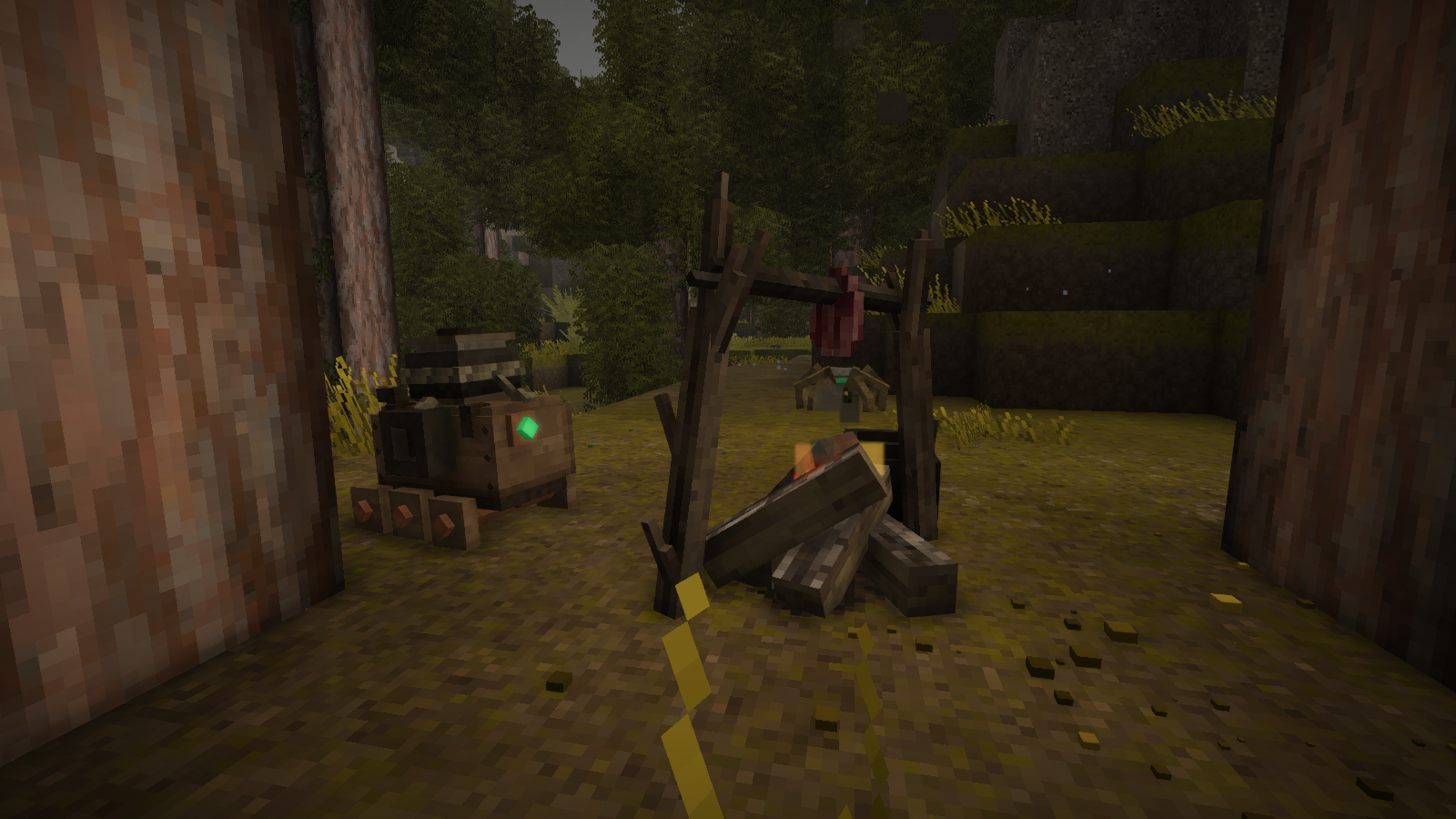
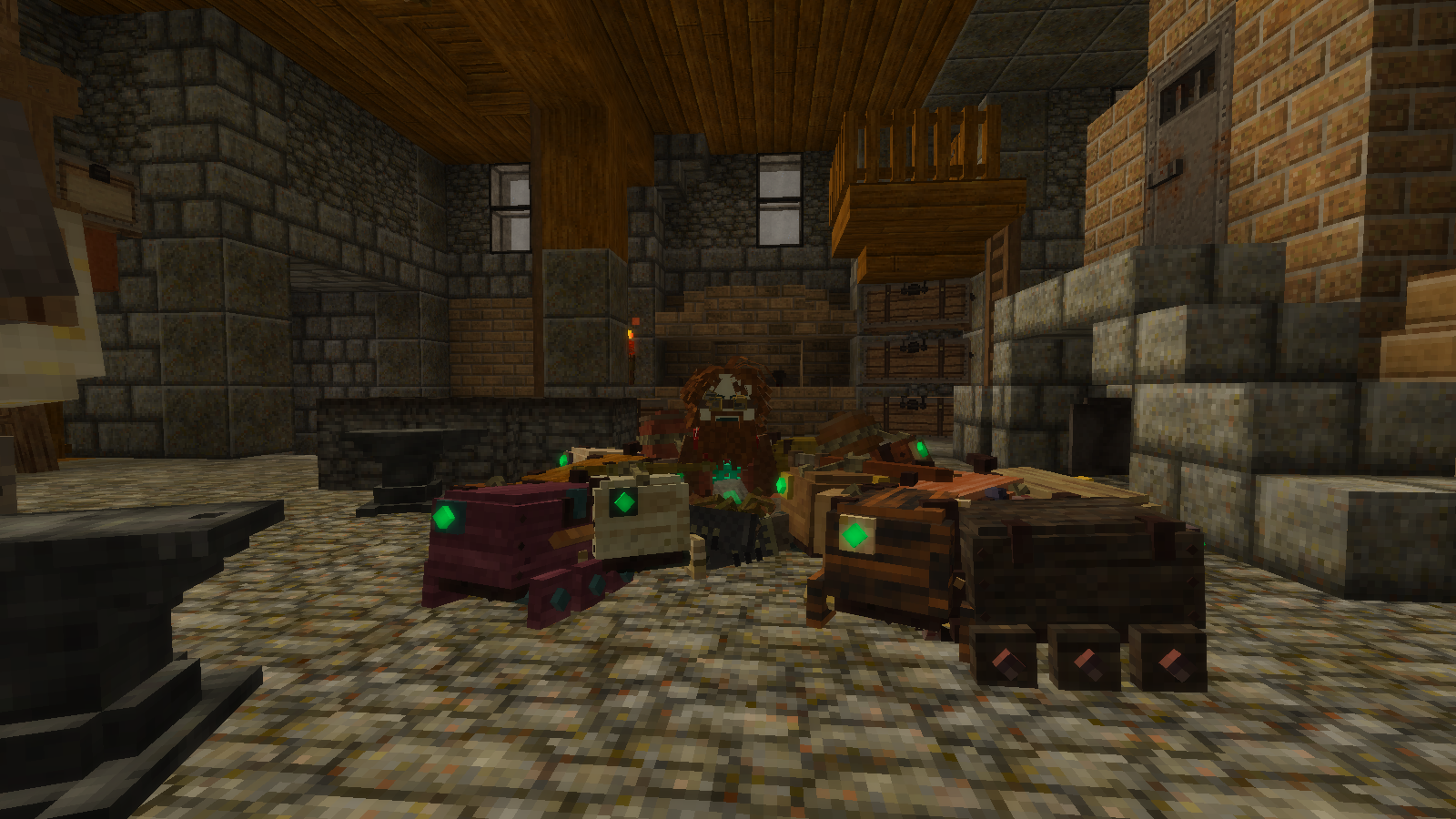
Looking to expand your entourage of mechanical companions? Your bronze buddy too weak to carry things?
Look no further, this mod adds in a new plank pal that's craftable by players!
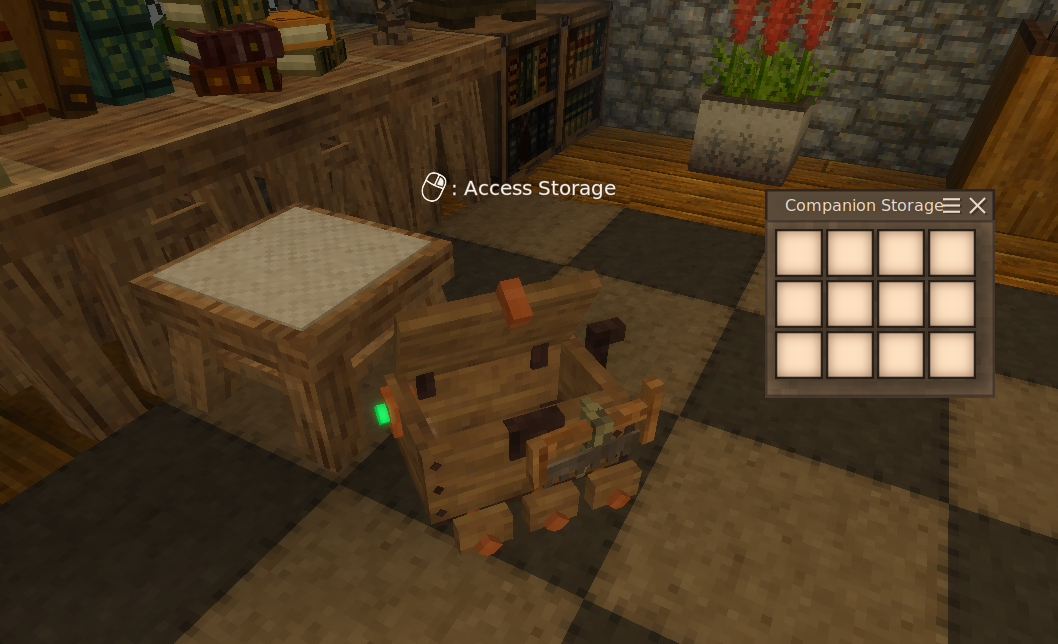
Based off an unused entity in the game the Mechanical Companion has 12 storage slots and acts similarly to a Locust. Although they do have large behavioral differences. For starters they do not guard you like Locusts, and being the loyal and more patient follower that they are when set to "Waits" they will not wander from their spot. (Note that unlike locusts, the player has to press Shift + Right Click to toggle the "Follows" / "Waits" state!)
Mechanical Companions have an impressive 50 health points and since they do not get involved in combat they rarely take damage.
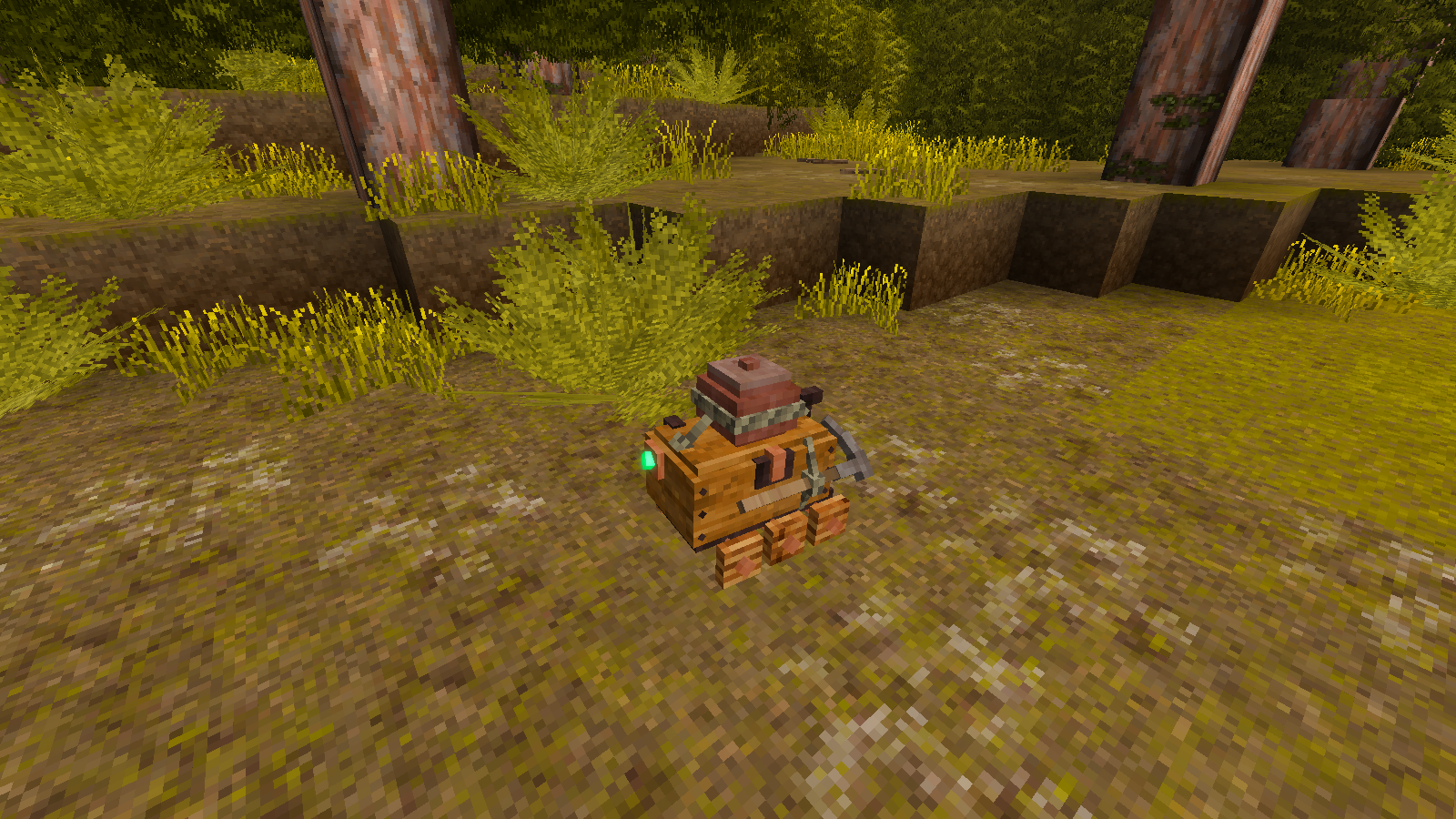
Companions can have items attached to them similarly to the Elk! They have a total of three points which can mount the following:
- Bowl, Padlock, or Fire starter
- Cooking Pot, Food Crock, Falx, Blackguard Shortsword or a Bow
- Various tools such as a Pickaxe, Saw, Hammer, Knife, ETC
Note: Ctrl + RMB will also toggle the light, you can Ctrl + Shift + RMB to avoid this!
Alongside their storage utility, a Mechanical Companion acts as a light source. Which can be toggled on and off with Ctrl + Right Click.
In the event the companion does die or take damage it can be repaired by prodding it with a tuning spear or any kind of wrench to revive metal parts are needed instead. A broken companion's body will de-spawn in 48 hours. While the body exists, the inventory of the companion can still be accessed. However once it despawns all contained items are gone with the body!
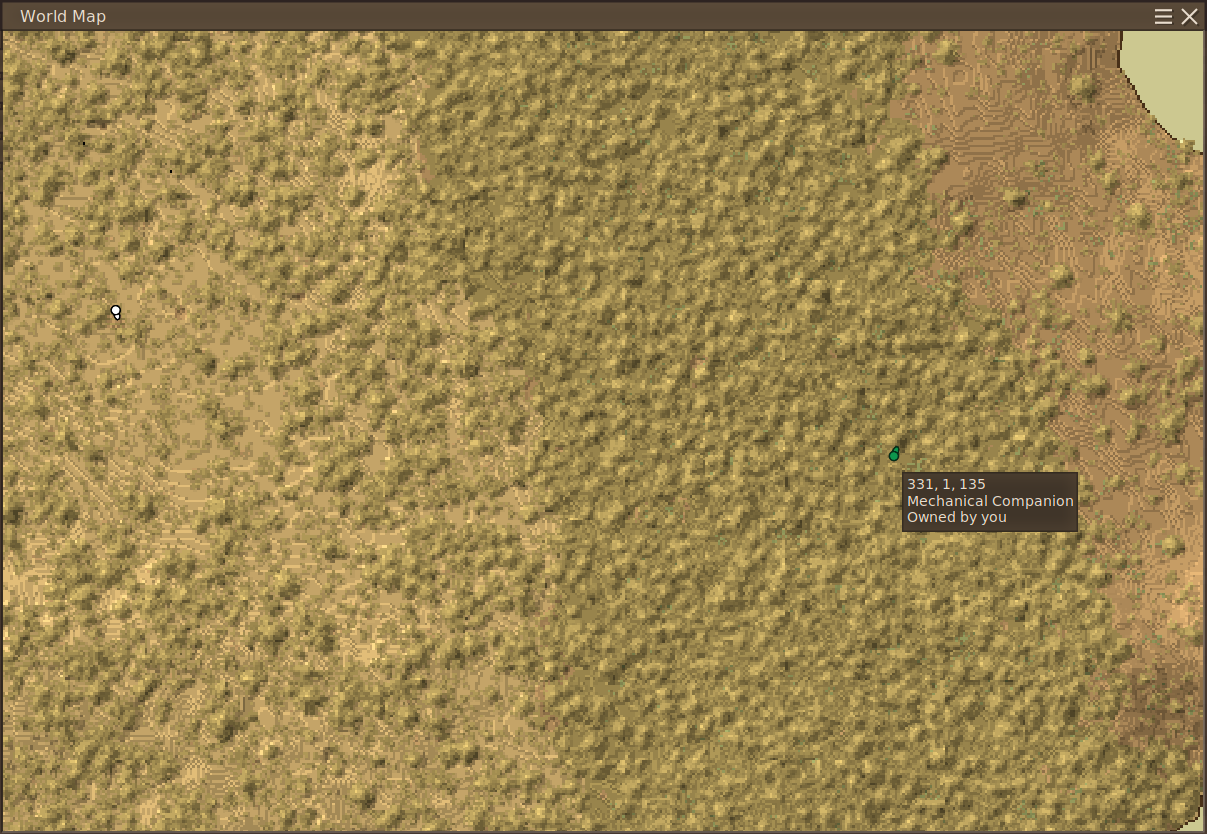
Companions will also appear on the world map the same way tamed creatures such as the Elk or locusts with Repairable Locust installed do! No longer must you accidently leave behind your companion after forgetting to set them to follow you.
Locking Storage: For multiplayer, you can secure the 12 internal storage slots so that only the companion's owner can access them. To toggle locking, simply interact with the companion while holding a Padlock. Be aware: a companion can still be killed to forcibly unlock its internal inventory, allowing any player to access the contents.
Mechanical Companions can only maintain a bond with one owner at a time. Claiming a new companion will abandon the previous one, causing it to go dormant and release its bond. Abandoned companions may be claimed again by the next player who interacts with them. Note that Locusts do not count towards this, meaning a player can have 1 Locust and 1 Mechanical Companion trailing them with no problems.
You can pickup companions, contents and data intact by interacting with them while having an empty backpack slot selected! Whoever places (incase you give the companion to someone else) will be the new owner. You need to be the owner to grab a companion.
Cutomization! The base visuals of your companion are based on the planks used at the final stage of crafting. There is also a 4th slot on the back that allows you to replace the copper metal finishings of the companion with various other metals by attatching a bit or nugget to change to that material.
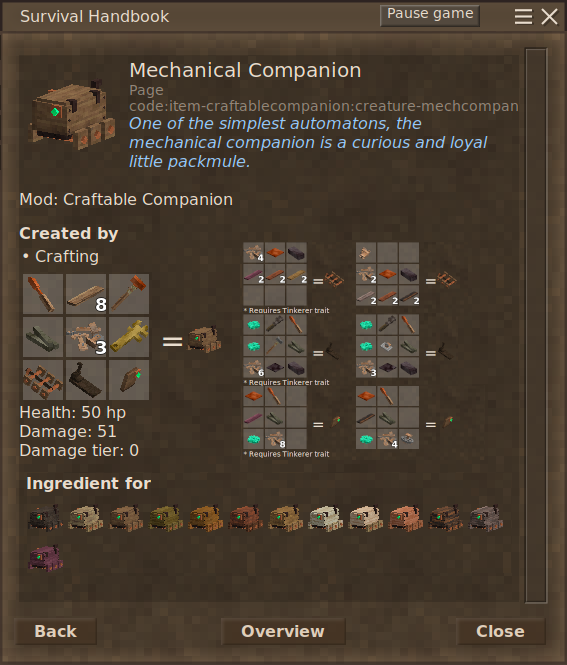
Crafting one takes multiple components, clockmakers have cheaper recipies that do not require the Jonas Sub-Assemblies.
The total cost of all the parts is:
- 12 Metal Parts (21 for clockmakers)
- 8 Planks (Must all be of same type to set material!)
- 3 Solder Bars
- 7 Planks (Any type for generic parts)
- 3 Temporal Gears
- 2 Copper Plates
- 1 Blackbronze Plate
- 1 Blackbronze Rod
- 2 Blackbronze Nails & Strips
- 1 Finely Balanced Oscillator
- 1 Intricately Wound Spring
- 1 Exquisite Plantetary Gear
Wrench (26 durability total)
Hammer (2 durability total)
Soldering Iron (3 durability total)
Bonus points if you recognize the idle sound the Mechanical Companion makes.
There is also an in-game handbook entry linking to the mod content and describing the highlights of mechanical companion operation and usage!
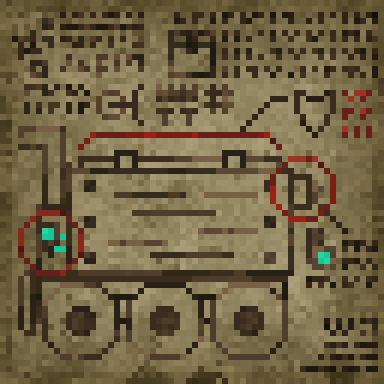
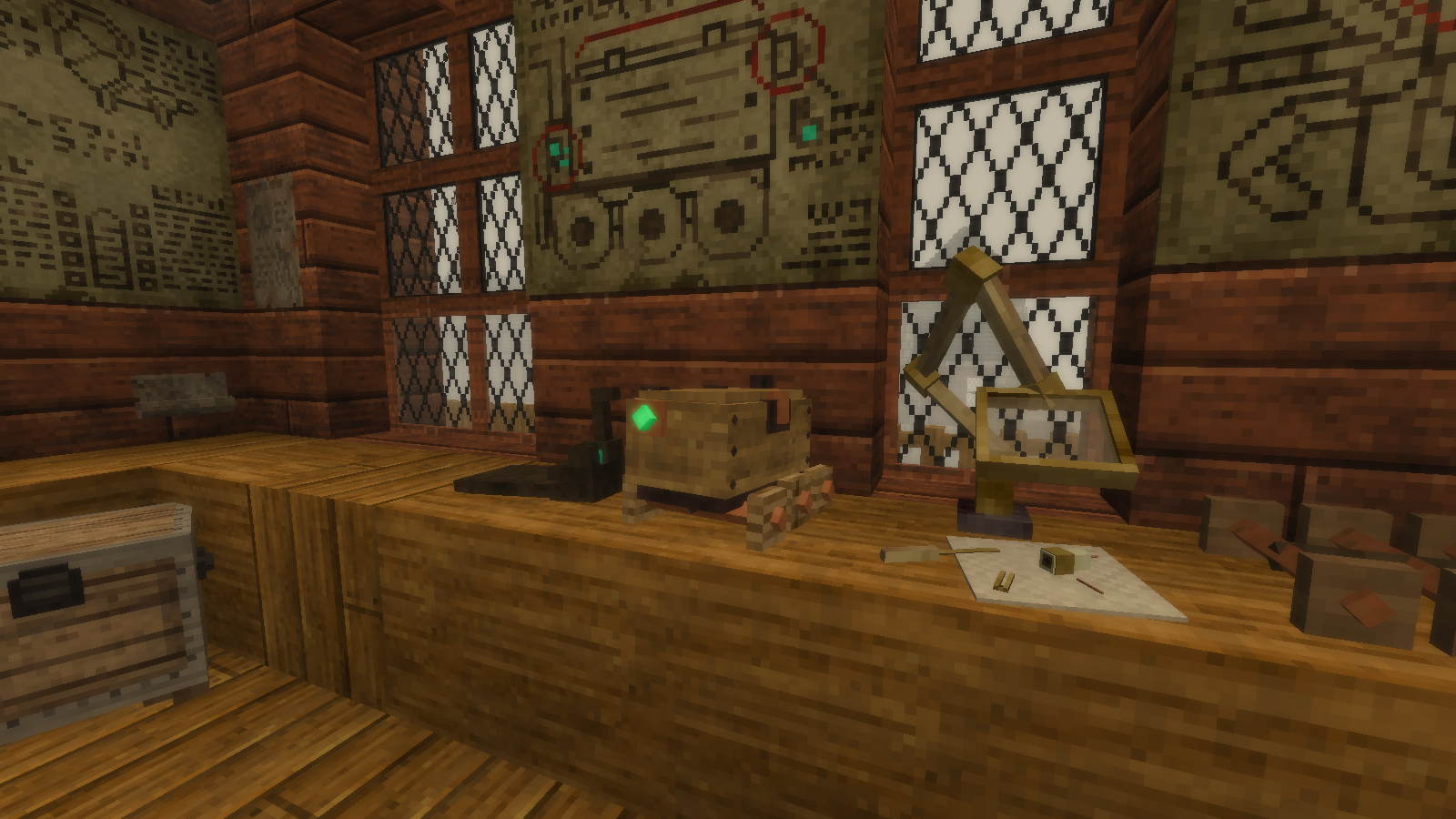
As a bonus, the schematic icon for the mod is now a tapestry that unlocks a lore blurb when assembled. It can be found in artisan trader stocks.
Existing Companions may need to be replaced for update changes to fully apply!
For previews of future upcoming content, quickest responses on inquiries and bug reports checkout the offical VS server mod thread!
This mod also specifically supports Biodiversity: Trees unlocking TONS of new wood variants for the companion if loaded at the same time :D
Both the extra tapestry and the various attachable items may softly conflict with other mods if they do similar features or affect the same items. Feel free to report conflicts in the comments and I may specifically patch them. The "Cartwright´s Caravan" mod for example is already patched to avoid issues between both mods!
For another clockmaker automaton related mod try out my Locust focused one:
| Mod Version | Mod Identifier | For Game version | Downloads | Released | Changelog | Download | 1-click mod install* |
|---|---|---|---|---|---|---|---|
| 1.5.5 | craftablecompanion | 61 | 21 hours ago | CraftableCompanion_1.5.5.zip | 1-click install | ||
|
Added some support patches for Immersive Backpacks so now companions can be stored into side bag slots when picked up | |||||||
| 1.5.4 | craftablecompanion | 19281 | May 17th at 11:30 PM | CraftableCompanion_1.5.4.zip | 1-click install | ||
|
Added mod compatibility with Biodiversity Trees mod, unlocking TONS of new companion variants, and allowing composite parts to be made from the modded boards. Fixed dirtied cooking pots not having a drawn shape. Replaced Cooking Pot model to better match size and be larger than the old crock model
Flipped icon of companions to face proper direction in GUI Added extra tool tip text for placing down companions from Pal's Enhanced Locusts | |||||||
| 1.5.3 | craftablecompanion | 561 | May 11th at 9:47 PM | CraftableCompanion_1.5.3.zip | 1-click install | ||
|
Another minor update largely to syncronize changes and improvements with Pal's Enhanced Locusts (aka Repairable Locust) Recall mode on clockmaker's tuning spear now also tries to recall owned companions Revivial of companions now takes metal parts Ownership is now restored on revive, can no longer claim another player's companion by killing and reviving them! Updated Handbook entry | |||||||
| 1.5.2 | craftablecompanion | 821 | May 6th at 1:32 AM | CraftableCompanion_1.5.2.zip | 1-click install | ||
|
Added new "very aged" companion to fit new 1.22 wood type, currently existing aged companions will take on the new appearence of the aged wood, while the new very aged companion will keep the classic burnt look that looks similar to the helper clutter object.
Other minor tweaks such as hand book entry to list new correct cosmetic combinations and small UV fix to saw attachment model. | |||||||
| 1.5.1 | craftablecompanion | 380 | May 3rd at 12:43 AM | CraftableCompanion_1.5.1.zip | 1-click install | ||
|
Updated to 1.22 does not work on prior versions Small improvements to crock attachment model. | |||||||
| 1.5.0 | craftablecompanion | 2242 | Jan 24th at 3:00 AM | CraftableCompanion_1.5.0.zip | 1-click install | ||
|
Major (under the hood) minor update! Should hopefully work with existing saves Companion item can now only fit in backpack slots! Other tiny and improvements and tweaks to various features. | |||||||
| 1.4.1 | craftablecompanion | 2690 | Nov 15th 2025 at 11:30 AM | CraftableCompanion_1.4.1.zip | 1-click install | ||
|
Quick Day 1 patch, accidently left debug logging enabled when closing companion storage, also fixed small oversight that prevented lid opening animation triggering while companions were set to "Waits" state! WARNING: This update will cause pre-existing companions pre 1.4.0 to disappear due to the new IDs! | |||||||
| 1.4.0 | craftablecompanion | 113 | Nov 15th 2025 at 7:18 AM | CraftableCompanion_1.4.0.zip | 1-click install | ||
|
WARNING: This update will cause pre-existing companions pre 1.4.0 to disappear due to the new IDs! This is a major release with exciting new features! You can now attatch tons of extra tools such as hammer, chisels, knives and more to the third mounting slot. Companion hatches now properly animate when they are open, and play sound effects in sync. There is now a 4th attatchment point on the back of the companion that can be used to set their copper trim to other metals using bits and nuggets. Companion specific crafting pieces can now be placed onto the ground. Various other minor improvements.
(Hopefully) Fixed occasional harmless exception thrown by companions in unloaded chunks or with offline players relating to ownership. | |||||||
| 1.3.2 | craftablecompanion | 2325 | Oct 1st 2025 at 7:56 PM | CraftableCompanion_1.3.2.zip | 1-click install | ||
|
Fixed pots rendering and made metal cooking pots compat use metal texture | |||||||
| 1.3.1 | craftablecompanion | 702 | Sep 30th 2025 at 9:49 PM | CraftableCompanion_1.3.1.zip | 1-click install | ||
|
Added bare bones comapt to metal cooking pots and vanilla armory, no new assets. Recycle existing models so attatched items wont have custom visuals but wont be invisible or crash. Fixed fall damage immunity not working. Added third extra speed up mode to keep up with boats and other long distance situations. | |||||||
| 1.3.0 | craftablecompanion | 2108 | Sep 2nd 2025 at 11:40 PM | CraftableCompanion_1.3.0.zip | 1-click install | ||
|
MAJOR UPDATE - Porting over exciting new improvements from Repairable Locusts and more! Companions can now be revived and repaired with either a wrench OR tuning spear New ingame handbook entry describing important mod mechanics! New locking system for use in multiplayer! Rightful owners of companions can lock them using a padlock. However companions can still be killed to have their storage unlocked!
Fixed warning spam from floating behaviour. Added padlock to mountable storage slot 1. You can now rope companions.
Other minor improvements :D Changes for this update seem to work for priorly existing companions! | |||||||
| 1.2.2 | craftablecompanion | 463 | Aug 30th 2025 at 7:25 PM | CraftableCompanion.zip | 1-click install | ||
|
DO NOT USE ON OLDER VERSIONS THAN 1.21 Added the same bows and swords that can be mounted on top of the Elk now to the Companion Crock pots and bowls should now attatch again and have fancy new colors, cooking pots will attach but do not change color in this version.
One teeny quirk introduced due to a new 1.21 bug I needed to work around to make bowls work, when this mod is loaded the bowls of water and honey in the creative menu will not appear. This is the safest work around for now I doubt anyone will really notice. | |||||||
| 1.2.1 | craftablecompanion | 7161 | Jan 31st 2025 at 11:28 PM | CraftableCompanion.zip | 1-click install | ||
|
Fixes a bug that caused tapestries that generated in artisan trader stock to be improper and crash the game when hoevered over.
Existing traders will need to shuffle stock for fix to fully apply! | |||||||
| 1.2.0 | craftablecompanion | 1525 | Dec 15th 2024 at 3:28 AM | CraftableCompanion.zip | 1-click install | ||
|
Added new major feature, various attatchment points for some items similar to the Elk. Added bonus feature of the mod icon schematic as a proper tapestry, including lore entry. (Thank you to Nexrem for advising how to implement it!) Should be compatible with "Crocks on your Elk" mod Due to specific patches. | |||||||
| 1.1.2 | craftablecompanion | 522 | Dec 7th 2024 at 6:04 AM | CraftableCompanion.zip | 1-click install | ||
|
Recompiled to work with 1.20.0-rc 1 Reworked movement to keep up better with player and new Elk mounts and not get unloaded. Fixed client warnings due to sounds being stereo instead of mono | |||||||
| 1.1.1 | craftablecompanion | 2985 | Apr 25th 2024 at 11:39 PM | CraftableCompanion.zip | 1-click install | ||
|
Ported tuning spear repair mechanic from my other mod "Repairable Locust". Added a sound to the light toggle. Existing Companions may need to be replaced for the changes to fully apply! The light should no longer be forced on upon save load. | |||||||
| 1.1.0 | craftablecompanion | 394 | Apr 21st 2024 at 4:32 AM | CraftableCompanion.zip | 1-click install | ||
|
Major Update, mod now features custom code to smooth over and enhance features. Added integrated light that can be toggled. Increased storage to 12 slots from 8. Added alternate recipies for non-clockmakers that require Jonas Sub-assemblies. Compatible with existing saves! | |||||||
| 1.0.0 | craftablecompanion | 1681 | Nov 23rd 2023 at 1:51 AM | CraftableCompanion.zip | 1-click install | ||
|
Release! | |||||||
If the companion somehow dies in lava, does the corpse disappear immediately?
Sadly I think lava deletes things like that, not an inherent mechanic from the companion side so much as lava being extra deadly. And if the body is gone then its gone for good tragically...
I've lost a locust and such to it before its definitely annoying with entity pathing not really responding to it! I recommend picking up or ordering your companion to wait when passing by its one of the reasons I added those features to my mods because the NPCs are just too dumb for their own good around fire in general so far.
it's just too cute to not be updated to 1.22.5 😭!!!
It still works in the latest version! Most mods from 1.22.3+ still work in their later versions, since it's a lot of bug fixes and server specific things (I think 1.22.5 and 1.22.6 are almost solely server fixes).
nice!!! 1.22.3 is the baseline, i'll download it and test! thank you so much
Yeah it should all be good sorry for keeping everyone waiting but I've been struggling personally, finishing the much larger projects I have across games right now is already feeling insurmountable at times, doing small things like updating version tags is sadly something I haven not been keeping up with, I do still like to check for major problems hence my current reply wave on my mods. So if it does break in the current major version please do report. But it should hopefully all me functioning well enough to my knowledge!
will do, thanks a bunch
thats so cute omg
getting this error when attaching tools / bowls to the companion
Running on 64 bit Windows 10.0.26200.0 with 65458 MB RAM
Game Version: v1.22.3 (Stable) + Optimum v0.2.4
08/07/2026 09:41:49: Critical error occurred
Loaded Mods: walkingstick@3.0.9, ancientarmory@1.2.3, hardcorewaterforked@1.4.6, arcticsurvival@2.0.0, atwatersedge@2.0.0, beamium@1.2.2, beamsgoinminingbag@1.0.0, BetterGrass@0.0.3, betternutrition@1.3.0, brickmold@1.3.1, catchlivestock@0.2.4, catchledge@0.7.1, cbr@2.0.1, chiseltools@1.17.3, cindersandembers@1.0.2, claycasting@1.3.8, clayworks@0.6.1, clickuptorches@1.1.1, containersbundle@1.3.1, craftablecompanion@1.5.4, crawlanddive@0.2.5, creaturefootsteps@1.3.0, darcesdriftersredone@1.3.0, hqzlights@1.1.3, dryablegroundstorage@1.0.1, earthfed@1.0.0, effortlessstructures@0.1.2, explosive@0.2.1, fasterroots@1.0.1, fieldsandplateaus@1.0.10, fahussar@1.1.6, bovinae@0.3.5, caninae@1.1.6, capreolinae@2.0.13, casuariidae@1.1.8, chelonioidea@1.0.7, dinornithidae@1.0.22, felinae@0.2.13, iniidae@0.1.5, machairodontinae@1.1.10, manidae@1.0.18, pantherinae@1.2.14, rhinocerotidae@1.0.22, thylacinidae@0.1.6, viverridae@1.0.8, vombatidae@0.4.4, fowlmod@1.0.1, geoaddons@1.4.8, horperfopt@1.0.5, hydrateordiedrate@2.4.14, immersiveorecrush@2.2.5, interestingoregen@2.3.8, jsonpatcheslib@1.5.3, kilnshelves@1.1.8, longtermfood@0.7.0, loveiscold@1.0.0, manualdishes@0.1.2, mbr@1.0.0, metalleaf@1.4.1, millwright@1.3.3, moremeadoptions@2.0.4, oneoredrop@1.0.2, overhaulliblegacycompat@1.2.2, p1nksshelvingtweaks@1.0.8, plainsandvalleys@1.0.13, primitivesurvival@5.0.6, RelightTorches@1.0.0, resonatoroverhaul@1.1.2, reverence@1.1.0, scrollrackable@1.5.2, fixscythe@0.2.1, shelfobsessed@2.1.5, simplepalisades@1.0.0, soapandlyecontinued@2.1.2, sortablestorage@3.0.0, spinningwheel@1.2.12, stonequarryrepckfipil@3.6.3, temporalsymphony@2.3.2, temporal_gears_stack@1.0.0, thetruearchimedesscrew@0.2.0, tradersrevised2patch@1.0.1, translocatorengineeringredux@1.6.6, tseasonedfirewood@1.2.9, visibleoresandminerals@1.4.0, game@1.22.3, vsimgui@1.2.7, wsaanvils@1.0.0, aculinaryartillery@2.0.0-dev.21, alchemy@2.1.0-rc.90, animationslib@0.0.2, anvilperformanceoptimization@1.0.0, attributerenderinglibrary@3.1.5, barkcanoe@1223.0.1, beamtweaksmod@2.1.1, betterdeathmessages@1.0.3, bettererprospecting@3.3.3, betterfpcamerafork@1.4.2, betterjonasdevicesfixedagain@2.1.6, betterruins@0.6.3, billposting@2.0.2, biodiversity@1.1.4, blacksmithname@1.3.0, bloodtrail@1.2.4, butchering@1.13.5, carryonlib@1.0.0-pre.4, chiselgridmod@0.2.21, chiselingqolpatches@0.2.3, clothierheirloomsmod@1.1.0, cmicebox@2.0.1, commonlibforked@2.8.1, configlib@1.12.0, configurableroomsize@1.3.2, coreofartspatch@1.2.2, crateful@2.1.0, thecritterpackcontinued@1.4.2, cruciblecapacity@1.0.2, dairyplus@2.0.0-pre.1, danatweaks@4.1.0, tackandequipment@1.1.0, extrafurniture@1.1.2, extrainfo@2.2.1, farseer@1.4.0, fendragonbcs@0.2.3, feverstonewilds@2.1.2, fieldsofsalt@1.2.5, firearmsfork@1.10.0, firepitsshowfuel@2.0.0-dev.1, foodpreferences@1.6.0, foodshelves@3.0.4, fromgoldencombs@2.0.8, genelib@3.1.1, hazmatsuit@1222.0.2, healthbar@1.4.2, herbarium@1.4.3, hideplayerinfo@1.3.1, icebreaker@1.22.3, immersivewoodworking@1.0.0, insanitylib@2.0.3, ithaniacannedgoods@2.0.6, iwantsmoothtemperature@1.1.6, jaunt@3.0.0-rc.3, jonastools@1.3.0, justthepepper@3.0.0, leadstatistic@1.0.5, shelfobsessedpatchesadditional@1.1.0, mngeology@2.0.10, materialneeds@1.1.16, metallurgy@1.2.1, metalpots@1.8.0, moatbombs@1.2.0, moldsplus@1.0.4, morepiles@3.0.1, mountsdestroysleaves@1.0.2, multiplayertimespinner@0.9.3, naturalfertilizer@1.5.1, ndlflowergrowth@2.2.1, ndlmushroomgrowth@2.2.1, ndltreegrowth@2.3.3, nobackwardssprinting@1.0.1, opineuponpine@1.0.10, petai@5.1.1, physicslib@1.3.0, pitkilnclinker@0.1.1, placeonslabs@1.1.3, playerlistrevived@2.3.8, portcullisfix@1222.0.7, precisepickedup@1.1.4, purposefulstorage@2.0.1, rackableplates@1.0.0, realsmoke@1.3.1, revpatch@1.1.1, rivers@5.0.2, roomtools@2.0.0, ropetiable121@1.4.1, rpvoicechat@2.5.7, saltandsands@1.3.0, scarecrow@1.8.2, seamlessrapids@1.0.1, shipwright@1.4.1, slowtox@5.0.0, snstowerblackguard@1.0.1, stablesurface@0.0.3, statushudcont@4.3.2, stepupadvanced@1.4.0, stonebakeoven@1.3.5, tailoringforall@1.0.1, improvedmetallurgy@1.1.8, tinkertailorpatchworks@1.6.6, toolsanimationsfork@1.2.7, toolsmith@1.2.17, vanityslotsfork@0.0.8, vintagekinematics@1.3.20, visiblebags@1.0.2, visorhelmetsfork@1.1.9, vsairshipmod@1.1.4, creative@1.22.3, vsecomachina@0.6.1, vsroofing@1.6.2, survival@1.22.3, warmweathereffects@1.2.1, waterfall@1.2.3, watersheds@6.4.3, weaponout@1.0.2, wilderlandsspawnbound@1.0.3, xlibfork@1.0.21, xskillsqualitymodifiers@2.0.3, alchemymnpatch@1.0.0, artofcookingpatch@1.2.2, artofgrowingpatch@1.2.2, bdcrop@1.1.0, bdorchard@1.0.5, blushandbins@1.3.3, carryon@2.0.0-pre.4, clicktoggle@1.1.3, combatoverhaulfork@0.18.0, crossbowsfork@1.10.0, equusdestrier@1.0.1, equus@1.4.0, expandedfoods@2.0.0-dev.12, em@3.7.0, extremefirestartersreforged@1.1.3, feverstonewildsbutcheringcompatfork@2.8.0, fotsabutcheringcompat@0.1.0, mapper@0.5.2, pinrecipes@1.1.2, playercorpseforked@1.14.1, quiversfork@0.9.29, realsmokeqppatch@1.0.1, shearlib@1.3.0, storagetweaks@1.3.3-rc.1, tailorsdelight@2.2.2, terrainslabs@1.0.16, underwaterhorrors@0.8.2, waterwheelriver@1.2.1, wearandtear@1.5.23, wildcrafttree@1.3.4, wethology@1.0.3, xskillsfork@1.0.72, zombpspatch@2.4.0, armoryfork@1.11.0, artsxskillspatch@1.2.0, bdcroppatch@1.0.0, bdorchardpatch@1.0.0, combatreanimatedfork@1.0.1, dressmakers@1.8.0, ecomachinawildcraftnormaltreescompat@0.2.0, efchefstricks@1.0.0-dev.3, efmealsmodule@1.0.0-dev.5, kaschperleclassedits@1.23.8, morearrowsfork@1.2.3, tailoredbrigandinecofork@1.0.1, xskillstailoring@0.1.2, wool@1.9.3, xskillsgilded@1.3.36, zzcoarmorpenaltypatch@1.0.11, shearregret@1.0.1
System.NullReferenceException: Object reference not set to an instance of an object.
at Vintagestory.Client.NoObf.SystemRenderPlayerEffects.AddPointLight(Byte[] lighthsv, EntityPos pos)
at Vintagestory.Client.NoObf.SystemRenderPlayerEffects.onBeforeRender(Single dt)
at Vintagestory.Client.NoObf.ClientMain.MainRenderLoop(Single dt)
at Vintagestory.Client.GuiScreenRunningGame.RenderToPrimary(Single dt)
at Vintagestory.Client.ScreenManager.Render(Single dt)
at Vintagestory.Client.ScreenManager.OnNewFrame(Single dt)
at Vintagestory.Client.NoObf.ClientPlatformWindows.window_RenderFrame(FrameEventArgs e)
at OpenTK.Windowing.Desktop.GameWindow.Run()
at Vintagestory.Client.ClientProgram.Start(ClientProgramArgs args, String[] rawArgs)
at Vintagestory.Client.ClientProgram.<>c__DisplayClass10_0.<.ctor>b__1()
at Vintagestory.ClientNative.CrashReporter.Start(ThreadStart start)
Event Log entries for Vintagestory.exe, the latest 3
==================================
{ TimeGenerated = 06/07/2026 12:56:35, Site = , Source = Application Error, Message = Faulting application name: Vintagestory.exe, version: 1.22.3.0, time stamp: 0x691d0000
Faulting module name: openal32.dll, version: 1.23.0.0, time stamp: 0x63dd31ad
Exception code: 0x40000015
Fault offset: 0x00000000000df046
Faulting process id: 0x3550
Faulting application start time: 0x1dd0d29fa67ade9
Faulting application path: I:\Vintagestory22\Vintagestory.exe
Faulting module path: I:\Vintagestory22\Lib\openal32.dll
Report Id: faedec9c-f5c8-494c-afe4-1cb608667a38
Faulting package full name:
Faulting package-relative application ID: }
--------------
{ TimeGenerated = 05/07/2026 09:40:01, Site = , Source = Application Error, Message = Faulting application name: Vintagestory.exe, version: 1.22.3.0, time stamp: 0x691d0000
Faulting module name: coreclr.dll, version: 10.0.926.27113, time stamp: 0x6a0e0671
Exception code: 0xc0000005
Fault offset: 0x0000000000356fef
Faulting process id: 0x5528
Faulting application start time: 0x1dd0c5151236e70
Faulting application path: I:\Vintagestory22\Vintagestory.exe
Faulting module path: C:\Program Files\dotnet\shared\Microsoft.NETCore.App\10.0.9\coreclr.dll
Report Id: 19689582-5f75-4d29-a5e7-25a4084dac09
Faulting package full name:
Faulting package-relative application ID: }
--------------
{ TimeGenerated = 05/07/2026 09:23:54, Site = , Source = Application Error, Message = Faulting application name: Vintagestory.exe, version: 1.22.3.0, time stamp: 0x691d0000
Faulting module name: coreclr.dll, version: 10.0.926.27113, time stamp: 0x6a0e0671
Exception code: 0xc0000005
Fault offset: 0x0000000000356fef
Faulting process id: 0x5bd0
Faulting application start time: 0x1dd0c4f102c2f1c
Faulting application path: I:\Vintagestory22\Vintagestory.exe
Faulting module path: C:\Program Files\dotnet\shared\Microsoft.NETCore.App\10.0.9\coreclr.dll
Report Id: 9138f493-b8ee-4642-af89-74a334ed7368
Faulting package full name:
Faulting package-relative application ID: }
I must make a very simple request, would it be possible to add some support for the Crossbow Fork mod? ID love to be able to store my crossbow onto the little guy, my little bolt holder hehehe! it would look very silly! thank you for making thsi creature!
Cute companion! Cant get him to wait... or attach a bowl... what am I doing wrong?
You're likely having trouble with the controls for attatching and other interactions, which overlap abit and are thinickey.
For attaching I recimmend holding shift + ctrl + RMB, by holding shift ya cancel out the light toggle interaction.
toggling wait is just shift + RMB, try not looking at any of the attachment points and make sure you're not holding ctrl or that will cancel it.
Hopefully that helps!
I figured out that if I crouch and then look at the front, you hear a small click and then he waits. The audio cue is helpful.
As for the bowl, going to have to check the settings and swap the light to something else. I was able to attach the firestarter, just no luck with the bowl...
They might be using a modded bowl, and on that note do you think it would be possible to get support for Pewter bowls and crocks or is that something they need to add? I wanna give him some fancy metal utensils that match his metal bits.
I see this has Biodiversity compat, will it also get Wildcraft compat as well? Thanks!
I could definitely consider it next time I'm updating, a direct link to the mod would be nice too :P
Hello! I'm getting this error on load. Is anyone else getting the same?
4.5.2026 19:46:39 [Error] Grid Recipe 'craftablecompanion:recipes/grid/makemech.json': Output 'craftablecompanion:creature-mechcompanion-veryaged cannot be resolved.
Ah thats a silly oversight, I didnt realize 1.22 split the aged wood types, essentially introducing a new wood variant. The recipe in the mod is automatically trying to make a new crafting combination but I dont define a new companion to line up with that, so its complaining there isnt a "veryaged" companion.
Luckily this is harmless aside from the error, something I'll address in an update. Dont worry about it breaking anything! Seems like I'll be adding a new companion type lol.
That's what I figured it was, knowing the wood type was changed. My own texture pack mod was bugging out as well because they moved where some blocks were stored in 1.22, haha.
Released an update that covers the error and makes some other small tweaks :P
I noticed, thanks!
hey thanks for updating
Updated to 1.22, I still have NOT run into the bug prior commentars have reported not being able to place or pickup companions so far! Everything has been working as expected on my end, if this issue does persist for people please do report it with recreatable conditions.
I love this mod. Is it getting more updates going forward into 1.22?
I'll definitely be looking into it at some point, hopefully quite soon but I also make no promises lol.
https://mods.vintagestory.at/wildcrafttree (This is the one we're specifically using)
https://mods.vintagestory.at/wildcraftfruit
Apologies, I had understood wildcraft to be ubiquitous since it's what Biodiversity was based off, my bad!
I really enjoy my little Chester, but I am unable to pick him up into a backpack slot. Iv had the slot selected, and I have tried every interaction button, nothing seems to work.
I'm also running into the same issue as Somonas. Running the game on 1.21.6, turned all my other mods off, but all I can really do with the companion is put it in my backpack slot. I can't interact with it any other way.
Somonas That sounds like you're running into a bug inded apologies for not catching this comment prior, if you still struggle with the issue can you confirm if it happens just with this mod loaded and no other? Or if any problems are logged when attempting to place one?
SkyPhyre Jakullian Pal_5000I think I figured it out, for me the problem was fixed by holding ctrl + 1,2,3 or 4 to select the backpack slot and place down the companion or pick it up and put it into a specific empty backpack slot. I hope this works for you two as well, the mod is working perfectly for me as of now. Sorry for such a belated reply.
For version 1.5.0 (I'm running VS version 1.21.6), when the companion is in my backpack slot, I am unable to place it no matter how much testing I do in creative and can only summon one with the /entity command. Even that one I am unable to pick up and put into my bag slot after intensive testing. Is there anything I could be doing wrong to make the pickup function of the latest version work or is it bugged?
Edit: If anyone gets stuck like me on adding this mod to the animal cages mod for the latest version of VS, here is the code for the animal cages .json file which works for me:
{
"name": "mechcompanion-*",
"scale": 1.0
},
Terisu Hmm are you having trouble attatching bowls with just this mod loaded? They should be working fine in the last release. Although patching from other mods can interfere if they make them attatchable in a conflicting way.
TimeAtomicz A neat recommendation, although I dont plan on making em basket-able, ya could mess aroun with making a patch mod to do it yourself however, there's also some command that lets ya set the generation of an entity that ya could use to make the companion work if needed. But if I ever look into a pick up solution I'd like to do it more proper at some point.
I know someone else asked, but was there any reason I'm not able to attach a bowl to the side of the companion? The pickaxe and pot mounting points both work fine, but none of the bowls, vanilla or modded attach.
There might be a way that you could make the companion be picked-up in the crate trap, as some creatures of generation 5 can be (ex: if you have a baby elk of generation five you can pick it up in the crate). I just have no idea what is the requirement for an animal to be eligble.
Considering you can't put a piglet a piglet in a crate trap but you can put it in a reed chest it might that the creature requires a tag or the name need to be appended to a list.
Anyway it be cool if you could do that and force the companion to be gen 5 so that we have a vanilla way of transporting it because I feel really bad leaving it to float around while I'm on dragon back.
Cheers!
Edit:
After searching I found this, in Vintagestory\assets\survival\entities\animal\mammal\hooved\pig-baby.json there is this entry:
trappable: {
"small": { trapChance: 0.5, trapDestroyChance: 0.05 }
},
and in deer-baby there is a "large" for any baby deer that isn't a baby pudu (that includes elk).
So it might be that adding,
trappable: {
"large": { trapChance: 0.5, trapDestroyChance: 0.05 }
},
,to the companion will allow it to be put in the trap crate. Then you'd just to find a way to force it at generation 5.
Burgersim Its been awhile since I've used it (I've largely gotten by pushing my pets into translocators and similar in multiplayer.) but you should be able to go into animal cages mod config files, find something like the small cage where it lists what can be put inside, and add the companions to said list with something like this alongside the other entries:
{
"name": "mechcompanion-*",
"scale": 1.0
},
So what exactly do I need to add to the Animal Cages config to add the Companion to the Entities?
SurelyThouJest If you updated from a version prior to 1.4.0 to the newer ones then the conpamnion disappearing is sadly expected, as warned in the update notes for 1.4.0 existing companions from versions prior will be deleted due to the new IDs they use for the wood variants. The map marker should correct if ya create a new companion.
Sadly there was no clean way to transition the old companions as the swapping command did not carry over their data. Hopefully there shouldn't be a another wiping update anytime soon.
Uh, I just updated to the latest version and my little guy has vanished. It's still got a marker on the map, it's just invisible and doesn't have a hitbox. Is there a way to teleport it to see if that fixes it?
should add the ability to give the little guy a knife so he can defend you!
Gantradies Yeah I always love seeing people pickup on the animations of the companion, while I struggle with the editor alot for this game getting them to be as lively as possible was something I dead set on from the start and feel that I've achieved well enough. All the little expressive bits also act as reinforcements to the hopefully neat lore descriptions across their various items and tapestry entry too.
This mod remains easily my favorite of mine just for how much I enjoy the company of the little guy through all my playthroughs since making it.
i think one of the things i love the most,
is how you gave something so non-humanoid/non-anthropromorphised endearing body language-
the way it sometimes uses its independently articulated axels to excitedly tippy-tap its wheels against the ground,
the way it visibly looks around and blinks...
dinosawrrr Late reply but, sadly the interactions are pretty fiddly in general. Like personally when attatching or grabbing attatched things I do shift AND ctrl to not toggle unintended things, and in general when toggling follows it can trip mulitple times. It all should work but is just annoying with the timing sometimes.
Really cool mod! The only problem i noticed is bad interaction with buddy - sometimes it doesn't toggle light and wait/follow states when clicking. Is this normal?
i love him so much. i love his cute wheel wiggle
purple8cloud I may look into changing the control scheme eventually since it is a bit of a mess, but for now I advise simply pressing both shift AND ctrl at the same time to attatch and detach items, shift being active at the same time will avoid toggling the light.
add additional button for turn light on?
it overlap with crock, bowl attach key so cant attach it well
TopOnPC Went ahead and did another quick update to make them use the actual metal textures, albeit the model is still the same shape, enjoy!
cute
Thank you very much! I really appreciate it, people are gonna be happy to have the mod back! :)
Reek Could be a conflict with other mods that change attachables, I know one breaks the textures of the pot model but not which one in my mod list so far lol.
TopOnPC Added very basic compat that should fix the crash, but the pot visually is the same as clay.
Very cute mod love the look.
I'm having a small issue where the model for the attatched cooking pot is missing some parts, also attaching bowls doesn't seem to work
But other than that, great mod!
A fatal crash occurs when trying to put a metal cooking pot (from this mod https://mods.vintagestory.at/metalpots). Is there any way you could create a compatibility patch for it? Thank you!
Running on 64 bit Windows 10.0.19045.0 with 32679 MB RAM
Game Version: v1.21.0 (Stable)
2025-09-24 11:05:47 PM: Critical error occurred
Loaded Mods: alefix@1.1.0, buzzybees@1.1.7, catchledge@0.5.8, cbr@1.0.0, chiseltools@1.15.1, ClaimsRadar@1.1.0, craftablecompanion@1.3.0, crawlanddive@0.2.1, darcesdriftersredone@1.2.3, dodgemaster@1.2.3, freelook@1.0.3, hangingoillamps@1.0.5, longtermfood@0.2.7, millwright@1.2.8, overhaullib@1.10.0, plainsandvalleys@1.0.12, primitivesurvival@3.9.7, scrollrackable@1.4.0, tankardsandgoblets@1.3.0, game@1.21.0, vsimgui@1.1.12, wildfarmingrevival@1.4.0, abcsredux@2.0.5, alchemy@1.7.16, animalcages@4.0.1, apebeams@1.1.1, apeflowerpots@1.3.1, apegrapes@1.3.1, apewindows@1.4.0, attributerenderinglibrary@2.3.0, bedspawnv2@1.6.2, betterfirepit@1.1.6, betterruins@0.5.0, butchering@1.10.3, butterflycases@1.0.2, carryon@1.10.9, coinage@1.17.3, combatoverhaul@0.9.4, commonlib@2.8.0, composter@1.2.1, configlib@1.10.2, craftablewattleanddaub@1.1.21, foodshelves@2.3.0, fromgoldencombs@1.9.4, genelib@2.0.0-rc.1, hazmonitors@1.0.0, hideplayername@2.2.0, jaunt@2.1.0-rc.1, lathemod@1.0.3, maketeaforked@0.7.1, maltiezcrossbows@1.5.3, maltiezfirearms@1.2.3, metalpots@1.6.1, ndlvillagers@2.1.2, ndlwoodentorchholder@2.0.2, oneroof@1.11.0, petai@4.0.0, playerlist@2.1.5, claywheel@1.1.3, purposefulstorage@1.4.1, realsmoke@1.0.1, reedbuff@1.1.1, rpvoicechat@2.3.22, saltandsands@1.1.3, scaffolding@1.1.4, smithingplus@1.8.0-rc.3, statushudcont@3.3.1, stonebakeoven@1.2.0, tanningredux@1.0.2, thecritterpack@1.3.3, toolsmith@1.2.8, viescraftmachines@2.4.1, vinconomy@5.0.3, vintagescarecrow@0.0.7, visorhelmets@1.1.1, creative@1.21.0, vsinstrumentsbase@2.0.4, survival@1.21.0, woodenshuttersandmore@1.2.31, armory@1.2.1, autoconfiglib@2.0.9, cats@4.0.0, equus@1.2.0-rc.6, em@3.3.1, fueledwearablelights@1.0.2, playercorpse@1.12.0, quiversandsheaths@0.4.0, shearlib@1.2.0, snowshoes@2.1.2, stonequarry@3.5.1, tabards@0.2.1, wolftaming@4.0.1, tabatdsemblems@0.0.1, tailorsdelight@2.0.0, wool@1.7.1, dressmakers@1.7.1
Involved Harmony IDs: IgnoreThisPatchItHasNothingToDoWithYourCrash
System.ArgumentNullException: Value cannot be null. (Parameter 'source')
at System.Linq.ThrowHelper.ThrowArgumentNullException(ExceptionArgument argument)
at System.Linq.Enumerable.TryGetLast[TSource](IEnumerable`1 source, Boolean& found)
at System.Linq.Enumerable.Last[TSource](IEnumerable`1 source)
at Vintagestory.GameContent.BlockCookingContainer.Vintagestory.GameContent.IAttachableToEntity.CollectTextures(ItemStack itemstack, Shape intoShape, String texturePrefixCode, Dictionary`2 intoDict) in VSSurvivalMod\Systems\Cooking\BlockCookingContainer.cs:line 34
at Vintagestory.GameContent.EntityBehaviorContainer.addGearToShape(Shape entityShape, ItemStack stack, IAttachableToEntity iatta, String slotCode, String shapePathForLogging, String[]& willDeleteElements, Dictionary`2 overrideStepParent) in VSEssentials\Entity\Behavior\BehaviorContainer.cs:line 328
at Vintagestory.GameContent.EntityBehaviorContainer.addGearToShape(Shape entityShape, ItemSlot gearslot, String slotCode, String shapePathForLogging, Boolean& shapeIsCloned, String[]& willDeleteElements, Dictionary`2 overrideStepParent) in VSEssentials\Entity\Behavior\BehaviorContainer.cs:line 265
at Vintagestory.GameContent.EntityBehaviorAttachable.addGearToShape(Shape entityShape, ItemSlot gearslot, String slotCode, String shapePathForLogging, Boolean& shapeIsCloned, String[]& willDeleteElements, Dictionary`2 overrideStepParent) in VSSurvivalMod\Entity\Behavior\BehaviorAttachable.cs:line 449
at Vintagestory.GameContent.EntityBehaviorContainer.addGearToShape(Shape& entityShape, String shapePathForLogging, Boolean& shapeIsCloned, String[]& willDeleteElements) in VSEssentials\Entity\Behavior\BehaviorContainer.cs:line 226
at Vintagestory.GameContent.EntityBehaviorContainer.OnTesselation(Shape& entityShape, String shapePathForLogging, Boolean& shapeIsCloned, String[]& willDeleteElements) in VSEssentials\Entity\Behavior\BehaviorContainer.cs:line 195
at Vintagestory.API.Common.Entities.Entity.OnTesselation(Shape& entityShape, String shapePathForLogging, Boolean& shapeIsCloned) in VintagestoryApi\Common\Entity\Entity.cs:line 1298
at Vintagestory.API.Common.Entities.Entity.OnTesselation(Shape& entityShape, String shapePathForLogging) in VintagestoryApi\Common\Entity\Entity.cs:line 1230
at Vintagestory.GameContent.EntityShapeRenderer.TesselateShape(Action`1 onMeshDataReady, String[] overrideSelectiveElements) in VSEssentials\EntityRenderer\EntityShapeRenderer.cs:line 231
at Vintagestory.GameContent.EntityShapeRenderer.TesselateShape() in VSEssentials\EntityRenderer\EntityShapeRenderer.cs:line 195
at Vintagestory.GameContent.EntityShapeRenderer.BeforeRender_Patch1(EntityShapeRenderer this, Single dt)
at Vintagestory.Client.NoObf.SystemRenderEntities.OnBeforeRender(Single dt) in VintagestoryLib\Client\Systems\Render\RenderEntities.cs:line 71
at Vintagestory.API.Client.DummyRenderer.OnRenderFrame(Single deltaTime, EnumRenderStage stage) in VintagestoryApi\Client\API\IClientEventAPI.cs:line 87
at Vintagestory.Client.NoObf.ClientEventManager.TriggerRenderStage(EnumRenderStage stage, Single dt) in VintagestoryLib\Client\Util\ClientEventManager.cs:line 204
at Vintagestory.Client.NoObf.ClientMain.TriggerRenderStage(EnumRenderStage stage, Single dt) in VintagestoryLib\Client\ClientMain.cs:line 820
at Vintagestory.Client.NoObf.ClientMain.MainRenderLoop(Single dt) in VintagestoryLib\Client\ClientMain.cs:line 872
at Vintagestory.Client.NoObf.ClientMain.MainGameLoop(Single deltaTime) in VintagestoryLib\Client\ClientMain.cs:line 744
at Vintagestory.Client.GuiScreenRunningGame.RenderToPrimary(Single dt) in VintagestoryLib\Client\MainMenu\Screens\GuiScreenRunningGame.cs:line 172
at Vintagestory.Client.ScreenManager.Render(Single dt) in VintagestoryLib\Client\ScreenManager.cs:line 719
at Vintagestory.Client.ScreenManager.OnNewFrame(Single dt) in VintagestoryLib\Client\ScreenManager.cs:line 663
at Vintagestory.Client.NoObf.ClientPlatformWindows.window_RenderFrame(FrameEventArgs e) in VintagestoryLib\Client\ClientPlatform\GameWindow.cs:line 113
at OpenTK.Windowing.Desktop.GameWindow.Run()
at Vintagestory.Client.ClientProgram.Start(ClientProgramArgs args, String[] rawArgs) in VintagestoryLib\Client\ClientProgram.cs:line 338
at Vintagestory.Client.ClientProgram.<>c__DisplayClass10_0.<.ctor>b__1() in VintagestoryLib\Client\ClientProgram.cs:line 133
at Vintagestory.ClientNative.CrashReporter.Start(ThreadStart start) in VintagestoryLib\Client\ClientPlatform\ClientNative\CrashReporter.cs:line 95
Event Log entries for Vintagestory.exe, the latest 2
==================================
{ TimeGenerated = 2025-09-24 10:58:12 PM, Site = , Source = Application Error, Message = Faulting application name: Vintagestory.exe, version: 1.21.0.0, time stamp: 0x68760000
Faulting module name: openal32.dll, version: 1.23.0.0, time stamp: 0x63dd31ad
Exception code: 0x40000015
Fault offset: 0x00000000000df046
Faulting process id: 0x54b0
Faulting application start time: 0x01dc2dc80e8f7d3a
Faulting application path: C:\Users\Rache\AppData\Roaming\Vintagestory\Vintagestory.exe
Faulting module path: C:\Users\Rache\AppData\Roaming\Vintagestory\Lib\openal32.dll
Report Id: 3ab78c76-e9de-470c-acbb-a0d379f666a8
Faulting package full name:
Faulting package-relative application ID: }
--------------
{ TimeGenerated = 2025-09-16 8:28:33 PM, Site = , Source = Application Error, Message = Faulting application name: Vintagestory.exe, version: 1.21.0.0, time stamp: 0x68760000
Faulting module name: openal32.dll, version: 1.23.0.0, time stamp: 0x63dd31ad
Exception code: 0x40000015
Fault offset: 0x00000000000df046
Faulting process id: 0x34a0
Faulting application start time: 0x01dc2769e9d48f85
Faulting application path: C:\Users\Rache\AppData\Roaming\Vintagestory\Vintagestory.exe
Faulting module path: C:\Users\Rache\AppData\Roaming\Vintagestory\Lib\openal32.dll
Report Id: c78fa7e4-7712-484e-932a-113877c220c0
Faulting package full name:
Faulting package-relative application ID: }
Would it be possible to get compatibility for toolsmith/combat overhaul bows?
why i cant put the bowl on the compion
Xela42
Yes it should be perfectly safe to add the mod to an existing save that did not start with it.
Removal is a little more tricky and could have problems, make sure to eliminate as many traces as you can beforehand.
Am I able to add this mod to my existing playthrough without corrupting the world file?
Obviously this is not a priority, my comment was more of a wishlist than anything. I already love the mod even as is, so anything extra is just a bonus. Keep doing what you're doing and no stress.
A_Whisper
Yeah there's some good ideas there, definitely things to consider tinkering with, whenever I find the time to work on another update I'll look into it.
There's already a small back log with needing to add the Russian translation submitted in the comments.
While I would like to give some estimate on when I may actively work on a new update. VS is currently on the back burner, unless anything critical breaks I probably wont be working on an update for awhile.
Would it be possible to make residue covered pots a viable choice to place on top of the buddy? I use him while exploring ruins and would like to be able to craft/reheat glue on the go without taking up one of his inventory slots. We can already fit a pot on his head, so why not one that's just a bit crustier?
Also, here's an idea I had, would it be possible to allow us to place a lantern on the top of the buddy as well? Something like placing the lantern around the elk's neck. I know the buddy already produces some light, but I think attaching a lantern to him could give you a better mobile light source by sacrificing the top storage compartment.
Is there anyway to make these guys like, come with you through translocators?
nevermind just saw the animal cages bit
DuncanTheBard
Tragically this is one of those trickier situations, personally I tend to record my play sessions so the few times this has occured I'd check tape to see where I was.
To try finding your companion the "
/entitycount" command can be pretty handy, it will list off all the loaded entities around you. I recommend trying to back traceyour steps and running the command to see if you can see the companion. Note that your draw distance does impact the loaded area around you so you may want
to increase that.
Sadly there is no command or extra search tools as apart of the base mod for recovering a companion left to idle somewhere (If you think this sucks remember in
the initial version of the mod they worked like vanilla locusts and would stay behind when interacted with AT ALL, including accesing their inventory!)
If I am to do another notable update for this mod trying to add the companion to the map like the Elk will probably be on my list of features to try and implement.
But at this time I am not working towards doing that, apologies for the inconvience.
Hey big fan of this, though I've ran into issues where I've accidentally toggled wait mode while using the inventory and then left the lil guy at the bottom of a mineshaft... and this time I've completely lost him..
Is there a command that can be run to toggle it's wait/follow states, or could there be something similar to the elk whistle like a remote to (remotely) toggle it?
Adding a plow to the front would be cool, allow it to pick up items it walks over but costs more parts to make and gets attached.
Hi! I love this mod, just noticed a small bug in the code (I think?)
in:
CraftableCompanion.zip\assets\craftablecompanion\entities\land\craftablecompanion
this line:
shape: { base: "entity/land/mech-companion" },
references a file path that I don't think exists.
Should probably be entities/land/mechcompanion (I assume)
its just setting the companion to glow as best I can tell but thought I should mention. Really excited to try this out on my server, one of the coolest mods for late game jonas part stuff I've seen, and an all around very fun idea.
Pal_5000 / Brick maybe it could be used to play music on the go?
Would you mind adding the version number to the filename for this mod? Without that, we can't auto-update this mod
Brick I have yet to explore the new lore content, although I think I know what you're referring to as I saw some references to it in the files. A restored friendly Bell is something I've wanted to do eventually but so far I haven't been able to come up with a use for it that is satisfying and reasonably easy for me to implement. (Although playing music is a cute idea) I dont have any plans at this moment to take on it as a project for now.
Can you add craftable Charlemaign (if you checked out story mode you will know) that follows you and plays random music cylinders (possibly with functionality to use them on it so it learns the songs first for balancing purposes)?
Pal_5000 I was not sure where to post it so i posted the link for the clip in the discord forum for this mod. Hopefully I don't get in any trouble.
iBTwizzled Apologies for the delayed response, yes a visual of the bug would be great however you can provide it. Preferably you could post it in the mods channel section on the VS discord, craftable companion has its own spot like most mods. Without a log of some sort this gets alot more alarming to resolve is this issue occurring with just Craftable Companion in a new world, I'm worried it may be a conflict potentially if it does.
@Pal_5000 I don't think anything was logged when it happened. The only thing visible is the inventory window closing after placing an item inside and being unable to open the companions inventory window again after this has happened. I can reproduce this fairly easily, so far the only fix i've done is disabling the mod and re-enabling. I can actually show a brief clip of this or live if you're not busy at this moment.
iBTwizzled Very strange, was anything logged when this happened? Is this a consistent reproducible problem if you try with another companion? I've upgraded my game to work on the new updates, but quick fiddling in version 1.1.2 seems to lack the problem.
I am not entirely sure why, but i had tried placing a crockpot with food stored in the companion as well as just bones. But after doing so the storage window closed and the items were returned into my inventory. Now i can't access the storage, I am using version 1.1.1 in version 1.19.8.
Pal_5000
Thank you very much, I hadn't received notification of your reply and so I'm only replying to you now.
I've seen the other two mods but for now I'm happy with the companion. I find it too cute to see him following you everywhere, the only thing that bothers me is seeing him teleport continuously if you run often, I understand that he doesn't have a running function but only a walking one.
But I have to say I love it! He simplifies my inventory and keeps me company on my very long explorations <3
Honestly, I'm preferring it to the Carry On mod <3
BlackJackal84
Sure, in my config I have the following names set:
{
"name": "locust-bronze-hacked",
"scale": 1.0
},
{
"name": "locust-b-sawblade-hacked",
"scale": 1.0
},
{
"name": "mechcompanion",
"scale": 1.0
},
This covers the base game hacked bronze locust, the sawblade one from my other mod, and of course the craftable companion from this mod.
HI,
I'm crazy about this mod, however I can't setup the "Animal cage" mod. I was careful to put the change in the small cages group, but it doesn't work.
Can you give me the exact string?
Thank you :)
My companion doesn't seem to like teleporters... Is this intended behavior?
The little guy doesn't seem to follow me through teleporters.
Hey, thanks for the mod! I love those little companions.
One suggestion: How about a config for the inventory size? 8 slots are okay, but on my server we have lots of mods and therefore lots of stuff to carry around. Would be nice if we could adjust this some how.
Не хочешь объединить свои моды на механических компаньонов в одно? Было бы классно, также добавить ещё техники в том же смысловом направлении...
Don't you want to combine your mechanical companion mods into one? It would be cool to also add more techniques in the same semantic direction...
Like Eranderil said, well actually I totally agree. Clockmaker of course sounds like an engineer, technician, but yes, it's annoying, because I don't play as clockmaker, because I'm playing solo, and I need hunter (even if I' vegetarian also in game haha), but I like it's boosts. But even if I'm a hunter I'm still able to repair translocators, so you know :) that would be nice to be able to build such companion buddy as well ;), but of course I respect your decisions. You're the creator, not me in this case :)
Eranderil I believe that should work for all the recipies yes, in the case of the Craftable Companion you should be able to fully maintain them with no issue in that case. The only thing you have to look out for is that tuning spears even when crafted with that option unckecked will not be usable by non-clockmakers, this is a vanilla game behaviour.
If you were to obtain a hacked Locust item some other way though (such as spawning it in) you should be able to maintain them too since the recipies to repair and upgrade them from my other mods should work.
I notice on each of your mods you comment that "Must be Clockmaker." I'm interested in your series, but I play solo and don't really want to lock into clockmaker class. Will recipies still work if the [Class Specific Recipies] option is unchecked?