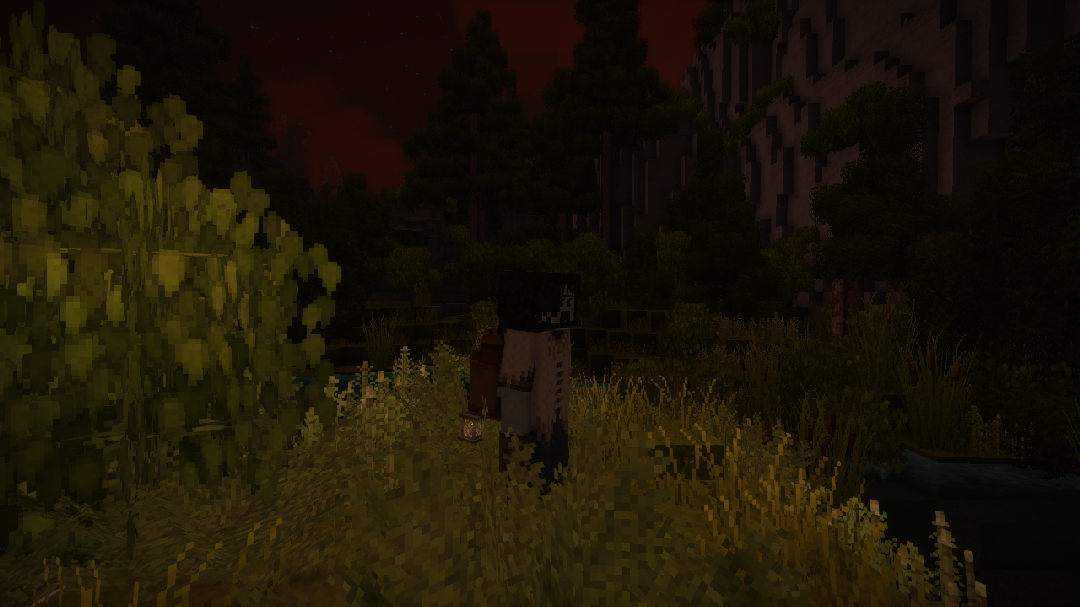
Mods / A Wearable Light
- Tags:
- Author:
- misterandydandy
- Side:
- Both
- Created:
- Feb 13th 2023 at 2:06 AM
- Last modified:
- Jun 3rd at 2:11 AM
- Downloads:
- 106116
- Follow Unfollow 1233
-
Recommended download (for Vintage Story 1.22.0 - 1.22.3):
awearablelight-v1.2.2.zip 1-click install
💡 A Wearable Light
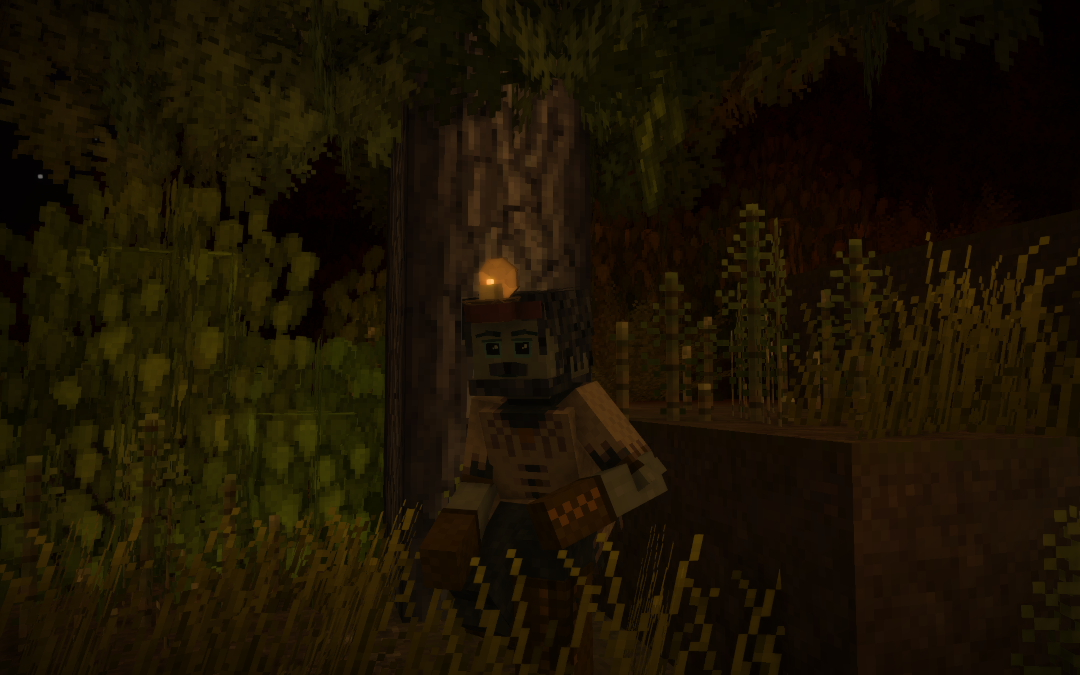
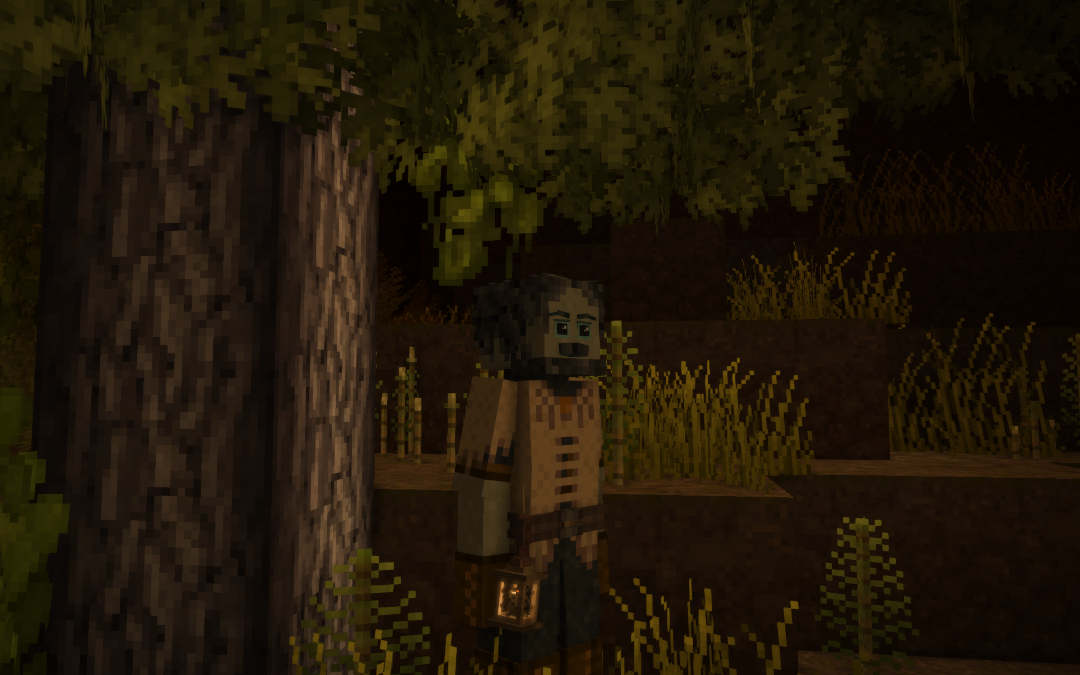
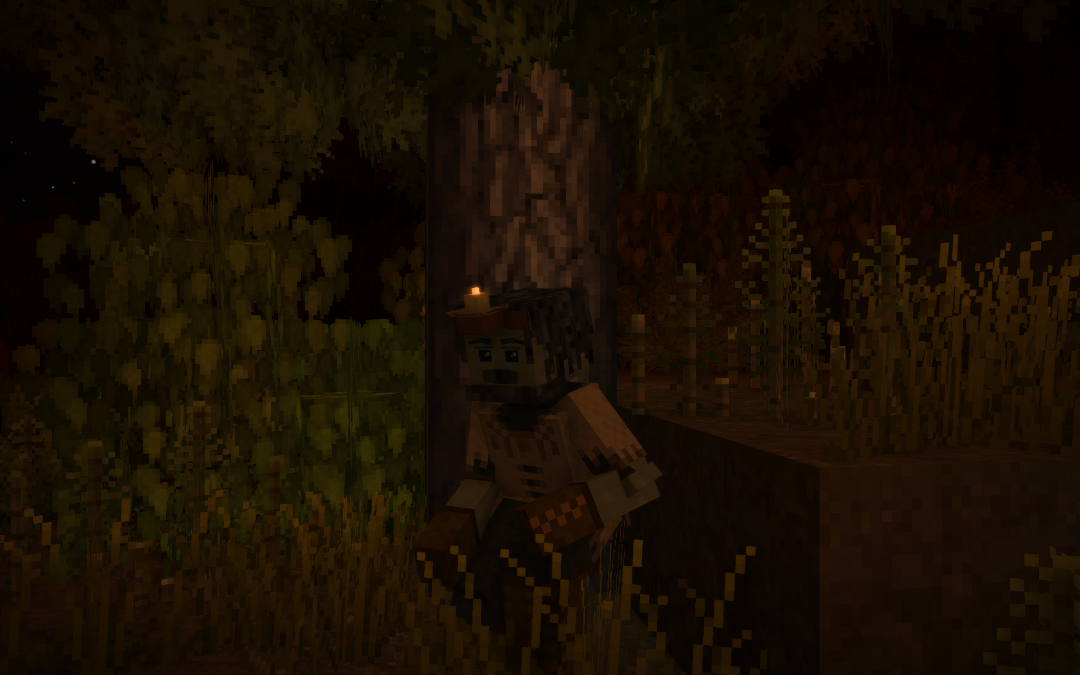
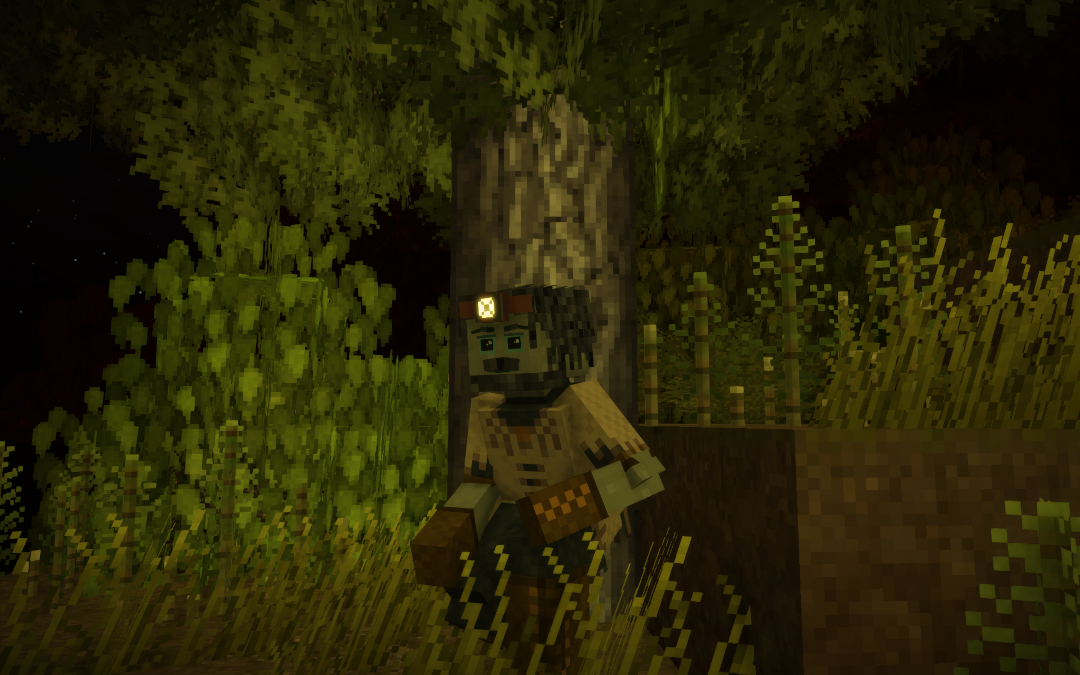
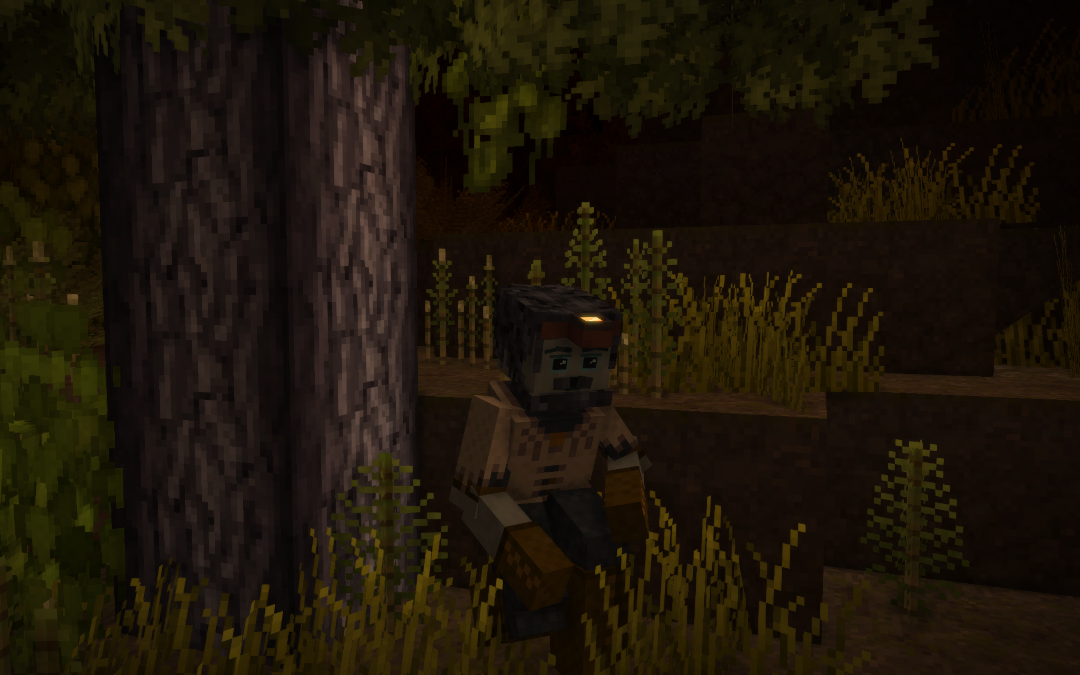
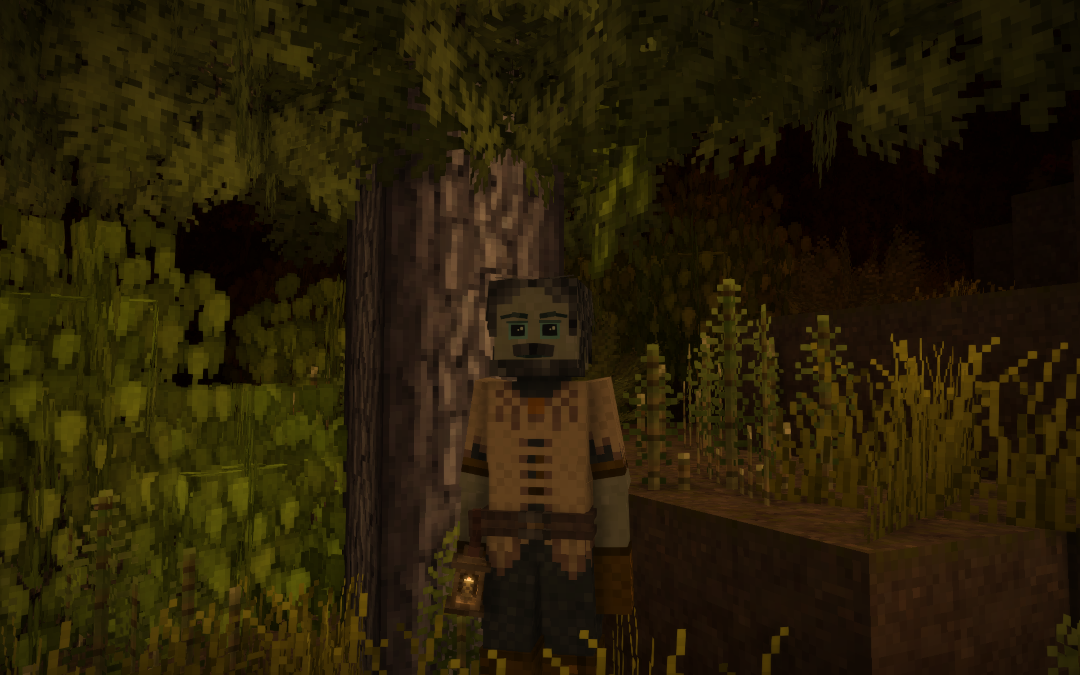
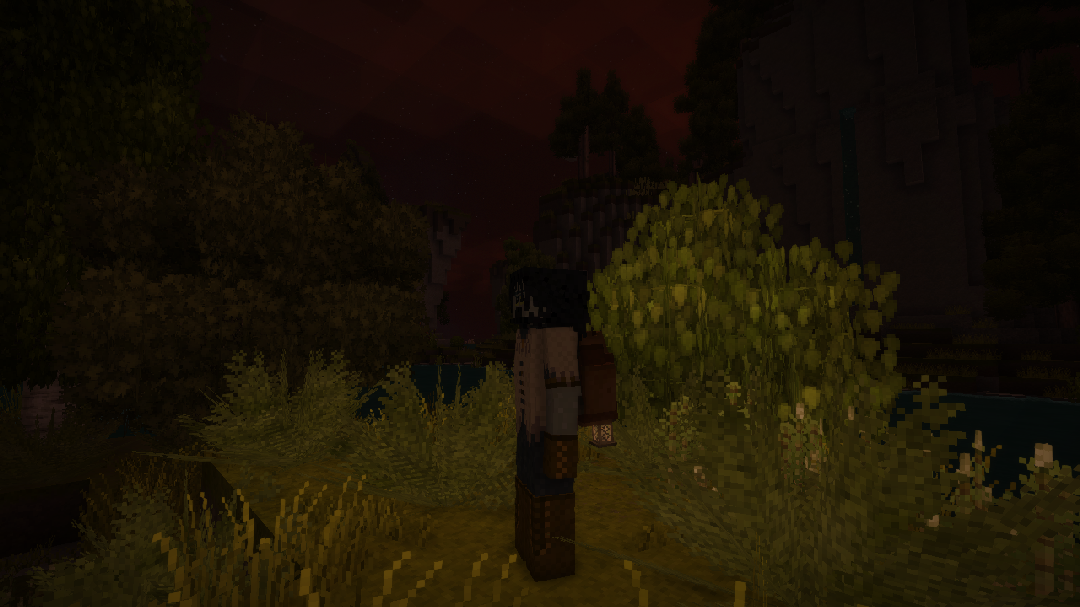
Equipable light sources that provide both utility and style while exploring the world.
Designed to integrate seamlessly with gear slots for a more immersive experience.
Recommend Auto Config Lib — install it to customize mod settings.
🧰 Available Equipment Slots
- Head
- Waist
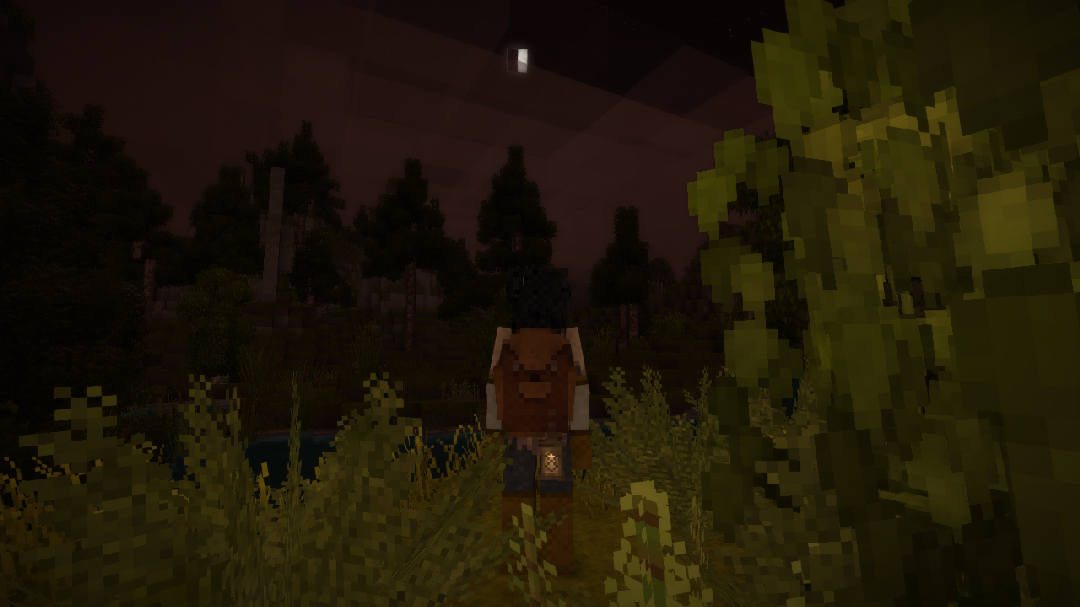
- Backpack (currently disabled)
🪔 Current Item Types
Head
- Head Torch (doesn't need fuel)
- Head Oil Lamp
- Head Candle I
- Head Candle II
Waist
- Heavy Belt Brass Lantern
- Heavy Belt Copper Lantern
- Heavy Belt Iron Lantern
- Heavy Belt Tinbronze Lantern
- Heavy Belt Blackbronze Lantern
- Heavy Belt Bismuthbronze Lantern
- Heavy Belt Silver Lantern
- Heavy Belt Gold Lantern
Backpack
- Backpack Lantern (disabled for now)
✨ Key Features
🔦 Hotbar Light Control
Toggle your light on or off using a customizable keybind
Default: L
Works directly from the hotbar for quick access.
🎒 Gear Slot Light Control
Toggle equipped lights while hovering over them in your inventory
Default: Ctrl + L
⛽ Fuel System
Wearable lights now use a fuel system for more immersive gameplay.
- Lights must be refueled to operate
- Fuel is consumed over time while active
- Lights will automatically turn off when fuel is depleted
- When Crafted will automatically add fuel to the item.
🔥 Refueling (Quick Guide)
- Hold a valid fuel item (e.g. candle, fat)
- Left-click the light to refill

⚙️ Configurable Options
EnableSound (Client Side)
Enable or disable wearable light sound effects.
Default: true
RainExtinguish
Allows a light to be extinguished by rain when exposed to the sky.
Default: false
InLiquid
Allows a light to be extinguished when submerged in water or other liquids.
Default: false
OnCraftedFueled
Automatically fills a newly crafted light with fuel.
Default: false
🛠️ Custom Fuel Types
Each light can define its own valid fuel sources via config:
FuelList = new()
{
{ "game:candle", 8f },
{ "game:fat-rendered", 9f }
}
FuelList Format
String
- Item code used as fuel.
- Supports wildcards (
*).
Double
- Amount of fuel provided in hours.
Fuel Capacity
Capacity = 24f
Maximum amount of fuel the light can store.
📄Mods
- ✅ Can jewelry is now compatible and work. Fixed by Author
- ✅ Overhaul & Player Inventory, Custom Player Models, Player Model is working fine, Please make sure you are using up-to-date version.
- ❎ Careers not Classes
set value of LightHsv to null.I have posted on there page.
⚠️ Know issues
-
Please make sure your Dynamic light setting isn't too low before reporting that you can't see the light.
🔮 Planned Additions
- More wearable light types
- Adjustable brightness / shutters
- Solar-powered lights
- Particle effects and visual improvements
- Backpack slot rework
| Mod Version | Mod Identifier | For Game version | Downloads | Released | Changelog | Download | 1-click mod install* |
|---|---|---|---|---|---|---|---|
| 1.2.2 | awearablelight | 2742 | Jun 3rd at 2:11 AM | awearablelight-v1.2.2.zip | 1-click install | ||
Fixed
Known Issue
| |||||||
| 1.2.1 | awearablelight | 984 | Jun 1st at 10:26 AM | awearablelight-v1.2.1.zip | 1-click install | ||
|
Fixed missing recipe for sturdy belt I didn't know 😥 | |||||||
| 1.2.0 | awearablelight | 844 | May 31st at 12:58 AM | awearablelight-v1.2.0.zip | 1-click install | ||
Update Highlights
| |||||||
| 1.1.31 | awearablelight | 825 | Sep 21st 2025 at 1:25 AM | Release Retracted | |||
Retraction Reason:It isn't needed Changelog: | |||||||
| 1.1.9 | awearablelight | 10305 | May 4th at 5:42 PM | awearablelight-v1.1.9.zip | 1-click install | ||
🔧 Changes
⚠️ Notes
| |||||||
| 1.1.8 | awearablelight | 1039 | May 3rd at 12:48 AM | AWearableLight-v1.1.8.zip | 1-click install | ||
|
Added support to config for most things.. | |||||||
| 1.1.7 | awearablelight | 1436 | May 1st at 8:02 PM | AWearableLight-v1.1.7.zip | 1-click install | ||
✨ Added
🔧Fixed
| |||||||
| 1.1.6 | awearablelight | 3042 | Apr 26th at 1:34 AM | AWearableLight-v1.1.6.zip | 1-click install | ||
|
Added a way to toggle lights within gear slot by hovering over them and press Ctrl + L | |||||||
| 1.1.5 | awearablelight | 1676 | Apr 24th at 12:08 PM | AWearableLight-v1.1.5.zip | 1-click install | ||
|
Updated!
I removed some of config until I find a better way of doing it. | |||||||
| 1.1.4 | awearablelight | 14588 | Sep 10th 2025 at 11:53 PM | AWearbleLight.zip | 1-click install | ||
| |||||||
| 1.1.3 | awearablelight | 968 | Jan 28th 2025 at 2:14 AM | AWearableLight-v1.1.3.zip | 1-click install | ||
|
Hopefully it is fixed now.
| |||||||
| 1.1.2 | awearablelight | Jan 6th 2025 at 11:27 PM | 1-click install | ||||
|
Added Config - Config lib support. Install it to configure the mod. but it is optional. Remove Common lib you don't need it anymore. I haven't tested it on mp so please let me know if you have any issue. | |||||||
| 1.1.1 | awearablelight | 13541 | Feb 2nd 2024 at 12:42 PM | AWearableLight-v1.1.1.zip | 1-click install | ||
|
Fixed the issue - (the player will disappear for a moment) by just disabling animation for Item. | |||||||
| 1.1.0 | awearablelight | 887 | Jan 27th 2024 at 5:54 PM | AWearableLight-v1.1.0.zip | 1-click install | ||
|
Updated - v1.19.0 I know issue it's something to do with the game itself so don't worry about it. | |||||||
| 1.0.10 | awearablelight | 2522 | Nov 26th 2023 at 11:45 PM | AWearableLight_v1.18.15-v1.0.10.zip | 1-click install | ||
|
Updated - v1.18.15 | |||||||
| 1.0.8 | awearablelight | 6185 | Apr 26th 2023 at 10:02 PM | AWearableLight_v1.18.1-v1.0.8.zip | 1-click install | ||
|
Fixed other issue with backpack | |||||||
| 1.0.7 | awearablelight | 400 | Apr 26th 2023 at 9:39 PM | AWearableLight_v1.18.1-v1.0.7.zip | 1-click install | ||
|
Fixed Issue with Backpack.. | |||||||
| 1.0.6 | awearablelight | 460 | Apr 26th 2023 at 12:49 PM | AWearableLight_v1.18.1-v1.0.6.zip | 1-click install | ||
|
You will need CommonLib - Vintage Story Mod DB the last version.
| |||||||
| 1.0.5 | awearablelight | 398 | Apr 25th 2023 at 8:08 PM | AWearableLight_v1.18.1-v1.0.5.zip | 1-click install | ||
|
Updated - 1.18.1
| |||||||
| 1.0.4 | awearablelight | 1133 | Mar 18th 2023 at 12:24 PM | AWearableLight_v1.18.0-v1.0.4.zip | 1-click install | ||
|
Updated - 1.18 | |||||||
| 1.0.3 | awearablelight | 897 | Feb 22nd 2023 at 5:35 PM | AWearableLight.zip | 1-click install | ||
|
Added Config. | |||||||
| 1.0.2 | awearablelight | 579 | Feb 21st 2023 at 10:52 PM | AwearableLight.zip | 1-click install | ||
|
Updated - v1.0.2 Language Updated | |||||||
| 1.0.1 | awearablelight | 453 | Feb 17th 2023 at 1:07 AM | AWearableLight.zip | 1-click install | ||
|
Please Don't Skip Remap! Added
| |||||||
| 1.0.0 | awearablelight | 479 | Feb 13th 2023 at 2:08 AM | AWearableLight.zip | 1-click install | ||
|
First Release | |||||||

A query on item design choice--I understand the slight nerf in light level for the items being placed where they are, but why is the light level nerf to lanterns on the waist so intense? From 20 all the way down to 12 just for the sake of having an inventory slot is rather intense.
When wearing any of the wearable lights from this mod, my character's arm will be twitching every few seconds as if trying to reset back to the default position (this occurs during animations like holding a shovel over the shoulder, etc). Stops occurring as soon as I remove the equipment, and seems to happen with both lit/unlit and waist/head slots.
Not the end of the world..! But thought it would be worth bringing up.
(ver: awearablelight-v1.2.2)
I know and it's something to do with fuel tick because we have to mark the slot dirty for it to show the right value on client side I am thinking of ways around this. If you use the night vision helmet it does the same thing..
Had a problem with the lights failing to illuminate when equiped while illuminating normally in the hotbar. It seems to be an incompatibility with Carry on 2.0.0 or Carryon lib, reverting to carry on 1.14.2 fixed it.
Thanks for letting me know teuto I set it to enable to use lights. I didn't test it with disable.

That fixed it for me with 2.0.0, thanks!
No worries
Skormn sorted it please let me know if you find anymore issue haha.
misterandydandy the heavy belt w/lanterns distinguish just by walking close to a water block, Ive tested the settings on and off while saving and restarting in between changes now a few times but it still happens. Hopefully its an easy fix :) Much appreciated! :)
So at the moment the value is backforwards so if you set it too true that will turn it off. I can fix that.
But not sure what you mean by walking close to water block? if you are in flowing water it doesn't put it out until you reach the max depth the lantern can be in.
I FORGOT TO ADD IT TO SYNC side hahahaahaha I should stop coding at night...
Skormn I fixed it and thanks for letting me know.
wow that was fast! thanks for fixing :)
misterandydandy In the handbook I can not see any "Heavy belts" with lanterns as per the description above. Only "Sturdy Belts" seems to be able to be combined with a lantern. Is this intended? Also too bad I cant make a leather belt. Should be possible with 1 leather, sewing kit, nail and strip. Would be awesome if you added that to go with this mod :)
Yes sorry. Why haha I didn't check to see if Sturdy belt was crafted my bad.
Backpack will be coming back next update.
I hate to ask this but what exactly is the difference between this and fueled wearable lights? Should I use this as a replacement? Trying to get my mod list up to date to the current edition.
There isn't much difference between both of that mods
I added when it rains you light will probably extinguish also the same when you are in water but you can disable most of the things.
If you decide to add please let me know if you have a issue and feedback.
I can't figure it out how to refuel this waist light It's pissing me off help !!!
https://giphy.com/gifs/PaJ3rWNkK23YD4PgzC
having issues turning belt latern on, i have turned fuel off and have sorted keybind but only will turn light on and off in hotbar not when equipted
What key bind are you using to turn it off and on within gear slots?
the default one my brother
Crlt + L? and you need to be hovering over it too.
I'm trying to make it so the modded items do not require fuel. When using autoconfiglib, no option for adjusthing this is listed. How/what do I add to the config for that?
It should work just fine. And you are looking for server.json
Does the waist lantern need refilled as well? Or does it follow vanilla lanterns and is an infinite source?
You can set it so it doesn't need fuel if you like but I think it takes a candle
It's getting hard to keep track on here so please use discord and let me know what version of vintage story you are using.
The waist lantern doesn't activate when equipped (I made sure beforehand that nothing else was assigned to the activation key). If I use it from the hotbar, everything works fine.
It doesn't want to turn on and off? or it isn't showing light.
It won't turn on or off
Ctrl + L when it is equipped but there maybe a mod doing something or there a issue with keybind? I'll need a list of mods so I can take a look.
I’ve ruled out the keyboard shortcut issue. Initially, the Ctrl + L shortcut was assigned to a different action, but after I swapped the keys, nothing changed. Is there a way to provide you with information about the mods in a convenient way? Or is it only possible to do this manually?
In your client log it will show me what mods are being used.
https://filebin.net/fejn4nztk7uhdfyz
Be sure to reload the world just in case too.
Did you manage to make it work? I'm having the same issue.
I think know what the issue maybe but I'll just need to test it tonight. I'm currently at work.
I don't know if this is related to the issue or not, but I've noticed that both keys turn the lantern on and off only in the hotbar, even though one of them is supposed to work only when the lantern is equipped.
Cant refuel Lamps, have config lib and auto config, but doesnt show wich fuel needs, tried old and new fat, candles, wax
It should show you when you have it in your hand? if you are on a server and the owner has set it so it doesn't need fuel you won't need to refuel it?
im hosting a local server (lan vpn), maybe cuz of the Xskill mod? cuz candles have quality?
That shouldn't be a issue as long as the code name hasn't changed if so just edit the server config to match the right ones.
can you make the waist lantern craftable please?
Can do.
https://www.dropbox.com/scl/fi/0zd246ks4oefj745hksba/Logs.rar?rlkey=3aazmx48pr1na71n91xszpihr&st=u5axw8kk&dl=0
although i wasn't wearing during last play session as it was quite obnoxious.
i am in the vintage story discord same username as on here if you prefer easier communication. i didn't see a mod thread for your mod only for fueled ones.
That's a lot of mods to go through haha 😂 I have a discord server now unless you don't want to join it. I can make a thread also
Banderi zakhad can you please upload logs so I can take a look at what mods you got and see if there is anything weird going on.
I already narrowed it down to https://mods.vintagestory.at/playermodellib, this is the only one installed (and two dependencies) alongside AWearableLight, and nothing else - I removed all other mods one by one and that's the one that, if enabled, makes the light disappear. As soon as I turn it off, the light reappears on my head. The game version is 1.22.1, and I tested both AWearableLight from last week and the most recent version.
Here's my logs to confirm that, however they don't say anything special: https://filebin.net/vdgcvtxk26fizcv8/Logs.zip
I just taken a log at your log and I can see you are using a old version of playermodellib there was a fix in 1.18.0-pre.12 to sort out wearable light to work again. Please see if that fixes the issue?
Ah! yes, they just updated it some hours ago, I just noticed. I tried 1.18.4 and indeed, seems to be fixed.
I can't find any version fixes info or changelog though, do you know where is that info?
If you go to files on this website and click on show. You should see info on what been changed if someone has added it
Somehow I had missed it completely... thank you kindly for the help!
No worries let me know if you find a other issue.
I'm also getting the flickering as well when i have a headtorch worn on my head, like something weird is going on it's not turning off or anything, like something is fighting for the player perspective but it disappears so fast i can't tell what it is.
Hey there! it seems the light also doesn't show up when using mods that add additional player models using this lib: https://mods.vintagestory.at/playermodellib (just having the lib active is enough for the light to stop working sadly...)
Any possibility this could be looked into?
What is it doing?
I can see the player has a blue light the head torch doesn't work until it gone. You get given this when you respawn.
Similar to the issues mentioned below mine - any worn lights won't appear (even after the blue light from the respawn stops) but does work when held in the hand.
I FOUND THE ISSUE AND IT THIS lol
https://mods.vintagestory.at/show/mod/46007
within it's code it nulls out LightHsv valuse, so it's likely breaking other mods too ApoDeath
Okay, thanks so much!
No problem just glad I found the issue.
Do you still have anymore issues?
Sneezingprince ApoDeath can you please give me a lot of the mods you are using. They easy way of doing that is giving me client-main log please.
Update - if your Dynamic light in setting is set low you won't see the light as there are too many already been used around you. So you may have to set it to a higher value I may look into trying to make my lights priority.
Okay we are using these Mods:
Torchholder, Ancient Armory, Ancient Armory Quenching and Sharpening, Arachnoid, AutoConfigLib, a wearable Light, Better Ruins, Better Traders, BloodTrail, Bola, Careers Not Classes, Carry On, CommonLib Forked, ConfigLib, CustomPlayerModel, ExtraInfo, FoodShelves, JsonPatchesLib, KCsDragons, KCsDragonTraits, Millwright, OverhaulLib, P1nksStackSizes, PlayerCorpseForked, PlayerModelLib, QuickSend, RacialEquality, RacialEqualityExpanded, RealisticWater, Skeletons, Sticks from Firewood, StoneBakeOven, TankardsAndGoblets, ToastLib, UI-Tweaks, VSImgUI, VSRoofing, Watersheds.
I switched the DynamicLights Setting Around, but without a Change.
And Here is the Log File
You got a lot of warning going on there is that the server side?
6.5.2026 18:23:22 [Warning] Multiple mods share the mod ID 'awearablelight' ('awearablelight-v1.1.9.zip', 'awearablelight-v1.1.9.zip'). Will only load the highest version one - v1.1.9
It has to be.
I have the Mod as testing purpose on the sp mod folder and in my server, dont know why it says, I have multiple with the same name
I would remove any that you got multiple of.
In %appdata%\VintagestoryData\ModsByServer\176.57.174.177-29800
I did and nothing changed ingame.
Shall I give you the new log?
Yes please
Here
It looks fine and I can see at the bottom it's synced from the server to the client side. Have you tried reinstalling you game be sure to remove anything from the folder if they haven't been deleted.
Just tested it with the other Lamps, the same with the other 4
I did reinstall it and nothign changed.
Maybe i have a server side setting wrong?
Maybe? but it's only you right?
Its with every one in the server who wears it.
The Person who wears ist, can see the Light, but the others can
It's very odd the way it doing it. you say it fine in sp.
Have you tried spawing in a new torch or candle one? to see if it is a bugged item?
I tested it on server side with a other player and it seem fine.
Video
What does the server config look like?
Yeah i spawned New Ones, and it was the same
Server Config
I mean awearablelight-server.json so I can see if there is something wrong with that.
Oh Sorry, My Mistake
Here
That's all fine too.
Sorry I had seen from my Phonme that you had a Test Server, but i was in Bed.
But now I am here and ready :D
You can try and join my test server to see if you have a issue there but I don't have all the mods you are using.
176.57.160.220
password is Test
Can you show me what the server config look like
Update - do any of you use Maltiez mods?
I'm having the same issue as ApoDeath, crafted the oil lamp and I can use L to turn it on and off while holding it in my hand, but as soon as I put it on my head, no keybindings work to turn it on, no matter how many times I change it to something else
Update: If I turn on the oil lamp in my hotbar and put it on my head, it remains lit, but I cant turn it off so Im forced to move it back to my hotbar to use L to turn it off
Hey There,
I have added your Mod to my Server on 1.22.2 and the Head Torch works perfectly fine in the Hotbar but when i put it in my Head Slot, there is a short light flicker and then no Light. Ohers said, they see the Light.
What did I do wrong? Or is this just a Bug?
In SP it works perfectly fine.
Very strange. Can you turn it off and on in gear slot? I would delete any config that got to do with my mod and clean the cache to see if that helps. If not I'll have to add a debug mode to my mod to see what the issue is
Yes i can turn it on and off in the gear slot, i also can turn it on and off in the Headslot with ctrl + L, then a light flicker comes and goes.
Other Players see that it is shining, but myself doesn't.
And Vise Versa.
I did clear the cach and deleted the config.
And i use the newest version.
Thanks in Advance
What do you mean by shining? Light or model is glowing?
I mean Light, so others see the Light but not the One who is wearing it on its head
That's so weird. If you can please check the other head light and waist one too
Did you use a older version of my mod on your server?
I think fixed issue with server side but it will have to wait until later today I got work in 5 hours haha
So when I turn on the lantern when it is equipped, it doesnt seem to light up when it is equipped. But if i try to light it on my hotbar, it works and lights up just fine. Am I missing something or is something just breaking on my side? I did turn it so the light doesnt use fuel.
RoyalFang if you are connected to a server and you change the value it may not work right it's what I am trying to fix and if you aren't, try setting value back to true to see if that lights up when it's is equipped?
Also you will need to reload world for config too work I have got Auto Config Lib working now Fuumajin
Okay, thanks!
Doesnt seem to work with fuel turned on too. Then i guess it is my mods. Maybe there are some unknown incompatibilities? I am also playing singleplayer
Edit: Player Model Library released a patch that fixes it!
haha got to love Maltiez they always so fast to fix things.. 😉
I haven't updated it for Config Lib yet. So you need to do it within ModConfig. Fuumajin
I just tested CTRL + L seem to be working for me.
Thanks for the reply, it's very strange why the keyboard shortcut doesn't work, I'll look into the cause.
misterandydandy Hello again, I've found some minor issues. The CTRL+L key doesn't work for equipping items, and I also don't quite understand how to change the amount and type of fuel in the config.
I haven't tested this on a server so not sure how the config will work. Please message me if you find a issue.
It would be really cool if you add the ability to set in the config whether the wearable lights will use fuel or not.
Will do
Yes! This would be awesome! Thank you.
great idea
Ohh, now it's clear)
I know why it isn't working haha I didn't add the patch for the fuel items they got no value so they won't work
..
misterandydandy
This is awesome work! Now I gotta keep an eye on the fuel and can't just wander around with the flashlight constantly on. But here's the thing — either I'm missing something, or I still haven't figured out how to refuel any of the items...
Example use candle by holding it within mouse slot and click on the wearable light. You can always refill when it's a equipped.

misterandydandy Hmm, for some reason it doesn't work for me.
I tried turning off all the mods. Did I understand correctly that I take a candle with the left mouse button, point the candle at the item I want to fuel, and fuel it with the right mouse button?
Try left click? I may have got the keys mixed up so it could be left click
Fuumajin let me know what you think of it.
misterandydandy It is your items which are not working when Can jewelry is present. My post is meant to make you aware that the two mods have some sort of conflict.
So my code is working just Can jewelry is overriding something but I can't seem to find it within code so it's best if you message owner of the mod.
Update ➡️ It could be something to do with this Here if they are overriding that it could be the issue.
SeniLiX are you talking about items from A wearable Light or Can Jewelry?
For right now I am just trying to work on getting my mod to a point that is good as soon as I am happy with that I can add support.
Example:
You would need to add this behavior to there items for them too work right.
Test on game version 1.22.1
A Wearable Light version 1.1.6
Can Jewelry version 0.6.1
Result: Lights does not work when equipped on character. When hovering over the item and pressing Ctrl + L The actual model of the light changes and appears to be on, but no light is being emitted.
Removing Can Jewelry and eA wearable litght works just fine.
Some sort of compatibility issue.
misterandydandy Thanks for your mod. Would you consider adding the ability to refuel all light sources for balance?
It's what I am working on at the moment just need to make sure it works fine haha
Thanks for the reply. I'll look forward to it, and thanks again for continuing to maintain the mod.
Mod does not work. April 29 2026. 1.2. please fix or delete mod.
Are you talking about older version? lol I am very lost on what you mean by that and no I won't delete things just because you say so.
Getting a warning in the logs while running with this.
[Warning] Smithing recipe with output awearablelight:basepart-candle1 has no code. For 1.23 all smithing recipes need to have a unique, unchanging code
We decided to abandon can jewelry. Jewelry introduces an imbalance
This mod has a conflict with the Can jewelry mod. Now I checked with it and without it on the assembly and with Can jewelry the lantern lights up only in the hands
Just so you know that Can jewelry is outdated and it will need a update for me to get it to work. It isn't a issue just the mods don't work together Stason4ikRU
Sweet DungusFungus thanks for letting me know.
im crashing upon loading into the world from a fresh world creation, will do fresh re-install to see if that does anything.
EDIT: i think there was something redundant messing with my old installation because now it works perfectly.
I am re-installing my and delete my vintage story data folder too see if I missed something
I am still not having this issue you two are having at the moment.
DungusFungus you are crashing or the item not staying lit when you wear it?
having the exact same issue as stanson, even cleared my cache as instructed.
Latest game verison. Start singleplayer and crash
Running on 64 bit Windows 10.0.26200.0 with 32538 MB RAM
Game Version: v1.22.0 (Stable)
26.04.2026 0:27:33: Critical error occurred
Loaded Mods: game@1.22.0, awearablelight@1.1.5, creative@1.22.0, survival@1.22.0
System.NullReferenceException: Object reference not set to an instance of an object.
at Vintagestory.GameContent.EntityPlayerShapeRenderer.TesselateShape() in VSEssentials\EntityRenderer\EntityPlayerShapeRenderer.cs:line 56
at Vintagestory.GameContent.EntityShapeRenderer.BeforeRender(Single dt) in VSEssentials\EntityRenderer\EntityShapeRenderer.cs:line 339
at Vintagestory.GameContent.EntityPlayerShapeRenderer.BeforeRender(Single dt) in VSEssentials\EntityRenderer\EntityPlayerShapeRenderer.cs:line 168
at Vintagestory.Client.NoObf.SystemRenderEntities.OnBeforeRender(Single dt) in VintagestoryLib\Client\Systems\Render\RenderEntities.cs:line 71
at Vintagestory.API.Client.DummyRenderer.OnRenderFrame(Single deltaTime, EnumRenderStage stage) in VintagestoryApi\Client\API\IClientEventAPI.cs:line 88
at Vintagestory.Client.NoObf.ClientEventManager.TriggerRenderStage(EnumRenderStage stage, Single dt) in VintagestoryLib\Client\Util\ClientEventManager.cs:line 257
at Vintagestory.Client.NoObf.ClientMain.TriggerRenderStage(EnumRenderStage stage, Single dt) in VintagestoryLib\Client\ClientMain.cs:line 858
at Vintagestory.Client.NoObf.ClientMain.MainRenderLoop(Single dt) in VintagestoryLib\Client\ClientMain.cs:line 910
at Vintagestory.Client.NoObf.ClientMain.MainGameLoop(Single deltaTime) in VintagestoryLib\Client\ClientMain.cs:line 782
at Vintagestory.Client.GuiScreenRunningGame.RenderToPrimary(Single dt) in VintagestoryLib\Client\MainMenu\Screens\GuiScreenRunningGame.cs:line 173
at Vintagestory.Client.ScreenManager.Render(Single dt) in VintagestoryLib\Client\ScreenManager.cs:line 741
at Vintagestory.Client.ScreenManager.OnNewFrame(Single dt) in VintagestoryLib\Client\ScreenManager.cs:line 685
at Vintagestory.Client.NoObf.ClientPlatformWindows.window_RenderFrame(FrameEventArgs e) in VintagestoryLib\Client\ClientPlatform\GameWindow.cs:line 112
at OpenTK.Windowing.Desktop.GameWindow.Run()
at Vintagestory.Client.ClientProgram.Start(ClientProgramArgs args, String[] rawArgs) in VintagestoryLib\Client\ClientProgram.cs:line 354
at Vintagestory.Client.ClientProgram.<>c__DisplayClass10_0.<.ctor>b__1() in VintagestoryLib\Client\ClientProgram.cs:line 131
at Vintagestory.ClientNative.CrashReporter.Start(ThreadStart start) in VintagestoryLib\Client\ClientPlatform\ClientNative\CrashReporter.cs:line 95
Event Log entries for Vintagestory.exe, the latest 3
==================================
{ TimeGenerated = 25.04.2026 23:20:16, Site = , Source = Application Error, Message = Имя сбойного приложения: Vintagestory.exe, версия: 1.22.0.0, метка времени: 0x693c0000
Имя сбойного модуля: openal32.dll, версия: 1.23.0.0, метка времени: 0x63dd31ad
Код исключения: 0x40000015
Смещение ошибки: 0x00000000000df046
Идентификатор сбойного процесса: 0x3a44
Время запуска сбойного приложения: 0x1dcd4f0db7f2cdd
Путь сбойного приложения: D:\Games\Vintagestory\Vintagestory.exe
Путь сбойного модуля: D:\Games\Vintagestory\Lib\openal32.dll
Идентификатор отчета: e6aab1ae-baeb-45e7-a308-9a9ae2bcfc25
Полное имя сбойного пакета:
Код приложения, связанного со сбойным пакетом: }
--------------
{ TimeGenerated = 25.04.2026 23:19:24, Site = , Source = Application Error, Message = Имя сбойного приложения: Vintagestory.exe, версия: 1.22.0.0, метка времени: 0x693c0000
Имя сбойного модуля: openal32.dll, версия: 1.23.0.0, метка времени: 0x63dd31ad
Код исключения: 0x40000015
Смещение ошибки: 0x00000000000df046
Идентификатор сбойного процесса: 0x2a68
Время запуска сбойного приложения: 0x1dcd4f0ba5a486c
Путь сбойного приложения: D:\Games\Vintagestory\Vintagestory.exe
Путь сбойного модуля: D:\Games\Vintagestory\Lib\openal32.dll
Идентификатор отчета: 3a700934-ae83-4773-aede-18745eb5196a
Полное имя сбойного пакета:
Код приложения, связанного со сбойным пакетом: }
--------------
{ TimeGenerated = 25.04.2026 23:18:45, Site = , Source = Application Error, Message = Имя сбойного приложения: Vintagestory.exe, версия: 1.22.0.0, метка времени: 0x693c0000
Имя сбойного модуля: openal32.dll, версия: 1.23.0.0, метка времени: 0x63dd31ad
Код исключения: 0x40000015
Смещение ошибки: 0x00000000000df046
Идентификатор сбойного процесса: 0x53d4
Время запуска сбойного приложения: 0x1dcd4ee8fb90b44
Путь сбойного приложения: D:\Games\Vintagestory\Vintagestory.exe
Путь сбойного модуля: D:\Games\Vintagestory\Lib\openal32.dll
Идентификатор отчета: f010aae6-f3d3-4363-93b7-e910f3dd01a4
Полное имя сбойного пакета:
Код приложения, связанного со сбойным пакетом: }
I'm not sure what going on with your game Stason4ikRU But I don't see anything that can cause it to crash on load up. Please make sure to delete anything in cache folder and be sure to check to see if it isn't corrupted.
I can see you just testing my mod.
misterandydandy Yes, server
What version is it? Vintage story?
It doesn't seem to be working; I've tried with both the headlamp and brass lantern, but neither are emitting light when wearing them.
Can you check to see if it works in single player?
misterandydandy thats what I've been playing. 1.22 single player world that I started for this update.
Stason4ikRU are you on a server?
misterandydandy It shines in my hands. But when I put any item from the mod in the clothing slot, the light disappears.
1.1.5 version
Stason4ikRU Are you sure? it's been working fine for me. Do you press L? and please make sure you don't have the popup guide open because to close it you need to hold down L to close it.
brass lantern (Unlit) dont work
It will be updated later today but the backpack at the moment is disable has it doesn't seem to work but the rest is fine.
Chalk me up as one more person who'd like to see this mod in 1.22...Preferably with the backpack lantern fixed so that it works without having it selected as your 'in hand' item.
Love the mod !
It needs to be updated so everyone can keep enjoying it.
Please update...
Are there any plans to update this mod and/or fix the backpack lanterns?
Latest Mod Version does not work, atleast in 1.21.5
asked on the discord server, apparently it might be due to a change in how vanilla handled patches? Im not a C# wizard so I am not sure if that info is helpful or not but, ayeah, plz fix if/when u can.
@Nerix, belt with brass lantern works for me. But i had to light it using "L" when held in my hand, then equip the belt.
Has anyone found a way to make this work on 1.21.0?
Can you add a reverse recipe so we and remove the latern to modify it and put it back? Maybe use the knife as a trigger like you are cutting the straps holding the latern on or something?
Possibly the same issue as artemax44 - I'm unable to use the "Backpack (Brass Lantern)" light. It illuminates when the bag slot is selected, but the toggle light keybind doesn't work (even when remapped to remove the conflict with the base-game L mapping). Using game version 1.25.5 and mod version 1.14 on a multiplayer server.
Edit: Talking to other players, I realise now the toggle key may not be for that item. I've tested the mod in a local Creative world with only AWL installed. When I spawn the lantern backpack, it illuminates like a normal brass lantern when held in one of the normal hotbar slots. If I put it in a storage slot, it does not illuminate. However, if I CTRL-scroll to that slot, it illuminates. I remember this item working just fine in 1.20, with, iirc, less glow than a normal lantern. This seems to be the same as a normal lantern, but only when held.
misterandydandy Corndoggeh
Everything works except the backpack with the flashlight. Once crafted, it only illuminates when you're holding it, not when it's in the backpack slot.Crashes my client upon loading a world locally and on server. Running 1.21.5 VS and the 1.21.1 version of this mod.
I insatalled the latest version and it crashes my game. If I uncheck the box for this mod then I don't get a crash. I'm on version 1.21.4 and had the 1.21.1 installed but the wearable candle light wouldn't light at all.
I wish I'd known the backpack lantern wasn't working before I went through all the effort of making one. Oh well, the belt still works, I'll just spawn one of those in and call it good.
Like Judgedmental said, the belt and the headlap work but have to be activated with L while on the hotbar first. The backpack however ONLY works when in the hotbar slot (exactly like how a normal lantern works) and is the active selection, with no on/off working. This was tested with no other mods installed.
Corndoggeh misterandydandy
Would it be possible to make it compatible with this mod, the 8-slot backpack-sturdy that already comes with vanilla in the base game?hello, may i ask if you can allow us to change the light level in the config for next versions?
would be handy to buff some of the wearable items
Mod seems to be somewhat working as intended on our 1.21.1 heavily modded server running the following mods alongside it.
The belt with bronze lantern doesn't seem to toggle on/off whilst worn - however placing the belt onto the action bar first and while having it actively selected, I can then toggle on/off with "L" and after toggling on can place into my belt slot and it remainds lit.
The headlight is the same behaviour as belt mentioned above.
Backpack seems to work fine, is lit by default, works when in action bar actively selected, and also when placed in first bag slot still remains lit.
Voodooozo37 there are patched versions of expanded foods + cullinary artillery that might fix the problem you're experiencing here: Expanded Foods [Unofficial Update] - Vintage Story Mod DB and A Culinary Artillery [Unofficial update] - Vintage Story Mod DB
Here's our list of mods on the server for reference:
alchemy-1.7.18
armory-1.2.1
attributerenderinglibrary-2.3.0
Auto Map Markers 4.0.3 - Vintagestory 1.21-rc
AWearbleLight
bedspawnv2-1.6.2
betterdeathmessages-1.0.1
BetterFirepit-1.1.6
betterruins-0.5.0
BetterScrapv1.2.6
biggerpocketsv1.0.0
BirdsEye_0.1.3
blocklayeroverhaul-1.0.2
bovinae-0.3.0
bricklayers-3.1.1
canoemod-1.0.2
carryon-1.10.9
casuariidae-1.1.5
cbr-1.0.0
chiseltools-1.15.1
cob_seraphvoices_1.0.1
CombatOverhaulReanimated_1.0.0
commonlib-2.8.0
configlib-1.10.3
cooperativecombatrework
danatweaks-3.6.0
domesticanimaltrader1.1.0
draconis-1.1.2
dressmakers-1.7.1
egocaribautomapmarkers-4.0.3
elephantidae-1.0.14
em-3.3.1
equus-1.2.0-rc.7
evenstillnecessaries_1.1.3
expandedfoodspatch_1.7.6-pre.1
Extended creation1.1.5
extrainfo-1.10.0
extraoverlays-1.6.0
farmlanddropswithnutrients-1.2.2
fastknapping_1.0.0
firewoodtostick
FloralZonesCapeRegion-v1.0.23
FloralZonesCaribbeanRegion-v1.0.18
FloralZonesCentralAustralianRegion-v1.0.15
FloralZonesCosmopolitanRegion-v1.0.5
FloralZonesEastAsiaticRegion-v1.0.13
FloralZonesMediterraneanRegion-v1.0.14
FloralZonesNeozeylandicRegion-v1.0.14
foodshelves-2.3.0
Forgotten Armory_Chinese Dynasties v1.1.0
Forgotten Armory_Gothic v1.2.0
Forgotten Armory_Greenwich v1.3.1
Forgotten Armory_Landsknecht v1.2.0
Forgotten Armory_Templar v1.3.1
FotSA-iniidae-0.1.4
FotSA-meiolaniidae-0.1.7
FreeLook_1.0.3
fromgoldencombs-1.9.4
genelib-2.0.0
gimmeoneseedplz_1.1.0
globalplayermapmarker_1.2.1
handytweaks-1.2.6
hangingoillamps-1.0.5
herbarium-1.4.1-rc.1
hqzlights-1.1.2
hudclockpatch-1.1.1
ImprovedHandbookRecipes_1.1.3
infinitumpickupmod-1.2.4
infrastructureextension-1.0.6
itempickuphighlighter_1.2.2
jaunt-2.1.0-rc.1
landformoverhaul-1.0.2
lanternsarelighters_1.0.0
machairodontinae-1.0.27
maltiezfirearms-1.2.3
mbr-1.0.0
millwright-1.2.8
MobsRadar-v2.1.12
mutihometp-1.0.9
noghost_1.0.10
NotEnoughMapIcons-v1.1.0
OfflineFoodNoSpoil_1.4.0-1.20 (1)
onebedsleeping-3.0.0
oneroof-1.11.0
OutgoingDamageLog v1.1.1
overhaullib-1.10.4
owies1.0.0
pantherinae-1.2.1
particlesplus-2.3.1
playercorpse-1.12.0
PlayerList-2.1.5
primitivesurvival-3.9.7
prospecttogether-2.1.1
rhinocerotidae-1.0.21
ridetogether_1.0.0
rivers-4.7.3
rlldtco0001-1.2.4
RLMoonSunv0.1.3
RopetieableGen0-v1.2.4
shelfobsessed-1.7.0
simplefootstepsredux-1.0.4
sirenia-1.0.23
smithingplus-1.8.0-rc.3
spawnhighlight_1.2.0
spyglass_0.5.2
stepupadvanced-1.2.1
stonebakeoven-1.2.0
stonequarry-3.5.1
storagecontroller 1.2.1
tailorsdelight-2.0.0
temportalstormtimer
terraprety-7.0.8
th3dungeon-0.4.4
Th3DungonTopEntrance_0.4.1
thecritterpack-1.3.3
ToDoListv2.2.2
toolsmith_1.2.10
tpnetpatched-1.14.9
UsefulDrifterLoot 1.2.1
vanity-2.4.4
VintageAFK 1.3.0
vsimgui-1.1.13
vsvillage-3.0.1
vsvillageaged-0.0.6
vsvillageindustrial-0.0.6
vsvillagetowers-0.0.6
waypointtogethercontiued_4.1.0_1.21.0-rc.5
wildfarmingrevival-1.4.0
xinvtweaks-1.8.1
xlib-0.9.0-pre.2
xskills-0.9.0-pre.2
zoombuttonreborn_2.0.0
zrustdrops-2.0.0
I'm also still dealing with the headgear and backpack lamps not working, too. Is there an ETA for when it's going to be fixed? I downloaded this for the first time with the 1.21 update, and haven't actually been able to see any of its features so far.
I'm using 1.21 and i want the brass lantern belt to work. I've tried refueling it with candles or fat but it wont light up. It says it emits a light strenght 12. Am I doing something wrong or is it not working? I have toggled the hotkey and nothing happens
This mod seems to have problems with expanded foods that make the handbook unavaialable. I think there might be some problem with oil lamp. Perhaps lard that can be created from expanded foods and used for oil lamps, cannot be created for oil lamps here? That is the only thing I can deduce out of the errors.
There is no version in the files for 1.21.0 and using the 1.21.1 version on that former version doesnt want to work. A pity. (using 1.20 version of this mod makes crafting book be empty when using with expanded foods)
Seconding the below issue of not being able to toggle lights, same game version, latest mod version.
Hello, im having issues with the version for 1.21.1
The backpack lantern and the belt lantern can't be turned on or off, and the belt is useless because its off by default
the key input to switch their status doesn't work at all
Saw the update for 1.21.1, decided to try it on modded server I'm running. Currently having the following issue:
All lights work in hand, all except backpack can be toggled in hand, but when worn they shed no light. Client log is spammed with instances of these:
[Error] Missing mapping for texture code #defaultlantern during shape tesselation of entity game:player using shape game:entity/humanoid/seraph-faceless, or one of its alternates
[Error] Missing mapping for texture code #defaultheavy-belt-brass-lantern-on during shape tesselation of entity game:player using shape game:entity/humanoid/seraph-faceless, or one of its alternates
Tried clearing cache to no effect, reloading shaders/textures didn't help, reinstalling and restarting both client and server didn't help. I will note the server is using Kemono, I tried disabling kemono and using a singleplayer world to check but issue still persisted. Following is a list of client loaded mods for reference:
Thank you for your time and effort
Eardy done let me know if it works.
misterandydandy
mate, we need 1.1.31 for our server. We are still waiting for some mods to migrate to 1.21.1 and for the game to be less buggy.
Could you please add the mod again? Or at least a 1.20.12 compatible version? People can't join unless we give them the mod manually.
I need 1.1.31 to join the server that I play on. Do you have a download link I can get it from please?
I removed it MystRunner so it should pull that anymore.
MystRunner you the goat thx
I can't seem to get the backpack lantern to work... it gives off light when I hold it in my hand, but not when it's being worn. I've tried toggling it, but it doesn't seem to toggle like the belt lantern does.
I will note I do have "Version Checker" installed and it's pulling the old 1.1.31 or something mod from the data base and saying the mod needs updated to that. If you do it will crash your game so just FYI for anyone else with the "Version Checker" Mod installed DO NOT update the game file using the Version Checker mod. Update this mod by hand and ignore it telling you to update the mod. Looking at the files in the mod it's showing the 1.1.31 version as a higher priority then the more recently released 1.1.4. I think this misordering of files is causing the issues with "Version Checker."
no light with head oil lamp after update 11.09.
Went ahead and published the update here, thanks for adding me as a contributor!
I put together an update here:
https://mods.vintagestory.at/show/mod/29844
Loaded for me, havent tested extensively, doubt it was done properly.
Currently causes a critical error for me in 1.21.0 on my multiplayer server
Pls we need an update for 1.21 for this mods. Is one of my favorite!!
Anyway to get an update on this to 1.21.0...
ppllllsssss
Not working in 1.21.0 . U can craft backpack+brass lantern but there is no light =(
Hope it can be updated soon
Anyway to get an update on this to 1.21.0...
Cool mod, it would be cool to see if it could add functionality to the Temporal Gear Necklace.
sushieater
Tried this and my mod then fails to load. Am I changing all HSV values of say, the backpack lantern, to be the same as a vanilla lantern? [7, 3, 18]?
I also wasn't able to edit the .json file for the backpack lantern unless I unzipped, edited, saved and then compressed again before placing into mod folder.
If anyone can help, would be appreciated :) just want a brighter backpack light :)
edit: wtf, worked somehow. Nvm xD
Hey, love the mod so far, but is there any plans on adding the possibility to add any kind of lanters instead of just the basic brass lantern to the backpack? and also the posibility to add to the sturdy backpack?
EventidesTurmoil You have to have the item in your hotbar to toggle it on or off with L, it doesnt work when its eqipped for some reason.
The default toggle seem to not work as of v1.20.12.
Hello, cant seem to attach the lantern to the backpack
1.20.10 The default "L" when mousing over the headlamp is already taken by "Show\Hide Effect HUD" so I rebound effect hud to something and then rebound on off light to "L" and it worked.
Is it working for 1.20.10?
I can't seem to put leather backpack in 3 x 3 crafting grid.
I can make head lamp(oil lamp) though.
How do I make leather backpack with lantern?
the ability to add lanterns to the frame backpacks from better scrap would be awesome
I gotta wonder, what's the point of being able to toggle the light source on/off if you have to take it off, toggle it, then stow/wear it again?
Wouldn't it be easier to just make the hotkey toggle the light without having to open the player equipment at all?
Don't get me wrong, I'm thoroughly enjoying the mod! This is really just a nitpick.
are the current craftable lanterns the oil/candle head lamp and the backpack lantern only atm?
While this is awesome as I can finally now use a shield, I can't help but feel that having a bowl of flaming oil just sloshing around on top of my head can't be safe. All it takes is one head bob or wrong slip and you're doing a recreation of Canadian workplace safety PSA.
I think some clear quartz should be part of the recipe to simulate it not falling out.
Given the cost difference I'd probably lower the oil head lamp's luminosity to be below the brass headed candle. The oil lamp is way cheaper and easier to craft but it has a light level of 9-the better version of the candle lamp meanwhile uses three ingots of brass.
ChaoticSixXx put it in your hand then press L
How to toggle the light on? I have the belt lantern but it doesnt work. 'L' is doing nothing and I can not seem to change to keybind for it as its not in the config.
I've never managed to get the keybind for toggling the light to opeate.
Thank niclass
For anyone, who is unhappy with the light levels, you easily edit the .json property files under 'awearablelight/itemtypes' in the mod .zip. Look for 'lightHsvbyType'. A vanilla lantern is [7, 3, 18].
The last value of the HSV triple (hue, saturation, value) is the brightness, the first two the color.
Suggestion/question: Would it be possible to make it so open flame lights like the candle go out when you're underwater or in the rain?
Cool mod! Would it be possible to have a wearable item that allows for any type of light to be equipped (within reason, torches, lanterns, etc.) to be compatible with other mods that have light sources?
Love this mod so far. The light level really needs to be equivilant to the lantern.
- Suggestions: Different lantern types.
- Issues: Can't seem to toggle the backpack latern once its on.
Destruktn no not at the monent but cool idea.
MistahBurp that version was broke anyways please let the server host to update it.
Tehgarin I'll get around to change values and add other backpack plus other lantern types.
J05HY06 You don't need to make a patch just need to add "lightHsv": [ ], to your backpack
is it possible to repair the torch if you get it from a trader?
Does their condition worsen over time of use?
Hi, I recently made this mod which adds sturdy backpacks to Mr1k3's backpack mod ( updated by The_Box to 1.20.x ) and was wondering if I could add support for this mod? From my understanding I could add a "patch"?
Hey. Uh I need the 1.1.2 version for the server I'm playin on but it's no longer downloadable ;o?
So its for 1.20.x however in 1.20.x backpacks are larger now. Is this only for the smaller non 1.20 backpacks..?? I dont know anyone that is willing to loose two slots for light..and not use sturdybackpacks. WIll this be updated to include those..?
ALso would be nice to have lanterns thatb have lining that are 20level light useable.. or other types of lanterns also..
BTW Great mod.. loving it.. TY so much for your effort in this. Its appricviated even if its doesnt sound like it. It works and were using it so happy is happy..
Update: The L key toggle works for belts but the belt has to be in your bar then hit L it turns off and on then you put it on and it works... Needs to be when we have it on I thought Or the instructions need to be clearer on how it actrually functions. And for bnelt light level 12..? Even a torch is lightlevel 14.
why can't you use bronze lanterns? why is it so restrictive?
Please add other lanterns in the crafting because it is extremly restrictive.
Why the oil lamp has more light than the candle headgear that needs more resources?
Lafa Did you mean to leave your comment blank?
Intangir if you have it equipped you can't toggle it off and on at the moment sorry 😔 I'll get around to see how to do so hopefully. You can only toggle it when it's in your hand.
Is there a changelog anywhere?
Which version works on what version of the game?
Or is the latest still working on 1.20.1?
If the latest still works on 1.20.1, what was changed? do i want to update?
EDIT: Aaaa! Sorry, nevermind.
That little "show changelog" link doesn't work if i try to open it in a new window, you just have to click it... how quaint. :-D
Game changing mod, i can actually use a sword and shield in caves now, fantastic
I noticed i can't seem to actually toggle lights though? when i equipped the belt light, it defaults off and wont turn on
the backpack light defaults on and doesn't turn off, fortunately it defaults on so it IS usable, and totally awesome
thanks for making the 1.20.x version dep change
Intangir you should be able to use it now? let me know if you have any issue.
Groomslayer I fixed the issue sorry.
this is a really good idea, i can't wait to try it but my server is still on 1.20.1 because many other mods are not supporting 1.20.3 yet
Im unable to find the combination to make the backpack lantern in the list.
misterandydandy
Please inform me if you encounter any issues. I apologize for the delay; I had not previously worked with the packet and needed to review how other modders it.
misterandydandy
Graphical Glitch with the backpack lantern
Hi Bunuffin, I've tested with and without this mod (hud clock patch) and same issue, same crash.
Aodhwyn are you using simple HUD clock patch?
For me it happens if it's on the server.
Like other below, crash when pressing the hotkey to toggle light on MP
System.NullReferenceException: Object reference not set to an instance of an object.
at AWearableLight.AWearableLightCore.LightToggle() in D:\GitHub\VS-AWearableLight\ModTemplate\AWearableLightCore.cs:line 123
at AWearableLight.AWearableLightCore.b__25_0(KeyCombination _) in D:\GitHub\VS-AWearableLight\ModTemplate\AWearableLightCore.cs:line 105
at Vintagestory.Client.HotkeyManager.TriggerHotKey(KeyEvent keyEventargs, IWorldAccessor world, IPlayer player, Boolean allowCharacterControls, Boolean isGlobal, Boolean fallBack, Boolean keyup) in VintagestoryLib\Client\HotkeyManager.cs:line 431
at Vintagestory.Client.HotkeyManager.TriggerHotKey(KeyEvent keyEventargs, IWorldAccessor world, IPlayer player, Boolean allowCharacterControls, Boolean keyUp) in VintagestoryLib\Client\HotkeyManager.cs:line 395
at Vintagestory.Client.NoObf.ClientMain.OnKeyDown(KeyEvent args) in VintagestoryLib\Client\ClientMain.cs:line 1780
at Vintagestory.Client.GuiScreenRunningGame.OnKeyDown(KeyEvent args) in VintagestoryLib\Client\MainMenu\Screens\GuiScreenRunningGame.cs:line 318
at Vintagestory.Client.ScreenManager.OnKeyDown(KeyEvent e) in VintagestoryLib\Client\ScreenManager.cs:line 873
at Vintagestory.Client.NoObf.ClientPlatformWindows.game_KeyDown(KeyboardKeyEventArgs e) in VintagestoryLib\Client\ClientPlatform\Input.cs:line 247
at OpenTK.Windowing.Desktop.NativeWindow.OnKeyDown(KeyboardKeyEventArgs e)
at OpenTK.Windowing.Desktop.NativeWindow.KeyCallback(Window* window, Keys key, Int32 scancode, InputAction action, KeyModifiers mods)
--- End of stack trace from previous location ---
at OpenTK.Windowing.Desktop.NativeWindow.RethrowCallbackExceptionsIfNeeded()
at OpenTK.Windowing.Desktop.NativeWindow.ProcessWindowEvents(Boolean waitForEvents)
at OpenTK.Windowing.Desktop.GameWindow.Run()
at Vintagestory.Client.ClientProgram.Start(ClientProgramArgs args, String[] rawArgs) in VintagestoryLib\Client\ClientProgram.cs:line 334
at Vintagestory.Client.ClientProgram.<>c__DisplayClass10_0.<.ctor>b__1() in VintagestoryLib\Client\ClientProgram.cs:line 130
at Vintagestory.ClientNative.CrashReporter.Start(ThreadStart start) in VintagestoryLib\Client\ClientPlatform\ClientNative\CrashReporter.cs:line 93
Hi there, I noticed the light level for the belt and backpack isn't as high as if I had a lantern in my hand. Is there any way to change that? Also, there isn't a recipe for the belt, not even in the mod files.
misterandydandy
Looks like the same issue. Game crashes when pressing "L" with oil lamp equipped and without ininventory
Running on 64 bit Windows 10.0.19045.0 with 16270 MB RAM
Game Version: v1.20.0-rc.9 (Unstable)
2025-01-15 09:28:24: Critical error occurred in the following mod: awearablelight@1.1.2
Loaded Mods: autopanning@1.0.1, buzzwords@1.7.0, combatoverhaul@0.0.135, molds@0.1.3, MoreTorchHolders@1.0.0, game@1.20.0-rc.9, armory@0.0.46, awearablelight@1.1.2, betterfirepit@1.1.4, carryon@1.8.0-pre.1, commonlib@2.6.1, hudclockpatch@1.0.0, improvedhandbookrecipes@1.1.0, maltiezcrossbows@0.5.17, maltiezfirearms@0.10.1, particlesplus@1.1.0, petai@3.0.0, claywheel@1.1.2, stepupcontinued@0.0.1, creative@1.20.0-rc.9, survival@1.20.0-rc.9, cats@3.0.0, stonequarry@3.4.2, tameablelocusts@1.0.0, wolftaming@3.0.0
System.NullReferenceException: Object reference not set to an instance of an object.
at AWearableLight.AWearableLightCore.LightToggle() in D:\GitHub\VS-AWearableLight\ModTemplate\AWearableLightCore.cs:line 123
at AWearableLight.AWearableLightCore.<StartClientSide>b__25_0(KeyCombination _) in D:\GitHub\VS-AWearableLight\ModTemplate\AWearableLightCore.cs:line 105
at Vintagestory.Client.HotkeyManager.TriggerHotKey(KeyEvent keyEventargs, IWorldAccessor world, IPlayer player, Boolean allowCharacterControls, Boolean isGlobal, Boolean fallBack, Boolean keyup) in VintagestoryLib\Client\HotkeyManager.cs:line 431
at Vintagestory.Client.NoObf.ClientMain.OnKeyDown(KeyEvent args) in VintagestoryLib\Client\ClientMain.cs:line 1747
at Vintagestory.Client.NoObf.ClientPlatformWindows.game_KeyDown(KeyboardKeyEventArgs e) in VintagestoryLib\Client\ClientPlatform\Input.cs:line 230
at OpenTK.Windowing.Desktop.NativeWindow.KeyCallback(Window* window, Keys key, Int32 scancode, InputAction action, KeyModifiers mods)
--- End of stack trace from previous location ---
at OpenTK.Windowing.Desktop.NativeWindow.RethrowCallbackExceptionsIfNeeded()
at OpenTK.Windowing.Desktop.GameWindow.Run()
at Vintagestory.Client.ClientProgram.Start(ClientProgramArgs args, String[] rawArgs) in VintagestoryLib\Client\ClientProgram.cs:line 334
at Vintagestory.Client.ClientProgram.<>c__DisplayClass10_0.<.ctor>b__1() in VintagestoryLib\Client\ClientProgram.cs:line 130
at Vintagestory.ClientNative.CrashReporter.Start(ThreadStart start) in VintagestoryLib\Client\ClientPlatform\ClientNative\CrashReporter.cs:line 93
Using the waist lantern and pressing L doesn't work nor does remapping it work to light the lantern.
Playing on server. Same crash as Archi9 when pressing L. Tested even without items from mod equipped and remapped L key. Singleplayer seems to work fine. 1.20 rc 8.
System.NullReferenceException: Object reference not set to an instance of an object.
at AWearableLight.AWearableLightCore.LightToggle() in D:\GitHub\VS-AWearableLight\ModTemplate\AWearableLightCore.cs:line 123
at AWearableLight.AWearableLightCore.b__25_0(KeyCombination _) in D:\GitHub\VS-AWearableLight\ModTemplate\AWearableLightCore.cs:line 105
at Vintagestory.Client.HotkeyManager.TriggerHotKey(KeyEvent keyEventargs, IWorldAccessor world, IPlayer player, Boolean allowCharacterControls, Boolean isGlobal, Boolean fallBack, Boolean keyup) in VintagestoryLib\Client\HotkeyManager.cs:line 431
at Vintagestory.Client.NoObf.ClientMain.OnKeyDown(KeyEvent args) in VintagestoryLib\Client\ClientMain.cs:line 1748
at Vintagestory.Client.NoObf.ClientPlatformWindows.game_KeyDown(KeyboardKeyEventArgs e) in VintagestoryLib\Client\ClientPlatform\Input.cs:line 230
at OpenTK.Windowing.Desktop.NativeWindow.KeyCallback(Window* window, Keys key, Int32 scancode, InputAction action, KeyModifiers mods)
--- End of stack trace from previous location ---
at OpenTK.Windowing.Desktop.NativeWindow.RethrowCallbackExceptionsIfNeeded()
at OpenTK.Windowing.Desktop.GameWindow.Run()
at Vintagestory.Client.ClientProgram.Start(ClientProgramArgs args, String[] rawArgs) in VintagestoryLib\Client\ClientProgram.cs:line 334
at Vintagestory.Client.ClientProgram.<>c__DisplayClass10_0.<.ctor>b__1() in VintagestoryLib\Client\ClientProgram.cs:line 130
at Vintagestory.ClientNative.CrashReporter.Start(ThreadStart start) in VintagestoryLib\Client\ClientPlatform\ClientNative\CrashReporter.cs:line 93
Okay I'll have to do more tests and I forgot about backpack...
The only item that works for me is the backpack and it does not equip correctly, it floats above the char shoulder, the L key does nothing.Playing on singleplayer creative world, 1.20 rc8.
Archi9 are you playing on a server?
1.20-RC8
Crash when press L button
Critical error occurred in the following mod: awearablelight@1.1.2
Loaded Mods: backpackpackpluscontinued@1.0.0, chiseltools@1.14.8, combatoverhaul@0.0.126, crazyskincustomization@1.0.1, juicyores@1.0.0, moreicons_cs@1.1.0, primitivesurvival@3.7.5, game@1.20.0-rc.8, vsimgui@1.1.7, alchemy@1.6.41, armory@0.0.44, awearablelight@1.1.2, barreldough@2.0.0, betterfirepit@1.1.4, betterruins@0.4.4, blacksmithgloves@1.0.7, carryon@1.8.0-pre.1, chestorganizer@1.0.3, commonlib@2.6.1, composter@1.1.1, configlib@1.4.1, extrainfo@1.9.5, foodshelves@1.4.4, fromgoldencombs@1.8.1, glowingarrows@1.2.2, gourmand@1.3.2, hydrateordiedrate@1.6.3, improvedhandbookrecipes@1.1.0, maltiezcrossbows@0.5.15, maltiezfirearms@0.9.9, prospecttogether@2.0.0-rc.1, rivers@4.0.2, simpletailoring@1.1.5, smithingplus@1.1.8, somethinginthewater@1.2.5, stickydirt@0.1.0, stonebakeoven@1.1.4, th3dungeon@0.3.1, unconscious@1.8.1, creative@1.20.0-rc.8, survival@1.20.0-rc.8, waypointtogethercontiued@2.1.2, wildfarmingrevival@1.3.4, playercorpse@1.11.0, stonequarry@3.4.2, thriftysmithing@1.2.0
System.NullReferenceException: Object reference not set to an instance of an object.
at AWearableLight.AWearableLightCore.LightToggle() in D:\GitHub\VS-AWearableLight\ModTemplate\AWearableLightCore.cs:line 123
at AWearableLight.AWearableLightCore.<StartClientSide>b__25_0(KeyCombination _) in D:\GitHub\VS-AWearableLight\ModTemplate\AWearableLightCore.cs:line 105
at Vintagestory.Client.HotkeyManager.TriggerHotKey(KeyEvent keyEventargs, IWorldAccessor world, IPlayer player, Boolean allowCharacterControls, Boolean isGlobal, Boolean fallBack, Boolean keyup) in VintagestoryLib\Client\HotkeyManager.cs:line 431
at Vintagestory.Client.NoObf.ClientMain.OnKeyDown(KeyEvent args) in VintagestoryLib\Client\ClientMain.cs:line 1748
at Vintagestory.Client.NoObf.ClientPlatformWindows.game_KeyDown(KeyboardKeyEventArgs e) in VintagestoryLib\Client\ClientPlatform\Input.cs:line 230
at OpenTK.Windowing.Desktop.NativeWindow.KeyCallback(Window* window, Keys key, Int32 scancode, InputAction action, KeyModifiers mods)
--- End of stack trace from previous location ---
at OpenTK.Windowing.Desktop.NativeWindow.RethrowCallbackExceptionsIfNeeded()
at OpenTK.Windowing.Desktop.NativeWindow.ProcessWindowEvents(Boolean waitForEvents)
at OpenTK.Windowing.Desktop.GameWindow.Run()
at Vintagestory.Client.ClientProgram.Start(ClientProgramArgs args, String[] rawArgs) in VintagestoryLib\Client\ClientProgram.cs:line 334
at Vintagestory.Client.ClientProgram.<>c__DisplayClass10_0.<.ctor>b__1() in VintagestoryLib\Client\ClientProgram.cs:line 130
at Vintagestory.ClientNative.CrashReporter.Start(ThreadStart start) in VintagestoryLib\Client\ClientPlatform\ClientNative\CrashReporter.cs:line 93
You don't need commonlib anymore and please delete old config.
Paradoxal
It's because it won't work on 1.20 at the moment, I am working on fixing issue with this mod and other mods that I got and working on a new mod to try and understand more things.
misterandydandy instantly crashes to desktop when loading into world. I have the update to commonlib.
Running on 64 bit Windows 10.0.26100.0 with 16229 MB RAM
Game Version: v1.20.0-rc.6 (Unstable)
12/28/2024 3:28:57 PM: Critical error occurred in the following mod: awearablelight@1.1.1
Loaded Mods: autopanning@1.0.1, bettertraders@0.0.7, buzzwords@1.7.0, canoemod@1.0.2, chiseltools@1.14.4, combatoverhaul@0.0.105, cutthefat@1.0.1, decor@1.1.9, TA_fieldsandplateaus@1.0.6, caninae@1.0.22, capreolinae@1.1.11, dinornithidae@1.0.5, machairodontinae@1.0.15, manidae@1.0.7, rhinocerotidae@1.0.9, sirenia@1.0.10, grasstoropes@1.0.0, hangingoillamps@1.0.2, immersiveorecrush@2.0.1, millwright@1.1.8, micalchanges@1.0.0, mushroomtrader@1.0.3, primitivesurvival@3.7.2, game@1.20.0-rc.6, zoombuttonreborn@2.0.0, animalcages@3.0.3, armory@0.0.30, egocaribautomapmarkers@4.0.0, betterfirepit@1.1.4, BetterProspecting@1.2.0, betterruins@0.4.0, butchering@1.7.3, carryon@1.8.0-pre.1, commonlib@2.6.1, craftableresin@1.0.0, earlychiseling@1.0.1, extrainfo@1.9.4, firewoodtosticks@1.0.0, foodshelves@1.4.3, greenhousebuff@1.2.0, hudclockpatch@1.0.0, knapster@2.11.2, maltiezcrossbows@0.5.9, nemi@1.1.0, rivers@3.2.0, stepupcontinued@0.0.1, swifttime@1.0.0, mirrors@1.7.2, vtpp@1.1.1, creative@1.20.0-rc.6, survival@1.20.0-rc.6, xlibpatch@1.0.1, awearablelight@1.1.1, stonequarry@3.4.2, tallowcandles@0.1.0, xskillspatch@1.0.3
Involved Harmony IDs: com.misterandydandy.a.wearable.light, XSkillsPatch
System.MissingMethodException: Method not found: 'Vintagestory.API.Common.IInventory Vintagestory.API.Common.EntityAgent.get_GearInventory()'.
at AWearableLight.EntityPlayer_LightHsv_Patched.Harmony_EntityPlayer_LightHsv_Postfix(EntityPlayer __instance, Byte[]& __result)
at Vintagestory.API.Common.EntityPlayer.get_LightHsv_Patch3(EntityPlayer this)
at Vintagestory.Client.NoObf.SystemRenderPlayerEffects.<>c.<onBeforeRender>b__8_0(Entity e) in VintagestoryLib\Client\Systems\Render\RenderEffectsAndDynLights.cs:line 49
at Vintagestory.Common.GameMain.GetEntitiesAround(Vec3d position, Single horRange, Single vertRange, ActionConsumable`1 matches) in VintagestoryLib\Common\GameMain.cs:line 264
at Vintagestory.Client.NoObf.SystemRenderPlayerEffects.onBeforeRender(Single dt) in VintagestoryLib\Client\Systems\Render\RenderEffectsAndDynLights.cs:line 49
at Vintagestory.API.Client.DummyRenderer.OnRenderFrame(Single deltaTime, EnumRenderStage stage) in VintagestoryApi\Client\API\IClientEventAPI.cs:line 83
at Vintagestory.Client.NoObf.ClientEventManager.TriggerRenderStage(EnumRenderStage stage, Single dt) in VintagestoryLib\Client\Util\ClientEventManager.cs:line 202
at Vintagestory.Client.NoObf.ClientMain.TriggerRenderStage(EnumRenderStage stage, Single dt) in VintagestoryLib\Client\ClientMain.cs:line 816
at Vintagestory.Client.NoObf.ClientMain.MainRenderLoop(Single dt) in VintagestoryLib\Client\ClientMain.cs:line 868
at Vintagestory.Client.NoObf.ClientMain.MainGameLoop(Single deltaTime) in VintagestoryLib\Client\ClientMain.cs:line 740
at Vintagestory.Client.GuiScreenRunningGame.RenderToPrimary(Single dt) in VintagestoryLib\Client\MainMenu\Screens\GuiScreenRunningGame.cs:line 170
at Vintagestory.Client.ScreenManager.Render(Single dt) in VintagestoryLib\Client\ScreenManager.cs:line 695
at Vintagestory.Client.ScreenManager.OnNewFrame(Single dt) in VintagestoryLib\Client\ScreenManager.cs:line 670
at Vintagestory.Client.NoObf.ClientPlatformWindows.window_RenderFrame(FrameEventArgs e) in VintagestoryLib\Client\ClientPlatform\GameWindow.cs:line 92
at OpenTK.Windowing.Desktop.GameWindow.Run()
at Vintagestory.Client.ClientProgram.Start(ClientProgramArgs args, String[] rawArgs) in VintagestoryLib\Client\ClientProgram.cs:line 334
at Vintagestory.Client.ClientProgram.<>c__DisplayClass10_0.<.ctor>b__1() in VintagestoryLib\Client\ClientProgram.cs:line 130
at Vintagestory.ClientNative.CrashReporter.Start(ThreadStart start) in VintagestoryLib\Client\ClientPlatform\ClientNative\CrashReporter.cs:line 93
Event Log entries for Vintagestory.exe, the latest 3
==================================
{ TimeGenerated = 12/28/2024 3:27:58 PM, Site = , Source = Application Error, Message = Faulting application name: Vintagestory.exe, version: 1.20.0.0, time stamp: 0x66470000
Faulting module name: openal32.dll, version: 1.23.0.0, time stamp: 0x63dd31ad
Exception code: 0x40000015
Fault offset: 0x00000000000df046
Faulting process id: 0x59f0
Faulting application start time: 0x1db595c7981298e
Faulting application path: C:\Users\jerem\AppData\Roaming\Vintagestory\Vintagestory.exe
Faulting module path: C:\Users\jerem\AppData\Roaming\Vintagestory\Lib\openal32.dll
Report Id: 3de8915d-3132-4f55-a89f-896d3f3cf068
Faulting package full name:
Faulting package-relative application ID: }
--------------
{ TimeGenerated = 12/26/2024 7:00:57 PM, Site = , Source = Application Error, Message = Faulting application name: Vintagestory.exe, version: 1.20.0.0, time stamp: 0x66470000
Faulting module name: openal32.dll, version: 1.23.0.0, time stamp: 0x63dd31ad
Exception code: 0x40000015
Fault offset: 0x00000000000df046
Faulting process id: 0x4e14
Faulting application start time: 0x1db57f163894da2
Faulting application path: C:\Users\jerem\AppData\Roaming\Vintagestory\Vintagestory.exe
Faulting module path: C:\Users\jerem\AppData\Roaming\Vintagestory\Lib\openal32.dll
Report Id: 2f336cab-c9e0-4f43-8272-83e09375f72e
Faulting package full name:
Faulting package-relative application ID: }
--------------
{ TimeGenerated = 12/14/2024 2:09:08 PM, Site = , Source = Application Error, Message = Faulting application name: Vintagestory.exe, version: 1.20.0.0, time stamp: 0x66470000
Faulting module name: openal32.dll, version: 1.23.0.0, time stamp: 0x63dd31ad
Exception code: 0x40000015
Fault offset: 0x00000000000df046
Faulting process id: 0x230
Faulting application start time: 0x1db4e5b76f9889d
Faulting application path: C:\Users\jerem\AppData\Roaming\Vintagestory\Vintagestory.exe
Faulting module path: C:\Users\jerem\AppData\Roaming\Vintagestory\Lib\openal32.dll
Report Id: 15b76a43-0819-4595-a108-c21887e49037
Faulting package full name:
Faulting package-relative application ID: }
Ya está en la hora de que se actualice el mod
Can i craft/buy the lantern yet, or is the author still working out the kinks with that?
You could just fix it by changing your config instead. No need to re-write and zip the mod again.
Go into \ModConfig\A Wearable Light.json and set "DisableTradable" to true.
This makes all of the add operations from trader-clothes.json work as expected. The author needs to fix this by changing all the values from true to false.
surio
To those interested in fixing the mod to have items available with traders
edit values in "\AWearableLight-v1.1.2\assets\awearablelight\patches\awlconfig\traders\trader-clothes.json" file to
` },
"file": "game:entities/humanoid/trader-clothing.json",
"condition": {
"when": "DisableTradable",
"isValue": "false"
}`
thanks to Pervy_Sage for initiating this discussion.
SkullyDog this is something so many ppl in servers want to have, but it might render the mod OP and prevent admins for adopting it into server gameplays.
Crafting recipes for the head torch and waist belt don't seem to exist in the handbook:
EDIT: I think this is intentional; you have to buy some items from traders.
Having a little error spring up now and then! Here's the crash log (sorry I don't use GitHub)
Running on 64 bit Windows 10.0.19045.0 with 32524 MB RAM
Game Version: v1.19.8 (Stable)
7/18/2024 4:25:58 PM: Critical error occurred in the following mod: awearablelight@1.1.1
Loaded Mods: acorns@0.5.3, aculinaryartillery@1.1.5, ancientarmory@1.0.1, attributerreborn@1.0.6, balancedthirst@0.0.33, bettertraders@0.0.7, blacksmithname@1.1.6, chiseltools@1.12.3, decor@1.1.1, fancysky@1.1.6, fixedpaths@1.0.1, caninae@1.0.16, pantherinae@1.1.9, geodesandgemstones@1.1.1, HangingOilLamps@1.0.1, hideandfabric@1.3.0, hideplayername@2.0.6, hideplayerpins@1.0.0, mannequinstand@1.0.3, moremolds@1.4.2, moreparchment@1.0.0, pondfrogsiii@1.2.3, newzealandfrogs@1.1.1, pondfrogsi@1.2.3, OrnamentalFish@3.0.0, palisademod@1.1.0, playeralias@1.1.5, primitivesurvival@3.5.8, rainfrogs@1.2.1, rpgitemrarityreborn@1.0.5, rpvoicechat@2.3.9, smokychimneys@1.0.0, spyglass@0.5.1, litbrig@0.5.0, translocatorengineeringredux@1.5.1, game@1.19.8, abcsreborn@0.2.2, ancienttools@1.5.18, beehivekiln@1.6.1, beltcraft@1.0.0, betterfirepit@1.1.4, betterjonasdevices@1.1.0, betterruins@0.3.5, blacksmithenhancements@1.0.5, butchering@1.6.1, commonlib@2.5.0-rc.2, cooperativecombat@1.1.1, decayingcreatures@0.0.3, decoclock@0.9.3, displaycasewall@1.0.3, expandedfoods@1.6.9, extrainfo@1.7.0, fancyplanters@1.2.0, fromgoldencombs@1.5.1, hangingbaskets@1.1.0, herbarium@1.2.0, hudclock@3.4.0, itemizer@1.0.2, kemono@0.0.18, kevinsfurniture@1.2.0, lichenredux@1.8.0, medievalexpansion@3.13.1, metaltongs@1.1.3, moredoor@1.0.0, passthruchutes@1.0.1, rivers@3.1.0, rpgdifficulty@1.0.7, sailboat@1.3.1, sleepvote@1.0.7, slidingdoor@1.0.0, stonebakeoven@1.1.3, storageoptions@1.0.2, th3dungeon@0.2.1, vinconomy@0.2.10, creative@1.19.8, vsinstruments@1.2.7, survival@1.19.8, woodstain@1.1.0, xlib@0.8.6, awearablelight@1.1.1, betterbamboo@1.0.2, bugnetcompatibility@1.0.1, em@2.6.3, helvehammerext@1.6.0, playercorpse@1.10.1-rc.1, rifteye@0.3.6, stonequarry@3.3.1, vanity@2.2.0, wildcraftfruit@1.2.1, xdiseases@0.0.2, xskills@0.8.8, bricklayers@2.5.5, tailorsdelight@1.5.7, dressmakers@1.2.1, upholstery@1.0.0
System.NullReferenceException: Object reference not set to an instance of an object.
at AWearableLight.EntityPlayer_LightHsv_Patched.Harmony_EntityPlayer_LightHsv_Postfix(EntityPlayer __instance, Byte[]& __result) in C:\Users\andy-\Documents\GitHub\VS-AWearableLight\ModTemplate\src\Util\Patches.cs:line 44
at Vintagestory.API.Common.EntityPlayer.get_LightHsv_Patch2(EntityPlayer this)
at Vintagestory.Client.NoObf.SystemRenderPlayerEffects.<>c.<onBeforeRender>b__8_0(Entity e) in VintagestoryLib\Client\Systems\Render\RenderEffectsAndDynLights.cs:line 49
at Vintagestory.Common.GameMain.GetEntitiesAround(Vec3d position, Single horRange, Single vertRange, ActionConsumable`1 matches) in VintagestoryLib\Common\GameMain.cs:line 244
at Vintagestory.Client.NoObf.SystemRenderPlayerEffects.onBeforeRender(Single dt)
at Vintagestory.Client.NoObf.ClientEventManager.TriggerRenderStage(EnumRenderStage stage, Single dt) in VintagestoryLib\Client\Util\ClientEventManager.cs:line 186
at Vintagestory.Client.NoObf.ClientMain.TriggerRenderStage(EnumRenderStage stage, Single dt) in VintagestoryLib\Client\ClientMain.cs:line 809
at Vintagestory.Client.NoObf.ClientMain.MainRenderLoop(Single dt) in VintagestoryLib\Client\ClientMain.cs:line 815
at Vintagestory.Client.NoObf.ClientMain.MainGameLoop(Single deltaTime) in VintagestoryLib\Client\ClientMain.cs:line 731
at Vintagestory.Client.GuiScreenRunningGame.RenderToPrimary(Single dt) in VintagestoryLib\Client\MainMenu\Screens\GuiScreenRunningGame.cs:line 200
at Vintagestory.Client.ScreenManager.Render(Single dt) in VintagestoryLib\Client\ScreenManager.cs:line 676
at Vintagestory.Client.ScreenManager.OnNewFrame(Single dt) in VintagestoryLib\Client\ScreenManager.cs:line 651
at Vintagestory.Client.NoObf.ClientPlatformWindows.window_RenderFrame(FrameEventArgs e) in VintagestoryLib\Client\ClientPlatform\GameWindow.cs:line 88
at OpenTK.Windowing.Desktop.GameWindow.Run()
at Vintagestory.Client.ClientProgram.Start(ClientProgramArgs args, String[] rawArgs) in VintagestoryLib\Client\ClientProgram.cs:line 324
at Vintagestory.Client.ClientProgram.<>c__DisplayClass9_0.<.ctor>b__1() in VintagestoryLib\Client\ClientProgram.cs:line 128
at Vintagestory.ClientNative.CrashReporter.Start(ThreadStart start) in VintagestoryLib\Client\ClientPlatform\ClientNative\CrashReporter.cs:line 93
Hi, I have translated the mod into german.
de.json
Is it possible to have the light be brighter as you add more backpacks?
I have 4 different clothing traders as well as several other kinds of traders I can reach in a long loop around my home. I have hit them all around six times now and never seen any sign of the belt lamp or any other from this mod on sail from any of them. So I'm just going to use creative to get one, but I don't want to do that unless I get rid of the correct amount of gears at the same time. Does anyone know how many gears the belt lantern should cost??
Was it too dark?
Russian translation https://drive.google.com/file/d/1F5RwUYWHaGej48NkCR7GZgHcVSlZ_RJ0/view?usp=sharing
How can I make item "Brass Lantern(Unlit)"?
It looks like there's no recipe of Brass Lantern(Unlit).
misterandydandy Sturben me! I went and used your "When": "Tradable" code from the Github with "isValue": "true" instead of what you told me and didn't get a light for several trades. Then I went back and did it how you told me and got a light on the first trade after their inventory updated! Smh.
Gotcha, thank you.
Yes I know about the issue I'll be fixing it as long with other things. Set it to false.
Pervy_Sage
I've been trying to buy the tool belt with a lantern from a clothing trader for a while now and he never has anything from A Wearable Light in stock.
I looked in trader-clothes.json and found that it is possible to be sold but is it turned off? I don't know enough about what I'm looking at but it seems given the value assigned?
"file": "game:entities/humanoid/trader-clothing.json",
"condition": {
"when": "DisableTradable",
"isValue": "true"
"DisableTradable" does that mean it can't be traded? If that's true then what's the wording I need to enable them?
All the items that are tradable have this value for "when":
There a new update coming soon
https://ko-fi.com/misterandydandy#
Something that you lot have been asking for 😛
misterandydandy 🤩 Yes please.
I can Pervy_Sage
Can you make this compatible with Advanced Backpack Construction System Reborn?
I'd have to add special handling to make this sort of thing work with Lantern, as it only checks hand and offhand slots.
Falco You have to put it at the bottom of the bar and then shift + right click and it will turn on.
I can't turn the light off. Not that I need to, but it would be nice if this were a configurable keybind.
iodide I haven't tested it myself so I don't know.
Can anyone confirm if this works using v.1.19pre?
Sorry for the long wait I have now updated it too v1.18.15
Ryuu Still working 1.18.15
misterandydandy
Polish version
pl.json
{
"item-clothes-head-torch-on": "Latarka na głowie (Włączona)",
"item-clothes-head-torch-off": "Latarka na głowie (Wyłączona)",
"item-clothes-head-oil-lamp-on": "Lampa naftowa (Zapalona)",
"item-clothes-head-oil-lamp-off": "Lampa naftowa (Zgaszona)",
"item-clothes-head-candle1-on": "Świeczka (Zapalona)",
"item-clothes-head-candle1-off": "Świeczka (Zgaszona)",
"item-clothes-head-candle2-on": "Świeczka (Zapalona)",
"item-clothes-head-candle2-off": "Świeczka (Zgaszona)",
"item-basepart-*": "Świeczka (Podstawa)",
"item-clothes-waist-heavy-belt-brass-lantern-off": "Lampion mosiężny (Zgaszony)",
"item-clothes-waist-heavy-belt-brass-lantern-on": "Lampion mosiężny (Zapalony)",
"item-backpack": "Plecak (Lampion mosiężny)",
"game:heldhelp-headlantern-rightclick": "Przełącz światło",
"game:heldhelp-bags-rightclick": "Załóż",
"game:tabname-awearablelight": "Niesiony Źródło Światła"
}
is it still working on 1.18.10?
Do the wearable lights increase hunger like other carryable lights in the game?
Hi, I also have to put the belt lantern into my hotbar to to turn it on/off. 'L' is not being used, perhaps you could toggle with that key to avoid conflicts?
Is there a way to change the keybind to toggle the light on/off? I think the Movement Mod I'm using overrides it with their ctrl+right click dash function, I can't turn off the backpack one at all (Haven't tried the others yet though). Ideally I'd like to change it to maybe right ctrl+Rmb or just an unintrusive keyboard button if it doesn't need a mouseclick included. I've also tried changing my sprint and crouch binds and still couldn't get it to work.
it would be cool if you could keep adding more light to your player. like an extra light on adds +2 light
Loco Some of the items don't have a recipe you have to buy them from traders.
Hello I am playing on version 18.1 stable. When i first installed it, items were in the hanbook but with no recipes. I saw that I needed the latest commonlib so I updated it to the currect version. Still no recipes
I would love to have it work like that Nemo4ever I'll have to take a look again..
We need a mod like baubles in Minecraft, so you can open your player GUI find a spot for the lamp and just toggle it from there instead of one more keyboard command.
@CaveSalamander i had tried while wearing it, but once i saw your comment, it worked.
Michaloid I had this same issue and I have sneak/sprint inverted as well, turns out the key for me was Shift+RMB while holding the item in your hotbar. Hope this works for you as well
I went to the controls menu and haven't seen the turn on/off prompt there. And usually mods that bring new controls are put there so idk. Imma check the logs to see if anything comes up. Nope, nothing appears.
Michaloid I don't have that issue so I am not sure what is going on? is there anything within logs? and when you Ctrl + Right Click it should turn it on and off.
No, it simply doesn't turn on. I have shift to run and ctrl to crouch, does this impact anything?
misterandydandy
it should work? Michaloid just make sure you aren't holding it down.
I press ctrl + right click and it doesn't do anything, tried shift too and nothing. how do i turn the brass lantern belt?
misterandydandy can you put a silver-lined brass lantern + backpack into the crafting grid? Or is it only the normal non-lined brass lantern?
Hi Kapibarion so for the backpack you have to put lantern and backpack into the crafting grid to make a new backpack. if you look for items of the name within handbook you should beable to find recipes.
Head-Torch, Head-OilLamp, Head-Candle1, Head-Candle2.
Waist-Heavy-Belt-Brass-Lantern, Backpack.
I'll get around recording a video.
Hello misterandydandy ,
Could you please explain how to use your mod? In particular how to attach a lantern to a backpack or a waist? I have both backpack and a lantern and there is no slot or any way to attach the lantern to the backpack.
Thank you.
I'll do it tonight Craluminum Thanks for letting me know 😁
Could you turn ItemBags class into collectible behavior, please?
Edel_Recke I never had a issue with it? can you post logs
If i use this mod (besides some others; can post all if needed), the RAM usage get#s very high and VS crashes after 20-30 seconds
Frepo t's because you decompile it.
It should be MethodType.Getter where the 1 is.
If you could message me on discord instead because my phone doesn't like this website lol 🤣 Mister_Andy_Dandy#4403
Heeey! This is great! A head lamp is just what I've been wanting for this game. I stole your code into a project of my own to start learning harmony (coz your mod seems small and easy to start with).
I got an error right away after copying over the code from the EntityPlayer_LightHsv_Patched class. my compiler doesn't recognize the second line "[HarmonyPatch("LightHsv", 1)]", (cannot convert from 'int' to 'System.Type[]').
It doesn't seem to want the "1" value there. I was wondering what version of harmony you've referenced? Or rather which 0Harmony.dll file (I see we both are using version 2.2.2.0).
I am planning on adding more to it Smile
Can I suggest a waist-slot lantern accessory that works similarly?
There can also be potential for a light-up necklace that is quite costly as and end-game option.
Keen to see what else is added to maybe add this to our community server
RayoRey
it should if you are using one of them and to turn on Ctrl + Right Click.
How does it turn on? does not produce light