Mods / Instant Temporal-Mob Drops
- Tags:
- Author:
- Snossoz
- Side:
- Both
- Created:
- Jan 8th 2025 at 5:41 PM
- Last modified:
- Dec 19th 2025 at 11:40 AM
- Downloads:
- 13817
-
Latest release (for Vintage Story 1.21.0-pre.1 - 1.21.6, outdated):
zzzinstantTemporalmobdrops_v1.1.3.zip 1-click install
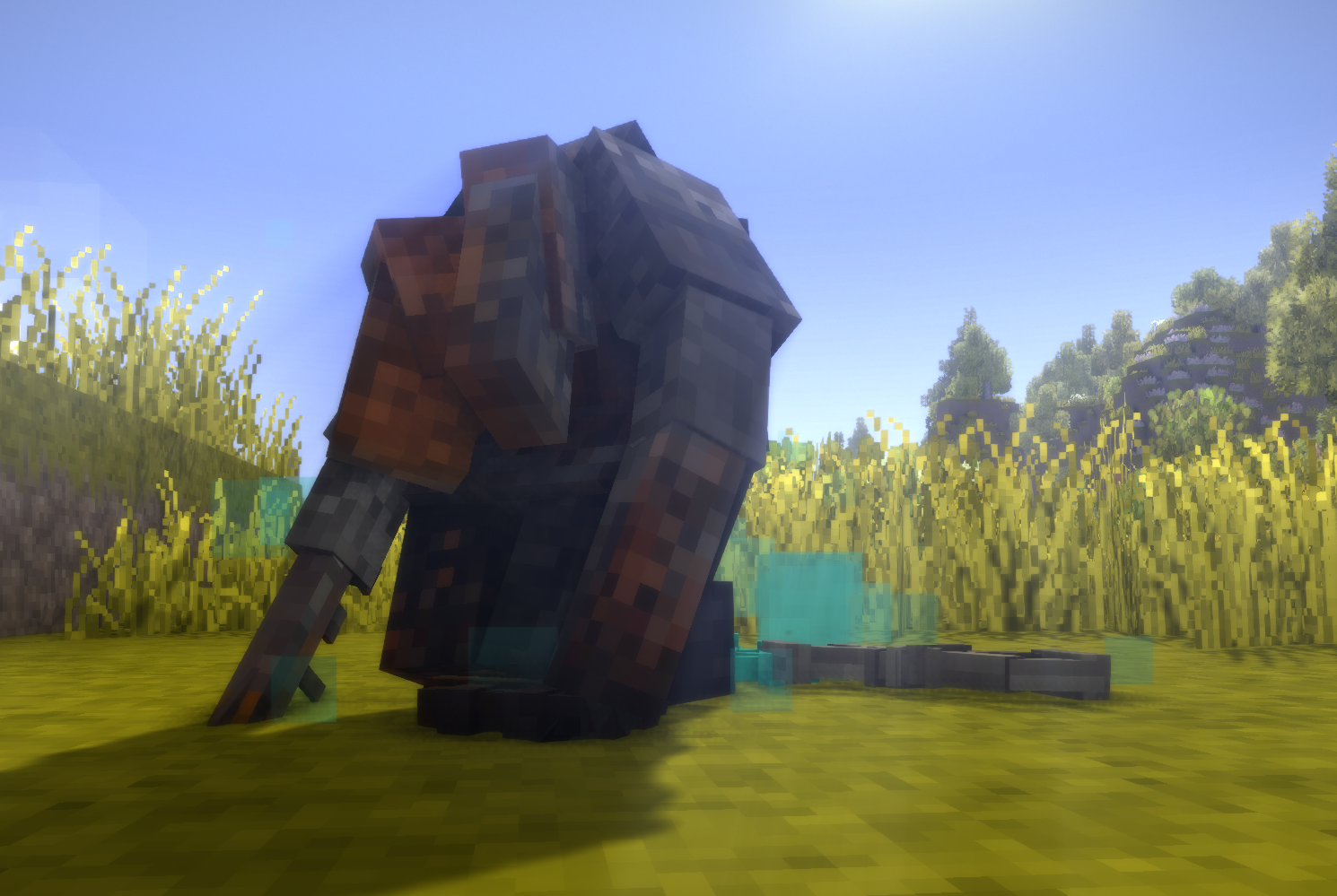
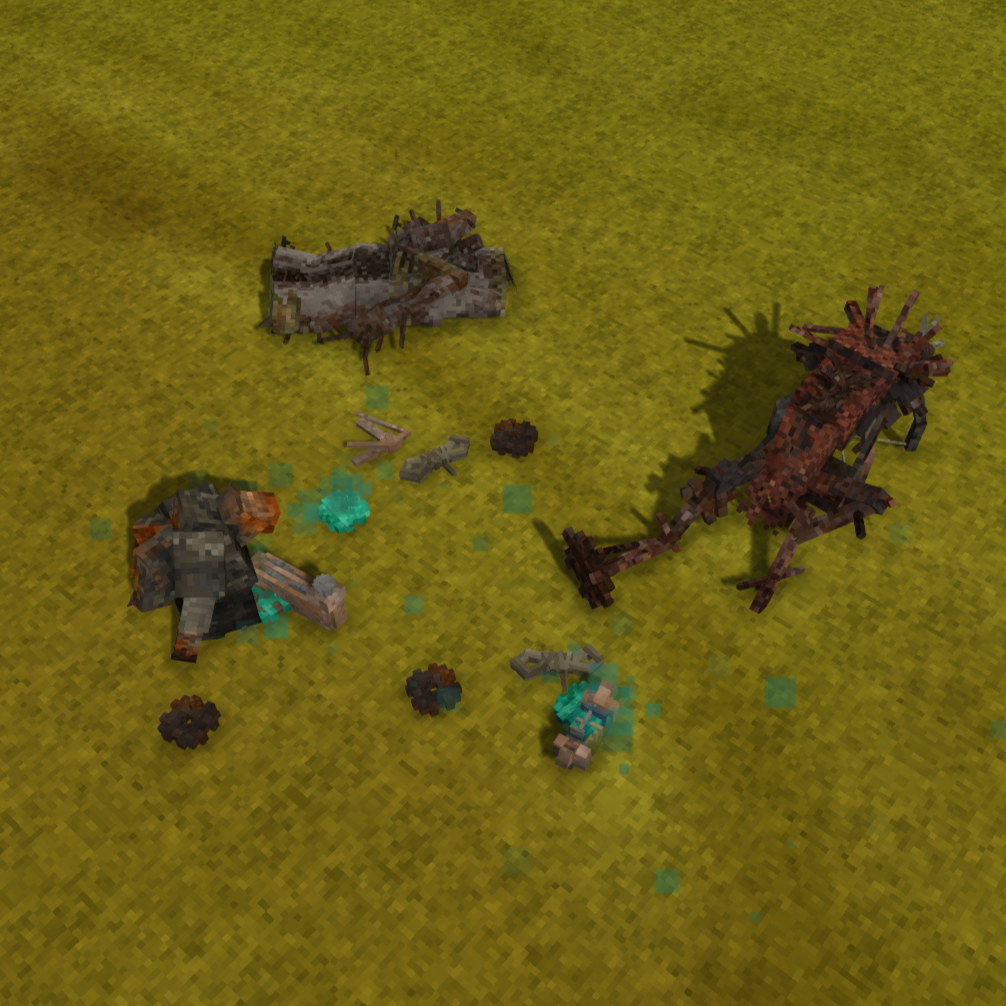
Drifters, Bowtorns and Shivers drop their loot instantly on ground and you can destroy their corpses by harvesting.
| Mod Version | Mod Identifier | For Game version | Downloads | Released | Changelog | Download | 1-click mod install* |
|---|---|---|---|---|---|---|---|
| 1.1.3 | zzzinstandtemporalmobdrops | 2879 | Dec 19th 2025 at 11:40 AM | zzzinstantTemporalmobdrops_v1.1.3.zip | 1-click install | ||
|
Should be compatible with any mod. If you encounter problems, try version 1.1.2 of this mod. | |||||||
| 1.1.2 | aaainstandtemporalmobdrops | 1018 | Nov 14th 2025 at 3:02 PM | aaainstantTemporalmobdrops_v1.1.2.zip | 1-click install | ||
|
Some changes to fix a problem on servers. I don't know if it works, so please let me know if the server crashes. | |||||||
| 1.1.1 | aaainstandtemporalmobdrops | 1515 | Oct 11th 2025 at 3:49 PM | aaainstantTemporalmobdrops_v1.1.1.zip | 1-click install | ||
|
Updated to 1.21 | |||||||
| 1.1.0 | aaainstandtemporalmobdrops | 3116 | Apr 30th 2025 at 5:40 PM | aaainstantTemporalmobdrops_v1.1.0.zip | 1-click install | ||
|
More mod compatibility | |||||||
| 1.0.3 | instandtemporalmobdrops | 831 | Apr 25th 2025 at 12:04 PM | instantTemporalmobdrops_v1.0.3.zip | 1-click install | ||
|
Fixed game crash. You should update! | |||||||
| 1.0.2 | instandtemporalmobdrops | 593 | Apr 21st 2025 at 10:37 AM | instantTemporalmobdrops_v1.0.2.zip | 1-click install | ||
|
Should solve compatibility problems with other mods | |||||||
| 1.0.1 | instandtemporalmobdrops | 2546 | Jan 30th 2025 at 12:34 PM | instantTemporalmobdrops_v1.0.1.zip | 1-click install | ||
|
Faster despawning of corpses. The corpses now despawn after 1 minute and not after 6 minutes. | |||||||
| 1.0.0 | instandtemporalmobdrops | 1319 | Jan 8th 2025 at 5:47 PM | Empty | instantTemporalmobdrops_v1.0.0.zip | 1-click install | |

I understand the concept. My point was that I haven't been seeing hardly any other modders doing it for vintage story specifically. If it worked here as well as y'all think it does, it wouldn't matter if it was a bad/ugly habit--it would probably be a lot more prevalent. For example, Skyrim's community is awash with crazy hacks and janky solutions, because that's unfortunately what works.

You can see this for yourself by looking in the logs and seeing the mod load order--it is not really alphabetical overall, there's deeper rules governing the pattern (look down the left edge, it's clearer there--armory at the bottom, manual dishes at the top, etc etc).
It's like a weird almost alphabetical-ness. I'm guessing probably alphabetical order resolves tie-breaker scenarios, or maybe it does multiple passes that each in themselves are alphabetical, but it doesn't seem to be the main determining factor.
Maoman The reason mod authors stick a or z at the start of their mod filename is to get VS to load their mod first/last (i.e. before/after all other mods). They do this to try and be "compatible" with other mods. It's a kludge. Mod starting with "aaaa" is going to load before a mod starting with "b", but AFTER a mod starting with "aaa" (note the number of A letters). VS does not offer a dependency ordering system for mod load order.
What these mod authors should be doing is collaborating together to make a good general-purpose mod by working together as a team. Mods atop other mods atop patches atop other patches never works. Ever.
You have a typo in the modinfo.json
"Name": "Instand Temporal-Mob Drops",
Also I couldn't tell you why starting the mod with aaa or zzz makes any difference, but I can tell you that the problem is very likely not originating with the name, since I've installed almost 200 mods and looked at probably a couple hundred more and have yet to see even one single other modder (that I've noticed at least lol) using a similar naming scheme. If there was some issue where mods sometimes cared about the alphabetical order of mods, then you would expect to occasionally, if not very frequently, find other modders doing the same thing. As far as I have seen, they aren't. So you're probably barking up the wrong tree there.
Hey! There's, sadly, no way to control the mod loader... But I thought about the inevitable collisions with other mods as you move a decisive block away : maybe you can define mods as dependencies so they get loaded first? I didn't try it myself but I guess that's worth a trial!
I have no idea in what order the game loads the mods. For some mods, it matters whether the name of my mod starts with a or z, but for others it doesn't. Just try versions 1.1.2 and 1.1.3 and see if one of them works. If anyone knows more than I do, feel free to write here.
Wools and twines from Wool 🙵 More doesn't get drop. You still need to carve mobs.
BokuNoRhythem I have uploaded a new version. The old version should only work with the vanilla drops and mods that add drops. The new version should apply the change in drop behavior to all drops from all mods.
Does this work with mods that add a changed loot table for rust mobs?
1.1.2 installed on a modded 1.21.5 server
Did not crash but also did not work.
I was able to reproduce the error, same excate crash repport
Were you able to reproduce the error? I haven't been able to do so yet.
it is 1.21.5, my mod list is as follow
https://postimg.cc/mcZhw5Z5
Zeratir Have you installed any other mods? What game version does the server and client have?
On my server I get an error while using this mod,
If using my Flexible Tools mod I include a way to disable the feature from my mod as it has the same feature.
use rust drops
is it possible to make all creatures drop their loots?
when 1.21?
Drobny I's been using this mod for a while now and bowtorn and shivers are spawning, so if it is not happening in your world then this is probably due to another mod.
Issue!
This mod removed the spawn of bowtorn and shiver
Paradoxal this mod is basically compatible with any mod, but will never change the loot drop behavior of other mods, as this is only a content mod, which means that the possibilities are limited, but the mod is more stable and easier to modify.
Ok, thanks.
Are you going to list the mods the new version is compatible with?
MJ_Rico the mod should work for all 1.20 versions.
This is probably a silly question, but will the latest version of the mod work correctly on the game version 1.20.7?
DilanRona I have added a new version. Now this mod should stop overwriting patches from other mods. I can't solve your problem that mobs only drop parts of their loot, because this mod patches the vanilla files and not the files from other mods.
QueerCoded The bug you mentioned is part of 1.20.8, and 1.20.9 specifically. Not the mod.
Snossoz Picked up a bug when killing a mob (Shiver, Bowtorn, and drifter of all types), it does not drop all the items on death, and I still have to manually harvest them to get the rest of the items. Got MonsterDropsv1.0.0, betterloot1.1.4, and HarvestableInventorySize-v1.0.0 installed.
QueerCoded I don't think this is a bug in the mod. I just changed the drops for Shiver and Bowtorns via a patch, which means the game has a bug or you no longer have a closed room. I would be surprised that VS has such a bug, since the same change was already implemented in the Drifters from the beginning. Have you installed the Hudclock or Statushud mod yet and checked if your house registers as a closed room? Sometimes there are temporal mobs outside if there is an open cave somewhere they can get out of or if they don't meet the requirements for despawning.
Since the latest update it seems like temporal mobs are spawining in places they shoudln't. Bowtorns have been in my house on multiple occasions and shivers are out during the day
Brady_The thank you!
Bowtorn and shiver patches are faulty at line 188. Replacing "drops" with "dropsByType" fixes the error.
This error is flooding my server console:
To fix this error either change the JSON to a JSON array (e.g. [1,2,3]) or change the deserialized type so that it is a normal .NET type (e.g. not a primitive type like integer, not a collection type like an array or List) that can be deserialized from a JSON object. JsonObjectAttribute can also be added to the type to force it to deserialize from a JSON object.
Path '*-surface', line 2, position 14.
at Newtonsoft.Json.Serialization.JsonSerializerInternalReader.CreateObject(JsonReader reader, Type objectType, JsonContract contract, JsonProperty member, JsonContainerContract containerContract, JsonProperty containerMember, Object existingValue)
at Newtonsoft.Json.Serialization.JsonSerializerInternalReader.CreateValueInternal(JsonReader reader, Type objectType, JsonContract contract, JsonProperty member, JsonContainerContract containerContract, JsonProperty containerMember, Object existingValue)
at Newtonsoft.Json.Serialization.JsonSerializerInternalReader.Deserialize(JsonReader reader, Type objectType, Boolean checkAdditionalContent)
at Newtonsoft.Json.JsonConvert.DeserializeObject(String value, Type type, JsonSerializerSettings settings)
at Newtonsoft.Json.JsonConvert.DeserializeObject[T](String value, JsonSerializerSettings settings)
at Vintagestory.GameContent.EntityBehaviorHarvestable.Initialize(EntityProperties properties, JsonObject typeAttributes) in VSEssentials\Entity\Behavior\BehaviorHarvestable.cs:line 324
at Vintagestory.API.Common.Entities.Entity.Initialize(EntityProperties properties, ICoreAPI api, Int64 InChunkIndex3d)
at Vintagestory.API.Common.EntityAgent.Initialize(EntityProperties properties, ICoreAPI api, Int64 InChunkIndex3d) in VintagestoryApi\Common\Entity\EntityAgent.cs:line 135
at Vintagestory.Server.ServerMain.SpawnEntity(Entity entity, EntityProperties type) in VintagestoryLib\Server\ServerMain.cs:line 2447
at Vintagestory.Server.ServerSystemEntitySimulation.UpdateEvery100ms(Single t1) in VintagestoryLib\Server\Systems\World\EntitySimulation.cs:line 207
It stops if I uninistall this mod so I assume this is the culprit.
Gottcha, Guess I was moreso just looking for a way to modify the drops =p I usually go into your mod and add/remove stuff but I forgot that the purpose of the mod is just to give the mobs drops instead of harvestability =p You can disregard the request!
NateDoesLife As far as I know, the Ediolon drops 1 head, 0-4 temporal gears, 0-42 rusty gears, 3-5 metal parts, and 0-8 metal scrap. The drops are scaling by the number of players. If the Ediolon drops 4 temporal gears, you'd have to kill 75 Nightmare Drifters just for the temporal gears and would just get 15 rusty gears. Thats a lot of stuff if you mention, that you can kill him multiple times, which isn't as hard as it sounds, if you're using Black Guard Armor and have enaugh bandages.
I only know the one as thats as far as I have gotten into the story so far but its Eidolon.
Snossoz
NateDoesLife Which bosses do you mean exactly?
Nowing it should work in 1.20.4
Does it work in 1.20.4 ?
Any chance you could add the boss mobs into this? I would like to add drops to them that are actually worthwhile =p
Snossoz They were asking if you could edit the "hoursToDecay" property to 0.5 like the other mod did (down from 3.0). With on-harvest loot being moved to instantly drop, there's no sense in butchering the carcasses aside from decluttering the area. This wouldn't be an issue if the mod made them decay faster instead.
Normally you should be able to remove the corpses with a knife.
Is it possible to reduce the lifespan of a corpse? like in the mod MoreDrifterLoot v1.5.4https://mods.vintagestory.at/moredrifterloot
With the Butchering mod? No I can't, the instant drops work now. It didn't work for me yesterday, I did some tests today with same result and uninstalled your mod. Now I installed again and.....it works.
With BetterLoot? Drifters ( I killed about 30 Tainted drifters) drops just usual staff, not the loot added by BL (gear parts, salt, scraps, tin bits). Or I can be extremely unlucky, its probably one of those days for me.
Thank you for your answer and for the mod. With the mod working it will be Drifter killing spree tonight.
Snossoz
Can you describe the problem with the two mods? Both worked together for me.
If you want to combine the mod with another loot drop mod, you can write the following in the dependencies:
"name of the other mod":"version of the other mod",repeat the previous for any other mod with lower priority
This should overwrite all other relevant patches from other mods.
If you want to give other mods higher priority, you must write "a" in front of the name of this mod in your files so that the mod is above the others.
+1 for the Butchering mod compatibility request! Many Thanks!
I test the mod with BetterLoot and it dosn't seems to add more loot. But I guess you can add easily more loot drops in to .jsons in mod folder: Mods\instantTemporalmobdrops_v1.0.0.zip\assets\instandtemporalmobdrops\patches?
Caveira
But with Butchering mod enabled this mod dosn't work at all. Would be possible to make them work together.
Eather on your side or Butchering mod side?
Snossoz
Does this works with mods that change their loot drops?