Mods / DRT AgX Kraken - Shader

Tags:
Shaders Clientside Graphics Tweak
Author:
Joegen
Side:
Client
Created:
Jan 1st 2025 at 8:12 PM
Last modified:
2 hours ago
Downloads:
17171
Recommended download (for Vintage Story 1.22.3 - 1.22.7):
drtagx_2.1.3.zip  1-click install

DRTAgX 2.1.0

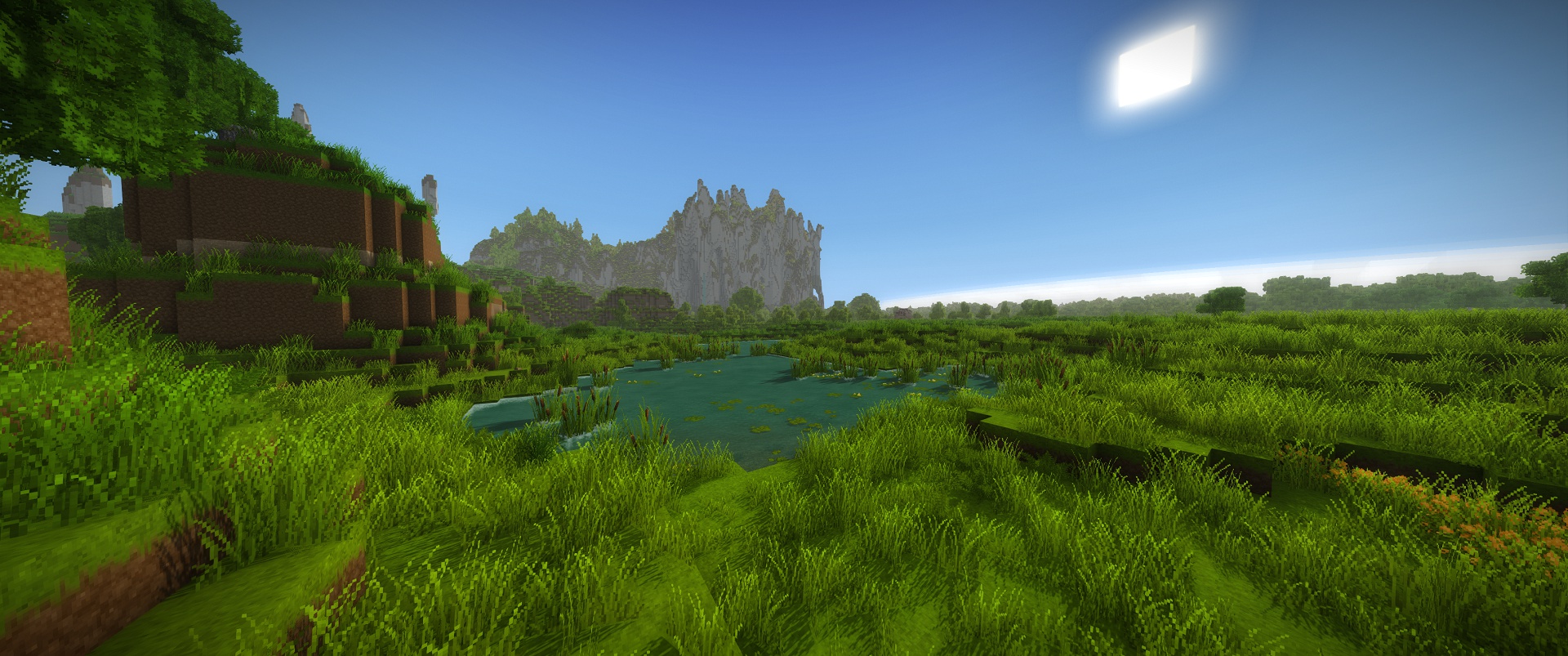
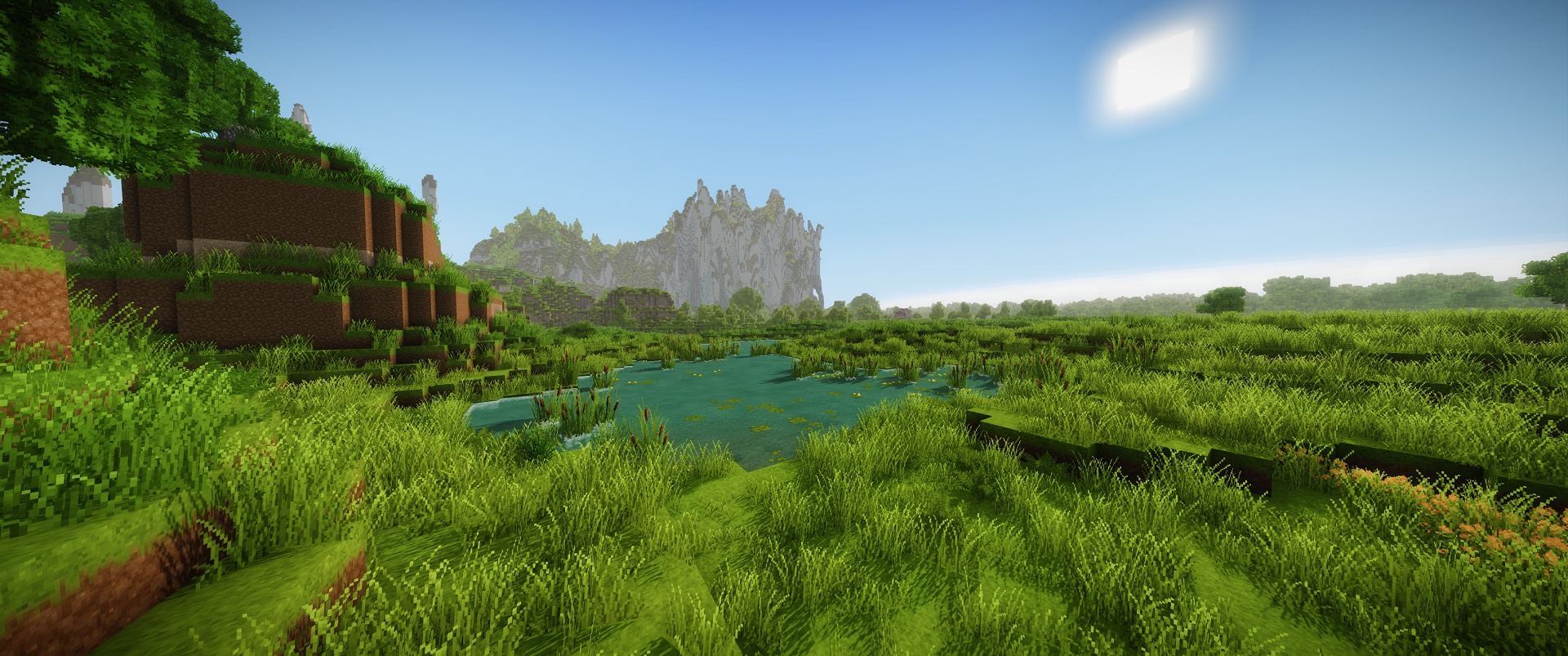
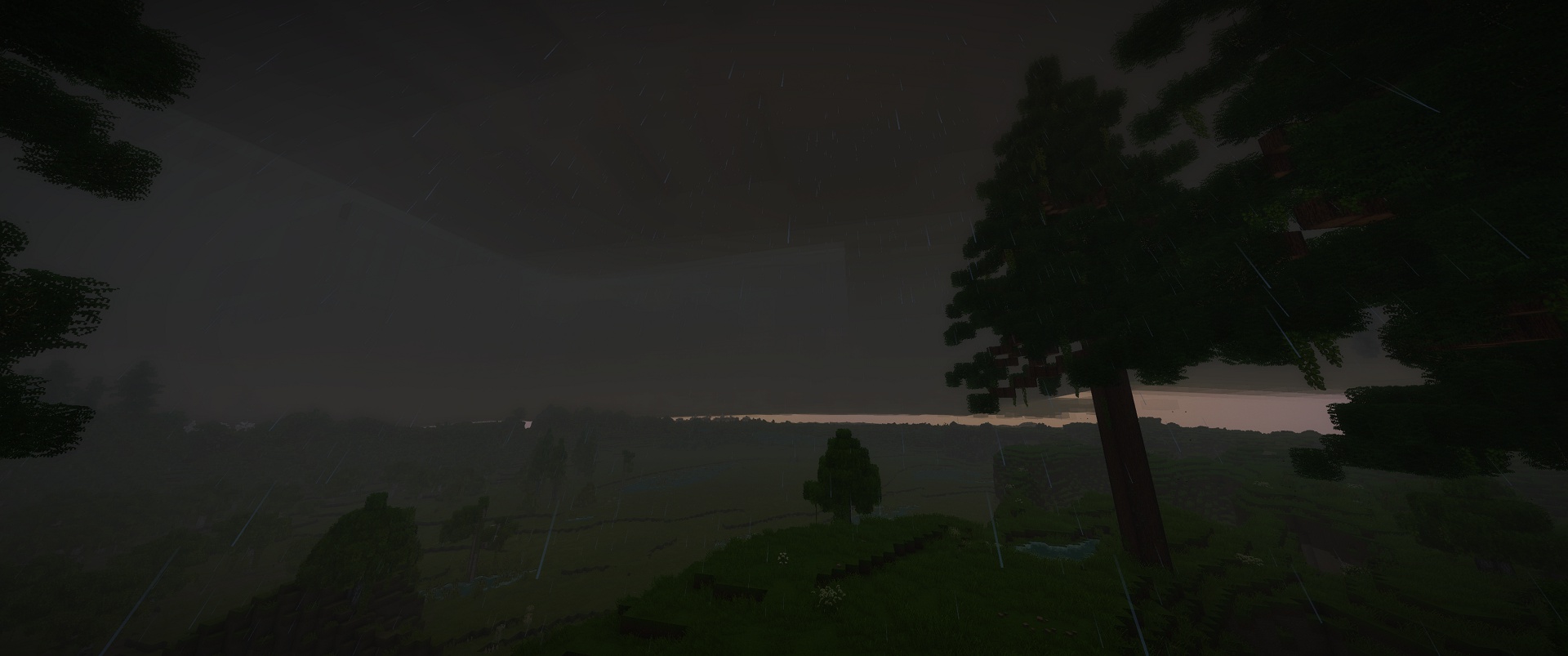
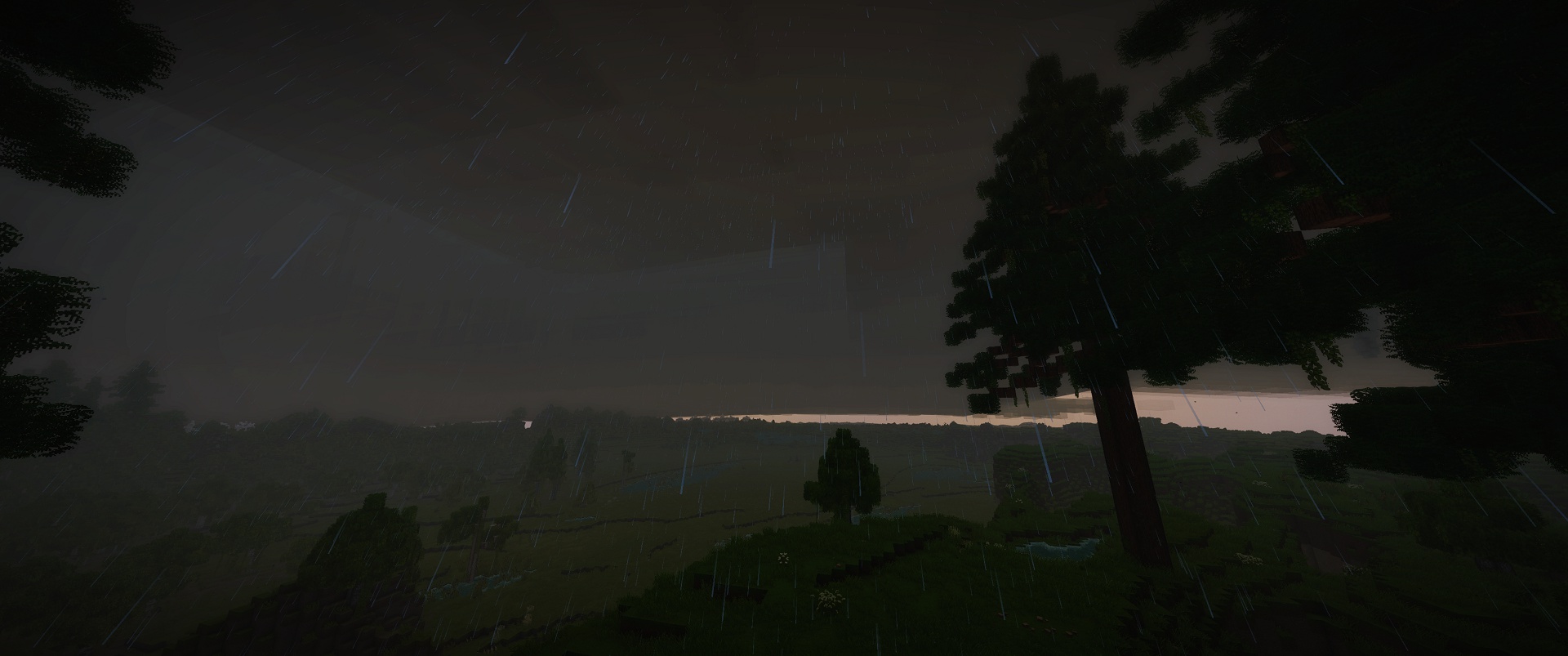
DRTAgX shapes the game's lighting into the picture your monitor presents. Brightness, contrast and color are shaped together.
 
Built to be performant and playable. Expect %30~ lower performance than vanilla with all of the features enabled.
For example: 240fps -> 170fps   |    90fps -> 60fps.
I recommend keeping your in-game fps setting at "unlimited" and locking fps to a sensible divisible(1/2, 1/3 hz) of your monitor from driver or other limiter software.

Requires SheyderMod 1.1.3. Install both mods. DRTAgX is client-side and won't work without SheyderMod, deferred
rendering is now kept on automatically in normal play
My preferred Sheyder settings are included as defaults. Settings from older releases are reset automatically when
their version no longer matches, so you don't need to copy a modconfig or delete old settings. You may need to
reapply your own changes after updating.

Delete CACHE folder if you experience issues. Having a mod disabled in the mod menu doesnt actually get rid of it for some type of mods. Remove incompatible mods from mods folder directly.


What it changes

  • AgX display transform: Brightness is progressively compressed as light levels increase, with a smooth transition into the brightest part of the image. Vibrant pixels gradually move towards white under intense light. Exposure changes where the lighting sits within this response, shaping contrast and color as well as overall brightness.
  • Auto exposure: Measures the rendered image and smoothly adjusts exposure between daylight and darkness. Its adjustment time and limits are configurable, or you can use manual exposure alone.
  • Bloom: Reworked bloom spreads bright and emissive areas into a soft glow across the image. Its strength is adjustable and follows the same exposure and display response.
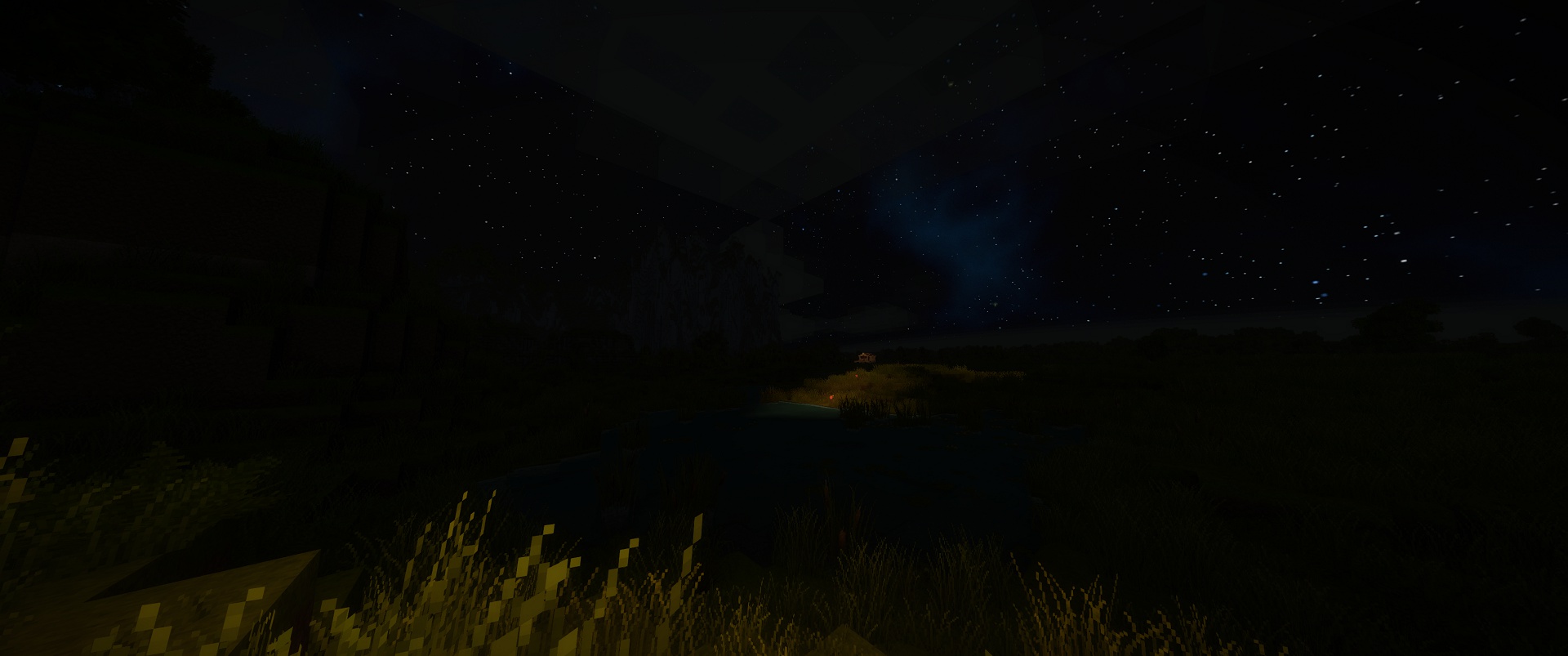
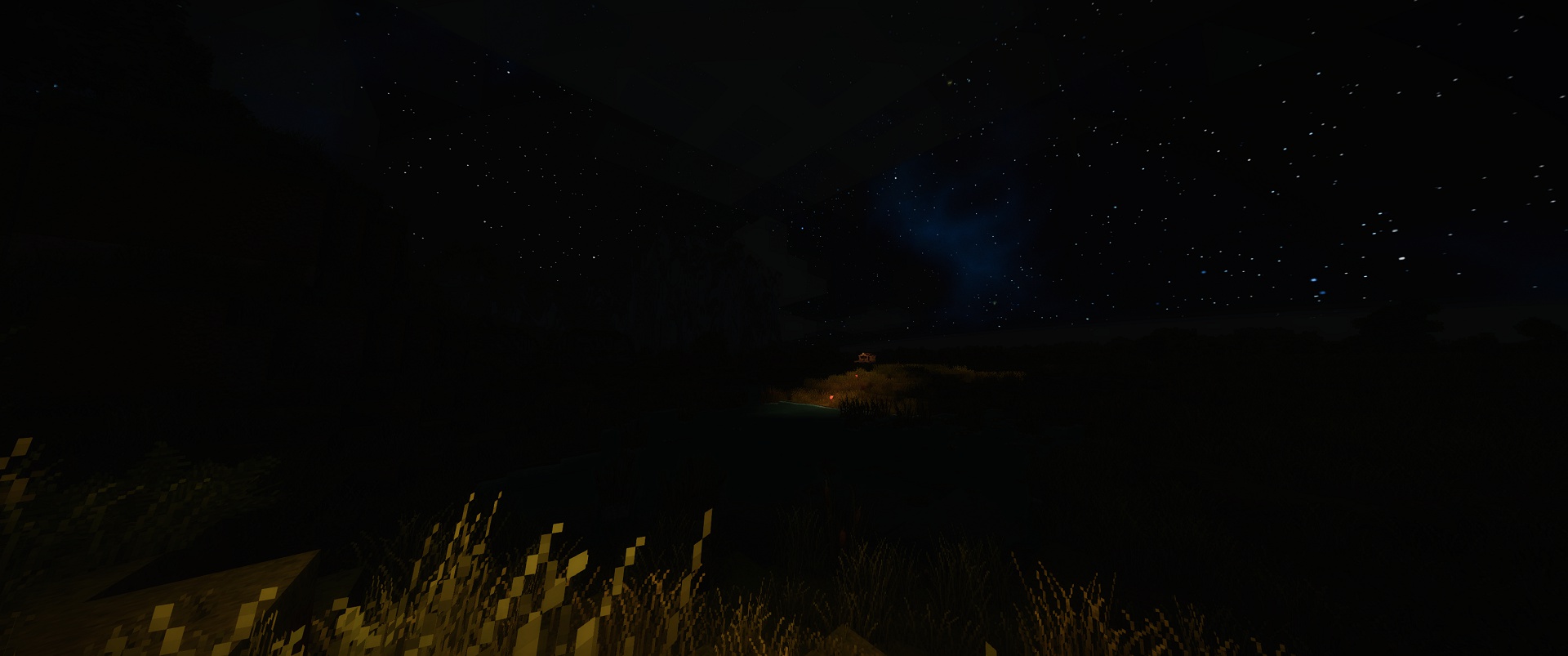
  • Sky, clouds and fog: Reworked atmospheric scattering, daylight, sunsets and moonlight. Ambient lighting follows the sky's changing brightness and color. Clouds and fog respond to weather and time of day, stars appear earlier after sunset, distant terrain fades smoothly, and underwater light is absorbed differently across colors as depth increases.
  • Placed light shadows (PLS): Completely reworked around cached lighting and shadows. Visible areas take
    priority, and completed lighting is reused as you move around. Lights and nearby block changes refresh the
    affected areas, without constantly preparing hidden underground lights. Cached surface lighting supports up to
    128 contributing placed lights.
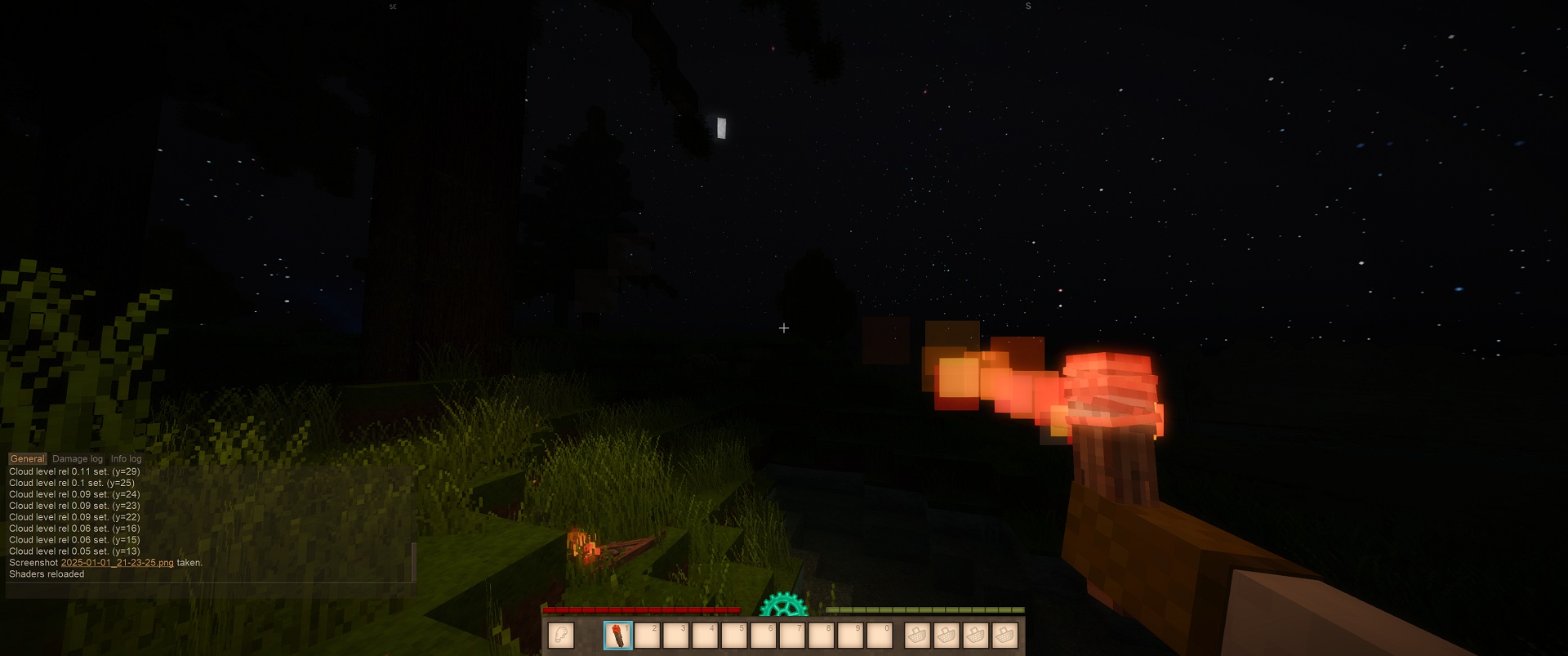
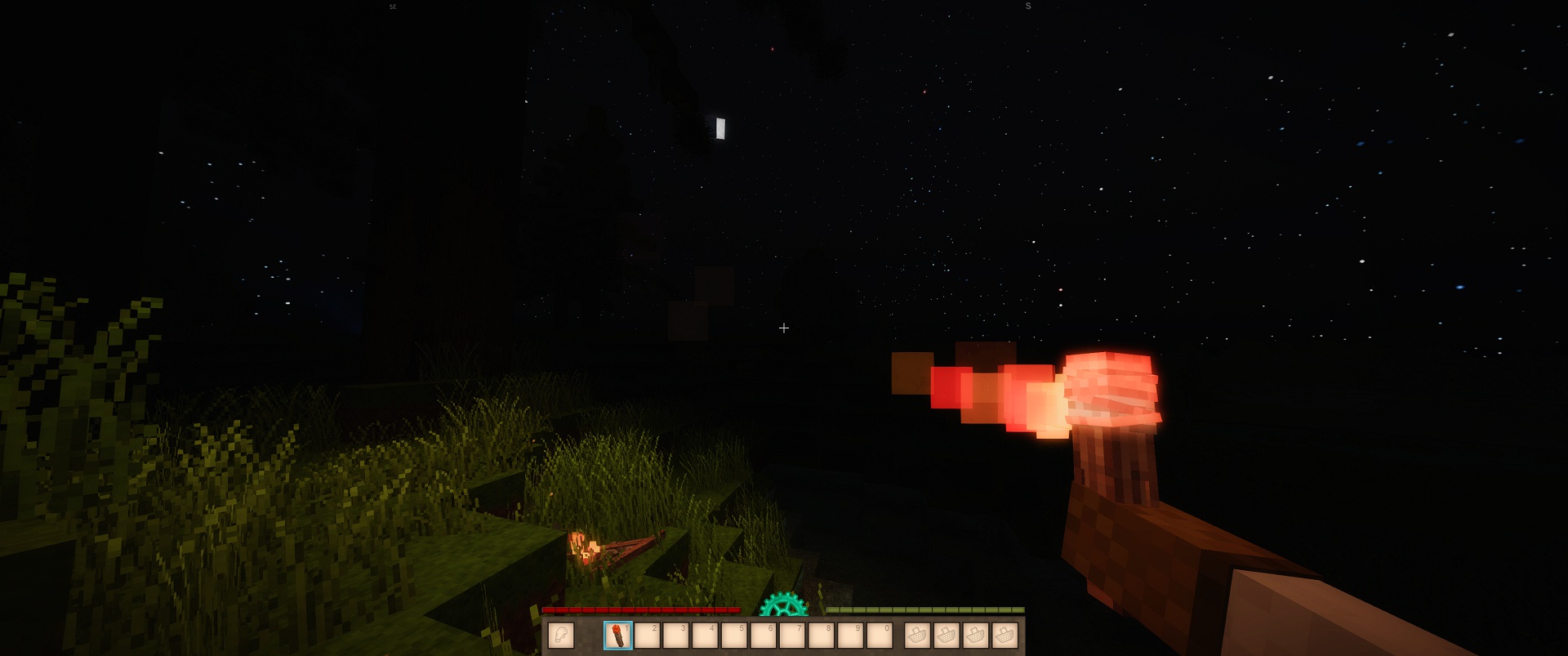
  • Moving lights: Held, dropped and moving lights can cast shadows from terrain and animated entities. The
    player also casts a shadow in third person. First-person shadow maps follow your view's aspect ratio. Two
    shadowed moving lights is the default; more can be enabled
  • Shadow style and foliage: Optional pixel-aligned shadows keep the blocky look. Sun and moving shadows
    use 32 cells per block; cached placed-light detail uses 16. Grass and foliage respond to the direction of placed
    lights. Wind-animated foliage and glass are excluded from PLS shadow casting..
  • Open Domain Buffer (RGBA16): Bright lighting stays unclipped until AgX. Sheyder reflections and volumetric light
    shafts are combined before the display transform.
  • Re-ordered Transparency: Transparency order is rearranged, so you can no longer light up terrain or get weird cloud/sky artifacts behind transparent objects like glass. Doors, chests, entities and transparent blocks now follow the
    same lighting more consistently, with fixes for light appearing over objects and materials glowing when they
    shouldn't.
  • Particles and night vision: Rain, splashes and block particles fit the lighting during the day and at night. Rain
    no longer feeds bloom. Night vision works in deferred rendering, with a green infrared-style look and a visor light
    fading over 64 blocks.

Press O for settings

Lighting, Shadows, Color and Performance tabs cover exposure, bloom, shadow options and placed-light
saturation. Hover over an option for an explanation. Changes are saved immediately; Reset restores my defaults
for that page or option. Sheyder's other settings remain available with F8.

Exposure: +1 EV doubles the incoming light; -1 EV halves it. Auto exposure adjusts within your chosen limits.
Dark range, Bright range and Mid grey shape how AgX fits the lighting into the final image.

Performance mode: Disables placed-light and contact shadows and lowers secondary effect detail. Native block
lighting is retained. Your individual settings return when you switch back to Normal mode.
 
The redundant Sheyder Bloom menu has been removed; use DRTAgX's Bloom controls. Deferred rendering is
kept enabled, with its toggle only shown in game developer mode. God rays are kept enabled and their vanilla
checkbox is removed.

Darkness and performance

Caves without light are pitch black. Moonless nights can be very dark too. Raise Exposure or Max auto EV if that's
too much for you.
 
PLS has had a major performance overhaul since the last public release. It keeps completed shadows and lighting
cached, prioritizes visible surfaces and reacts faster to edits. Shadows still cost extra, especially with several
moving lights. Lower the Shadowed lights count, disable individual shadow options, or use Performance mode if
needed.
 
Target hardware is an OpenGL 4.6-capable graphics card, with an 8 GB VRAM budget. Performance depends on
resolution, the scene and your other mods; the old fixed percentage estimates no longer describe this version.
 
I am getting 4k 220-230 FPS in interiors and 155-170FPS on surface with all fetaures enabled 384 real chunk render distance. On RTX4090 and 5950x.
With Ghostchunks (vanilla settings), and ValksFuzzyClouds (4 samples).
Compatibility
Compatibility includes ChunkLod, Distant Vistas, GhostChunks, SMAA and RainCurtains
 
ValksFuzzyClouds and SimpleWaterTweaks (With VSR) have added support in their latest versions.
 
Supported distant terrain uses DRTAgX lighting and fog at its extended range. RainCurtains follows the atmosphere and daylight
lighting. These mods are optional.
 
LeafModelReducer, RAM Garbage Collector doesn't have issues so far.
Komet and Optitime also works without issue (it seems).

Other lighting, shader or fog mods may conflict. If you run into an issue, include your game version, mod list and
client log when reporting it.
---
For YouTubers and streamers: Native color dithering and final-image noise are removed, keeping the picture
cleaner for video encoding.

Source is available on GitHub. The public project has been simplified for people who want to fork it or use
snippets.
---
Huge thanks to Hiran and Bear and everyone else alpha testing my mess.
---
LLM usage: Most C# coding was done with LLM assistance, along with GLSL refactoring and cleanup. I used this mod as an
opportunity to learn how these workflows work. It's a huge speed-up, though the cost and ethics make me think I won't shouldn't use it as much in the future.

Mod Version Mod IdentifierFor Game version Downloads Released Changelog Download 1-click mod install*
2.1.3 drtagx
1.22.3 - 1.22.7
21 2 hours ago drtagx_2.1.3.zip 1-click install
  • Improved lighting consistency between open and closed chests, doors and other animated blocks.
  • Supported containers no longer trigger PLS updates just from opening or closing. Closed containers keep casting shadows.
  • Improved PLS cache retention when turning around and returning to nearby areas.
  • Moving light shadows are softer, with reduced CPU overhead when several lights are active.
  • Moving light shadows stop rendering for sources over 42 blocks from the camera. Shadow depth is limited to 32 blocks from each light.
  • Reduced unnecessary PLS rendering work when no placed lights contribute to the scene.
  • Updated GhostChunks compatibility for its newer lighting and cloud shaders.
  • Weather fog now follows vanilla visibility more closely. Lighter haze reduced, and distant shaded terrain no longer cuts dark holes through the fog.
  • Improved fog protection for large enclosed halls.
  • Sheyder overexposure now also affects animated entities.
  • Leaves facing away from the sun are darker during the day, combined with existing sun shadows.
  • Disabled the moon's scattering halo during daytime.
  • Updated my default Sheyder settings.
  • Additional rendering fixes and performance optimisations for highy modded scenerios. (loading may take slightly longer)
2.1.2 drtagx
1.22.3 - 1.22.7
204 2 days ago drtagx_2.1.2.zip 1-click install
  • Fixed a deferred lighting shader link error reported on stricter OpenGL drivers.
  • Restored missing stage connections where I can find any.
  • Kept native game shader interfaces for compatibility with the game and other mods.
2.1.1 drtagx
1.22.3 - 1.22.7
95 2 days ago drtagx_2.1.1.zip 1-click install
  • Reworked dense weather fog. The heaviest mist now leaves roughly 10 blocks of useful visibility and no longer gets the sky's full brightness boost.
  • Indoor fog now uses room enclosure, with a fallback for larger halls. Room protection fades in over two seconds when entering, while fog outside remains visible through doors and windows. Fog also fades smoothly from sunlight level 12 to zero, while distant shaded terrain stays fogged.
  • Preserved volumetric light shafts in rooms, with a smooth 2x indoor brightness boost. Native cave protection stays enabled, and dense outdoor weather still limits their brightness to prevent a whiteout.
  • All VS Roofing tiles, including bare frames, now block Sheyder's blocklight and Directional Sun as full blocks.
    Improved PLS updates when turning around, entering rooms and returning to previously lit areas. Reduced the visible lighting fill-in effect.
  • Grass and wind-affected foliage now receive cached PLS. Lighting follows the vegetation without being recalculated for every wind movement. Foliage still does not cast PLS shadows.
  • Rebalanced animated entities, open doors and chests. Animated entities retain their blocklight brightness, with PLS providing the direction of the light.
  • Fixed moving light leaking through the back side of walls.
  • VS Roofing tiles and other solid two-sided terrain now cast moving-light shadows.
  • Improved Directional Sun lighting around chiseled roofs.
  • Reduced moving-light shadow artefacts when a light is close to, or clips into, a surface.
  • Improved held-light positioning for other players, using their animated hand positions where available.
  • Fixed weak moving light sources, including the temporal gear amulet, being made too bright.
  • Particles, including rain and splashes, now follow Sheyder's baked blocklight. Removed extra unshadowed PLS lighting on particles, while keeping their intended glow.
  • Fixed the transparency compositor leaving terrain normal and position data undefined behind glass and other transparent effects.
  • Normal glass tint and transparency are preserved.
  • Added AstraTerra and AstraExtera compatibility for stars, moons and other celestial objects.
2.1.0 drtagx
1.22.3 - 1.22.7
197 3 days ago drtagx_2.1.0.zip 1-click install
  • Placed light shadows (PLS) completely overhauled, with cached surface lighting and much less repeated work.
  • Visible areas now take priority. Hidden underground lights no longer hog the cache updates for the scene you're looking at.
  • Faster block and light placement/removal updates. Improved cache reuse when moving around and returning to an area.
  • Reduced movement-related overhead and periodic PLS frame-time spikes.
  • Many fixes for patchy shadows, flickering, decal flicker and incomplete lighting after cache updates.
  • Rebalanced PLS and voxel lighting across terrain, doors, chests, books and animated entities. Fixed lighting being drawn over some objects.
  • Glass no longer casts PLS shadows. Wind-animated foliage is excluded from PLS shadow casting, while foliage receives directional placed lighting.
  • Moving light shadows optimised. First-person maps follow the view aspect ratio, light ranges are limited to 16-32 blocks, and the default shadowed light count is 2.
  • Animated entities now cast moving-light shadows. The player casts a shadow in third person; held-light positions and entity lighting were adjusted.
  • Rain, rain splashes and block particles rebalanced for daytime and night. Rain and splashes no longer produce the unwanted bloom glow.
  • Fixed materials such as glacier ice and opaque locust parts looking lit in darkness, while preserving their actual glowing parts.
  • Volumetric fog improved, with reduced light leaking through terrain and better depth-aware blending.
  • Night vision now works in deferred mode, with a green infrared-style look and a visor light fading over 64 blocks.
  • Added GhostChunks and RainCurtains compatibility. Distant terrain lighting and fog integration improved, alongside existing ChunkLod, Distant Vistas and SMAA support.
  • My current Sheyder settings are included as defaults. Version checks automatically reset outdated DRTAgX and Sheyder settings; no manual config replacement is needed.
  • Settings tidied up. Performance mode has its own tab; redundant PLS controls and Sheyder Bloom menus removed. Deferred is kept enabled in normal play, and vanilla God rays stay enabled.
  • Code cleanup and release polish. The public source project is simpler and no longer includes tests or probes.
2.0.3 drtagx
1.22.6 - 1.22.7
441 Oct 7th at 8:36 AM DRTAgX_2.0.3.zip 1-click install
  • Added Distant Vistas 1.1.3 compatibility.
  • Distant terrain now uses DRTAgX lighting, HDR and fog.
  • Added nearby LOD overlap protection to reduce flickering.
  • Reduced per-mesh diagnostic overhead.
  • Updated cloud horizon fog.
2.0.2 drtagx
1.22.6 - 1.22.7
101 Oct 6th at 7:15 PM DRTAgX_2.0.2.zip 1-click install
  • Ancient Forest Armor crash fixed.
  • Some performance optimisations to PLS.
  • Added "performance mode" with placed light shadows disabled, it makes the mod very low performance impact when used.
  • Reworked volumetric fog. Should look much better now.
  • Source code published.
2.0.1 drtagx
1.22.6 - 1.22.7
168 Oct 5th at 5:37 PM DRTAgX_2.0.1.zip 1-click install
  • Fog intensity re-balanced.
  • Guard rail for fog at 0 added. Now minimum fog is 0.00001
  • Fog cannot be indoors. Gets gradually diminished from sunlight 10 and under.
  • Few flicker fix attempts that few users reported.
  • Added ChunkLOD 1.2.0-dev6 mod compatiblity.
  • SMAA mod compatibility for RGBA16 (no mo clipped data)
  • Sunset terrain brightness increased.
  • Made it so that PLS includes grass and other terrain bits. (Fixing VSRoofing not casting shadows)
  • Rebalanced sun and moon and fixed bloom pass for these. AstraTerra should be much better now?
  • Some code cleanup and refactor in prep for source release.
2.0.0 drtagx
1.22.6 - 1.22.7
383 Oct 3rd at 12:26 PM DRTAgX_2.0.0.zip 1-click install

Complete overhaul of the DRTAgX mod. Except the DRTAgX display transform itself.

  • REQUIRES SheyderMod 1.1.3
     
  • What it changes
    • AgX display transform: Brightness is progressively compressed as light levels increase, with a smooth transition into the brightest part of the image. Saturated colors gradually move towards white under intense light. Exposure changes where the lighting sits within this response, shaping contrast and color as well as overall brightness.
    • Auto exposure: Measures the rendered image and smoothly adjusts exposure between daylight and darkness. Its adjustment time and limits are configurable, or you can use manual exposure alone.
    • Bloom: Reworked bloom spreads bright and emissive areas into a soft glow across the image. Its strength is adjustable and follows the same exposure and display response.
    • Sky, clouds and fog: Reworked atmospheric scattering, daylight, sunsets and moonlight. Ambient lighting follows the sky's changing brightness and color. Clouds and fog respond to weather and time of day, stars appear earlier after sunset, distant terrain fades smoothly, and underwater light is absorbed differently across colors as depth increases.
    • Placed and moving lights: Placed torches and lanterns, held, dropped and moving lights can cast terrain shadows. Moving lights are stronger; placed-light saturation is adjustable. Directional shading is balanced across terrain, chiseled shapes, animated entities, foliage, items and particles. Overlapping lights use diminishing contributions, from full strength down to one eighth, with eight contributing at most.
    • Shadow options: A stable grid of 32 shadow cells per block is available for sunlight and local lights, alongside continuous sampling. Optional contact shadows add small shadows around foliage. Placed shadows are cached and refreshed as lights or surrounding blocks change.
    • RGBA16 OpenDomain (aka HDR😩) Buffer and Sheyder integration: Reflections and volumetric light shafts are combined with the lighting before AgX, with bright values kept unclipped until the display transform. Shafts also blend against the sky. Fixes cover swaying-plant flicker, black water plants, transparent decorations and reflections incorrectly glowing.
    • Re-ordered Transparency: Transparency order is rearranged, so you can no longer light up terrain or get weird cloud/sky artifacts behind transparent objects like glass.
1.5.1 drtagx 357 Sep 22nd at 3:02 PM DRT_AgX_Kraken_1.5.1.zip 1-click install
  • Removed cave normal direction based lighting. Now caves do not rechieve shadows from the sun.
  • Tweaked values, (delete old config you if you want new defaults, both for DRTAgX and Sheyder)
  • Fixed an issue mentioned by Lukus, the lights right under the surface were not coming trough. Now they should feel better.
1.5.0 drtagx 154 Sep 19th at 7:16 PM DRT_AgX_Kraken_1.5.0.zip 1-click install
  • Added controls for AgX. "O" key.
  • Added AutoExposure (based on where your head is positioned depending on blocklight/sunlight)
  • Tweaked some values.
  • Got fogandlight.vsh working with sheydermod. Now lights are mixed with their hue in mind.
  • Light attenuation feels closer to real world. (without breaking the gamey nature, because real world world is hard to capture by a camera, its not exactly inverse square)
1.4.0 drtagx
1.22.0 - 1.22.7
211 Sep 14th at 10:35 PM DRT_AgX_Kraken_1.4.0.zip 1-click install
  • SheyderMod is now a dependency for version 1.4.0
  • Tweaked AgX curve with a little offset.
  • Sheydermod's vfscatter.fsh (volumetric lighting) is patched to apply it over the sky aswell.
  • Sheydermod's effects are now composited pre display transform so that they can take advantage of the magic
1.3.0 drtagx
1.20.0 - 1.22.4
2032 May 29th at 8:51 PM DRT_AgX_Kraken_1.3.0.zip 1-click install
  • Edited bloom function to be multipass. Should feel more like bloom then blur.
  • Fixed shaderincludes typo.
  • Made the dynamic light falloff closer to inverse square law.
  • Few refinements on comp.
1.2.0 drtagx
1.20.0 - 1.22.2
154 May 27th at 8:22 PM DRT_AgX_Kraken_1.2.0.zip 1-click install

- fixed dynamic lights being super overexposed for 1.22
- some emissive surface tweaks.

1.1.0 drtagx
1.19.0 - 1.21.7
1261 Mar 1st at 2:15 PM DRT_AgX_Kraken_1.1.0.zip 1-click install
  • Reduced grain/dither should be easier on the eyes.
  • Reworked input output encoding.
  • Tweaked AgX parameters slightly.
  • Optimized dynamic lights by discarding calculations for distant terrain. Only areas that are affected by lighting gets factured in calculations.
  • Multiplied blocklight by its own lumniance, should feel closer (not really) to inverse square law.
1.0.1 drtagx
1.20.0 - 1.21.7
428 Feb 16th at 7:35 PM DRT_AgX_Kraken_1.0.1.zip 1-click install

- No longer changes the skybox, milkyway has been seperated into its own mod.

1.0.0 drtagx
1.20.0 - 1.21.6
900 Jan 5th at 7:34 PM DRT_AgX_Kraken_1.0.0.zip 1-click install
  • Fixed negative values.
  • Fixed the agx outset.
  • Tweaked the contrast and sepia parameters for the final time.
  • Made sure game is playable in absolute darkness.
  • Reduced the grain during temporal storms.
0.9.9 drtagx
1.20.0 - 1.21.6
418 Dec 26th 2025 at 8:54 PM DRT_AgX_Kraken_0.9.9.zip 1-click install
  • simplified the thought process. Only edits Final.fsh does not mess with any other shader file.
  • somewhat of a overhaul.
  • caves without light are pitch black.
  • might work with older game versions like 1.19.x and 1.18.x etc.. havent tested.
  • sun and moon textures are now back to vanilla. stars remain the stylesed real milkyway by me done in blender compositor and cc0 NASA images.
0.9.6 drtagx
1.20.0 - 1.20.3 1.20.5 - 1.20.7 1.20.8 - 1.20.11-rc.1
1535 May 7th 2025 at 5:21 PM DRT_AgX_Kraken_0.9.6.zip 1-click install
  • Added real milkyway as skybox provided by NASA https://svs.gsfc.nasa.gov/4851, edited it with effects to fall in line with VS style.
  • Removed baked in bloom from sun and moon, in-game bloom and godrays should do this work.
  • Edited general values a tiny bit for coherance.


Final release candidate if no bugs i coudnt find in 4 hours of playtesting.

Comparison image uploaded is from this version.

0.9.5 drtagx
1.20.0 - 1.20.3 1.20.5 - 1.20.7 1.20.8 - 1.20.10
250 May 5th 2025 at 12:07 PM DRT_AgX_Kraken_0.9.5.zip 1-click install

minimizes the, animated object light pops. thank you LarekFlynn for report.

0.9.4 drtagx
1.20.0 - 1.20.3 1.20.5 - 1.20.7 1.20.8 - 1.20.9
167 May 4th 2025 at 7:23 PM DRT_AgX_Kraken_0.9.4.zip 1-click install
  • Update: figured out how to use outset matrix and restored chroma. Things should feel saturated like vanilla now.
  • Fixed: crushed blacks by compensating for piecewise function that the game applies.
  • Tweaked: entitity shadowing, entities now should feel better integrated to lights.
  • Fixed: cave light balance, time of day shouldnt affect how much light there is in caves.
0.9.3 drtagx
1.20.0 - 1.20.3 1.20.5 - 1.20.7 1.20.8 - 1.20.9
267 May 1st 2025 at 8:49 AM DRT_AgX_Kraken_0.9.3.zip 1-click install

- dynamic light intensity, winter surface shadow, entitiy light hotfix.

0.9.2 drtagx
1.20.0 - 1.20.3 1.20.5 - 1.20.7 1.20.8 - 1.20.9
135 Apr 30th 2025 at 8:30 PM DRT_AgX_Kraken_0.9.2.zip 1-click install
  • Fixed shadow peter panning completely on non wind affected blocks.
  • Fixed cave sunlight shadow leak.
  • Reworked the normal lighting completely. Now there's no directional sun-lighting during night or in caves.
    • Static and dynamic lights behave correctly on blocks.
    • Lights dont rechieve shadows.
  • Adjusted light values.
  • Adjusted bloom.
  • Added SSDO on "high" setting of SSAO (it should be same performance impact versus "medium)
  • Performance speedup gained in previous version is lost. Should now be roughly equvilent to vanilla.
  • Tweaked compositing slightly.

    --
    Not tested on linux, or playtested extensively. There might be odd bugs. Please report them.
0.9.1 drtagx
1.20.0 - 1.20.3 1.20.5 - 1.20.7 1.20.8 - 1.20.9
244 Apr 27th 2025 at 10:26 AM DRT_AgX_Kraken_0.9.1.zip 1-click install
  • Edited bloom size.
  • Fixed "bloom off"
  • attempt at making nights feel less flat while not having them pitch black.
  • performance uplift relative to vanilla.
  • ssao tweaks.
0.9.0 drtagx
1.20.0 - 1.20.3 1.20.5 - 1.20.7 1.20.8 - 1.20.9
309 Apr 22nd 2025 at 9:08 PM DRT_AgX_Kraken_0.9.0.zip 1-click install
  • big changes, experimental once again.
  • removed normal mapped shadowing. only shadowing happens via shadow-maps now. block lighting does not change direction according to time of day.
  • there will be shadows getting a line pattern at certain sun angles, id like to fix this in the future in a more elegant way than how the game originally did it.
  • there will be some minor light leaks in the caves according to time of day, similarly id like to find a solution to this in the future.
  • clamped fog so it does not get pitch black in caves even if there's light.


- i am quite out of my depth here with the tweaks id like to make. I doubt this mod will have a full release.

0.8.4 drtagx
1.20.0 - 1.20.3 1.20.5 - 1.20.7
173 Apr 21st 2025 at 11:22 PM DRT_AgX_Kraken_0.8.4.zip 1-click install

- Further minor value tweaks.
- Less bright overall.
- Adjusted glow (bloom) and how its composited.
- Adjusted god-rays.
- Fixed held, thrown item vs placed block emissiveness consistency.

0.8.3 drtagx
1.20.0 - 1.20.3 1.20.5 - 1.20.7
395 Apr 15th 2025 at 8:37 AM DRT_AgX_Kraken_0.8.3.zip 1-click install

- Fixed mauve November dusk. Thanks Dryym

0.8.2 drtagx
1.20.0 - 1.20.3 1.20.5 - 1.20.7
140 Apr 14th 2025 at 7:25 PM DRT_AgX_Kraken_0.8.2.zip 1-click install

- Minor tweaks after 10 more hours of playtime.
- Most notable is dynamic light visibility is increased and overbrightness is reduced.

0.8.1 drtagx
1.20.0 - 1.20.3 1.20.5 - 1.20.7
354 Apr 4th 2025 at 6:24 PM DRT_AgX_Kraken_0.8.1.zip 1-click install

- few intensity tweaks, nothing drastic.

approaching final

0.8.0 drtagx
1.20.0 - 1.20.3 1.20.5 - 1.20.7
197 Apr 2nd 2025 at 7:21 PM DRT_AgX_Kraken_0.8.0.zip 1-click install

- beta release.
- loads of changes. (tested for 8 hours during gameplay.)
- leave it or take it. Dont have the time to test while playing too much, download if you want to help testing.
- alpha transperancy issue is fixed.
- temporal stom is fixed.
- changed the sigmoid to fit the VS needs. Had to visualize it,its here: https://www.desmos.com/calculator/n3viitxhax

- Contrasty "filmic" look is intended, adjust bloom slider if you feel bloom is too much.

0.3.3 drtagx
1.20.0 - 1.20.3 1.20.5 - 1.20.7
261 Mar 31st 2025 at 11:39 AM DRT_AgX_Kraken_0.3.3.zip 1-click install

- Bumped up contrast and exposure a tad bit.
- Tweaked night-time surface level values.
- Reduced light intensities again due to increased exposure.
- Increased the influence of the contrast and sepia sliders.
- Got rid of the baked in bloom texture on the sun.
- Got rid of the blue tinting of the shadows (this was tinting everything regardless of if its acctually a shadowmap or not, even at night and in closed areas)
- Reduced dithering intensity, reducing the general noisy look a bit.
- Got rid of the "power" grade pre-composite. Now the grade adjustments happen at the end. (This made temporal storm grade more chroma laden)
- Reworked the sat-vs-sat function. Now it should apply like intended, boosting saturation on low saturation areas and keeping high saturation areas as is.

Its really hard to tweak for every scenerio and giving the user the ability to tweak parameters is an option, however not ideal. Perhaps if a mod creator wants to collab and help me out with a gui to tweak things Id be happy to chat.

0.3.2 drtagx
1.20.0 - 1.20.3 1.20.5 - 1.20.7
222 Mar 30th 2025 at 9:03 AM DRT_AgX_Kraken_0.3.2.zip 1-click install

- Fixes evenings being too dark. Whoops forgot an "else" argument.

0.3.1 drtagx
1.20.0 - 1.20.3 1.20.5 - 1.20.7
145 Mar 29th 2025 at 11:17 PM DRT_AgX_Kraken_0.3.1.zip 1-click install

- Balanced light intesities tiny bit. Overall exposure reduced a bit.
- Clamped light sources so that they are not over bright.
- Tweaked minimum light level on the surface (skylight).
- Fix: Day-night transitions having a "stepped" light increase is now fixed. Light should change smoothly during dawn and dusk now.


- Tried some autoexposure stuff but disabled it (code still in there) since i dont know how to write and read from buffers yet.

0.3.0 drtagx
1.20.0 - 1.20.3 1.20.5 - 1.20.7
288 Mar 27th 2025 at 11:37 PM DRT_AgX_Kraken_0.3.0.zip 1-click install

0.3.0 Release! All reported issues are ironed out.
- FXAA toggle now doesnt change the image.
- Bloom and Godrays are further tuned.
- Flicker eliminated (also managed to add a nice effect to lightning while doing this, lightning pops are satisfying to look at)
- Image formation further tuned.
- Gamma slider is once again exposure slider. (make it as bright or dark as you want without changing image formation)
- Fixed particles appearing dark.
- Tuned shadows and added global illumination feeling from skylight by tinting them blue.
- Added temporal dithering and grain, allows the image to appear higher bitdepth.
- Tuned minimum sun-moonlight so surface is as lit as in vanilla not hindering gameplay.
- Tweaked light attenuations one more time.
- Tuned day-night transitions so they appear as expected.


BUG: When dynamic lights are off, dirt-block-grass disappears. Keep dynamic lights at-least at 1 to combat this. (if you know why, let me know)

All versions except 0.0.1, 0.0.6, 0.2.0 and 0.3.0 will be deleted in a couple of days.

Report bugs, share toughts, share beautiful images :)

0.2.0 drtagx
1.20.0 - 1.20.3 1.20.5 - 1.20.6
247 Mar 25th 2025 at 9:09 PM DRT_AgX_Kraken_0.2.0.zip 1-click install

- Reworked entirely one more time.
- Need feedback.
- Light flicker is gone if the mod is placed into the install directory mods folder, not the appdata mods folder. Need to investigate. Might be an engine side issue.

0.1.3 drtagxeary
1.20.0 - 1.20.3 1.20.5 - 1.20.6
413 Mar 22nd 2025 at 9:33 PM Display_Transform_AgXEary_0.1.3.zip 1-click install

Another little overhaul.
- Simplified my apporach, created a testing workflow.
- Game sends 2.2 piecewise eotf, it seems all "color compositing" math is done with this aswell. Theres an inverse function prior to AgX now. AgX sends pure power 2.2 to the display.
- Fixed bloom issues. Slider should behave like youd expect now.
- Fixed shadowing and time of day issues.
- Adjusted light attenuations again.
- Made the sunlight 5200k.
- Fixed the presicion issues and "low bithdepth" look.

0.1.2 drtagxeary
1.20.0 - 1.20.3 1.20.5 - 1.20.6
344 Mar 20th 2025 at 9:34 PM Display_Transform_AgXEary_0.1.2.zip 1-click install
  • Fixes Linux+AMD compatibility finally.
  • Adjusted intensities one more time after playtesting.
  • Less bleached look.

    Consider it Beta-RC2
    Will release it as beta after 20 hours of play testing and whatever feedback YOU during that time.
0.1.1 drtagxeary
1.20.0 - 1.20.3
191 Mar 19th 2025 at 9:06 PM Display_Transform_AgXEary_0.1.1.zip 1-click install

BIG changes!!
- Refined the look further, I am much more happy with it now.
- Essentially Beta RC-1
- No longer using AgX Eary but AgX Kraken, Troy's OG AgX. Meaning no Rec2020 conversion. No outset, only inset of primaries. (Might rename project to SilverHalideKraken, much more fitting for lovecraftian imagery)

- Display encoding was wrong was appying power twice(whooops).
- "Gamma" slider no longer controls image encoding (fuck that, nearly all consumer displays are 2.2 inverse power function). It now is a exposure slider. (if you want contrast, use contrast slider which is also totally reworked)

- Deleted my HSV conversion code, using the one provided within the game files now (I suspect this is the culprit for Linux not liking the versions above 0.0.7)
- Adjusted nearly all light intensities. Sky, ambient, blocklight, dynamic lights...
- Reworked my godrays implementation. Its using the default without clamping and adjusted for the display transform.

- Lights are now additively composited, not averaged. (Though cant figure out how to add multiple dynamic lights so that if you "Q" drop 20 torches, its 20 times more light.)

- Some code cleanup.
- Some stuff im forgetting.

0.1.0 drtagxeary
1.20.0 - 1.20.3
228 Mar 18th 2025 at 9:59 PM Display_Transform_AgXEary_0.1.0.zip 1-click install
  • Code cleanup and optimization pass.
  • Many tweaks, trying to nail in the look combined with light attenuation.
  • Beware caves are pitch black without light.
  • First big increment release, not extensively tested with all the changes.
  • Removed environment texture, vanilla one is good with these tweaks.
  • Edits sky now slightly.

Might have fixed linux graphics compatibility, but not tested.

0.0.9 drtagxeary
1.20.0 - 1.20.3 1.20.4 - 1.20.5-rc.3
292 Mar 16th 2025 at 5:50 PM Display_Transform_AgXEary_0.0.9.zip 1-click install
  • tweaked the intensity and the attenuation of lights.
  • reduced the contrast a tiiiiny bit and made the "contrast" slider have more effect.
  • screenshots are from this version.
    -----
    Hush now 0.0.8 never happened. forgot a commentout
0.0.7 drtagxeary
1.20.0 - 1.20.3
187 Mar 15th 2025 at 2:13 PM Display_Transform_AgXEary_0.0.7.zip 1-click install
  • edits block and dynamic light attenuation. They are now more intense. Tried to tune them in a way that this does not have gameplay impact.
  • reduced tinting from damage rechieve and freezing.
0.0.6 drtagxeary
1.20.0 - 1.20.3 1.20.4 - 1.20.5-rc.3
303 Mar 9th 2025 at 10:34 AM Display_Transform_AgXEary_0.0.6.zip 1-click install
  • Fixes frost vignetting. Now its should tint the image slightly cooler too.
  • Fixes damage vignetting. Now it should tint the image towards red too.

Thanks to DarkThoughts for reporting issue.

0.0.5 drtagxeary
1.20.0 - 1.20.3
331 Mar 2nd 2025 at 1:20 PM Display_Transform_AgXEary_0.0.5.zip 1-click install
  • Adds sky gradient to make it less screeching red at sunset.
  • Adjusts sun textures baked in bloom
  • tiny code clean-up.

nothing massive as changes go.

0.0.4 drtagxeary
1.20.0-rc.7 - 1.20.1
827 Jan 23rd 2025 at 10:05 PM Display_Transform_AgXEary_0.0.4.zip 1-click install
  • 0.0.3 had few mistakes. Wasnt intended.
  • TemporalStorm "glitch" is more faithful once again.
  • Wrongly assumed final comp was non linear, tweaked every aspect further. Godrays, bloom, vignette should feel better now.
  • Gamma slider now behaves as it should coresponding to the display-monitor gamma.
  • Contrast now does not have a overhelming brightening effect.
  • Contrast slider is now more complexly built changing multiple parameters on the back-end.
  • Sepia effect gets applied pre display transform.
0.0.3 drtagxeary
1.20.0-rc.7 - 1.20.1
207 Jan 22nd 2025 at 10:21 PM Display_Transform_AgXEary_0.0.3.zip 1-click install
  • Reworked glitch effect colors to behave properly with linear. Thank you Balaur
  • Resized the grain effect in the glitch.
  • Reworked Bloom to be more intense on light sources and behave better with linear.
  • Reworked God Rays to integrate better with AgX.
  • Reduced saturation a tiny bit to remain faithful to art style.
  • few other minor tweaks.
0.0.2 drtagxeary
1.20.0 - 1.20.1
235 Jan 21st 2025 at 10:33 PM Display_Transform_AgXEary_0.0.2.zip 1-click install
  • Now uses Dynamic color introduced in 1.20
  • Learned more how the image pipeline of VS works and overhauled the shader.
  • Revamps sepia and contrast entirely.
  • Revamps vignette.
  • Stability effects are even more intense and horrifying now.
0.0.1 drtagxeary
1.19.0 - 1.20.0-rc.6
756 Jan 1st 2025 at 8:38 PM Empty Display_Transform_AgXEary_0.0.1.zip 1-click install

Disclaimer

By downloading a mod you consent to our Terms of Use.

We tell you this specifically because we want to make sure you are aware that we cannot validate every mod, and you are responsible for any damages you might incur by installing or loading mods.

This prompt will not be shown to you again (for the current browser session) if you proceed.


341 Comments (oldest first | newest first) (threaded | flat)

SilverValkyrie, 24 minutes ago

looks like 2.1.3 breaks my rendering , all i see with that rendering turned on is the floor and grass , everything else doesnt get rendered, downgrading to 2.1.2 fixed it 

Vampyr, 1 day ago

Strange colors on rapids when looked at from below (no other mods installed):

LPDustin, 1 day ago

Updating from 2.0.3 to any of the 2.1 versions causes all blocks except water to lose texture for me. Going back to 2.0.3 fixes it. 

Liliet, 1 day ago

Does compatibility with Distant Vistas mean it's also compatible with Vintage Horizons?

Also, i remember a note that it was incompatible with Optimum. Is it still?

Joegen , 1 day ago
@Liliet: Does compatibility with Distant Vistas mean it's also compatible with Vintage Horizons? Also, i remember a note that it was incompatible with Optimum. Is it still?

havent checked with optimum but i patched the godray issue for it, try it out and let me know.

Each chunklod mod requires me to overwrite their fog and lighting with mine. if i dont they still render but look black and dont follow the fog. ive done it for the three i list. ghostchunks is the best imho.

Histy, 2 days ago (modified 2 days ago)

With just this and Sheyder:

13.10.2026 22:04:05 [Error] Link error in shader program for pass deferredlighting: error: fragment shader input `blockBrightness' has no matching output in the previous stage
error: fragment shader input `shadowCoordsFar' has no matching output in the previous stage
error: fragment shader input `shadowCoordsNear' has no matching output in the previous stage
error: fragment shader input `tl_isWind' has no matching output in the previous stage

Seems my driver wants to be strict on defining inputs in includes even if they're unused in the codepath.

M14Vintorez, 3 days ago (modified 3 days ago)

Weirdness I've encountered this update (which haven't been mentioned yet):

The temporal gear amulet emits way more light than it should.
lights emited from other players (the amulet, torches, lanturns) is emited from the character's center rather than slightly in front of them (like your player character does).
This causes shadows emited from other players to look unnatural, especially when the other player is moving. 


With Directional Sun enabled in Blocklight, VS Roofing Mod roofs and chizel blocks used as roofs experience weird lighting.
This is probably why it's disabled by default, but Directional Sun does look very good. So if you can fix this, it would be a massive W.
image

hexlight, 3 days ago (modified 3 days ago)

Latest version appears to have a very visible and distracting 'blocking' effect for the lighting whenever entering a room or similar. Previously some lights would visibly 'turn on' when suddenly moving or turning but that could be easily solved with turning off PLS culling, and it didn't happen often in the first place. Now though it's extremely distracting and there's no option to disable it or extend it's reach as far as I can see, maybe I missed it.

The hardware utilization difference is pretty big, however currently the visual effect of this is so distracting that I'll downgrade to the previous version for now.

hexlight, 3 days ago (modified 3 days ago)
@Joegen: could you send me a video over at discord, id like to see what it looks like to troubleshoot.

Can't do that, but I did go ahead and grab some screenshots of how this happens. Apologies for the compression, but image files need to be extremely tiny to be able to fit into the comment file size limits. You should still be able to see what's generally happening.

I would send multiple images, but uploading images in the comments is very buggy and even a 93kb image is apparently too big. Either way, I think you see what is happening. I can very visibly see the lighting getting blocked out/built, it takes roughly half a second max each time. This happens every time I open a door to a new room or even if I just turn around, and even though it happens quickly it's still very distracting.

The screenshot.
image

Could potentially be the fault of an optimizer mod, however I'm only running RAM Garbage Collector + Eternal Seraph Dovidarium on this in terms of performance optimizers.

Firetail, 5 days ago

any idea why there is this weird layer blocking the clouds? it seems to a layer between the land and the clouds/sky. i thought it was an issue with valksfuzzyclouds but even with that turned off it seems to still show up. I even created a new world and its still there. Had to attatch as a link as the site wouldnt let me paste anything above 14kb for whatever reason
https://imgur.com/a/kRpE6zs

Joegen , 4 days ago
@Firetail: any idea why there is this weird layer blocking the clouds? it seems to a layer between the land and the clouds/sky. i thought it was an issue with valksfuzzyclouds but even with that turned off it seems to still show up. I even created a new world and it

valksfuzzyclouds still seems to be loaded. Its not supported right now but SilverValkerie will update it sooner than later to support it.
Delete your cache folder and remove fuzzyclouds from mods folder and see if it fixes it.

dedgrant, Oct 9th at 12:49 AM

Transparency reordering is a big deal! Love the hard shadow integration with Sheydermod, it adds a whole new dimension.

Is there a way to tone down the smudgy bloom that casts over brighter areas? (Or is this a bug?) Noticing that bloom is simply disabled in the sheydermod.json config.

Also, notice that some blocks like glacier ice remain fullbright!


Looking great :)

Joegen , 6 days ago (modified 6 days ago)
@dedgrant: Transparency reordering is a big deal! Love the hard shadow integration with Sheydermod, it adds a whole new dimension.Is there a way to tone down the smudgy bloom that casts over brighter areas? (Or is this a bug?) Noticing that bloom is simply disabled

yes my mod overwrites sheyders bloom. In the O menu theres a bloom slider that you can use. it will make the image look darker if you turn it down, but you can compensate with exposure. Or "ambient bloom" in the vanilla graphics settings can be used too.


I am yet to figure out what I can do about glaciers.

dedgrant, 6 days ago
@Joegen: yes my mod overwrites sheyders bloom. In the O menu theres a bloom slider that you can use. it will make the image look darker if you turn it down, but you can compensate with exposure. Or "ambient bloom" in the vanilla graphics settings can be used too.

Thank you!

What's the issue with the glaciers? Are they handled differently than other late-stage tesselation, or is it a different compositing strategy? I think I can see how addressing transparency draw orders could be complicated..

Mendall, Oct 8th at 9:07 PM

i'm having a bit of truble figuring out the proper file to use. i'm running 1.22.5 but the latest file says its for 1.22.3 then 1.22.6-7 do i need to go down the list to build 1.4.0 which is the newest that seems to include 22.4 and 22.5?

Joegen , 6 days ago
@Mendall: i'm having a bit of truble figuring out the proper file to use. i'm running 1.22.5 but the latest file says its for 1.22.3 then 1.22.6-7 do i need to go down the list to build 1.4.0 which is the newest that seems to include 22.4 and 22.5?

I tested with 1.22.7 and I know theres no graphics API changes between 1.22.6
Also someone tested with 1.22.3 and it works. So those are the "officially supported" ones by me. You can try v2+ any with 1.22.x and see if it works.

Abreu, Oct 8th at 1:12 AM

i have a problem, when I enter the map everything becomes invisible

M14Vintorez, Oct 7th at 9:08 PM

This is looking amazing, keep up the good work!

Here are a few bugs/weirdness that I encountered:
1. The night vision mask is broken. Terrain isn't affected, everything else is fine though.

2. Ice looks weird/has lighting when it shouldn't.

3. After Temporal Storms shadows from blocks can sometimes look stripy/break. Turning the shadows off and on again fixes it.
(I forgot to get an image for this, sorry)

Joegen , 6 days ago
@M14Vintorez: This is looking amazing, keep up the good work!Here are a few bugs/weirdness that I encountered:1. The night vision mask is broken. Terrain isn't affected, everything else is fine though.2. Ice looks weird/has lighting when it shouldn't.3. After Temporal

oh yeah. never looked at night vision. Ice is something I cannot figure out still, ill get to it when i get to it.
Temporal storms trigger a wobbly effect, the lights dont follow the wobbly effect, so they are stipey and weird during temporal stroms. I might have to force an update after temporal storm ends. Thank you for the report!

Sandmk, Oct 7th at 2:06 PM

Thank you

Sandmk, Oct 7th at 11:10 AM

Will it be compatible with ValksFuzzyClouds?

Joegen , Oct 7th at 1:25 PM
@Sandmk: Will it be compatible with ValksFuzzyClouds?

they did a patch. idk when it will be released.

SilverValkyrie, Oct 7th at 1:34 PM
@Sandmk: Will it be compatible with ValksFuzzyClouds?

Im currently working on V3 and it will be compatible when i release the new version 

Curviest_Sage, Oct 7th at 12:31 AM

Thank you DX

Reconspiracy, Oct 6th at 10:48 PM (modified Oct 6th at 10:49 PM)

I'm having an issue where every block renders invisible, except water, since updating to the new version from 1.5.1. i've removed a bunch of mods that affected graphics (blue skies, volumetric cloud studio, etc.) and none of these fixed it, so i think it's likely because i'm playing with distant vistas. i imagine there's an incompatibility there. if an image would be helpful, i can grab you one, but i think it should be easy to replicate.

Evadni, Oct 7th at 5:26 AM
@Reconspiracy: I'm having an issue where every block renders invisible, except water, since updating to the new version from 1.5.1. i've removed a bunch of mods that affected graphics (blue skies, volumetric cloud studio, etc.) and none of these fixed it, so i think it'

I'm having the same issue. It only started happening on 2.0.1+. I can revert to 2.0 and the issue will go away. I've tried to delete and place the new mod config files, but I've noticed that 2.0.1+ also only has a mod config file for the shayder mod, not sure if that has any relevance.

Mailsekots, Oct 6th at 7:58 PM

You are crushing it!!!!!

Curviest_Sage, Oct 6th at 3:21 PM

Just checked because I love both mods. But theres still the conflict with Ancient Forest Armor

Which is a shame. 

Joegen , Oct 6th at 4:47 PM
@Curviest_Sage: Just checked because I love both mods. But theres still the conflict with Ancient Forest Armor Which is a shame.

may i have your logs please? you can send them over at discord too.

Joegen , Oct 6th at 5:10 PM
@Joegen: reproduced it. fixing it...

fixed in 2.0.2

Curviest_Sage, Oct 6th at 6:37 PM
@Joegen: may i have your logs please? you can send them over at discord too.

Sorry for late response. I was gonna get them but I was busy. and amazing! I appreciate you!

Getsune, Oct 5th at 9:56 PM (modified Oct 5th at 9:56 PM)

Got a few crashes when loading a worlds with gimap,  bow patch and real smoke, disabling the mods fixed my crashes maybe they are incompatible.

Sidfu, Oct 5th at 8:40 PM

the bug with astra is fixed as tested in my game.

the issue im having is fps loss cross versions.
1.3 60-100 fps(like aalways depends on location)
1.5 50-80 no tmuch differnce
2.0  30-50 

ive not got aroudn to trying to tweak and see which settings are cuasing  such a differnce in fps. the best i can guess ingame is that its the grass. most peoples worlds they dont have much grass but mine i wanted more real so there is grass every where and at times as high as the player. if i get around to  checking again ill play with settings and see

Joegen , Oct 6th at 4:58 PM (modified Oct 6th at 4:58 PM)
@Joegen: ill have a look at what I can do for optimisations sake.

im adding a performance mode which will be much faster but it cannot do Placed light shadows.

Partexedd, Oct 5th at 7:02 PM

Crashing when combining it with Optimum

Crash Report
Involved Harmony IDs: sheydermod.bloom.finalbind, sheydermod.gtao.ssaoinject, drtagx.hdr.final
System.Collections.Generic.KeyNotFoundException: The given key 'maxGodRaySamples' was not present in the dictionary.
   at Vintagestory.Client.NoObf.ClientPlatformWindows.RenderPostprocessingEffects_Patch3(ClientPlatformWindows this, Single[] projectMatrix)
   at Vintagestory.Client.ScreenManager.Render(Single dt) in C:\Users\office-desktop2\Documents\game\VintagestoryLib\Client\ScreenManager.cs:line 748
   at Vintagestory.Client.ScreenManager.OnNewFrame(Single dt) in C:\Users\office-desktop2\Documents\game\VintagestoryLib\Client\ScreenManager.cs:line 686
   at Vintagestory.Client.NoObf.ClientPlatformWindows.window_RenderFrame(FrameEventArgs e)
   at OpenTK.Windowing.Desktop.GameWindow.Run()
   at Vintagestory.Client.ClientProgram.Start(ClientProgramArgs args, String[] rawArgs)
   at Vintagestory.Client.ClientProgram.<>c__DisplayClass10_0.<.ctor>b__1() in C:\Users\office-desktop2\Documents\game\VintagestoryLib\Client\ClientProgram.cs:line 131
   at Vintagestory.ClientNative.CrashReporter.Start(ThreadStart start) in C:\Users\office-desktop2\Documents\game\VintagestoryLib\Client\ClientPlatform\ClientNative\CrashReporter.cs:line 95
Ultimate_doge, Oct 5th at 4:30 PM

the sun seems to like peeking through the terrain 

pngwn, Oct 5th at 6:58 PM
@Ultimate_doge: the sun seems to like peeking through the terrain

I agree, during and after sunset you can see a blurry version of the sun below the horizon.

BigGram, Oct 5th at 2:12 PM

is there a method or toggle/setting that can clamp down the brightness of specifically the skybox?


cause I'm playing with AstraTerra (might only occur with this mod idk) and at night with auto exposure the nighttime skybox can turn into a supernova.

Joegen , Oct 5th at 3:50 PM
@BigGram: is there a method or toggle/setting that can clamp down the brightness of specifically the skybox? cause I'm playing with AstraTerra (might only occur with this mod idk) and at night with auto exposure the nighttime skybox can turn into a supernova.

You can reduce how much the auto exposure boosts the image. I will need to look into futher compatibility otherwise, its not as simple as toning down the sky brightness im afraid.

Joegen , Oct 5th at 4:49 PM
@Joegen: You can reduce how much the auto exposure boosts the image. I will need to look into futher compatibility otherwise, its not as simple as toning down the sky brightness im afraid.

I may have figured out a mistake that I did. Im unsure but 2.0.1 might fix it. Ill wait for you to check once i release.

Reylan, Oct 5th at 2:11 AM

Simple Water Tweaks conflicts with this mod, crashes to desktop with an error log. That's with the Shader Patch for it, too. No expectation for you to make this work but just mentioning :)

Joegen , Oct 5th at 8:21 AM
@Reylan: Simple Water Tweaks conflicts with this mod, crashes to desktop with an error log. That's with the Shader Patch for it, too. No expectation for you to make this work but just mentioning :)

Thank you, added to incompatibilities. Its really difficult to support other shader mods while im changing many things.

Joegen , Oct 6th at 9:07 AM
@NeoB: I'll see what I can do from SWT

Source will be available later today. Dont sweat it for now. Im doing a final cleanup and attempt at optimisation atm. Then Ill release 2.0.2 alongside the source (which anyone can do anything with).

Joegen , Oct 6th at 7:27 PM
@NeoB: I'll see what I can do from SWT

source is released.

NeoB, Oct 6th at 11:44 PM
@Joegen: source is released.

I'll take a look at it

SharpTheAlicorn, Oct 4th at 11:10 PM

I like the idea behind the mod, but it doesn't seem to work properly on my end, and I'm not sure why. The shadows don't even render at all, no matter what I do or what I change, I've even removed every mod I had and used just SheyderMod and DRTAgX, but still didn't work. Could it be that it's only built for certain hardware or such? I know sometimes some mods and things don't really work for AMD, if that could be of anything?

Splogan, Oct 5th at 2:55 AM
@SharpTheAlicorn: I like the idea behind the mod, but it doesn't seem to work properly on my end, and I'm not sure why. The shadows don't even render at all, no matter what I do or what I change, I've even removed every mod I had and used just SheyderMod and DRTAgX, but st

I also see no shadows, only bloom. I also have a lot of flickering objects. When I enable the mod my game lags significantly and I have a great computer. Hopefully those issues get fixed.

Joegen , Oct 5th at 8:22 AM
@Splogan: I also see no shadows, only bloom. I also have a lot of flickering objects. When I enable the mod my game lags significantly and I have a great computer. Hopefully those issues get fixed.

Have you swapped the modconfig to my recommented one, description is in yellow at the top of the mod page.

If not, "deferred" mode in sheyder needs to be enabled for any shadow stuff to work. Let me know if that changes anything for you.

Game lagging is definetly not intended with our without deferred. Its reported that it works well with AMD even on Linux but im unsure where your lag comes from currently.

SharpTheAlicorn, Oct 5th at 11:49 PM
@Joegen: Have you swapped the modconfig to my recommented one, description is in yellow at the top of the mod page.If not, "deferred" mode in sheyder needs to be enabled for any shadow stuff to work. Let me know if that changes anything for you.Game lagging is def

Yeah, I've swapped the config with the one that is given in the mod, and the deferred rendering is enabled, and still no shadows. I saw objects' lighting changing when toggling it on and off, showing that was doing something, but not doing the shadows properly.

Now with the new update, I see absolutely nothing, all the blocks are completley transparent save for only the surface of the water.

Histy, 2 days ago (modified 2 days ago)
@SharpTheAlicorn: I like the idea behind the mod, but it doesn't seem to work properly on my end, and I'm not sure why. The shadows don't even render at all, no matter what I do or what I change, I've even removed every mod I had and used just SheyderMod and DRTAgX, but st

I was having the same error, if I enable gl error and debug under dev I get this error which I assume is whats causing it to not display shadows.
13.10.2026 19:19:00 [Error] Link error in shader program for pass deferredlighting: error: fragment shader input `blockBrightness' has no matching output in the previous stage
error: fragment shader input `shadowCoordsFar' has no matching output in the previous stage
error: fragment shader input `shadowCoordsNear' has no matching output in the previous stage
error: fragment shader input `tl_isWind' has no matching output in the previous stage

With just this and sheyder thats the error I get.

hexlight, Oct 4th at 10:20 PM

Strange behavior on water rapids, there's parts of it that become extremely bright and differently colored under certain angles.
The VSRoofing mod doesn't seem to work well with the PLS system, they don't get seen at all by the shadow calculations and it's as if they're not there at all.

Also, I'm sure there's a particular reason for this but the foliage should definitely get looked at asap. Grass being fully illuminated from behind a block that has a light source kind of defeats the point of having the shadows in the first place in a lot of cases. It just looks visually noisy when you have fully brightly lit grass all around every build.

Joegen , Oct 5th at 8:24 AM
@hexlight: Strange behavior on water rapids, there's parts of it that become extremely bright and differently colored under certain angles.The VSRoofing mod doesn't seem to work well with the PLS system, they don't get seen at all by the shadow calculations and it's

All grass is omited from the shadow calculations for performance reasons. VS Roofing might be using the same path, hence its also omitted. It will require some trial and error to get grass included without it being a performance hog. Perhaps for 2.1.0 ill have a look.

ManOfTheBread, Oct 4th at 7:51 PM (modified Oct 5th at 12:52 AM)

Just noting here that the "rain reflections" compatibility issue refers to the simple water tweak mod. It's not immediately obvious from the logs so if anybody is having that issue for now start by disabling that mod

Canadian11, Oct 4th at 1:18 PM

Heya, 


My doors are flickering when they're open (they're fine when closed) and I move the camera with the shders installed. 


Any chance you'd have an idea which setting I can tweak to fix it?

Joegen , Oct 4th at 5:20 PM
@Canadian11: Heya, My doors are flickering when they're open (they're fine when closed) and I move the camera with the shders installed. Any chance you'd have an idea which setting I can tweak to fix it?

Its a known issue, im trying to trace it down to what exactly is causing it. Its a mod conflict. May I have your client-main.log right after you enter a world please?

GodfreyLettuce, Oct 4th at 12:00 AM

Seems to be incompatible with rain reflections, transmittance, and defog

MrShiver, Oct 3rd at 10:16 PM

sadly incompatible with vintage horizons. all chunk lods are black 

Joegen , Oct 5th at 5:20 PM
@MrShiver: sadly incompatible with vintage horizons. all chunk lods are black

added compat with ChunkLod in 2.0.1

MrShiver, Oct 5th at 8:01 PM
@Joegen: added compat with ChunkLod in 2.0.1

chunklod is serverside. 

BigBear1111, Oct 3rd at 10:01 PM

This will be vintage Story in 2020

M14Vintorez, Oct 3rd at 9:59 PM

fog

THE FOG IS COMING HERE

M14Vintorez, Oct 4th at 4:02 AM
@M14Vintorez: THE FOG IS COMING HERE

But seriously, I have no Idea why the fog is so intense. Some kind of mod incompatibility? No clue.
You can't control the fog that DRT makes either, so I guess I'm just stuck in Super Silent Hill until further notice.

It does look very atmospheric at night, tho.

Joegen , Oct 4th at 5:49 AM
@M14Vintorez: THE FOG IS COMING HERE

I havent accomodated for this intense weather condition so my balancing is off at high fog levels.

I got multiple complaints about this, so ill focus on getting this playable in 2.0.1

Joegen , Oct 5th at 5:21 PM
@M14Vintorez: THE FOG IS COMING HERE

fixed in 2.0.1

GroovyDemon, Oct 3rd at 9:04 PM

Is this compatible with macOS? Exits the game after trying to load up a world with just this mod and its dependency.

Joegen , Oct 4th at 5:50 AM
@GroovyDemon: Is this compatible with macOS? Exits the game after trying to load up a world with just this mod and its dependency.

probably i messed up with the settings save file for mac system or something. Works on linux and windows atm. I dont have a mac system to test it, but ill have a look for the next version.

nacnud, Oct 3rd at 7:33 PM

latest version my save crashes in optimum client, and makes dark ground/fuzzy lighting on normal client when updating, vintage horizons lods are black as well. Rolling back versions fixed this. Really love this mod though can't wait to use the new version.

Joegen , Oct 3rd at 7:37 PM
@nacnud: latest version my save crashes in optimum client, and makes dark ground/fuzzy lighting on normal client when updating, vintage horizons lods are black as well. Rolling back versions fixed this. Really love this mod though can't wait to use the new version

Might be a conflicting mod in your list. I have not tested with optimum so there might be something thats really incompatible there. Farseer doesnt behave well with fog so not suprising with vintage horizons. Could you send a screenshot here or on the discord thread and your client log so that I may troubleshoot it for the future?

nacnud, Oct 3rd at 8:14 PM (modified Oct 3rd at 8:17 PM)
@Joegen: Might be a conflicting mod in your list. I have not tested with optimum so there might be something thats really incompatible there. Farseer doesnt behave well with fog so not suprising with vintage horizons. Could you send a screenshot here or on the dis

I updated optimum to its latest version and it seemed to have fixed the crash, the fuzzy lighting and black lod appears the same though.


I tried disabling: better weather, defog, and vintage horizons (still pretty washed out) with no luck.

Image

Spoiler!
Spoiler

modlist
Generated with Simple VS Manager.
Download the app from the Vintage Story ModDB or Github to easily load this pdf as a modlist!
Made for VS version 1.22.7
Modlist by nacnud


Mods in this list:
Abyssal Depths 1.0.20
Acorns 0.8.1
A Culinary Artillery 2.0.0-dev.26
Adventurer's Walking Stick 3.0.10
Self-Recording Thermometer 0.5.0
Algernons Terrain Sampler 1.3.0
Alloy Calculator Stuzzichino 1.2.19
AlternativeGliderImplementationReforged 1.0.3
Ambient Symphony 1.1.2
More Lanterns 1.4.4
Hardcore Water : Transport Edition Forked 1.4.6
Combat Overhaul : Armory 1.11.3
Arrow Barrels 1.5.1
Attribute Rendering Library 3.2.0
Auto Map Markers 5.0.3
Auto Config Lib 2.0.10
Auto Walk Extended 1.5.2
Bark Beetle 1.0.6
Bear's Shifty Earth 1.2.1
Better and Improved Weather Continued 2.0.5
BetterEr Prospecting 3.4.10
Better forest 0.1.2
BetterHoe 2.0.4
Better Loot 2.0.2
BetterRuins 0.6.4
Biodiversity: Crops 1.1.1
Biodiversity: Orchards 1.0.6
Biodiversity: Core 1.1.4
Blank Vanilla Map 1.0.0
BloodTrail 1.2.10
Boat Speed Tweaks 1.0.8
Bricklayers 3.3.3
Butchering 1.14.3
CAN crops 0.5.3
Carcasses are frail 1.0.0
Carry On 1.14.3
CarryOnLib 1.0.0-pre.8
Catch Livestock 0.2.4
Catch Ledge 0.7.1
Cats 5.0.2
Simple Hotbar Refill 1.4.0
ChargedJump 1.2.3
Chiseled Block Retention 2.0.1
chiseltools 1.17.8
ClearView 0.1.1
Click Up Torches 1.1.1
Climb Mountain 0.2.4
Combat Overhaul 0.18.8
CommonLib 2.8.0
Config lib 1.13.2
Crawl&Dive 0.2.5
Creature Footsteps 1.3.1
Crossbows 1.10.1
Dana Tweaks 4.1.0
Darce's Drifters Redone 1.3.0
Deciduous Trees 1.8.2
DeFog 1.0.2
Desire Paths 0.5.1
Dodge Master 1.2.4
Dressmakers 1.8.0
DRT AgX 2.0.0
DryingSpeedOverhaul 1.1.4
Elk Physics 3.0.3
Emotes 2.9.0
Expanded Foods: Core 2.0.0-dev.15
Expanded Foods: Chef's Tricks 1.0.0-dev.5
Expanded Foods: Meals 1.0.0-dev.8
Expanded Matter 3.8.1
Extra Info 2.2.1
Falling Eco Machina 0.1.1
Falling Tree 0.5.2
Fancy Sky 1.1.6
Farmland Drops With Nutrients 1.2.2
Fast Mushroom Harvesting 0.2.1
Fast Packed Dirt Paths 1.22.3
Firearms 1.10.2
FishingPlus 1.2.0
Flee Exhaustion 1.2.0
FoodShelves 3.1.1
Footprints 1.2.12
Footsteps 1.0.3
Foragers Gamble 1.3.1
Forever Empty 0.1.1
Fauna of the Stone Age: Caninae 1.1.10
Fauna of the Stone Age: Capreolinae 2.0.19
Fauna of the Stone Age: Machairodontinae 1.1.13
Fauna of the Stone Age: Moschidae 1.0.0
Fauna of the Stone Age: Pantherinae 1.2.18
Fauna of the Stone Age: Sirenia 1.0.33
Sonya's Quality Fowl 1.0.1
Freedom Units 1.1.5
Free Look 1.0.5
From Golden Combs 2.1.0
Frontier's Map 2.0.1
Geology Additions 1.4.8
Gourmand 1.9.3
Gui 3.1.0
Heraldry 2.0.0
Heraldry : Banners 2.0.0
Heraldry : Capes 2.0.0
HUD Clock 4.4.1
Hydrate Or Diedrate 2.5.6
Immersive Light 0.2.7
Immersive Machina 0.1.0
Immersive Mining and a Half 1.0.0
Immersive Mining 0.3.0
Modular Backpacks 1.7.10
Immersive Wood Chopping 0.8.4
[Infinitum] Core 1.0.0
[Infinitum] Pickup HUD 1.3.0
InsanityLib 2.1.4
Item Pickup Highlighter 1.3.0
Joy of Painting 1.5.1
JSON Patches lib 1.5.9
Just An Arrowhead Mold 1.1.0
Leaf Litter 1.2.6
LessAggressiveBears 0.0.2
Easier Wolfs and Bears 3.2.0
LetThereBeLight 0.0.9
Light Rifts 1.1.1
Louder Bears 1.0.2
Manual Dishes 0.1.2
Manual Dough 1.1.8
Manual Firestarter 0.1.3
Material Needs: Flowers 2.0.0
MedievalArchitecture 1.1.1
Metal Cookware 1.8.2
Meteoric Expansion 1.3.3
Millwright 1.3.5
minimal compass 1.1.5
More Piles 3.0.1
Music Balancer 1.0.4
Mycodiversity 1.0.8
Natural Foliage 0.0.4
Natural Fertilizer 1.5.1
NDL MushroomGrowth 2.4.4
No Music Interruption 1.0.0
Not Enough Map Icons 1.1.0
Opine Upon Pine 1.1.0
Overhaul lib legacy compat 1.2.14
Pet AI 5.1.2
PipeLeaf 2.6.1
Place Every Item 3.0.1
Place on slabs 1.2.0
Player Corpse 1.15.2
Plumpkins 1.1.3
Posts and Beams 1.5.1
Primitive Survival 5.1.4
Projectile Flee 1.0.5
ProjectileTracker 1.0.7
ProspectTogether 2.2.1
PurposefulStorage 2.1.1
Pyrogenesis Continued 1.3.2
Quivers And Sheaths 0.9.32
Radial Menu 1.0.3
Realistic Rapids 0.1.2
Realistic Water 0.3.2
Real Smoke 2.0.0-pre.6
Rock Strata Variety 0.0.4
Roll-up bed 1.0.4
Rooted Stump 0.1.0
Rustbound Magic - Combat Overhaul Forked Patch 1.0.0
Rustbound Magic 4.0.7
Salt and sands 1.3.0
Scarecrow 1.8.2
Scribe 1.4.2
Seamarks -- Beacons & Lighthouses 1.0.1
Secure Cooking Pots 2.0.0
The Seraph's Ledger 1.25.0
ShearLib 1.3.0
SheyderMod 1.1.3
Shipwright: Vessels of Distant Shores 1.4.1
SlowTox 5.0.0
SlowWalkMod 2.0.1
SmithingPlus 1.9.0-rc.1
SmithingPlus Bug Fix 2.0.1
Soap and Lye Continued 2.1.2
Sounds of Nature 0.8.3
Immersive Fibercraft 1.2.14
Sprint Momentum 0.2.1
Spyglass 0.6.1
Stick Step Sounds 1.0.0
Stone Bake Oven 1.4.0
Stone Quarry 3.6.3
Storage Tweaks 1.4.1-rc.3
Sun Gaze 0.1.1
SwiftTime 1.1.3
Tailor's Delight 2.2.2
TemporalsReformed 0.2.0
Terrain Slabs 1.0.17
Terra Prety 7.11.2-pre.1
Terra Tag 0.6.0
Th3Dungeon 1.0.2
The Critters Pack coral fork 1.4.4
Archimedes Screw 0.2.0
ToolBelt 0.3.6
Toolsmith 1.2.19
Torch Holder Smithing Plus 1.0.4
Vanity 2.5.1-rc.1
Vault And Roll 0.1.2
Vigor 122.7.5
Vintage Horizons 0.3.1
Visible Ores and Minerals 1.4.2
Eco Machina 0.6.1
Dear ImGui 1.2.7
VS Quest 3.1.0
VS Roofing Mod 2.0.5
VS Village Aged Village Addon 0.0.8
VS Village Industrial Village Addon 0.0.8
VS Village Tower Village Addon 0.0.8
VS Village 6.0.5
Wanderer's Sketchbook 2.0.5
Waterfall 1.2.4
Algernons Watersheds 7.0.4
Wear And Tear 1.6.0
Wilderlands Waymarkers 1.0.6
Wind Chimes 1.5.3
Wind Vanes 1.2.8
Wolf taming 5.0.1
Wool & More 1.9.6
XLib Fork 1.0.40
xSkills Fork 1.1.7
Rust Drops 2.1.1
Low Light Spawns 1.2.1
Antique Harmony 1.22.0

Case_Hardened, Oct 3rd at 7:17 PM

Looks amazing! Any chance this could be made 1.22.3 compatible please?

Joegen , Oct 3rd at 7:32 PM
@Case_Hardened: Looks amazing! Any chance this could be made 1.22.3 compatible please?

it might already be? what breaks?
I havent tested it but nothing much changed graphically within 1.22.x afaik.

Case_Hardened, Oct 4th at 5:13 AM (modified Oct 4th at 5:14 AM)
@Joegen: it might already be? what breaks?I havent tested it but nothing much changed graphically within 1.22.x afaik.

I didn't even try to download this updated version and see if it worked.. I have been use to seeing the mod blacked out in the manager because of the the version difference. Thank you for the reply and for getting me to try this update out, it looks amazing in my Moria Build.

I am using the full bright mod and when pressing k to turn it on nothing happens. Maybe I can change a keybind or something.

Joegen , Oct 4th at 5:47 AM (modified Oct 4th at 5:47 AM)
@Case_Hardened: I didn't even try to download this updated version and see if it worked.. I have been use to seeing the mod blacked out in the manager because of the the version difference. Thank you for the reply and for getting me to try this update out, it looks amazi

fullbright works by changing how the lighting shader interacts with terrain. So yeah with DRTAgX it wont work since im overhauling it entirely. You can increase the exposure from the O menu, but thats about it, pitch black will remain pitch black. I dont intend to support full bright as it can be cheaty for normal gameplay.


im marking 1.22.3 compatible since you tested it.

Case_Hardened, Oct 4th at 7:13 AM (modified Oct 4th at 10:34 AM)
@Joegen: fullbright works by changing how the lighting shader interacts with terrain. So yeah with DRTAgX it wont work since im overhauling it entirely. You can increase the exposure from the O menu, but thats about it, pitch black will remain pitch black. I dont

Understood. Thanks for the reply. I have bad news. At first everything looked great. Then I remeoved the Fullbright mod and the Farseer mod, deleted the cache and loaded back in and now there crazy striping in the shadowe areas. I reinstalled those mods deleted the cache and it still has this crazy stripping. It's not minor at all. I have the latest sheydersmod aswell, But I didn't change the settings in the config with yours. I did find out that turning deferred lighting toggle of on the Sheyders menu seems to rid me of that nightmare. not sure the impast that has with your mod and the overall look. It's hard to tell the difference as the stripping was blocking any real shadow visual. Also noticed That ape latern models turned ghost white.

DUCATISLO, Oct 3rd at 7:11 PM

gg

Sidfu, Oct 3rd at 7:01 PM

hmm ill have to stay on pre 2.0 till the incomps are fixed. while the game looks nice with agx but seeing the world just flat end at x blocks overwrides any bonus graphic looks.

Pell, Oct 3rd at 4:01 PM (modified Oct 3rd at 4:03 PM)

getting a crash probably caused by conflicting shader mods
i'm not sure which one is actually causing the issue

Crash Report
Involved Harmony IDs: erick.rainreflections, com.transmittance.mod, gofogyourself.horizon, drtagx.atmosphere.bindings, frameforgeplus, com.zaldaryon.optitime
System.InvalidOperationException: Atmosphere samplers conflict in program 33
   at DRTAgX.AtmosphereProgramBindings.Get(Int32 program) in D:\Active-Projects\26-006_VS_DRTAgX\VintageStory_DRTAgX_2.0.0\VintageStory_DRTAgX_2.0.0\DRTAgX\Atmosphere\AtmosphereProgramBindings.cs:line 78
   at DRTAgX.AtmosphereProgramBindings.Bind(Int32 program) in D:\Active-Projects\26-006_VS_DRTAgX\VintageStory_DRTAgX_2.0.0\VintageStory_DRTAgX_2.0.0\DRTAgX\Atmosphere\AtmosphereProgramBindings.cs:line 105
   at DRTAgX.AtmosphereProgramBindings.AfterUse(ShaderProgramBase __instance) in D:\Active-Projects\26-006_VS_DRTAgX\VintageStory_DRTAgX_2.0.0\VintageStory_DRTAgX_2.0.0\DRTAgX\Atmosphere\AtmosphereProgramBindings.cs:line 88
   at Vintagestory.Client.NoObf.ShaderProgramBase.Use_Patch4(ShaderProgramBase this)
   at Vintagestory.Client.NoObf.ChunkRenderer.RenderOpaque(Single dt) in VintagestoryLib\Client\Render\ChunkRenderer.cs:line 299
   at Vintagestory.Client.NoObf.SystemRenderTerrain.OnRenderOpaque(Single deltaTime) in VintagestoryLib\Client\Systems\Render\RenderTerrain.cs:line 118
   at Vintagestory.API.Client.DummyRenderer.OnRenderFrame(Single deltaTime, EnumRenderStage stage) in VintagestoryApi\Client\API\IClientEventAPI.cs:line 88
   at Vintagestory.Client.NoObf.ClientEventManager.TriggerRenderStage(EnumRenderStage stage, Single dt) in VintagestoryLib\Client\Util\ClientEventManager.cs:line 257
   at Vintagestory.Client.NoObf.ClientMain.TriggerRenderStage(EnumRenderStage stage, Single dt) in VintagestoryLib\Client\ClientMain.cs:line 858
   at Vintagestory.Client.NoObf.ClientMain.MainRenderLoop(Single dt) in VintagestoryLib\Client\ClientMain.cs:line 953
   at Vintagestory.Client.NoObf.ClientMain.MainGameLoop(Single deltaTime) in VintagestoryLib\Client\ClientMain.cs:line 782
   at Vintagestory.Client.GuiScreenRunningGame.RenderToPrimary_Patch1(GuiScreenRunningGame this, Single dt)
   at Vintagestory.Client.ScreenManager.Render(Single dt) in VintagestoryLib\Client\ScreenManager.cs:line 742
   at Vintagestory.Client.ScreenManager.OnNewFrame_Patch1(ScreenManager this, Single dt)
   at Vintagestory.Client.NoObf.ClientPlatformWindows.window_RenderFrame(FrameEventArgs e) in VintagestoryLib\Client\ClientPlatform\GameWindow.cs:line 112
   at OpenTK.Windowing.Desktop.GameWindow.Run()
   at Vintagestory.Client.ClientProgram.Start(ClientProgramArgs args, String[] rawArgs) in VintagestoryLib\Client\ClientProgram.cs:line 354
   at Vintagestory.Client.ClientProgram.<>c__DisplayClass10_0.<.ctor>b__1() in VintagestoryLib\Client\ClientProgram.cs:line 131
   at Vintagestory.ClientNative.CrashReporter.Start(ThreadStart start) in VintagestoryLib\Client\ClientPlatform\ClientNative\CrashReporter.cs:line 95
Crash Report
Involved Harmony IDs: erick.rainreflections, com.transmittance.mod, gofogyourself.horizon, drtagx.atmosphere.bindings, frameforgeplus, com.zaldaryon.optitime
System.InvalidOperationException: Atmosphere samplers conflict in program 33
   at DRTAgX.AtmosphereProgramBindings.Get(Int32 program) in D:\Active-Projects\26-006_VS_DRTAgX\VintageStory_DRTAgX_2.0.0\VintageStory_DRTAgX_2.0.0\DRTAgX\Atmosphere\AtmosphereProgramBindings.cs:line 78
   at DRTAgX.AtmosphereProgramBindings.Bind(Int32 program) in D:\Active-Projects\26-006_VS_DRTAgX\VintageStory_DRTAgX_2.0.0\VintageStory_DRTAgX_2.0.0\DRTAgX\Atmosphere\AtmosphereProgramBindings.cs:line 105
   at DRTAgX.AtmosphereProgramBindings.AfterUse(ShaderProgramBase __instance) in D:\Active-Projects\26-006_VS_DRTAgX\VintageStory_DRTAgX_2.0.0\VintageStory_DRTAgX_2.0.0\DRTAgX\Atmosphere\AtmosphereProgramBindings.cs:line 88
   at Vintagestory.Client.NoObf.ShaderProgramBase.Use_Patch4(ShaderProgramBase this)
   at Vintagestory.Client.NoObf.ChunkRenderer.RenderOpaque(Single dt) in VintagestoryLib\Client\Render\ChunkRenderer.cs:line 299
   at Vintagestory.Client.NoObf.SystemRenderTerrain.OnRenderOpaque(Single deltaTime) in VintagestoryLib\Client\Systems\Render\RenderTerrain.cs:line 118
   at Vintagestory.API.Client.DummyRenderer.OnRenderFrame(Single deltaTime, EnumRenderStage stage) in VintagestoryApi\Client\API\IClientEventAPI.cs:line 88
   at Vintagestory.Client.NoObf.ClientEventManager.TriggerRenderStage(EnumRenderStage stage, Single dt) in VintagestoryLib\Client\Util\ClientEventManager.cs:line 257
   at Vintagestory.Client.NoObf.ClientMain.TriggerRenderStage(EnumRenderStage stage, Single dt) in VintagestoryLib\Client\ClientMain.cs:line 858
   at Vintagestory.Client.NoObf.ClientMain.MainRenderLoop(Single dt) in VintagestoryLib\Client\ClientMain.cs:line 953
   at Vintagestory.Client.NoObf.ClientMain.MainGameLoop(Single deltaTime) in VintagestoryLib\Client\ClientMain.cs:line 782
   at Vintagestory.Client.GuiScreenRunningGame.RenderToPrimary_Patch1(GuiScreenRunningGame this, Single dt)
   at Vintagestory.Client.ScreenManager.Render(Single dt) in VintagestoryLib\Client\ScreenManager.cs:line 742
   at Vintagestory.Client.ScreenManager.OnNewFrame_Patch1(ScreenManager this, Single dt)
   at Vintagestory.Client.NoObf.ClientPlatformWindows.window_RenderFrame(FrameEventArgs e) in VintagestoryLib\Client\ClientPlatform\GameWindow.cs:line 112
   at OpenTK.Windowing.Desktop.GameWindow.Run()
   at Vintagestory.Client.ClientProgram.Start(ClientProgramArgs args, String[] rawArgs) in VintagestoryLib\Client\ClientProgram.cs:line 354
   at Vintagestory.Client.ClientProgram.<>c__DisplayClass10_0.<.ctor>b__1() in VintagestoryLib\Client\ClientProgram.cs:line 131
   at Vintagestory.ClientNative.CrashReporter.Start(ThreadStart start) in VintagestoryLib\Client\ClientPlatform\ClientNative\CrashReporter.cs:line 95
Joegen , Oct 3rd at 4:47 PM
@Pell: getting a crash probably caused by conflicting shader modsi'm not sure which one is actually causing the issue Crash Report Involved Harmony IDs: erick.rainreflections, com.transmittance.mod, gofogyourself.horizon, drtagx.atmosphere.bindings, frameforgepl

id say frameforgeplus, rainreflections, transmittance, gofogyourself.

Optitime should be fine probably.
Remove those 4 and it should launch.You can add them back one by one to see if theres a compatible one, i doubt any but rainreflections is going to be compatible

decto, Oct 3rd at 2:54 PM

I'll try this mod on my 8Gb laptop, wish me luck guys

Tyyni, Oct 3rd at 12:59 PM

Having an issue with the lastest version with some flickering and transparency. I posted a video of the issue in the discord thread. It was during a very foggy day so I will be looking into it more with various weather conditions

Joegen , Oct 3rd at 3:40 PM
@Tyyni: Having an issue with the lastest version with some flickering and transparency. I posted a video of the issue in the discord thread. It was during a very foggy day so I will be looking into it more with various weather conditions

ill trace this down for the next version hotfix, probably next weekend.
Fog can be intense if its too much indeed. Flickering is due to some mod incompatibility but cant pinpoint which one atm.

hexlight, Oct 3rd at 12:48 PM (modified Oct 3rd at 1:00 PM)

Wow. The 2.0 update so far is, in a word, insane.

To my knowing this mod is now the first mod in VS history to introduce more truly accurate lighting into the game, alongside full volumetrics.

In my initial testing there are conflicts with Farseer, it's distance maps get rendered directly over the fog present in a rainstorm, however that may also be due to me using the Rain Curtains mod alongside it.

Either way, these are trivial matters compared to the fact that you've now given the game actually correct looking lighting that isn't exclusively reliant on the rather primitive block light system. Sheydermod already improved it a lot with the directional light, but this takes it multiple, multiple steps further than that. Very interested to see where this goes next.


Edit: Indeed, Farseer and Rain Curtains don't really like how the fog behaves. Both seem to render directly over it which doesn't look right. Anyway, fully willing to disable both for the visuals this mod brings instead for the time being, until hopefully there can be some sort of fix for it.

Joegen , Oct 3rd at 3:41 PM
@hexlight: Wow. The 2.0 update so far is, in a word, insane. To my knowing this mod is now the first mod in VS history to introduce more truly accurate lighting into the game, alongside full volumetrics. In my initial testing there are conflicts with Farseer, it's d

Thank you for your words!

I can intorduce a compatiblity patch in the next minor version for farseer and rain curtains. Since they are quite nice to have. Not sure when that will be atm.

hexlight, Oct 3rd at 3:59 PM (modified Oct 3rd at 4:06 PM)
@Joegen: Thank you for your words! I can intorduce a compatiblity patch in the next minor version for farseer and rain curtains. Since they are quite nice to have. Not sure when that will be atm.

Also another note after playing with it a bit more, the fog can certainly be very intense. I do live in an area with very high rainfall, but a snowstorm causing these kinds of visuals might be a bit overtuned lol

Actual whiteout

image

Image had to be compressed a lot to fit into the comments, however you get the idea. The visibility was maybe 6 blocks if you squint very hard. I don't ever recall them being this intense before installing this. The blue horizon line also isn't a compression artefact, it was actually there. No idea what it is really.

It was also blindingly bright, even with all the values turned way down.

Tyga, Sep 30th at 3:31 PM

Aparently Sheyder mod isnt compatable with coriander shaders and causes a crash on world creation for me. would using the version just before the sheyder dependancy fix this?

Curviest_Sage, Sep 29th at 12:56 AM

I have no idea why, but this mod conflicts with Ancient forest armor by FatherLegday. crashes the game

Curviest_Sage, Oct 1st at 3:17 AM
@Joegen: odd, ill check it out once v.2.0.0 is out.

Thank you. I told fatherlegday as well but he never replied

Hiran, Sep 23rd at 12:15 PM

Everything is very dark with this mod. This room should be fully lit.

image

Mailsekots, Sep 23rd at 6:42 PM
@Hiran: Everything is very dark with this mod. This room should be fully lit.

I am having a similar issue. Everything seems super dark. I have reset any configs to default as well. Even testing placing and removing a torch, the light level doesnt change
https://imgur.com/a/1i8A0Zt

Mailsekots, Sep 24th at 9:29 PM
@Joegen: im looking into it. it might take some time.

Thank you so much, I really appreciate it! I love what this mod changes overall.

In case its helpful, some extra information:
DRT AgX Kraken 1.5.1
SheyderMod 1.1.3
OptiTime 1.5.16

DRT AgX Kraken.json
{
  "AgxMinEv": -9.5,
  "AgxMaxEv": 3.2,
  "GreyPoint": 0.21,
  "Exposure": 1.0,
  "AutoExposureEnabled": true,
  "AutoEvAdaptationSpeed": 2.2,
  "AutoEvMinStops": -0.8,
  "AutoEvMaxStops": 3.0
}


OptiTime json
{
  "DynamicLightOptimizations": true,
  "EntityAnimationOptimizations": false,
  "ParticleOptimizations": true,
  "ParticleViewDistanceScalingEnabled": true,
  "OcclusionCullingOptimizations": true,
  "AmbientSoundOptimizations": true,
  "FlySoundOptimizations": true,
  "BackgroundFpsLimiterEnabled": true,
  "BackgroundMaxFps": 20,
  "PreciseFramePacingEnabled": false,
  "PreciseFramePacingUndershootPercent": 0.075,
  "PreciseFramePacingYieldThresholdMs": 0.25,
  "PreciseFramePacingSpinIterations": 32,
  "GuiManagerOptimizations": false,
  "GuiManagerNoLinqEnabled": true,
  "GuiManagerInputNoLinqEnabled": false,
  "GuiManagerMouseMoveCoalescingEnabled": true,
  "GuiManagerMouseMoveCoalesceIntervalMs": 8,
  "HandbookOptimizations": false,
  "RecipeLookupOptimizations": true,
  "EnableProfiling": false,
  "ShaderOptimizations": false,
  "BlurOptimizationEnabled": false,
  "WeatherWindOptimizations": true,
  "TickingBlocksOptimizations": true,
  "ShadowFarVegetationCullEnabled": true,
  "EntityShadowDistanceCullEnabled": true,
  "EntityInterpolationOptimizations": true,
  "RepulseAgentsOptimizations": true,
  "SuppressCompatibilityMessages": false
}


SheyderMod.json
{
  "SubSurface": {
    "Enabled": true,
    "Strength": 1.3,
    "SpotPower": 3.0,
    "ConeMin": 0.65,
    "ConeMinGrass": 0.3,
    "SpotPowerGrass": 10.0,
    "BloomScale": 5.0
  },
  "WorldFog": {
    "Enabled": false,
    "Density": 0.43,
    "FadeStart": 25.0,
    "FadeEnd": 610.0,
    "Saturation": 1.2,
    "SunScatter": 0.4
  },
  "LensFlare": {
    "Enabled": true,
    "Brightness": 0.3,
    "StreakBrightness": 0.6,
    "PointBrightness": 1.2,
    "StreakLength": 0.3,
    "TintCenter": {
      "X": 1.0,
      "Y": 0.7,
      "Z": 0.35
    },
    "TintMid": {
      "X": 0.3,
      "Y": 0.85,
      "Z": 0.4
    },
    "TintEdge": {
      "X": 0.2,
      "Y": 0.5,
      "Z": 0.95
    },
    "ColorMid1": 0.4,
    "ColorMid2": 0.75
  },
  "VolumetricFog": {
    "Enabled": true,
    "Intensity": 0.1,
    "FogStart": 0.0,
    "DistantFogDensity": 0.5,
    "StepCount": 24,
    "Smoothing": 2.56
  },
  "Specular": {
    "Enabled": true,
    "Strength": 0.75,
    "BloomScale": 3.7
  },
  "Water": {
    "Enabled": true,
    "Strength": 1.0,
    "Steps": 16,
    "Downsample": 6,
    "Distortion": 0.4,
    "LandSaturation": 1.3,
    "Grain": 0.1,
    "Blur": 0.4,
    "Taa": true,
    "Cubemap": {
      "Enabled": true,
      "Resolution": 64,
      "Strength": 1.0,
      "MinDistance": 24.0,
      "UpdateRate": 0.15
    },
    "Debug": false
  },
  "WaterRipples": {
    "Enabled": true,
    "Intensity": 3.0,
    "BoatIntensity": 1.6,
    "RaftIntensity": 1.0,
    "Mode": "Both",
    "FishIntensity": 2.3
  },
  "Bloom": {
    "Enabled": true,
    "Threshold": 0.5,
    "Intensity": 0.6,
    "Radius": 0.9
  },
  "Gtao": {
    "Enabled": true,
    "Intensity": 1.0,
    "Radius": 0.75,
    "Power": 1.8,
    "FoliageBaseDamp": 0.3,
    "FoliageIntensity": 1.0,
    "Slices": 2,
    "Steps": 6
  },
  "MechShadows": {
    "Enabled": true
  },
  "Deferred": {
    "Enabled": true,
    "PerformanceMode": false,
    "Debug": false
  },
  "BlockLight": {
    "Enabled": true,
    "Lanterns": true,
    "LanternMode": 2,
    "DirectionalSunlight": true,
    "ShadowBrightness": 0.7,
    "AmbientFloor": 0.3,
    "RangeBlocks": 96
  },
  "Overexposure": {
    "Enabled": true,
    "Strength": 0.9,
    "Warmth": 0.75,
    "Glare": 0.15
  }
}
Lukus, Sep 21st at 3:40 PM

struggling to put an image on here heres a link for 2 screenshots :) please let me know if this is allowed https://we.tl/t-CdmQt1ZFFQoD5CcL

Joegen , Sep 21st at 7:17 PM
@Lukus: struggling to put an image on here heres a link for 2 screenshots :) please let me know if this is allowed https://we.tl/t-CdmQt1ZFFQoD5CcL

Thank you for that report. Its not intended for sure. I have a clue why its happening, but need to do some testing when I can get to it.

It seems that when youre in an interior the game tries to get rid of the "spheres fog" and youre left with what you got in the screenshots. Ill have a look but i have a hunch that its more complex than what I can tackle in the short term. 

Let me know if there are any other oddities. 

Lukus, Sep 21st at 7:51 PM
@Joegen: Thank you for that report. Its not intended for sure. I have a clue why its happening, but need to do some testing when I can get to it.It seems that when youre in an interior the game tries to get rid of the "spheres fog" and youre left with what you got

i see, ok while I have you another i have is torches not really working in small caves or holes in the ground with light coming from outside. for example if I place a torch it barely lights anything up vs if i hold a torch it lights up as it should. I'll most likely move back to 1.4 as I didnt have these issues. hope you get them fixed!

Joegen , Sep 22nd at 3:02 PM
@Joegen: i figured it now... ill just do some testing and release 1.6.0 tomorrow.

Pushed 1.5.1 please check and let me know.

Lukus, Sep 22nd at 7:25 PM
@Joegen: Pushed 1.5.1 please check and let me know.

sure! just gave it a look, when in room looking through a window the distance still does lose its fog, but it doesnt look oversaturated anymore. torch issue is still there

Joegen , Sep 22nd at 7:36 PM
@Lukus: sure! just gave it a look, when in room looking through a window the distance still does lose its fog, but it doesnt look oversaturated anymore. torch issue is still there

could you set your sheyder mod blocklight settings as

"BlockLight": {
    "Enabled": true,
    "Lanterns": true,
    "LanternMode": 2,
    "DirectionalSunlight": true,
    "ShadowBrightness": 0.7,
    "AmbientFloor": 0.07,
    "RangeBlocks": 96
  },

(you can do it ingame too rather than config if you want)
and let me know if the torch issue persists?

Lukus, Sep 23rd at 8:01 AM
@Joegen: could you set your sheyder mod blocklight settings as"BlockLight": { "Enabled": true, "Lanterns": true, "LanternMode": 2, "DirectionalSunlight": true, "ShadowBrightness": 0.7, "AmbientFloor": 0.07, "RangeBlocks": 96 },(you can do it ingame too rather than

 doesnt seem to have improved anything unfortunately. here are some pictures showing the issue. torch in hand is much brighter than torch on ground if theres natural light coming through https://we.tl/t-FAB1aJJ8b7ephU4Q

Lukus, Sep 20th at 8:16 PM

do i need to update the shader mod config file for 1.5.0?

Joegen , Sep 20th at 8:24 PM
@Lukus: do i need to update the shader mod config file for 1.5.0?

ive only done minor tweaks. you dont have to. but if you want my defaults you can.

Lukus, Sep 21st at 3:36 PM (modified Sep 21st at 3:39 PM)
@Joegen: ive only done minor tweaks. you dont have to. but if you want my defaults you can.

i see, just wanted to see if I could troubleshoot this issue. when in dark enviroments like an unlit house, outside goes brighter (which is expected) but then the fog slowly disapears and everything goes extremely oversaturated and loses antialiasing for some reason. any ideas? i disabled all mods, is this how its supposed to work?

SirGuppy, Sep 15th at 2:21 AM

I am crashing when my world loads with the newest version of this mod and sheyder, and I copied the included modconfig. My crash report is below 

Crash Report
Involved Harmony IDs: sheydermod.bloom.finalbind, sheydermod.gtao.ssaoinject
System.Collections.Generic.KeyNotFoundException: The given key 'maxGodRaySamples' was not present in the dictionary.
   at Vintagestory.Client.NoObf.ClientPlatformWindows.RenderPostprocessingEffects_Patch2(ClientPlatformWindows this, Single[] projectMatrix)
   at Vintagestory.Client.ScreenManager.Render(Single dt) in C:\Users\office-desktop2\Documents\game\VintagestoryLib\Client\ScreenManager.cs:line 748
   at Vintagestory.Client.ScreenManager.OnNewFrame(Single dt) in C:\Users\office-desktop2\Documents\game\VintagestoryLib\Client\ScreenManager.cs:line 686
   at Vintagestory.Client.NoObf.ClientPlatformWindows.window_RenderFrame(FrameEventArgs e)
   at OpenTK.Windowing.Desktop.GameWindow.Run()
   at Vintagestory.Client.ClientProgram.Start(ClientProgramArgs args, String[] rawArgs)
   at Vintagestory.Client.ClientProgram.<>c__DisplayClass10_0.<.ctor>b__1() in C:\Users\office-desktop2\Documents\game\VintagestoryLib\Client\ClientProgram.cs:line 131
   at Vintagestory.ClientNative.CrashReporter.Start(ThreadStart start) in C:\Users\office-desktop2\Documents\game\VintagestoryLib\Client\ClientPlatform\ClientNative\CrashReporter.cs:line 95
Joegen , Sep 15th at 5:20 AM
@SirGuppy: I am crashing when my world loads with the newest version of this mod and sheyder, and I copied the included modconfig. My crash report is below Crash Report Involved Harmony IDs: sheydermod.bloom.finalbind, sheydermod.gtao.ssaoinjectSystem.Collections.Ge

Hmm, seems to be an issue because I changed how the godray shader file works. I will fix it later tonight. In the meantime try to use the modconfig which I provided within the AgX mod zip and update your sheyder mod settings with it. If sheyderbloom is disabled it might work. 


Ty for the report!

Flamby, Sep 15th at 5:53 PM
@SirGuppy: I am crashing when my world loads with the newest version of this mod and sheyder, and I copied the included modconfig. My crash report is below Crash Report Involved Harmony IDs: sheydermod.bloom.finalbind, sheydermod.gtao.ssaoinjectSystem.Collections.Ge

I guess I have the same problem, but as I seen the crash comes from SheyderMod 

Crash Report
Running on 64 bit Windows 10.0.26200.0 with 32681 MB RAM
Game Version: v1.22.7 (Stable) + Optimum v0.3.14
15/09/2026 19:48:55: Critical error occurred
Loaded Mods: aldiclassesnakedpatch@2.1.0, allcavesareconnected@1.0.3, altarmor@1.3.7, barkbeetle@1.0.6, betterandimprovedweather2@2.0.5, catchlivestock@0.2.4, caveonlyoresrevamp@1.0.4, cavesoundphysics@1.0.0, cavesymphony@1.2.2, charlottesclothes@1.4.2, cbr@2.0.1, chonkykitchenware@1.0.1, chonkyvessels@1.5.9, clickuptorches@1.1.1, creaturefootsteps@1.3.1, darcesdriftersredone@1.3.0, deartibusrusticis@0.9.3, deciduoustrees@1.8.2, dyehard@1.0.0, elkaccessories@1.3.5, fallingtree@0.5.2, firestarters@1.4.6, fowlmod@1.0.1, raincoats@2.0.2, frontiersmaplsp@1.0.0, frontiersmap@2.0.1, hydrateordiedrate@2.5.5, immersivelanterns@0.4.1, immersivemining@0.3.0, jsonpatcheslib@1.5.9, longtermfood@0.7.3, manualdough@1.1.8, molds@0.3.7, moreundergarmentsupdated@0.0.10, morebuckets@1.3.1, mycodiversity@1.0.8, nightlight@1.3.6, nymphrace@0.1.2, overhaulliblegacycompat@1.2.14, overhaullib@2.0.10, primitivesurvival@5.1.3, racialequalityexpanded@0.1.6, racialequality@0.1.28, scalesoundreplacersciohan@1.0.2, fixscythe@0.2.1, seasonalflowers@1.1.2, shelfobsessed@2.2.1, solidlongtables@1.0.0, spinningwheel@1.2.14, stickstepsounds@1.0.0, temporalwarden@0.1.1, temporalsymphony@2.3.2, toolbelt@0.3.5, valkyrjahair@3.0.0, visibleoresandminerals@1.4.1, game@1.22.7, vsfirewood@0.4.2, vsimgui@1.2.7, warmgambeson@1.0.0, wetcrops@1.2.2, wilderlandscavessystem@2.0.6, wdepositscarcity@1.0.0, abyssaldepths@1.0.20, ageofflaxfork@1.1.6, almanacilluminated@0.3.1, anvilperformanceoptimization@1.0.0, attributerenderinglibrary@3.2.0, bettererprospecting@3.4.9, betterruins@0.6.3, bettertraders@0.2.1, blocksoverlay@4.14.0, butchering@1.14.3, butterflycasesreborn@1.0.4, carryonlib@1.0.0-pre.8, cartwrightscaravan@1.9.1, cellardoorsport@1.5.3, charcoalkiln@1.1.2, coconutelkhoofsounds@1.0.0, combatoverhaulfork@0.18.8, configlib@1.13.2, crlib@1.1.5, dead@2.7.4, desirepaths@0.5.1, downed@2.7.4, effectlib@1.0.1, tackandequipment@1.3.0, fablewoodfoods@1.0.5, feverstonewilds@3.0.0-rc.3, flowerbeds@1.0.1, foodshelves@3.0.5, foragersgamble@1.3.1, genelib@3.2.1, hanfu@1.2.0, hangingchains@1.0.0, heatstone@0.1.0, hieronymusreptiles@1.2.2, huntersquiver@1.1.0, immersivebackpacks@1.3.4, immersivemodularbackpacks@1.7.10, immersivewoodworking@1.2.0, jaunt@3.2.0, mannybookbackpack@0.1.5, mnflowers@2.0.0, mngeology@2.0.10, materialneeds@2.0.0, moreanimals@1.7.0, morethundersounds@0.3.0, naturalfoliage@0.0.4, ndltreegrowth@2.7.1, noprotectedzones@1.4.0, orekiwoofsbeehives@2.0.0, panningmachine@1.1.4, petai@5.1.2, physicslib@1.3.0, placeitanywhere@0.7.9, placeonslabs@1.2.0, playermodellib@1.23.8, purposefulstorage@2.1.1, realsmoke@1.3.1, regalia@1.8.2, respawnblackscreenfix@1.0.2, ricepaddies@1.0.4, shadehouse@1.7.0, sheydermod@1.1.3, smithingplus@1.9.0-rc.1, soundphysicsadapted@0.2.6-dev.8, soundsofnature@0.8.0, stonebakeoven@1.4.0, substrate@2.0.0, tasshunting@0.14.41, temporalstormsfight@1.8.0, terraprety@7.11.1, th3dungeon@1.0.2, improvedmetallurgy@1.1.8, themarginaliaconjunction@0.3.13, timewood@0.12.2, toolsmith@1.2.19, vanity@2.5.1-rc.1, creative@1.22.7, vsecomachina@0.6.1, vsroofing@1.7.2, survival@1.22.7, watersheds@7.0.4, wilderlandstheweightbelow@1.0.3, windchimes@1.5.2, alchemy@2.2.0-rc.11, almanactcm@0.5.10, antlershorns@1.5.1, armoryfork@1.11.3, autoconfiglib@2.0.10, carryon@2.0.0-pre.8, cats@5.0.2, rlldtco0001@2.3.2, crbutterfly@2.1.2, crfish@1.1.8, densegroundstorage@0.3.3, draconis@1.5.1, drtagx@1.4.0, equusdestrier@1.1.2, equusferus@1.0.6, em@3.8.1, fallingecomachina@0.1.1, fseraph@0.4.9, feverstonewildsbutcheringcompatfork@2.8.0, floatinglandmasses@1.0.8, frogemod@1.0.9, glassmaking@2.2.0, hertycups@1.7.0, immersivemachina@0.1.0, immersivebackpackscompattweaks@0.0.3, medievalarchitecture@1.1.1, moreusesforpeat@0.2.0, noticeboard@3.0.0-dev.1, oversizedhorrors@1.1.0, scoopofjammod@1.2.0, shearlib@1.3.0, tailorsdelight@2.2.2, tasshroomhardcorewinter@0.8.37, underwaterhorrors@0.20.0, wpanning@1.0.9, wwaymarkers@1.0.4, aldiclasses@2.3.4, fafseraphcompat@1.2.1, bottomsup@3.1.1, cartcarryonpatch@1.0.1, draconisrhinocroma@1.0.0, dressmakers@1.8.0, equussharedancestry@1.5.2, fswbutcheringbagfix@1.0.0, horseplow@1.1.2, optimizedcrbutterfly@1.1.0, wool@1.9.6, aldiclassesadvancedfeatures@2.1.1, regaliawoolpatch@1.0.3, rileysclasses@1.3.0
Involved Harmony IDs: sheydermod.bloom.finalbind, sheydermod.gtao.ssaoinject
System.Collections.Generic.KeyNotFoundException: The given key 'maxGodRaySamples' was not present in the dictionary.
   at Vintagestory.Client.NoObf.ClientPlatformWindows.RenderPostprocessingEffects_Patch2(ClientPlatformWindows this, Single[] projectMatrix)
   at Vintagestory.Client.ScreenManager.Render(Single dt) in C:\Users\office-desktop2\Documents\game\VintagestoryLib\Client\ScreenManager.cs:line 748
   at Vintagestory.Client.ScreenManager.OnNewFrame(Single dt) in C:\Users\office-desktop2\Documents\game\VintagestoryLib\Client\ScreenManager.cs:line 686
   at Vintagestory.Client.NoObf.ClientPlatformWindows.window_RenderFrame(FrameEventArgs e)
   at OpenTK.Windowing.Desktop.GameWindow.Run()
   at Vintagestory.Client.ClientProgram.Start(ClientProgramArgs args, String[] rawArgs)
   at Vintagestory.Client.ClientProgram.<>c__DisplayClass10_0.<.ctor>b__1() in C:\Users\office-desktop2\Documents\game\VintagestoryLib\Client\ClientProgram.cs:line 131
   at Vintagestory.ClientNative.CrashReporter.Start(ThreadStart start) in C:\Users\office-desktop2\Documents\game\VintagestoryLib\Client\ClientPlatform\ClientNative\CrashReporter.cs:line 95
Crash Report
Running on 64 bit Windows 10.0.26200.0 with 32681 MB RAM
Game Version: v1.22.7 (Stable) + Optimum v0.3.14
15/09/2026 19:48:55: Critical error occurred
Loaded Mods: aldiclassesnakedpatch@2.1.0, allcavesareconnected@1.0.3, altarmor@1.3.7, barkbeetle@1.0.6, betterandimprovedweather2@2.0.5, catchlivestock@0.2.4, caveonlyoresrevamp@1.0.4, cavesoundphysics@1.0.0, cavesymphony@1.2.2, charlottesclothes@1.4.2, cbr@2.0.1, chonkykitchenware@1.0.1, chonkyvessels@1.5.9, clickuptorches@1.1.1, creaturefootsteps@1.3.1, darcesdriftersredone@1.3.0, deartibusrusticis@0.9.3, deciduoustrees@1.8.2, dyehard@1.0.0, elkaccessories@1.3.5, fallingtree@0.5.2, firestarters@1.4.6, fowlmod@1.0.1, raincoats@2.0.2, frontiersmaplsp@1.0.0, frontiersmap@2.0.1, hydrateordiedrate@2.5.5, immersivelanterns@0.4.1, immersivemining@0.3.0, jsonpatcheslib@1.5.9, longtermfood@0.7.3, manualdough@1.1.8, molds@0.3.7, moreundergarmentsupdated@0.0.10, morebuckets@1.3.1, mycodiversity@1.0.8, nightlight@1.3.6, nymphrace@0.1.2, overhaulliblegacycompat@1.2.14, overhaullib@2.0.10, primitivesurvival@5.1.3, racialequalityexpanded@0.1.6, racialequality@0.1.28, scalesoundreplacersciohan@1.0.2, fixscythe@0.2.1, seasonalflowers@1.1.2, shelfobsessed@2.2.1, solidlongtables@1.0.0, spinningwheel@1.2.14, stickstepsounds@1.0.0, temporalwarden@0.1.1, temporalsymphony@2.3.2, toolbelt@0.3.5, valkyrjahair@3.0.0, visibleoresandminerals@1.4.1, game@1.22.7, vsfirewood@0.4.2, vsimgui@1.2.7, warmgambeson@1.0.0, wetcrops@1.2.2, wilderlandscavessystem@2.0.6, wdepositscarcity@1.0.0, abyssaldepths@1.0.20, ageofflaxfork@1.1.6, almanacilluminated@0.3.1, anvilperformanceoptimization@1.0.0, attributerenderinglibrary@3.2.0, bettererprospecting@3.4.9, betterruins@0.6.3, bettertraders@0.2.1, blocksoverlay@4.14.0, butchering@1.14.3, butterflycasesreborn@1.0.4, carryonlib@1.0.0-pre.8, cartwrightscaravan@1.9.1, cellardoorsport@1.5.3, charcoalkiln@1.1.2, coconutelkhoofsounds@1.0.0, combatoverhaulfork@0.18.8, configlib@1.13.2, crlib@1.1.5, dead@2.7.4, desirepaths@0.5.1, downed@2.7.4, effectlib@1.0.1, tackandequipment@1.3.0, fablewoodfoods@1.0.5, feverstonewilds@3.0.0-rc.3, flowerbeds@1.0.1, foodshelves@3.0.5, foragersgamble@1.3.1, genelib@3.2.1, hanfu@1.2.0, hangingchains@1.0.0, heatstone@0.1.0, hieronymusreptiles@1.2.2, huntersquiver@1.1.0, immersivebackpacks@1.3.4, immersivemodularbackpacks@1.7.10, immersivewoodworking@1.2.0, jaunt@3.2.0, mannybookbackpack@0.1.5, mnflowers@2.0.0, mngeology@2.0.10, materialneeds@2.0.0, moreanimals@1.7.0, morethundersounds@0.3.0, naturalfoliage@0.0.4, ndltreegrowth@2.7.1, noprotectedzones@1.4.0, orekiwoofsbeehives@2.0.0, panningmachine@1.1.4, petai@5.1.2, physicslib@1.3.0, placeitanywhere@0.7.9, placeonslabs@1.2.0, playermodellib@1.23.8, purposefulstorage@2.1.1, realsmoke@1.3.1, regalia@1.8.2, respawnblackscreenfix@1.0.2, ricepaddies@1.0.4, shadehouse@1.7.0, sheydermod@1.1.3, smithingplus@1.9.0-rc.1, soundphysicsadapted@0.2.6-dev.8, soundsofnature@0.8.0, stonebakeoven@1.4.0, substrate@2.0.0, tasshunting@0.14.41, temporalstormsfight@1.8.0, terraprety@7.11.1, th3dungeon@1.0.2, improvedmetallurgy@1.1.8, themarginaliaconjunction@0.3.13, timewood@0.12.2, toolsmith@1.2.19, vanity@2.5.1-rc.1, creative@1.22.7, vsecomachina@0.6.1, vsroofing@1.7.2, survival@1.22.7, watersheds@7.0.4, wilderlandstheweightbelow@1.0.3, windchimes@1.5.2, alchemy@2.2.0-rc.11, almanactcm@0.5.10, antlershorns@1.5.1, armoryfork@1.11.3, autoconfiglib@2.0.10, carryon@2.0.0-pre.8, cats@5.0.2, rlldtco0001@2.3.2, crbutterfly@2.1.2, crfish@1.1.8, densegroundstorage@0.3.3, draconis@1.5.1, drtagx@1.4.0, equusdestrier@1.1.2, equusferus@1.0.6, em@3.8.1, fallingecomachina@0.1.1, fseraph@0.4.9, feverstonewildsbutcheringcompatfork@2.8.0, floatinglandmasses@1.0.8, frogemod@1.0.9, glassmaking@2.2.0, hertycups@1.7.0, immersivemachina@0.1.0, immersivebackpackscompattweaks@0.0.3, medievalarchitecture@1.1.1, moreusesforpeat@0.2.0, noticeboard@3.0.0-dev.1, oversizedhorrors@1.1.0, scoopofjammod@1.2.0, shearlib@1.3.0, tailorsdelight@2.2.2, tasshroomhardcorewinter@0.8.37, underwaterhorrors@0.20.0, wpanning@1.0.9, wwaymarkers@1.0.4, aldiclasses@2.3.4, fafseraphcompat@1.2.1, bottomsup@3.1.1, cartcarryonpatch@1.0.1, draconisrhinocroma@1.0.0, dressmakers@1.8.0, equussharedancestry@1.5.2, fswbutcheringbagfix@1.0.0, horseplow@1.1.2, optimizedcrbutterfly@1.1.0, wool@1.9.6, aldiclassesadvancedfeatures@2.1.1, regaliawoolpatch@1.0.3, rileysclasses@1.3.0
Involved Harmony IDs: sheydermod.bloom.finalbind, sheydermod.gtao.ssaoinject
System.Collections.Generic.KeyNotFoundException: The given key 'maxGodRaySamples' was not present in the dictionary.
   at Vintagestory.Client.NoObf.ClientPlatformWindows.RenderPostprocessingEffects_Patch2(ClientPlatformWindows this, Single[] projectMatrix)
   at Vintagestory.Client.ScreenManager.Render(Single dt) in C:\Users\office-desktop2\Documents\game\VintagestoryLib\Client\ScreenManager.cs:line 748
   at Vintagestory.Client.ScreenManager.OnNewFrame(Single dt) in C:\Users\office-desktop2\Documents\game\VintagestoryLib\Client\ScreenManager.cs:line 686
   at Vintagestory.Client.NoObf.ClientPlatformWindows.window_RenderFrame(FrameEventArgs e)
   at OpenTK.Windowing.Desktop.GameWindow.Run()
   at Vintagestory.Client.ClientProgram.Start(ClientProgramArgs args, String[] rawArgs)
   at Vintagestory.Client.ClientProgram.<>c__DisplayClass10_0.<.ctor>b__1() in C:\Users\office-desktop2\Documents\game\VintagestoryLib\Client\ClientProgram.cs:line 131
   at Vintagestory.ClientNative.CrashReporter.Start(ThreadStart start) in C:\Users\office-desktop2\Documents\game\VintagestoryLib\Client\ClientPlatform\ClientNative\CrashReporter.cs:line 95
Flamby, Aug 20th at 8:39 PM (modified Aug 20th at 8:51 PM)

And after updating to the version to 1.22.4 and beyond my clouds, water and windows stopped rendering. They all render with black void. But now I se that it's is not always rendering like that, there are some sort of conditions that trigger this bug, I will try to replicate it and share more details.

Nekonserva, Jul 22nd at 8:52 PM

This is exactly how i wanted the game to look and feel, but simply tweaking the contrast & sepia settigs didnt quite help. And then i found this shader. Insanely cool!

couki, May 30th at 8:54 PM

the latest update looks great with coriaender shaders! thank you so much for keeping this mod going :)

hexlight, May 27th at 2:51 PM

For anyone else wanting to try this and experiencing the held lighting becoming very bright, I have figured out a temporary, if janky, solution. Just download Salty's Immersive Lanterns, or the 1.22 fork of it and adjust the flickering settings. You can manually tone down the brightness of your held lighting items with that.

No solution for the respawn light or locust cages however, or any other mod that adds in held lighting sources that Salty's mod doesn't cover.

hexlight, May 20th at 8:46 PM

Any updates on this? I really like the look of this, however the held lighting, respawn light and locust nests are entirely too bright and overblown. There might be more, but those are what I've discovered so far.

Joegen , May 20th at 8:59 PM
@hexlight: Any updates on this? I really like the look of this, however the held lighting, respawn light and locust nests are entirely too bright and overblown. There might be more, but those are what I've discovered so far.

I dont have much time and our server which I enjoy with friends is still on 1.21. It might be a little bit more before i fix it for 1.22.

hexlight, May 21st at 11:44 AM
@Joegen: I dont have much time and our server which I enjoy with friends is still on 1.21. It might be a little bit more before i fix it for 1.22.

Very understandable, I'll still be waiting for an update. It really adds some missing contrast to the lighting in this game.

Joegen , May 6th at 8:31 PM

EldritchRaccoon that nails it down. its the fogandlight.vsh edits im making. in 1.22 it must need a different treatment.
thank you!

EldritchRaccoon, May 6th at 3:00 AM

been using v1.0.0 on 1.22.x without issues since the release candidates came out. v1.0.1 or v1.1.0 gives me the ultrabright handheld lights that others have reported

Joegen , Apr 29th at 8:09 PM

I need to revisit 1.22 marking it incompatible for 1.22 for now.

boxinabox, Apr 29th at 7:07 PM (modified Apr 29th at 7:11 PM)

Getting a similar issue as couki. When I have a torch or die, the brightness is overwhelming. Only happens on 1.22. Worked fine on 1.21.6 version.

https://imgur.com/6CQjlNw


tom4455, Apr 9th at 5:38 PM

Seems to have hard incompatibility with Dark Vision on `fogandlight.vsh`. Are there any plans to integrate? :)

couki, Mar 18th at 9:32 PM

Joegen Hopefully this one works, using imgur is just quite difficult for me.

Joegen , Mar 18th at 5:00 AM

couki could you re share the image? Link looks broken and can't see it. Ill try to troubleshoot. 

couki, Mar 15th at 8:37 PM


Testing v1.1.0 on 1.22rc2 with no other mods w/ gamma at 220 and dynamic lights are way too intense. I definitely like the idea since lights felt a bit weak before but obviously think this is a bug 😅 uninstalled reshade and updated nvidia drivers and got the same result

SalemStyles, Mar 15th at 5:12 AM (modified Mar 15th at 5:14 AM)

Venkyz this works good with my mod :) the guy cheeki from dark vision and salty water were a huge help in making it :) I love this dark mod but sometimes like if you fall into a hole into water and your torch goes out or it gets dark and your in a forest (I NEVER HAVE LIGHTS ON ME) im the worst but ya your pretty much hooped hahaha but the darkness of this mod is like one of my mainstays for sure :) 

Joegen , Mar 11th at 8:47 PM

Venkyz v1.0.0 will work. but its not my latest thoughts.

Venkyz, Mar 11th at 6:36 PM

Joegen Tested for a bit, even when setting the maximum brightness of the Dark Vision to full bright it didn't change anything at night, so I guess they don't work together.

Joegen , Mar 11th at 5:19 PM

Venkyz I didnt know about the Dark vision mod. Had a look. It seems to be patching fogandlight.vsh which I replace on v1.1.0 of AgX.

So its unlikely that this will look as intended, though it might still work together.
With this in general darker areas feel darker, though theres more information being displayed on your screen. Not sure what the result will be. Let me know.

Venkyz, Mar 11th at 5:02 PM (modified Mar 11th at 5:02 PM)

Since the description talks about dark areas being darker, I assume this also affect the Dark Vision mod and make you be still unable to see anything in the dark?

FAIV, Mar 2nd at 9:07 PM

Joegen so weird thing is, I downgraded to the previous version and now after upgrading it again for taking Screenshots the described lighting issues are gone. After disabling the Mod they reappeared but with Vanilla Shader, so I'd disregard this as either a Vanilla Bug or something else not directly connected to this Mod. :)

Joegen , Mar 2nd at 6:23 PM

jvaler I reduced it (mathematically) to half exactly. Incredible eyes... 


FAIV if you attach a screenshot of what you're seeing as the problem, it would help me begin troubleshooting. Thank you! 

FAIV, Mar 1st at 9:00 PM

Latest version doesn't seem to work right for me. Lots of lights are not casting proberly and blocks stay unlit or dark. Downgraded to the last version again and that fixed it. Idk if theres some logs or anything else I can supply to help :)

jvaler, Mar 1st at 9:00 PM

just updated and it's definitely an improvement. it's still noticeably present if i move closer to the screen, but at normal viewing distance it's ~50% less straining on the eyes.


thank you!

Joegen , Feb 28th at 10:13 PM

jvaler this is due to grain/dithering i added to get rid of banding when its dark.


I think I managed to improve the banding overall in the upcoming version and I will reduce the jitter.


Minor code cleanup and and more contrast on blocklights will be in the next update.

jvaler, Feb 28th at 6:43 PM (modified Feb 28th at 6:48 PM)

this mod is really pretty and low performance impact, which i love.

problem is whenever i enable it there is a shimmering grainy effect that makes the game strain my eyes.

image

for reference with this mod off

image

pls excuse imgur compression lol

ShootEmUpDown, Jan 6th at 5:24 PM (modified Jan 6th at 5:25 PM)

@Joegen

grain is reduced now, should be like vanilla.

shadow you saw was probably the negative values bug which is now fixed.


Fantastic work! after about a 1 hour session I never noticed any negatives. The noise has completley vanished from heavy rain or temporal storms. However im noticing a very fine noise effect when just generally playing. However that feels a little nit pickey and over all the latest release is working great so far. Great work!😁

Joegen , Jan 5th at 7:36 PM

ShootEmUpDown

grain is reduced now, should be like vanilla.

shadow you saw was probably the negative values bug which is now fixed.


Sidfu

negative values clamped (but also fixed so you actually get less of them that out of gamut)

Sidfu, Jan 4th at 10:18 PM

you realy need to fix the dynamic color. it going into negetave causes things in world to  turn partialy black. right now its near impoissble to play with it on as if it rians half of everything is covered in black

ShootEmUpDown, Dec 31st 2025 at 1:56 AM

During temporal storms the image becomes very very noisy and grainy. Is there a way to tone this down in the mod files? I'm using version 0.9.9 (latest).

And during longer play sessions I've noticed that sometimes the ground and other textures will start to get a "shadow"? thats the best way I can describe it. I believe its related to a time of day with certian conditions; as I've said its sporadic when that bug occurs. Other than that these shaders are fantastic. Great work!

Joegen , Dec 26th 2025 at 9:17 PM

1.21.6 release (0.9.9) is another complete overhaul.

should be working with other mods too.

might work wil older 1.19.x and 1.18.x versions aswell.


sepia and contrast slider at various combinations has a bug. i might fix it later. need to clamp them not to produce negative values

TheLight, Dec 17th 2025 at 3:01 AM

Tested this mod on v1.21.5 and even as a standalone it causes crashes. Not working on current version either.

Q_qTip, Oct 14th 2025 at 5:53 PM

In latest version "moonPosition" cause game to crash.

Also, as much as this mod does make gameplay nicer... it also makes closed spaced with light unberably saturated.

Dead_Nettle, Sep 12th 2025 at 5:28 AM

Are there any plans to update it to the newest version? I like this mod a lot, it made my last save a really nice experience!

Skyland3r, Sep 9th 2025 at 10:57 AM

Hello, I think in the version 1.21 you are not able to play with this mod, game immediately crashes if you want to create a new world. Are you planning to update your mod to 1.21? Your mod is one of the best and must have for me :)

metasynthie, Jun 22nd 2025 at 10:46 PM

Something's definitely going on with liquids that aren't just water in the world -- liquid in barrels is a pale pink and the oil wells from Vintage Engineering are a bright pink (without DRT AgX Kraken they're black).

couki, Jun 1st 2025 at 4:55 PM

I'm a big fan of the tonemapping changes of this mod, but one issue I've seen so far is a green tint on everything, especially in darker areas. This is especially noticeable at sunrise and sunset, but is still very faintly there during the day. I have had to correct this issue so far using Reshade which looks alright but this is not an issue present in the vanilla game as far as I can tell.

1.20.11, Vanilla:

with AgX Kraken on:

I can provide more screenshots if need be, am enjoying the mod a lot otherwise :)

KrystianMajster, May 24th 2025 at 9:46 AM

Joegen liquids in barrels have strange colors on the latest version

KrystianMajster, May 23rd 2025 at 5:32 PM

Joegen

clouds don't appear, can I fix it somehow?

edit after reloading the game the clouds started to appear

Joegen , May 9th 2025 at 7:34 AM

Moose_ it's intended. But I can make them tad bit warmer I guess.


LarekFlynn this should be fixed in latest. No dynamic light (this includes lightning) can reach more than around 64 blocks distance ATM. It gets discarded. This was a great optimisation for dynamic lights too. (Unless lightning strikes 64 blocks above you.) there can be something I can do with lightning only flashes where there's daylight value. I can look into this.

LarekFlynn, May 9th 2025 at 5:56 AM

I havent tested newer versions yet but in 0.9.4 seeing lightning flash area illumination even when deep underground.

Moose_, May 8th 2025 at 12:38 PM

Since 0.9.5/6 the light source color is wrong. Candles and oil lamps emit cold light instead of warm, besides that, i love these versions :D

Joegen , May 5th 2025 at 12:08 PM

LarekFlynn thank you! 0.9.5 minimizes it.

LarekFlynn, May 5th 2025 at 5:40 AM

0.9.4 seeing big shading changes when opening reed baskets. While playing the animation they get bright and when they close it snaps back to normal.

Joegen , Apr 30th 2025 at 8:33 PM

Pretty happy with 0.9.2 0.9.3 without much playtesting. Managed to tackle most things I wanted to (read changelog).

Perhaps I can have a look at fixing the transparency compose that vanilla does, where behind transparent blocks terrain rechieves the light that the transparent block is rechieving. But id like to play some now. Ill be happy to call this a full release if there arent odd bugs.


Joegen , Apr 29th 2025 at 6:15 AM

chaoko99 some standards can be shit. I can encode the image in PQ and flag it for the monitor. Which is "HDR10".

HLG is a standard which makes a little more sense since it works like bt1886. But that's unneeded in our case too.


If vintage storys image was a painting, would it be "HDR"? The canvas after all does not emit light at all. It's only as bright as the light it reflects. HDR10 standard forgets the fact that we are looking at an image of a "scene" not the scene itself.


If you really like to experience it without me having to encode the image in PQ, push your monitor brightness to max then compensate with the "gamma" slider(which I turned into an exposure slider pre display transform) to compensate, boom "HDR".


chaoko99, Apr 28th 2025 at 11:22 PM

@Joegen

That's great and all but the fact stands that it's a color output standard that is presently not supported. I'm not asking you to do it, but I was wondering if you think it'd be possible to create given what you have here.

Sidfu, Apr 27th 2025 at 10:01 PM

actaly volumetric shading mod is a abadoned mutiple times. you could technaly merge them maybe. just have to look up permissions.

Joegen , Apr 27th 2025 at 9:09 PM

To support Volumetric Shading mod I need to go to a patching system rather than simply editing existing game files


.I don't know how to use an IDE really. I'd love to collab with a mod dev to bring this further tho. This is about as far as I can go.


Implementing TAA, Fixing shadow peterpanning, cave leak, fixing transpersncy composite are possible but not without creating new buffers etc.


Edit: figured out a way to fix the shadow peterpanning and cave leak. In general it will improve how sunlight behaves in many interiors too. Will try when I got the time.

Tyga, Apr 27th 2025 at 6:52 PM

Joegen thank you glad i could help you notice something that needed a fix <3

Can also confirm alongside Doip that the Volumetric Shading Refreshed in combination with Kraken does cause crashes.to desktop

Doip, Apr 26th 2025 at 11:39 PM

Mostly just posting this in case anyone is curious of whether or not DRT AgX Kraken mod and Volumetric Shading Refreshed are compatible. Was mostly testing to see if they play well and what the result would be, and hey are not compatible. As of this post, having both turned on will cause a crash to desktop.


Joegen , Apr 26th 2025 at 10:14 PM

Tyna I just realized I messed up "bloom off" in 0.9.0.


When bloom is turned off it just kills all proccesing. So you end up seeing the raw.


If you want to test 0.9.0 you'll have to turn on bloom. But you can turn down ambient bloom slider to minimum.


EDIT: Fixed in 0.9.1

chaoko99 HDR10, alongside the entire idea of HDR is bogus.


chaoko99, Apr 26th 2025 at 8:03 PM

Would it be at all possible for this to support explicit HDR10 and 16 output for those displays? I find that Windows 11's autoHDR doesn't cut it, and destroys the darks.

Tyga, Apr 26th 2025 at 6:26 PM

Joegen
I think Like Moose_ i had a very specific setup for graphics while using your mod. when i updated it to the most recent version, the whole thing suddenly went flat and like bland pastel, honestly hurt my eyes a tiny bit (not your fault). i thought maybe there was a conflict or issue with the update, but as youve said things are normal.

But when i messed with my gamma slider and other sliders nothing seemed to change at the time.

Puzzled, i rolled back one version and it was back to normal.

My settings are as folows:
AO+SM ON
FXAA OFF
wav fol ON
Foam and shine ON
Bloom OFF
God Rays ON
Medium SSAO
Gamma 235

All other settings are really for preformance that dont actually effect the lighting or anything that had clearly suddenly changed. and my mountain of mods are all nothing to do with graphics besides yours iirc

Maybe if i toggled on or off one of the tick box settings in graphics it may have changed to the apearance i was used to. Just takes a bit to test cause loading my world takes 5 minutes.
Just figured my experience would help clarify where i think moose was coming from. Im happy to share screen shots

side note, I dont fully understand the jargon but the only issue i noticed was a bit of tv snow effect in some dark areas at times, if thats a thing you were trying to resolve with your update i couldnt really tell from what you said.

regardless, i love your work btw that goes without saying! it makes a beautiful game more beautiful <3

Joegen , Apr 26th 2025 at 5:29 AM

Thank you for your kind words and support everybody. I honesty didn't expect such motivational responses. VS community is awesome.


Vivaria I see what you mean by "nights looking washed out". Dynamic Contrast at 0 also doesn't help. My idea with that was, if dynamic contrast is at 0 it should look gloomy like a cold winter day. Since the game puts it to 0 in winter and around 60 in summer I'll try and see what could be done about contrast at night.


Ripclaw you're right that im a bit confused in the direction i want to take it. Initially I started off as trying get rid of the awful clipping chrominance shifts that exist in the vanilla game. Around the sun, on green grass, on red bright objects etc. But introducing a proper image formation made me want to tweak other things like how bloom is composited how light attenuates etc.. while doing so I wanted to also not go too far away from the vanilla eastathic. I think I need to let go of that and make it how I see as "beautiful".


AgentOfChaos I know :/. I played around with trying to fix this but couldn't manage. Vanilla game composites transparency weirdly. Hue and Sat needs to be multiplied by final image and alpha needs to be additively composited. Idk where to start tracking this issue. I would love to have a chance to talk to the devs of the vanilla shaders so I don't have to goose chase every time an idea comes up. (But this is mostly because I lack knowledge)


Moose_ that's an interesting thought. All I'm doing is adding a very very simple display transform with an incredibly robust idea (not mine), then tweaking existing values with simple math like add, multiply, power. It's interesting to hear this reminds you of a so called "PBR" rendering like SEUS does. - To answer your question, yes-probably? 0.9.0 is removing one annoying thing, normal based lighting. Vanilla game does this thing to hide shadow artefacts on the surface by darkening normal faces that face away from the sun, but this results in all interior (and cave) environments having lighting angle change according to time of day. 0.9.0 removes this. So it needs balancing further. I don't know what sliders you mean though. They should work.

Moose_, Apr 25th 2025 at 6:28 PM

Will the look of 0.8.3/4 return in more defined versions? The visuals in those versions reminds so much of the SEUS shaders from minecraft.


Edit: Just realised that the sliders for 0.9 do not work, so it might aim for the same aesthetics


AgentOfChaos, Apr 24th 2025 at 6:26 PM

the only glitch i dont like is that when you look out windows at night you can see like vanilla


Vivaria, Apr 24th 2025 at 4:04 AM

Okay, had a bit more time to play with the newest version and it looks really good during the day! But at night it's too washed out. Also still unplayably dark on the surface at night.
I specifically waited until after the storm we were having in-game to pass judgement, as well. It was clear skies for the majority of this session.
I think I still prefer 0.8.4 a bit more overall, but I see the general direction you're taking 0.9 and think it'll be much better given a bit more work! :)

Ripclaw, Apr 24th 2025 at 12:07 AM

Just take your time and see what parts stick out as not fitting the theme you want to go with, or see what theme seems to flow bettwer together for you. You are the one in control, just take your time and make it how you want it. You are the creator, we are just the users.

Sidfu, Apr 23rd 2025 at 6:59 PM

Joegen dont rush take your time and just tweak and play. not everyoen starts off knowing what they doing. we all appreacate the work you are oding.
take  a few days sit down and kjust play the game with the mod on and see how it is and figure out what you want to take th emod. to me it feels a bit like you not sure what you want the mod to look like. v3 tended to be more darker and on real side whre v8 the nights are  realistic dark but days bloomy like fantasy.

your a VS player first and a mod maker second.

Vivaria, Apr 23rd 2025 at 4:00 AM

Only had a short time to play with it tonight, but my initial opinion is that it feels a bit more washed out. That being said, it was in the middle of a storm and just about night, so I'll keep playing on the newest version and see how it looks in other scenarios. :)

Vivaria, Apr 22nd 2025 at 9:41 PM

Hey, for what it's worth, I think you're doing a great job of it!!
I'll give the newest version a try later and report back, thanks for the time you spend on it. :)

Joegen , Apr 22nd 2025 at 9:15 PM

This is a GLSL learning practice for me, however much id like to tweak the look of things to what I feel is right, I miss the mark. Its much more complex and tedious than comping with passes in Nuke or Fusion. Theres so many moving parts and parameters that I dont know what they do.

With 0.9.0 ive given it another shot. From here onwards, the knowledge I need to have to further develop the shader will require the time I do not have for the time being. Like creating and utilizing new buffers casting stuff from CPU to GPU etc.


I might do some minor value tweaks on the latest release, however I do not think this mod will ever have a full release for the time being.

VaporFerret, Apr 22nd 2025 at 3:23 AM

I can confirm. The latest update is a bit too dark. I don't know the fix, and while I do like the darkness a bit, but it's just a tad too much.


EDIT: Okay, so I played around with both 0.8.3 and 0.8.4 a bit. it seems like in both versions lights become brighter as you near them? At first I thought it was a light directly coming from the character that had and additive effect on block light but going into the pitch dark it didnt cast anything there so thats not the case. I think its something like as you near a light source the sensitivity to it increases. Now in 0.8.4 that effect seemed significantly reduced which I will say was really nice, it's jarring otherwise. But with that reduction it made the light sources them selves seem to dim, plus the block light reduction... Idk if I am crazy or not but if it would be possible to increase the block light or atleast the throw distance of that light by a little bit but not have that proximity increase thing be a thing that in my personal opinion would be awesome...


Vivaria, Apr 22nd 2025 at 1:31 AM

I really love this mod, but it gets obscenely dark at night to where any sort of light source is mandetory to see even five feet in front of me. Brightness all the way up helps but then it's unplayably bright everywhere else lol
Seems to mostly be an issue as evening turns into night through midnight, then starts getting to a playable light level as morning slowly progresses.

Sidfu, Apr 16th 2025 at 4:33 PM

late may on 30 day month and  its happening any time of day  its frm that distant lighting you see sometimes on far clouds. its possible it might be caused by farseer interacting with the mod maybe

Joegen , Apr 16th 2025 at 11:06 AM

Sidfu I cannot seem to replicate the flashes. Whats the season, time of day, weather like?

"bleed out" change is most likely how I edited the bloom, you can use ambient bloom slider to adjust.
Or provide few screen shots of what you dont like and what you like.

Sidfu, Apr 15th 2025 at 4:49 PM

8.3 colors feellike they bleed out compared to 3.3

also lighting flashes  everything blue for a split second. even when inside. its same as bug you just fixed by lighting cause it

Joegen , Apr 15th 2025 at 8:39 AM

Dryym managed to replicate it by going to november and setting the tick speed to 6400 and waiting for it to appear.

It was due to me "powering" the amblientlight.rgb. Turns out the ambientlight has negative values and when powered it goes whack. Now I clamp it between positive values pre-power.


0.8.3 fixes it, thank you for the report.

Dryym, Apr 15th 2025 at 12:27 AM

The most recent update seems to have an odd bug for me where the entire world gets to be a bright mauve colour just after sunset. Including indoors. 

It happened to me at around 21:00 in November. Reverting to the previous version does not seem to have the same issue. Very strange. Hopefully you can replicate this.

Edit: Examples. 

v0.8.1


v0.8.2

Joegen , Apr 14th 2025 at 7:29 PM

DarkThoughts, dynamic lights are better mached now. I did notice this too.

How bloom is composited is different with this mod. Since vanilla does not have a display transform, "bright" stuff is actually not bright. Re-working this would mean diving deeper into code and making emissive stuff actually emissive. Which I do not have the time for at the moment.

DarkThoughts, Apr 9th 2025 at 6:18 PM

Some more testing and currently, holding a torch, the light radius goes maybe 3 blocks in front of me before it turns into pitch black darkness.

AgentOfChaos, Apr 9th 2025 at 2:14 AM

when nightime and if you look out a window the darkness matches vanilla.

DarkThoughts, Apr 7th 2025 at 5:58 PM

One thing I noticed is that the torch glow is very different / weird, compared to vanilla - and also very inconsistent (the latter may also be part of vanilla, not sure atm). A hand held torch is the most bright, vs a wall or floor placed torch being slightly less bright, and a torch holder torch is comparatively very dark.

Joegen , Apr 5th 2025 at 6:41 AM

PonyVStudios I prefer the sunny day to feel bright. But I did turn the gamma slider into exposure slider. So you can "stop down" to 190-180 range if you prefer it.


Since there's no auto exposure ATM this feels the best to me. I do play with gamma slider on 220 and 80nit monitor.

PonyVStudios, Apr 5th 2025 at 12:38 AM

I feel like the game isn't meant to be this over-exposed (This is at 220 gamma, latest mod version) :V

Chubz, Apr 3rd 2025 at 8:27 PM

Thats strange

Joegen , Apr 3rd 2025 at 8:40 AM

Chubz I have no explanation for the interior look. While trying to test I figured out that the vanilla game handles block/sunlight very oddly. It starts with pure vanilla, then I engage the mod within the same video.

8am Winter Light Test

Though I did increase the sunligh contrast a bit more now. Need more testing before a 0.8.1

Chubz, Apr 2nd 2025 at 10:28 PM

Its definately not supposed to look like that

That room inside only has 2 small windows and a bunch of candles. Was about 8am in game

Sidfu, Apr 2nd 2025 at 10:20 PM

for 8 it doesnt feel like the sun is getting effected by anything. there no darker cause of sun behind clouds, no god rays at sunset.

Chubz, Apr 2nd 2025 at 10:04 PM

I feel like 0.8.0 a bit too bright once again

Handheld lights too, its too much near the character, you can see my hand is white, and rocks aswell

I'll test it more

Chubz, Apr 1st 2025 at 8:13 AM

0.3.3 looks worse to me, no idea why you decided to remove bloom from the sun, now it looks like i turned down settings. Contrast is broken too, everything now is too "sharp" looking.

I like first two vanilla screenshots more, they feel more alive, especially the sunset one, third one is also a bit better, beacause there is still light in the sky, but ground is almost dark with the mod

Joegen , Mar 31st 2025 at 11:39 AM
  • Bumped up contrast and exposure a tad bit.
    - Tweaked night-time surface level values.
    - Reduced light intensities again due to increased exposure.
    - Increased the influence of the contrast and sepia sliders.
    - Got rid of the baked in bloom texture on the sun.
    - Got rid of the blue tinting of the shadows (this was tinting everything regardless of if its acctually a shadowmap or not, even at night and in closed areas)
    - Reduced dithering intensity, reducing the general noisy look a bit.
    - Got rid of the "power" grade pre-composite. Now the grade adjustments happen at the end. (This made temporal storm grade more chroma laden)
    - Reworked the sat-vs-sat function. Now it should apply like intended, boosting saturation on low saturation areas and keeping high saturation areas as is.

    Its really hard to tweak for every scenerio and giving the user the ability to tweak parameters is an option, however not ideal. Perhaps if a mod creator wants to collab and help me out with a gui to tweak things Id be happy to chat.

    Vanilla vs AgX 0.3.3
    Both vanilla and agx are done with following settings:
    settings
Ouk, Mar 31st 2025 at 10:54 AM

Hi, im using Conquest VS Edition texturepack and DRT AgX. From version 0.3.0 (DRT AgX), when a torchholder is on the wall, I can see thru the wall where torchholder is mounted. I would like to post image here, but I couldn't find out how. Sorry. And thank you for the great mod.  

Yallendallis, Mar 30th 2025 at 11:53 PM

I do have to wonder if this would really benefit from user controllable contrast. With dynamic color disabled, you can only increase contrast, and lose out on the dynamic color feature ofc. Not exluding the possibility that there's something wrong with the darkness currently, but it's easy to imagine monitors coming into play; oled might struggle less with the dark areas of this shader and lose out less detail in the brights.

Doip, Mar 30th 2025 at 10:24 PM

Really liking the contrast and lighting this mod brings, but the last few versions have added a gnarly film grain effect that seems to have gotten worse with each mod update. It varies from light sources and is more pronounced with light sources not held in hand. Started around V.0.1.3.

Targoth, Mar 30th 2025 at 9:53 PM

I am not sure exactly why either, but with the newest update everything is very, very dark. 

Chubz, Mar 30th 2025 at 9:38 PM

Also fog is too thick. I like fog, but thats too much, and wolves and bears dont care about fog at all

pngwn, Mar 30th 2025 at 8:58 PM

I agree with below, and also the Contrast slider doesn't do much.

Chubz, Mar 30th 2025 at 7:37 PM

Now the whole image is too dark, i have to increase gamma to 260 for it to look normal, but it makes light sources too bright

Dead_Nettle, Mar 30th 2025 at 9:29 AM

Thanks for the recent fix, I was JUST about to check for an update!

Joegen , Mar 30th 2025 at 9:05 AM

Chubz forgot an "Else" argument. was multiplying ambient brightness by itself essentially because of it. Fixed now. Thank you.

Chubz, Mar 30th 2025 at 6:49 AM

Lights are better, but now shadows are too dark, especially at evenings

Sidfu, Mar 29th 2025 at 9:36 PM

fyi due to change of name if you updated to 3.0 make sure the older verion disabled or you will have 2 of the mod running

GoblinKing, Mar 29th 2025 at 7:44 AM

After playing further, I tthink the lighting from lightsource items just as torches, lanterns, etc. needs to has its brightness lowered further.

because it hits the surfaces too hard bright, and to fix that we need to lower the gamma which sacrifices the visibility overall and looks un-natural. 

I recommend lowering the lightsource brightness strength by around 15-20% if possible or done by a config maybe?

GoblinKing, Mar 29th 2025 at 1:47 AM

Joegen its foggy morning, 6:50AM ingame time, Its a very foggy rainy area. honestly its already normally hard to see, but this mod has made it quite a challenge. Im unsure how it could be solved. this also makes foggy caves a literal nightmare 😅 although this is again mostly a base game problem just now harder.

Chubz, Mar 28th 2025 at 4:04 PM

Handheld lights are too bright in some cases, almost blinding. Gamma set to 195


Chubz, Mar 28th 2025 at 8:12 AM

0.3.0 looks great!

Joegen , Mar 28th 2025 at 5:46 AM

LarekFlynn. This is exactly why I haven't deleted it immediately. So that someone from them community can tell me why it's a bad idea. I'll keep them. Thank you!


GoblinKing it being that dark is not my intent at all. What is your gamma setting? Is this foggy night?


Dead_Nettle this requirement is gone. Just install normally like any other mod.


Menelos thank you for the feedback and comprehensive screenshots. Like I mentioned, the gamma slider is exposure slider now. It should imitate changing the exposure like how a real camera would. 220 being the base exposure you can go up or down from there. I expect all users to start at the default of 220. The reason I made this switch is because most, if not all consumer monitors use inverse EOTF of a pure power function in between 2.1-2.4 (milage varies across monitor brands and calibration). Hence giving the user a range of 0.8-3.0 like the game does is not a great idea I think. Because changing power changes how the image looks whereas imitating changing exposure feels more natural. The reason why such a wide low end is because games default is "220" and max is "300" on that slider, hence if I wanna keep 220 where it should be, and 300 to be usefully brighter I need to crank up the range.

I hope this makes sense?


If I get config GUI going and give user some options that can be ironed out but I don't want to do this until this version is deemed fully playable.

The issue GoblinKing pointed out due to fog is a scenerio I haven't tested with.

Menelos, Mar 28th 2025 at 4:56 AM

Joegen This is not my monitor, if I tweak it then the rest of the games and apps won't be fine anymore. Compared to defaut monitor settings I only toned down the brightness a little bit. Also with vanilla I never changed from the default gamma even once. What I've been talking about is what things look like in 0.2.0 compared to previous versions. Look at the screenshots below: the first is 0.2.0 with gamma 80, I can almost see up to seven blocks away with this crazy low gamma, while the next screenshot is 0.3.0 at the same place and time and without changing the gamma setting (from the previous 80) and I can barely see my feet.

0.2.0 with gamma 80
0.2.0 with gamma 80
0.3.0 with gamma 80
0.3.0 with gamma 80


Now if I switch to gamma 220:

0.2.0 with gamma 220


0.3.0 with gamma 220


But outside felt too bright in 0.2.0 with 220 (first screenshot) and even if I lowered a lot (second screenshot) then it's still bright and clear:

0.2.0 outside with gamma 220
0.2.0 outside with gamma 80


I was not saying 90 is the best setting, more like that's the start of the range that looks fine to me as some people don't like too bright images. Even in 0.2.0 I settled with 120 to have a good compromise, but 220 really felt hard on my eyes and colors felt bad/all whitish. Now in previous versions and in 0.3.0 it is totally different. In 0.3.0 it seems 200-210 is what feels right to me. Maybe the driver on GNU/Linux and my graphic card combinaison gives a very different result than yours.

Anyway, I need to test 0.3.0 more but it already feels much better. thanks for your hard work.

Dead_Nettle, Mar 28th 2025 at 3:39 AM

Just to make sure I'm doing this right, when you say I need to put this mod in the install directory folder rather than AppData, do you mean I put this in the folder VintageStoryData? I set my install directory to AppData so I just want to make sure I'm using the right folder.

GoblinKing, Mar 28th 2025 at 2:53 AM

Really like the look so far in 0.3.0 will keep using it and report on anything that should be adjusted., so far I want to say however the fog is a bit heavy vs light. if its possible to increase the fogs brightness more vs the lighting that will be nice.

I like the lighting a lot, but the fog (all around me) needs to be heavily tweaked to not be pitch dark, i could raise the gamma and it'll be "seeable" but the lighting is too strong now. I will keep reporting anything else I see needing tweaking as I so far like the mod.

LarekFlynn, Mar 28th 2025 at 12:26 AM

Joegen  Great work!

It is good to keep all versions up in case a server is using this but hasn't updated, as new players auto download the required mods from here.

Joegen , Mar 27th 2025 at 11:38 PM

0.3.0 Release! All reported issues are ironed out.
- FXAA toggle now doesnt change the image.
- Bloom and Godrays are further tuned.
- Flicker eliminated (also managed to add a nice effect to lightning while doing this, lightning pops are satisfying to look at)
- Image formation further tuned.
- Gamma slider is once again exposure slider. (make it as bright or dark as you want without changing image formation)
- Fixed particles appearing dark.
- Tuned shadows and added global illumination feeling from skylight by tinting them blue.
- Added temporal dithering and grain, allows the image to appear higher bitdepth.
- Tuned minimum sun-moonlight so surface is as lit as in vanilla not hindering gameplay. (while caves are as dark as vanilla) 
- Tweaked light attenuations one more time.
- Tuned day-night transitions so they appear as expected.


BUG: When dynamic lights are off, dirt-block-grass disappears. Keep dynamic lights at-least at 1 to combat this. (if you know why, let me know)

All versions except 0.0.1, 0.0.6, 0.2.0 and 0.3.0 will be deleted in a couple of days.

Report bugs, share thoughts, share beautiful images :)

DarkThoughts, Mar 27th 2025 at 9:20 PM

Menelos

I don't know what your monitor is like but 220 is the default gamma value and even going just slightly below that makes things way too dark. If 90 looks normal to you then I'd double check your monitor settings.


Edit: My snow looks fine, it's reddish in the morning red. Might be in low light levels? Can't test a whole lot right now unfortunately.

Joegen , Mar 27th 2025 at 6:43 AM

Cynag thank you for your words and the report.


All particles were doing weird stuff. Torch, rain etc. I noticed while trying o figure out why turning fxaa off causes brighter image.


Snow along other dark particles is fixed in upcoming 0.2.1

Cynag, Mar 27th 2025 at 5:35 AM

Hello! I really like your mod, and I'm glad to see that you've been able to fix the reported bugs. The latest version resolved the issue with the cold overlay on the screen. However, I’m not sure if it’s just me, but I noticed that the snow appears black.

I'll send a screenshot to better illustrate the issue.

Anyway, great mod!

RangeCreed, Mar 27th 2025 at 12:51 AM

On your imgur link right click on image and open in new tab. You will see the link in your browser ends in .png so you can just paste that direct link in. Make sure you resize the image so as not to be rude as default takes up a ton on space in comments.


Chubz

Menelos, Mar 26th 2025 at 8:04 PM

Quack,

0.2.0 is really doing much better.

Aside from the lightning, the difficulty is to balance the whole range from bright days to dark nights and caves.

I find 220 gamma too bright. I'd say between 90 and 140 it's getting around what we need, but as I don't want to switch between both values 110-120 seem to be a rather good compromise.

On fine weather I like to see the blue sky and see clearly afar, and really far gets washed a bit like there's some humidity in the air and the sky also whiten, which is nice. Comparatively 220 felt like really shiny but quickly the rest looked like in deep fog. And 90 looked fine but it did not fill like a bright sunny day that much.

During night 90 is pleasant, lights are brighter than vanilla and lanterns from traders seem too strong  and lack a bit of gradation maybe.

In caves the gamma is not that impactful. The view distance is better than in previous versions of this mod and similar to vanilla. I honestly would prefer is the various light sources were a tad more impactful for the view distance in order to feel progress more as I upgrade my gear. For example: fireflies (7) feel right, oil lamp (11) a tad too much maybe, torch (14) feels similar to oil lamp range but the color makes it easier to see, metal lantern (18) ok-ish / slightly weak, paper lantern 21 feels underpowered; the direct impact at close distance is fine though. But again this is similar to vanilla and probably more of a personal preference.

I'd say once the lightning problem is gone and by adjusting gamma to your preference it's now playable.

\_o<

Joegen , Mar 26th 2025 at 2:05 PM

pngwn there seems to be a bug that Chubz mentioned where if FXAA is off, the image is too bright. Im unsure where this is coming from but im investigating.

Gamma 220 and various contrast levels is how I test it and intend it.

Chubz
Flickering lightning issue I chased down and I managed to fix. Lightning strikes were returning values in thousands, so even if they are 1000 blocks away it lead to subtle flickers.
Ill also adjust the dynamic lights intensities further.

pngwn, Mar 26th 2025 at 1:36 PM

2.0 looks good, but only at the lowest gamma and contrast settings.

Chubz, Mar 26th 2025 at 10:15 AM

Joegen

FXAA! I enabled FXAA and it fixed everything. No idea how does it work...


Handheld lights are too bright, in terms of area they light up

Chubz, Mar 26th 2025 at 10:06 AM

Joegen

I always check mods after installation, so i noticed that mod name changed, and disabled the old one.

Here is a screenshot at 19:27, after i removed the old one completely

https://imgur.com/krbzk25 

Joegen , Mar 26th 2025 at 9:24 AM

mj_outlaw its caused by lightning. I need to figure out how to tweak this. Because this is something I didnt think of and balance in relation to everything else.

I happens so randomly it was driving me nuts, but yesterday I relized its just lightning being super strong.

mj_outlaw, Mar 26th 2025 at 9:05 AM

I have this weird flickering with the newest version:

Joegen , Mar 26th 2025 at 8:11 AM

Chubz, Partexedd


I changed the name of the mod in the last release, I think you might have both loaded in the mods folder and its conflicting. In my testing, with the default "gamma" of 220, its matching vanilla, maybe a taad bit brighter perchieved.

Chubz, Mar 26th 2025 at 7:52 AM

Gamma is 220

https://imgur.com/2UqU4B9


PS. how do you even post images? no matter what i do they just dont show here

RangeCreed, Mar 26th 2025 at 3:35 AM

What settings are you guys using? Your game does look overly bright here is mine for context.


image

Partexedd, Mar 25th 2025 at 11:25 PM

Agreed, this is with the gamma slider on 140 https://imgur.com/a/fF4pioE

Also something feels off about the colors, copper looks salmon and i feel like light sources are way too bright

Chubz, Mar 25th 2025 at 10:31 PM

Is it suppossed to look like this? Everything is too bright

https://imgur.com/rkuQks6

Joegen , Mar 25th 2025 at 9:12 PM

0.2.0 has reworked the approach, entirely. one more time.

Need feedback. Playtested only 1 hour so far while actually playing the game rather than synthetic tests.

Chubz Light flicker is gone if the mod is placed into the install directory mods folder, not the appdata mods folder. Need to investigate. Might be an engine side issue. It happened to me while its in main directory too.. I have no idea where this is coming from, when im developing the mod I directly replace source game files and never encountered it there. Just in the 1 hour I was testing during game play I tested it as a packaged mod and it started happening.
It is lighning, need to tone it down. its going whack due to other value adjustments....

DarkThoughts I took some additional precatuions against banding now.

Chubz, Mar 25th 2025 at 5:02 PM

It seems light flickering caused by lightning. Right now im using v0.1.2, and there is almost not noticeable light flickering, but its a lot more noticeable when lightning strikes nearby

RedKestrel, Mar 23rd 2025 at 9:23 PM

v0.1.3 fixed all practical issues I had with dimmed light sources and mornings/evenings, without being too bright during the day. However, gotta admit I also find it weirdly washed out. It's like the overall light magnitude isn't too much, but the colors are bright/pale and uniform, losing a lot of distinction between shades of plants and such that you see in vanilla. To my taste, the colors were quite good in v0.1.2.


Can't comment on godrays because I play with them off (old PC lol), but my settings are otherwise pretty default- dynamic color grading on, gamma usually 220, though I think v0.1.3 looks better at 200.


Re: the color flickering GoblinKing mentioned, I noticed that too, been there for a couple versions at least. It only happens to me when I'm looking below horizontal, usually while moving the camera up or down. It's most noticeable when holding a torch, because for a split second I'll see normal colors before it returns to the much more orange tinted torchlight. I think v0.1.3 is the first version in which I've had the flicker happen without holding a light source, maybe because of the more tinted daylight.


Joegen , Mar 23rd 2025 at 8:21 PM

I now realize latest releases are quite broken, temporal strom just made everything so whack.

Joegen , Mar 23rd 2025 at 7:04 PM

Chubz, DarkThoughts. Its growing pains for me. After some playtesting, im experiencing these too. Im looking into expanding my testing scenerios and digging a bit deeper. Please bear with as I try to understand how the current shader system is being composited.

Chubz, Mar 23rd 2025 at 5:25 PM

Can confirm that latest version make some light flickering

DarkThoughts, Mar 23rd 2025 at 3:21 PM

After a bit of playing, I find the colors still kinda washed out. The original upload of this mod made the game quite a bit more colorful in comparison and now it seems to be doing the opposite. The god rays during sunset when walking towards them were also excessively blinding. Getting damaged still gets me a massive full screen coloring effect. The frost effect is now apparently completely busted:

Junrall, Mar 23rd 2025 at 5:10 AM

Lofti

Yep, you were right. v1.0 is a good inbetween. I'll hang with this one, for now. Thanks!

mj_outlaw, Mar 23rd 2025 at 4:26 AM

the best would be if we have a mod menu (gui) implemented to change settings an air, anyawas great mod, thank you for your service

Lofti, Mar 23rd 2025 at 3:39 AM

Junrall

I'm in the same boat, I think v1.0 is a good inbetween.

Junrall, Mar 23rd 2025 at 1:51 AM

I have enabled and didabled this mod a half dozen times. I love the slightly warmer and brighter look but then I start missing the smoother textures and light transisitons of vanilla light sources. My eyes demand a compromise, but all I see is a seperation of goodness!.

Can you suggest any tweaks I could play with in your shader? Actualy, it'd be cool if you could provide a basic tweakers guide for your mod.


GoblinKing, Mar 23rd 2025 at 12:32 AM

I think this is causing a flicker with wearable lights mods. I have a lamped belt and it flickers between yellow/regular sky blue tones depending where i look. unless this is another bug not part of the mod. just felt like mentioning.

RemiDeLaFaye, Mar 22nd 2025 at 11:44 PM

Does 0.1.3 make the freezing overlay come off super dark for anyone else?

DarkThoughts, Mar 22nd 2025 at 10:53 PM

I don't have much time to test right now, but just wanted to say that the update works fine on Linux. Bloom slider works, but the auto setting described in the tooltip doesn't. Not sure if that's a mod or vanilla thing issue though, or intended behavior for the mod. If it is the latter, it may be worth adjusting the tooltip to remove that part of the description, if that's possible.

Joegen , Mar 22nd 2025 at 9:35 PM

0.1.3 tries to accomodate all your feedback below, changelog describes it a bit.

Might have broken Linux+AMD again, but I doubt it.

Looking forward to your thoughts.

Chubz, Mar 21st 2025 at 10:26 PM

Im noticing that in some areas/shadows/light conditions i have color reduction? No idea how to put it. Seems like colors get reduced to 24 or even 16 like in old games, but its only applied to shadows

You can see it in the window

Joegen , Mar 21st 2025 at 6:59 PM

Thank you for all your feedback, its much appriciated and needed. As I do not have too much time to playlest in different scenerios its difficult to focus on areas which I cannot account for in the few hours I got in the evenings.
When I initially started making this, my idea was to just make the clouds, sun and lights feel more pleasant to look at and to get rid of the clipping that occurs due to no image formation.

Its grown a bit more since that, now tweaking a lot of values from blocklight to how things are composited. I do not have much knowledge on modding VS hence the progress is slow and its hard to access the parameters I want to as the wiki or any othere resource does not cover how the engine reports these to the shaders.

SilverValkyrie ill look into that, something to do with the blocklight values probably. Never tested looking at glaciers, thank you.

mj_outlaw your comment is empty.

DarkThoughts ill look into the ambient bloom and how it interacts with the dynamic contrast.

Menelos I have not deleted any comments, please feel free to post it again, the website might have bugged. IRL the light attenuates as inverse square law which is x², this is too extreme for the game in my testing. Im using x over 1.6 atm to make it as a compromize in between. But I see that I for sure have to tweak this further.

RedKestrel thats very valuable feedback.Since v0.1.1 after adjusting blocklight and shadow multipliers I do notice that it has become more difficult to balance the shader without creating some sort of autoexposure, which I am yet to learn how to do. If I lean towards sunny day, storms and night become too dark and visaversa. If I try to accomodate both at the same time I need to take contrast away too much which takes away the intent. I am going to look into balancing this too.

If any mod devs out there can guide me to how to access certain uniforms that the engine reports, like time of day, percipitation, sun position/angle etc in addition to providing me help to create sliders to monitor changes in real time it would be immense help.

As opposed to v0.0.6, latest version makes the game less playable due to oddness it creates in random times like storms or daytime transitions. Ill work to fix this as much as I can.

Once again, thank you for the feedback.

RedKestrel, Mar 21st 2025 at 6:18 PM

I've been using this mod in short bursts for the last several versions, and I like it more than I thought I would. Basically does what it says on the tin. Also, I LOVE the way water looks with this mod, it has a deep luminance in the sunlight that's just really appealing.


I keep bouncing back to vanilla lighting for the sake of practicality though, because of issues with darkness like other posters here.

One, outdoor sunlight is just too weak in the morning and evening, and nights are usually pitch black, whereas you can at least make out block outlines in vanilla without a light. Don't get me wrong, this is absolutely realistic for a world without light pollution, it's just not very... fun. I admit this is subjective though, and may be what some users want.

Two, less subjectively, the disproportionate dimming of weaker light sources can be jarring. I haven't done precise tests but I feel like a held torch gives about as much usable light radius as in vanilla, maybe more. But the dimmer placed torch is now dramatically less bright, and I'd need twice as many oil lamps for basic home lighting. This just doesn't feel right, a torch shouldn't almost go out when I hang it on a wall.


I don't want to be too critical because I get the impression that increased light level disparity is a necessity of how the shader works- maybe this is the limit of what can be done without a seperate mod to rebalance daylight times and player-placed light intensities with this shader in mind.

Menelos, Mar 21st 2025 at 5:30 PM

I made another post to compare with outside lighting, was it deleted???

Menelos, Mar 21st 2025 at 3:18 PM

Quack, outside during day it is bright but inside the light sources have their range about divided by 2 it seems. It's similar to DarkThoughts comment. I made two screenshot using the same settings / location / time, with and without the mod enabled to compare:

mod enabledmod disabled

DarkThoughts, Mar 21st 2025 at 1:44 PM

Okay, slight early testing thing I noticed is that the Ambient Bloom setting is not being used nor is the slider disabled automatically when Dyanmic color grading is enabled - even though the tooltip says it should. Mine was at 0% and my interior was extremely dark as a consequence. The default contrast also seems extremely high, making certain areas weirdly dark - maybe a consequence of reducing the overblending. And as said, the actual bloom feels very strong, giving the game that 'vaseline on the camera lens' type blurry / fuzzy effect that a lot of games had in the early 2000s. In the screenshot below there's a torch to the left and to the right just out of screen here and this is with the Ambient Bloom slider towards 100% and the default 220 Gamma.

DarkThoughts, Mar 21st 2025 at 11:34 AM

LadyEdain

The first issue should be fixed since 1.20.5 and the second one is just an eclipse.

SilverValkyrie, Mar 21st 2025 at 9:23 AM

So seems that since the V.0.1.1 the Glacier Ice started glowing blue

Chubz, Mar 21st 2025 at 7:00 AM

0.1.2 is much better

Menelos, Mar 21st 2025 at 3:11 AM

Thanks Joegen It is working fine now :-)

My personnal preference is to disable bloom entirely to remove the blurry effect which is hard on my eyes. Maybe it could be possible to tie the parameters of the shaders with the graphics settings to accomodate people's preference; just a suggestion. Aside from the bloom so far it looks nice.

Joegen , Mar 20th 2025 at 11:40 PM

Thank you Sidfu I'll try and make them a bit more opaque in the next version. (Though I haven't touched them. It's probably die to the treatment of whole image)


LadyEdain I have observed this in versions prior to 0.0.9 I though I managed to get rid of it with the code cleanup. I am also unsure if this is me or base game. Which version did you observe it on?

Sidfu, Mar 20th 2025 at 11:33 PM

Joegen this is a medium rain storm on my game. you have to stand still or you cant even see teh rain. moving you  can hardly see it. it seems to be cause the raindrops are more transparent now than before.
https://ibb.co/rKqrvC1r

LadyEdain, Mar 20th 2025 at 11:17 PM

I had this weird thing happen where it would be night, but it would suddenly be as bright as day. This would last for a few IRL minutes, then it would kick back over to night. I also had a day go dark for a couple of minutes. But sunrise and sunset were the times when the light would most often be wrong for the time of day/natural progression of light. I turned this mod off and it seems to have stopped. I'm not certain, though, if it was this mod doing it, or a base game issue, or a conflict between this mod and another one (although I don't have any other shaders and nothing else I use should affect light levels or the day/night cycle in any way), or a conflict between this mode and maybe my settings. I didn't notice any pattern of it happening at certain times or when I was doing a particular task or when I was in a particular area.

Has anyone else experienced weird jumps in the daylight levels, either with this mod or with the base game?

Joegen , Mar 20th 2025 at 11:14 PM

Sidfu its pretty visible on my end. Some small screenshots are much appriciated.


https://imgur.com/a/8t58ygh

Sidfu, Mar 20th 2025 at 10:50 PM

looks much better now. but  rain is kinda  to  transparent to point you hardly see it on some storms falling.

Joegen , Mar 20th 2025 at 9:35 PM

Youre right, after playing couple hours myself, it is too bleached. Adjusted further.

0.1.2 Notes:

- Fixes Linux+AMD compatibility finally.
- Adjusted intensities one more time after playtesting.
- Less bleached look.

Consider it Beta-RC2
Will release it as beta after 20 hours of play testing and whatever feedback YOU during that time.

DarkThoughts, Mar 20th 2025 at 7:11 PM

This version seems to work.

That being said, I agree with some of the other comments that it looks a bit washed out (assuming it looks as it should). Probably the bloom being a bit heavy too. It's a bit hard to tell during winter at the moment though and I need some more time to play test it further.

Joegen , Mar 20th 2025 at 5:38 PM

Menelos or DarkThoughts could you please try this to see if it fixes the blackscreen on linux+amd. dont forget to remove any other version. (i know its blasphamy to share a google link to linux and no discord user, i apologize)

Im not getting anywhere with the logs as theres no errors from shader side in either.

I did a compare between both vanilla and my fogandlight files, perhaps i do not have enough knowledge/skill but i cannot determine what is the cause.

Ive tried to change some fucntions to be more similar to the vanilla without changing the look.
Also added precision highp float; line as after some digging I found out AMD drivers might work with lower presicion sometimes on linux, leading to dud values.

this will be my last attempt unless an experienced dev steps in to save the day.

Menelos, Mar 20th 2025 at 5:12 PM
  1. I would need to check that, I only tested 0.1.0 and 0.1.1
  2. I'm not a fan of discord either, you can find both logs here: https://perso.duckcorp.org/duck/Display_Transform_AgXEary_linux_amd_bug/
  3. it indeed fixes the problem


DarkThoughts, Mar 20th 2025 at 1:14 PM
  1. As said, 0.0.6 still works. 0.0.7 with the vignette fixes and anything past that does not.
  2. Sorry, I don't use Discord. It's too much of a hassle and incredibly annoying to constantly bother with it, the account verifications, the broken functions, etc. I can offer you a pastebin of the client-main.log though. The client-debug.log is unfortunately slightly too large due to some mods spamming it.
  3. Yes, that "fixes" the blackscreen.

Joegen , Mar 20th 2025 at 11:14 AM

Menelos, DarkThoughts. I'd really like to solve the Linux+amd issue so that this mod runs on all devices VS can run on.


What I do not understand is that I am using really simple functions like add, subtract, divide, multiply and power.

Could you help me debug this by:

  1. Tell me the last version before I broke it.
  2. On 0.1.1 launch the game/map and send me the client log and client debug log files from discord. I'm Joegen there too and I'm on official VS discord.
  3. On 0.1.1 delete the fogandlights shader from the mod zip that is in the shaderincludes folder. (Just for debugging if this is truly where the black screen is coming from.
Menelos, Mar 20th 2025 at 4:45 AM

Joegen thanks a lot for trying. Unfortunately like DarkThoughts I still have the same problem.

Chubz, Mar 19th 2025 at 11:08 PM

Can confirm that 0.1.1 is working on server out of the box. Looks nice, but a bit bleached to my liking, im using dynamic color grading

DarkThoughts, Mar 19th 2025 at 10:37 PM

Always releasing when I'm about to hit the bed. lol

Unfortunatley the issue still persists.

Joegen , Mar 19th 2025 at 9:11 PM

BIG changes!!  0.1.1 is essentially beta rc1

  • - Refined the look further, I am much more happy with it now.
  • - No longer using AgX Eary but AgX Kraken, Troy's OG AgX. Meaning no Rec2020 conversion. No outset, only inset of primaries. (Might rename project to SilverHalideKraken, much more fitting for lovecraftian imagery)
  • - Display encoding was wrong was appying power twice(whooops).
  • - "Gamma" slider no longer controls image encoding (fuck that, nearly all consumer displays are 2.2 inverse power function). It now is a exposure slider with intended default at 220. (if you want contrast, use contrast slider which is also totally reworked)
  • - Deleted my HSV conversion code, using the one provided within the game files now (I suspect this is the culprit for Linux not liking the versions above 0.0.7) fingers crossed for DarkThoughts and Menelos
  • - Adjusted nearly all light intensities. Sky, ambient, blocklight, dynamic lights...
  • - Reworked my godrays implementation. Its using the default without clamping and adjusted for the display transform.
  • - Lights are now additively composited, not averaged. (Though cant figure out how to add multiple dynamic lights so that if you "Q" drop 20 torches, its 20 times more light.)
  • - Some code cleanup.
  • - Some stuff im forgetting.

    Added "side": "client" tag now should work on servers when only installed locally. Thank you Chubz!

if all goes well and theres no substantial feedback for a week, ill make some nice imagery and consider a beta release.

Any feedback is appriciated, include images if you want to point something out.
Share some nice imagery on VS discord and @ me there.

Thank you for your feedback.

Menelos, Mar 19th 2025 at 8:48 PM

Chubz thanks for the reply, unfortunately that does not work. I tried all the modes to no avail.

Chubz, Mar 19th 2025 at 5:55 PM

Lates version looks nicer to me, only problem i have is smithing items (at least iron bloom because i didnt test anything else) always appear white-hot. nevermind, it was on the previous version, my bad

To the Linux users (i dont use linux but still), try to change window mode from fullscreen to windowed for example and back. I had similar problem as you do, some time ago, and that helped me. No idea if its gonna help you...

DarkThoughts, Mar 19th 2025 at 5:00 PM

It must be certainly one of the changes between 0.0.6 and 0.0.7. Bit unfortunate because of the tinting in that version.

Menelos, Mar 19th 2025 at 4:30 PM

Quack,

I had the same problem as Chubz initially and had to edit the modinfo.json.

Then I hit the same problem as DarkThoughts. I'm using Linux and a Radeon RX 6800 XT using Mesa 25.0.1.

There is no error or even warning about this mod in the client log. Is there any way we can help you debug this?

\_o<

mj_outlaw, Mar 19th 2025 at 2:58 PM

this is actually pretty awesome

Joegen , Mar 19th 2025 at 12:42 PM

LeoSpades i forgot to add the "client side only" setting that Chubz mentioned. In 0.1.1 ill be adding this so it should just work on servers.

DarkThoughts im attempting 1 more final fix before i give up. expect it on 0.1.1


----

0.1.1 will introduce further tweaks to attenuation of lights how they are added (instead of averaged) etc..
I am learning how this games shaders work as I go, so its a bit of an itterative proccess. Any feedback is appriciated. Idea is to improve the look without changing its style or gameplay.

LeoSpades, Mar 19th 2025 at 4:50 AM

So how exactly do I install this? I put it in like a normal mod and it doesn't seem to do anything

DarkThoughts, Mar 18th 2025 at 11:19 PM

v0.1.0 still all black unfortunately. :/

Frankess, Mar 16th 2025 at 7:58 PM

For me it's much better but I had to change gamma to 190 to make it more pleasing to my eyes.

DarkThoughts, Mar 16th 2025 at 7:20 PM

Unfortunately still the same issue with the latest version.

Chubz, Mar 16th 2025 at 7:00 PM

Joegen I figured that out! add this to your modinfo

"side": "client",

now everything is working fine!

DarkThoughts, Mar 16th 2025 at 6:02 PM

Joegen

Linux (Bazzite), AMD RX 6650 XT, no other shaders as far as I'm aware. I'll try the new version later.

Chubz, Mar 16th 2025 at 5:59 PM

Thats a lot better! Still, mod seems to do nothing on vanilla server, we are using VS hosting, no idea if thats related, if anyone could test it in different environment

Joegen , Mar 16th 2025 at 5:22 PM

Frankess, Maalev, Chubz

Light intensities and attenuation is edited now. Posted screenshots above as comparison. It should be less disturbing now and still allowing moody lighting.

Let me know your toughts. Keep in mind that what I can do is quite limited unless theres another proper mod dev to help out.

EDIT: ignore 0.0.8 I forgot a comment-out. apologies.

Joegen , Mar 16th 2025 at 5:15 PM

Chubz it IS client side only. Its just changing 2 shader files and has no effect on any server-side or game logic stuff.

Unless theres a way to flag this in the modinfo.json that I am not aware of, it should work anywhere.

0.0.8 is coming up in a moment. Ive taken all your feedback into account. And ill post comparisons too.

Chubz, Mar 16th 2025 at 4:52 PM

Also i just noticed that mod is not clientside? Im playing on vanilla server and mod have no effect there at all. A bit strange to me, cuz its just visual stuff, right?

Joegen , Mar 16th 2025 at 4:10 PM

   DarkThoughts what's the platform you're on? Windows, Linux, Mac? What your gpu? AMD, Nvidia, Intel?

Are there any other shaders you're using?

I'd like to fix this in next release too if I can since it's game breaking.

DarkThoughts, Mar 16th 2025 at 12:52 PM

For me the last version made everything render pitch black. Like not just darker, but solid black, except for the sky.

Chubz, Mar 15th 2025 at 7:24 PM

Joegen take your time, i just though a little bit more feedback wont hurt :) 

Maalev, Mar 15th 2025 at 7:16 PM
Maalev, Mar 15th 2025 at 7:14 PM

Update definitely makes the mood lighting for candles a lot more intense :) Probably needs toned down just a little to make the ambience a little better. Ty for making this mod btw

Joegen , Mar 15th 2025 at 7:09 PM

Chubz Ive tested it in limited scenerios, so definetly it needs to be tuned down. Again, i will need to do it in the most simple way possible as I do not know how GLSL works. Just know basic math functions in c++ and color grading.

Chubz, Mar 15th 2025 at 6:31 PM

I can only agree, lights are too bright. Cant say that is actually andesite. (screenshot doesnt work for some reason)
https://imgur.com/CTKysjQ

Joegen , Mar 15th 2025 at 5:55 PM

Frankess youre right. I should figure out a way to either auto expose or tone down the general brightness of the emissive blocklight/dynamic light. Ill need to go for the ladder since I actually dont know how to code a shader. Just testing some other stuff now and ill dial it down a bit in 0.0.8. Thank you for the feedback.

Frankess, Mar 15th 2025 at 4:14 PM

I like how shadows are now more defined but unfortely lit firepit became a lighthouse. Turning down gamma helps but makes everything else waaay to dark. It's just my opinion I'm sharing.

DarkThoughts, Mar 9th 2025 at 6:31 PM

Hm, I now get a flat orange fullscreen discoloration when hurt instead.

image

Joegen , Mar 9th 2025 at 10:34 AM

DarkThoughts 0.6 fixes this, thank you for the report.

Joegen , Mar 6th 2025 at 5:26 PM

DarkThoughts ill try to amend this in the next version. Thank you for reporting.

DarkThoughts, Mar 2nd 2025 at 8:10 PM

This seems to remove the freezing vignette when your body temp goes down.

Joegen , Mar 1st 2025 at 10:08 AM

YouariE probably not as this and volumetric shader both changes final.fsh

YouariE, Feb 24th 2025 at 11:49 PM

will it work on top the volumetric shader too?

Balaur, Jan 23rd 2025 at 3:53 PM

Joegen

  • /nexttempstorm now
    Fast forward time to immediately trigger a temporal storm.
Joegen , Jan 22nd 2025 at 5:59 PM

Thank you Jonathonsky!

Balaur might need to adjust the default tinting factors of the "glitcy effect" I havent touched it and its not made with linear color in mind. Is there a command that I can run to trigger a tempotal storm just so that I can test it?

Balaur, Jan 22nd 2025 at 5:56 PM

During a temporal storm, the screen is too red.

Jonathonsky, Jan 22nd 2025 at 4:31 PM

Its nice with vanilla but its really good with the conquests textures.

Doctorlya, Jan 2nd 2025 at 7:00 PM

No I was just wondering, I'm new to the game and a friend is gonna play with me so I guess I'll find out.

Joegen , Jan 2nd 2025 at 3:51 PM

Doctorlya, it is compatible with multiplayer. Is there an issue?


Gloo, thank you for your words. I think VS'es presentation and vanilla look is already, simply put, beautiful. However, the lighting is adjusted for a 2.2 pure power inverse function. There are effects such as bloom which I feel are not implemented right and it shows with a display transform, ie: sun appears to be darker than the bloom surrounding it. Light attenuation (falloff) is also not what you'd expect to see from a camera sensor. I think with zero performance impact if these are adjusted with a "camera sensor emulation" approach, it could communicate the "feeling of the environment" in a much more heightened way. Again tho. I am no modder, nor I do know anything about back end of VS. I'm sure Tyron and the team will have a look at it once they feel it makes sense to do so.

Doctorlya, Jan 2nd 2025 at 3:32 PM

Is it compatible in mutltiplayer?


Gloo, Jan 2nd 2025 at 11:50 AM

I was literally JUST about to make a fourm post asking about how VS doesnt have any shaders yet, and the first thing I see when I go to the mods tab is this. Talk about timing!
I hope we get to see some more shader stuff soon, from you or anyone else. I love VS, but the lighting and contrast is definitely... lacking.