
Mods / VSPT: Path Tracing

- Tags:
- Author:
- chrisunfocused
- Side:
- Client
- Created:
- Sep 27th at 1:46 PM
- Last modified:
- Oct 27th at 10:00 AM
- Downloads:
- 4744
-
Recommended download (for Vintage Story 1.22.7):
vspt_0.3.0.zip 1-click install


| Mod Version | Mod Identifier | For Game version | Downloads | Released | Changelog | Download | 1-click mod install* |
|---|---|---|---|---|---|---|---|
| 0.3.0 | vspt | 1275 | Oct 27th at 10:00 AM | vspt_0.3.0.zip | 1-click install | ||
|
The engine hooks changed: after updating, the main menu asks to patch the game again. Click Fix and restart. The first world after the update compiles shaders for up to a minute or so; in single player the world now waits, paused, while it does.
Linux: the first Linux release, with HDR on Wayland. Setup and updates work the same as on Windows, and Linux players get VSPT: Runtime (Linux) in place of the Windows runtime.
Clouds: clouds are now a pass of their own, at about half the cost, with the game's Clouds setting at Volumetric giving clouds fitted to vanilla's, and new Cloud quality and Cloud style settings. Each preset sets Cloud quality a step below its name (the Low and Medium presets use Low, High uses Medium, Ultra uses High). Haze and fog fade the clouds into the sky.
Light: a creature's or player's own light (the respawn glow, XSkills' Luminiferous) lights all round them. Lanterns that Salty's Immersive Lanterns swings are lit like placed ones. Lanterns and oil lamps that Place On Slabs lowers are lit by their flame, and the outline follows them. A Light distance setting for how far from you light reuse looks for lamps, and Bounces traced, for tracing the bounces at part of the pixels.
Fixes: a creature you hit flashes red, as in the base game. PlayerModelLib's players are no longer invisible in large modpacks. Knapping, clay forming and smithing no longer blink at every click. Whitecaps no longer repeat in a visible pattern. A crash after translocating or travelling far with Extended debug info on is fixed, and after a crash in a world the single player world is saved before the game exits. A mod's offscreen pass is no longer traced (Finder's glow followed the player). Setup survives an engine debug file that doesn't match.
Bugs: https://github.com/unfocused-mods/vspt-issues | |||||||
| 0.2.7 | vspt | 584 | Oct 22nd at 11:12 AM | vspt_0.2.7.zip | 1-click install | ||
|
The engine hooks changed: after updating, the main menu asks to patch the game again and downloads VSPT: Materials 0.2.7. Click Fix and restart.
Smoother: the same frame rates as 0.2.6, with the game's slowest frames 14 to 42% shorter and about 60% less memory churn. A new Game frame rate setting (Graphics tab) runs the game on a steady beat at your display's refresh rate (0.1x to 2x, 1x by default) in place of Max FPS and VSync under the path traced view. The game's hidden window is no longer swapped, and the interface is drawn only when the traced view will use it.
Shader building: the world's own features (rain, lightning, puddles, wakes) are built in from the start, so they no longer set off rebuilds; features that come and go are kept for 5 minutes; frames on that version show violet on the frame graph. The first start after an update builds faster.
Clouds can reach the horizon: Cloud distance (off by default, 1,024 to 8,192 blocks), with Cloud height and Cloud curvature. World curvature (off by default) bends far terrain towards the horizon.
Light: a lit campfire lights its surroundings, about 1.3 torches. A sailboat's mast lantern is as bright as the same lantern on a wall.
Fixes: liquids in barrels and other containers look like the liquid they are, not clear sea water. Glass from mods without material maps is clear, not frosted.
Bugs: https://github.com/unfocused-mods/vspt-issues | |||||||
| 0.2.6 | vspt | 523 | Oct 19th at 11:25 AM | vspt_0.2.6.zip | 1-click install | ||
|
The engine hooks changed: after updating, the main menu asks to patch the game again. Click Fix and restart.
Performance: the renderer is now built for only the features you have on, so anything switched off costs nothing. Against 0.2.3 on an RTX 5080, the GPU is 19 to 21% less busy, for 14 to 24% more frames. The ocean costs nothing inland, and the exposure meter is about four times cheaper. After a setting change, a new shader set is built in the background (usually a fraction of a second, up to about 20 seconds the first time on your machine); those frames show orange on the frame graphs.
Mouse input: VSPT reads your mouse directly and turns the path traced view between the game's frames, for much smoother camera movement, in first person, third person and on mounts. VSPT mouse input is on the game's Mouse tab, on by default. You may want a slightly lower sensitivity.
New settings: Light colour for torches, lanterns, oil lamps, candles and fire (1,000 to 6,500 K). Shadows, Smooth or Texelated. Water steps, a stepped water surface in the game's pixel style. The game's effects (bent space, rust, drunkenness, mushrooms, cold, damage) as strengths from 0 to 100%. A Reset on every section, a settings panel that fits at the main menu, and frame graphs while the settings are open. Alt+F3 cycles the graphs, the graphs with the charts, and off.
Exposure: the brightest auto exposure goes is 2 stops lower, with nights unchanged; fog no longer changes exposure; auto exposure adjusts in half a second to brighter and a second to darker (old defaults move to the new ones); .vspt exposure explains what it is doing.
Resonance Archive: the echo chamber fades into darkness with distance, exposure eases down near it, the luminescent Jonas lamps are half as bright, and the bronze plaques are readable, with a patina finish. Writing on plaques, signs and labels casts no shadow. Ocean foam moves with the waves.
VSPT is now in 32 languages (AI translations; corrections welcome). Setup works under launchers such as MVL, and says so instead of failing under Optimum.
Bugs: https://github.com/unfocused-mods/vspt-issues | |||||||
| 0.2.5 | vspt | 426 | Oct 17th at 10:39 AM | vspt_0.2.5.zip | 1-click install | ||
|
The engine hooks changed: after updating, the main menu asks to patch the engine again, and downloads VSPT: Materials 0.2.5. Click Fix and restart.
Glass: rough glass (satin, frosted) now blurs what's behind it instead of speckling, and glass bodies like opal, milk glass and alabaster glow when light comes through them from behind (both on the Materials page; the second is off on Low). Solid glass now shows a clean image through it. A material can set its own refractive index and absorption, so coloured glass tints by its thickness.
Lights: flames flicker (torches, candles, fires, lava, embers, the stove and paper lanterns). Glowing blocks now cast shadows instead of letting light through. Glowing glass is a light of its own. The resonance archive's Jonas lamps light the cave, and its echo chamber is traced.
Settings: a See-through switch beside the time of day on the Path Tracing tab shows the world behind the settings, on every tab; a time of day slider previews the sky while you change things. Far terrain distance (512 to 8,192 blocks) and a far terrain share of video memory.
Video memory: when the card is full, chunks are given up from the outside in, never next to you, and far terrain keeps its own share. A video memory pie on the debug screen (Alt+F3).
Mod compatibility: LibGUI and Scribe's windows show over the ray traced view. Other mods' outlines and grids (Dense Ground Storage, GlassView and others) are drawn. Other players drawn by PlayerModelLib are traced. The liquid reservoir in the archive no longer flickers against its glass.
Bugs: https://github.com/unfocused-mods/vspt-issues | |||||||
| 0.2.4 | vspt | 415 | Oct 15th at 10:09 AM | vspt_0.2.4.zip | 1-click install | ||
|
The sea takes its colour from the game's climate tint, bluer and clearer offshore, with a new Sea blue setting for how blue it is. Oil lamps are much brighter, in their own amber, and a held oil lamp matches a placed one. Glowworms are four times as bright (with VS Path Tracing: materials 0.2.4).
New setting, Dark caves at the view distance (off by default): big caves that run past the loaded world stay dark instead of being lit by the sky beyond it.
Mod compatibility: Combat Overhaul's bows, slings and weapons are traced as it animates them, and vanilla bows and slings show their drawn stages. Spyglass zoom, Combat Overhaul's aim and .debug fov work. Weapons and tools are no longer invisible when the item atlas is bigger than the block atlas; with FrameForge TSR, VS Path Tracing offers to turn its Auto Atlas off. Held Conquest lamps give light in proportion to their size.
Fixes: no garbled textures when you leave a world and join another. 112 MB less video memory for everyone (the crack texture is its own small texture). The debug chart (Alt+F3) shows video memory against its budget, the view distance asked against yours, and the atlas pages.
Bugs: https://github.com/unfocused-mods/vspt-issues | |||||||
| 0.2.3 | vspt | 492 | Oct 13th at 11:24 AM | vspt_0.2.3.zip | 1-click install | ||
|
The engine hooks changed: after updating, the main menu asks to patch the engine again. Click Fix and restart.
Video memory managed for you: render distance is now an upper limit. When your graphics card or system memory runs short, VS Path Tracing pulls in how far the server sends chunks, and lets it back out when there is room; your setting is left alone. Hundreds of megabytes less video memory wasted (old texture copies freed, far terrain's page only when it is on, frame generation and the radiance cache give theirs back when off), no memory spikes when joining or changing settings, and a controller that gives memory back before the card runs out. This should fix most black screens, crashes, frozen creatures, chunks not updating and far terrain vanishing on smaller cards.
Fewer stutters: far fewer hitches standing in a busy village, smooth flying over new ground, chunk unloads spread out, and the base game's chunk thread no longer spins a core.
Materials: a new Materials page with shine sliders for each kind of surface; ground, plants, wood and stone default to 25%, so things look much less glossy.
Shore waves: foam waves now run in to the shore and wash out at the edge, in place of the wind-driven foam sheet.
Fixes: a maximised window on a second monitor stays a window when you join a world. The main menu warns when Overwolf, which can cause a black screen, is running in the game. Conquest lanterns give off light like the base game's. Distant trees are a deeper green canopy, and far terrain stays as blocks right up to the loaded chunks.
Bugs: https://github.com/unfocused-mods/vspt-issues | |||||||
| 0.2.2 | vspt | 399 | Oct 12th at 9:18 AM | vspt_0.2.2.zip | 1-click install | ||
|
Fire: torches, campfires and free fire burn with many small flames in flame colours, with a slow bed under the fast tongues, sparks, and a bright core in a torch. Fire that is only particles now gives off light.
Light and look: a new Reduce harshness setting (on by default) softens the contrast between sunlit and shaded surfaces and blows out less around torches. Highlight protection no longer reacts to what you are holding, so a held torch doesn't darken the scene. A Denoiser highlight ceiling setting keeps the picture crisp with a flame in view in the dark. A Held item particles setting.
Fixes: a held torch or lantern no longer clips into support beams and loses its light. Block outlines no longer drift as the camera moves. Combat Overhaul's hits land where you aim. Holding a creature item no longer crashes the game, and lava no longer crashes it at load. Entities no longer go invisible after another mod's graphics error. Clouds no longer jump. If the renderer stops, the loading screen no longer hangs.
Bugs: https://github.com/unfocused-mods/vspt-issues | |||||||
| 0.2.1 | vspt | 390 | Oct 11th at 2:45 PM | vspt_0.2.1.zip | 1-click install | ||
|
Needs VS Path Tracing: materials 0.2.3, which comes out with it: the main menu offers to download it.
Lamps: torches, lanterns and candles now give off their real brightness from the materials, so Lamp brightness defaults to 100%. If yours was at the old default of 250%, it is set to 100%; any other value you chose is kept. Lanterns are a little brighter than torches, placed or held, and small lanterns on the ground glow too.
Install fixes: setup now puts the materials and runtime mods next to VS Path Tracing, in a folder the game actually loads mods from. Before, a game whose mod folders left out its data folder downloaded them again on every start and never loaded them. A setup that failed no longer blocks the next one while its window is open. Missing files in the companions' unpacked folders are put back when a world loads.
Fixes: a crash at load with some mods' blended textures; hot spring mats and other flat decor no longer flicker into the block under them. Boats' wakes and spray look more like the game's own.
Bugs: https://github.com/unfocused-mods/vspt-issues | |||||||
| 0.2.0 | vspt | 240 | Oct 11th at 8:34 AM | vspt_0.2.0.zip | 1-click install | ||
|
The first public release of VS Path Tracing: real-time path tracing for Vintage Story on NVIDIA RTX cards. Windows only, Vintage Story 1.22.7. Open a world after installing: setup downloads VS Path Tracing: materials and VS Path Tracing: runtime from the Mod DB, patches the game's engine (the original is backed up), and restarts. Remove VS Path Tracing in Settings, Path Tracing, Advanced puts the original back. New since the tester builds: ocean waves with foam, whitecaps and boats riding the swell; water caustics; tone mapping choices (Standard, GT7, Filmic, AgX); proper SDR output; auto exposure settings; photo mode on F12 with depth of field; an automatic geometry budget; faster loading and smoother frame pacing; crate labels; a Package logs button for bug reports. Bugs: https://github.com/unfocused-mods/vspt-issues | |||||||
Hey Chris, loving the mod so far. Not sure I can play without it anymore! I have an issue which you might already be aware of: during the night, lanterns/light sources behind glass seem to accumulate too much light behind it (from a torch, lantern, etc), and it makes the terrain behind the reflection also get brighter as if it was daylight. Looking through glass also seems to omit the far terrain
Thanks for the kind words InspectorGlizzy!

I can't reproduce the issue of glass omitting far terrain.
Torches behind glass causing light to accumulate on terrain is a limitation of the denoisers. Basically, the denoiser has to paint light onto the terrain and the radiance cache remembers it. For things that cause diffraction and distortion like glass, the denoiser can get confused and paint light onto areas it didn't actually hit. It improves with increased resolution and framerate. I will see what I can do, but these kind of PT quirks are kind of par for the course at the moment with all of the hacks that go into getting real time PT viable.
The Cementation Furnace build and repair process is a bit strange as VSPT renders the pink clear blocks which represent where blocks need to go, or where repairs are needed is off quite a bit.
I right-clicked on my Coffin to see what repairs are needed and the pink blocks move around and flex very strangely.
This is a known bug that's fixed in the next version, coming today hopefully!
Using VS Conquest getting almost no light emmited from placed lanterns and torches.
I noticed some VSPT update today when opening Vintage Story, what did you update? I am not seeing it in the notes here :)
The runtime, which contains vendor libraries for upscaling, frame gen, etc, got updated last night in prep for the 0.4.0 release, which supports AMD finally.
Awesome for the AMD guys 😉
hell yeah, I have a 6950xt and 5800x3d system if you would like to borrow me for testing
You're welcome to join in on the discord. Release candidate zips are pinned.
I would not expect amazing results on the 6950xt, but could be surprised.
The rays do not travel quite correctly underwater, their source is slightly lower than the sun.
Thanks for the report. This is addressed in the upcoming version in an optional setting. It is not free, as it requires an extra ray for the refraction.
Once this works with LOD mods in multiplayer. It'll be basically perfect and on par, if not superior to anything Minecraft has. I can't wait for that to happen at some point. Don't know how high priority that is though.
Working on it. Have a working updated version of the terrain sampler that sends tiles from the server to the clients. Will try to get it released for the next major version.
getting some strange issues while using this and the backrooms mod. many times held light sources will just outright stop working leaving me in pitch black caves. also lights seem to be fighting eachother, such as the death glow and any held light. i cant seem to nail down what makes them come back or why they disappear at all. also unsure if some setting needs to be changed.
Screenshots and a log dump would be helpful. Settings > Path Tracing > Advanced > Package logs for report.
There is also now an assistant on the website that can take your logs and see what might be causing any issues.
I cannot get this mod to work. When I initially installed it, it worked just fine. Played a little bit, then logged off for a couple weeks. When I came back, the mod updated, and I would experience either a black screen, or the game looking totally unaffected. Currently I have been experiencing that whether path tracing option is on or off in the game settings, it presents as totally vanilla Vintage Story. The main menu shows the mod is clearly installed, and even seems to be bright and in HDR on my OLED as opposed to the base game's washed out dark main menu, however it completely goes away once I load into a save. I have tried reinstalling as clean as possible multiple times, and I cannot get it to work. Tried everything on your FAQ. I have a 4090 and experience zero issues in every other game. Drivers are up to date, etc.
Can you please get a log dump from the path tracing advanced menu.
There is also now an assistant that can help to analyse your logs and troubleshoot your install.
Assistant | VSPT
This mod works incredibly well with Rain Curtains and Rainbows by eLemonnader. But, is there any chance you might collaborate with hoblin and his mod, Rough Seas? I think the combo would look absolutely terrifying, in a good way!
The rain curtains and rainbows you see likely are the ones I added to VSPT in the most recent update. eLemonnader's mods likely don't work with VSPT.
VSPT also already has a rough seas system built in. Just make sure the setting "Ocean Waves" in the Path Tracing > Quality tab is set to "Waves near you". You can force rough seas to test with .vspt waves 4. Normally, it will follow vanilla rough seas, and so I would guess the boat damage effects from hoblin's mod may work okay, but I haven't tested them together.
Absolutely jawdropping.
Can you update the description to say that we need to start/load a world to get the setup prompt? Took me a good while to figure out why when I started the game nothing popped up to setup.
Done! Apologies for the confusion, and thanks for the suggestion :)
Is there any sort of info on how to patch into VSPT? i making a weapon mod and figured i'd create an optional VSPT patch with the embers produced during smithing if you can share what those are named?
I have put together a guide for modders.
Guides for modders | VSPT
There is also an Assistant that has access to the code that can help to answer technical questions
Assistant | VSPT
Hey, would you be open to a contribution for AMD support? I have a 7900XTX and a 9070 XT to test it. I’d like to add a fallback path that uses NVIDIA’s ReLAX/ReBLUR (MIT licensed, run on Vulkan), and FSR upscaling, and leave the DLSS untouched. If you'd like to share the source privately before release, I could make it a patch, a PR, or just a proof of concept
I'm working on this at the moment. Would you be interested to test?
I would also like to add FSR 4.1 support as that's now supported on Vulkan, albeit Windows only, but I don't have the hardware to test!
Yeah, I could also test for you, sure
I'm really enjoying VSPT Path Tracing!!.. I worked to make sure that my fork of "Translocator Relocator" works with your renderer and it looks great!
Awesome! Yup, normal emissive/glowing materials should work just fine :)
When will Far Terrain update objects/landscape?
Never. It just samples the terrain via the world generation. There are other people working on LOD systems that are better, that I might look to integrate into VSPT.
Any plans to upgrade the LODs? Namely, the floating trees :D
See comment above 🙂
unfortunately i have a conflict with some other mods i think but i don't have the knowledge to actually pinpoint what causes the crash. the game loads for a second, gives me a glimpse about how beautiful it can look and then crashes. anyone got some tips?
Running on 64 bit Windows 10.0.26200.0 with 16221 MB RAM
Game Version: v1.22.7 (Stable)
02.11.2026 22:25:01: Critical error occurred
Loaded Mods: walkingstick@3.0.10, chiseldurabilitytweaks@1.0.1, chiseltools@1.17.7, bovinae@0.3.6, caninae@1.1.9, capreolinae@2.0.17, casuariidae@1.1.12, machairodontinae@1.1.12, pantherinae@1.2.18, rhinocerotidae@1.0.27, sirenia@1.0.31, plainsandvalleys@1.0.13, tseasonedfirewood@1.2.11, universaldisplaylib@1.4.1, game@1.22.7, apegrapes@1.4.0, attributerenderinglibrary@3.0.1, bedspawnv2@1.7.1, betterruins@0.6.4, chiseledblocksalwaysinsulate@0.1.0, farseer@1.4.0, fromgoldencombs@2.1.0, jaunt@3.3.1, petai@5.1.2, purposefulstorage@2.2.1, statushudcont@4.4.0, toneddownpredators@2.0.0, creative@1.22.7, vspt@0.3.0, vsroofing@2.0.4, survival@1.22.7, watersheds@7.0.6, windowdisplaypatches@1.0.8, betterinsulation@0.3.0, chiseledblockdisplay@1.0.0, chiseledgroundplacement@0.2.2, chiseledwallmounting@0.3.2, densegroundstorage@0.3.3, grounddisplay@1.0.0, medievalarchitecture@1.1.1, tamablesfotsa@0.8.7, teapotsgiantboar@1.1.0, teapotsgreatbighorn@1.0.5, teapotsundeadlegion@1.1.0, vsptmaterials@0.2.8, vsptruntime@0.1.2, windowdisplay@1.1.3
System.InvalidOperationException: Can't use a disposed shader!
at Vintagestory.Client.NoObf.ShaderProgramBase.Use() in VintagestoryLib\Client\ClientPlatform\ShaderProgramBase.cs:line 304
at FluffyClouds.CloudRendererVolumetric.OnRenderFrame(Single deltaTime, EnumRenderStage stage) in VSEssentials\Systems\Weather\Newclouds\CloudRendererVolumetric.cs:line 58
at VsRtx.Engine.RtxPlatformSites.RunRenderer(RenderHandler handler, Single dt, EnumRenderStage stage, Boolean profile)
at Vintagestory.Client.NoObf.ClientEventManager.TriggerRenderStage(EnumRenderStage stage, Single dt) in VintagestoryLib\Client\Util\ClientEventManager.cs:line 257
at Vintagestory.Client.NoObf.ClientMain.TriggerRenderStage(EnumRenderStage stage, Single dt) in VintagestoryLib\Client\ClientMain.cs:line 858
at Vintagestory.Client.NoObf.ClientMain.MainRenderLoop(Single dt) in VintagestoryLib\Client\ClientMain.cs:line 971
at Vintagestory.Client.NoObf.ClientMain.MainGameLoop(Single deltaTime) in VintagestoryLib\Client\ClientMain.cs:line 782
at Vintagestory.Client.GuiScreenRunningGame.RenderToPrimary(Single dt) in VintagestoryLib\Client\MainMenu\Screens\GuiScreenRunningGame.cs:line 173
at Vintagestory.Client.ScreenManager.Render(Single dt) in VintagestoryLib\Client\ScreenManager.cs:line 742
at Vintagestory.Client.ScreenManager.OnNewFrame(Single dt) in VintagestoryLib\Client\ScreenManager.cs:line 686
at Vintagestory.Client.NoObf.ClientPlatformWindows.window_RenderFrame(FrameEventArgs e) in VintagestoryLib\Client\ClientPlatform\GameWindow.cs:line 112
at OpenTK.Windowing.Desktop.GameWindow.Run()
at Vintagestory.Client.ClientProgram.Start(ClientProgramArgs args, String[] rawArgs) in VintagestoryLib\Client\ClientProgram.cs:line 354
at Vintagestory.Client.ClientProgram.<>c__DisplayClass10_0.<.ctor>b__1() in VintagestoryLib\Client\ClientProgram.cs:line 131
at Vintagestory.ClientNative.CrashReporter.Start(ThreadStart start) in VintagestoryLib\Client\ClientPlatform\ClientNative\CrashReporter.cs:line 95
Event Log entries for Vintagestory.exe, the latest 2
==================================
{ TimeGenerated = 28.10.2026 15:39:12, Site = , Source = Application Error, Message = Nazwa aplikacji powodującej błąd: Vintagestory.exe, wersja: 1.22.7.0, sygnatura czasowa: 0x693c0000
Nazwa modułu powodującego błąd: openal32.dll, wersja: 1.23.0.0, sygnatura czasowa: 0x63dd31ad
Kod wyjątku: 0x40000015
Przesunięcie błędu: 0x00000000000df046
Identyfikator procesu błędu: 0x1b68
Czas uruchomienia aplikacji powodującej błąd: 0x1dd66e92bdc1543
Faulting ścieżka aplikacji: D:\Program Files (x86)\bios update\Vintagestory\Vintagestory.exe
Faulting ścieżka modułu: D:\Program Files (x86)\bios update\Vintagestory\Lib\openal32.dll
Report Id: aa8c3c49-9a86-40e1-8f54-cf5e03bdd4c6
Faulting pełna nazwa pakietu:
Faulting identyfikator aplikacji względnej dla pakietu: }
--------------
{ TimeGenerated = 28.10.2026 15:35:48, Site = , Source = Application Error, Message = Nazwa aplikacji powodującej błąd: Vintagestory.exe, wersja: 1.22.7.0, sygnatura czasowa: 0x693c0000
Nazwa modułu powodującego błąd: openal32.dll, wersja: 1.23.0.0, sygnatura czasowa: 0x63dd31ad
Kod wyjątku: 0x40000015
Przesunięcie błędu: 0x00000000000df046
Identyfikator procesu błędu: 0x290c
Czas uruchomienia aplikacji powodującej błąd: 0x1dd66e8c7584d29
Faulting ścieżka aplikacji: D:\Program Files (x86)\bios update\Vintagestory\Vintagestory.exe
Faulting ścieżka modułu: D:\Program Files (x86)\bios update\Vintagestory\Lib\openal32.dll
Report Id: d4c5da28-f47e-4c38-a9ee-4b7dd997ce86
Faulting pełna nazwa pakietu:
Faulting identyfikator aplikacji względnej dla pakietu: }
Looks like you have Fluffy Clouds installed. You should uninstall any graphics mods when using VSPT. Other shaders, clouds, etc. VSPT got improved clouds in it's latest update.
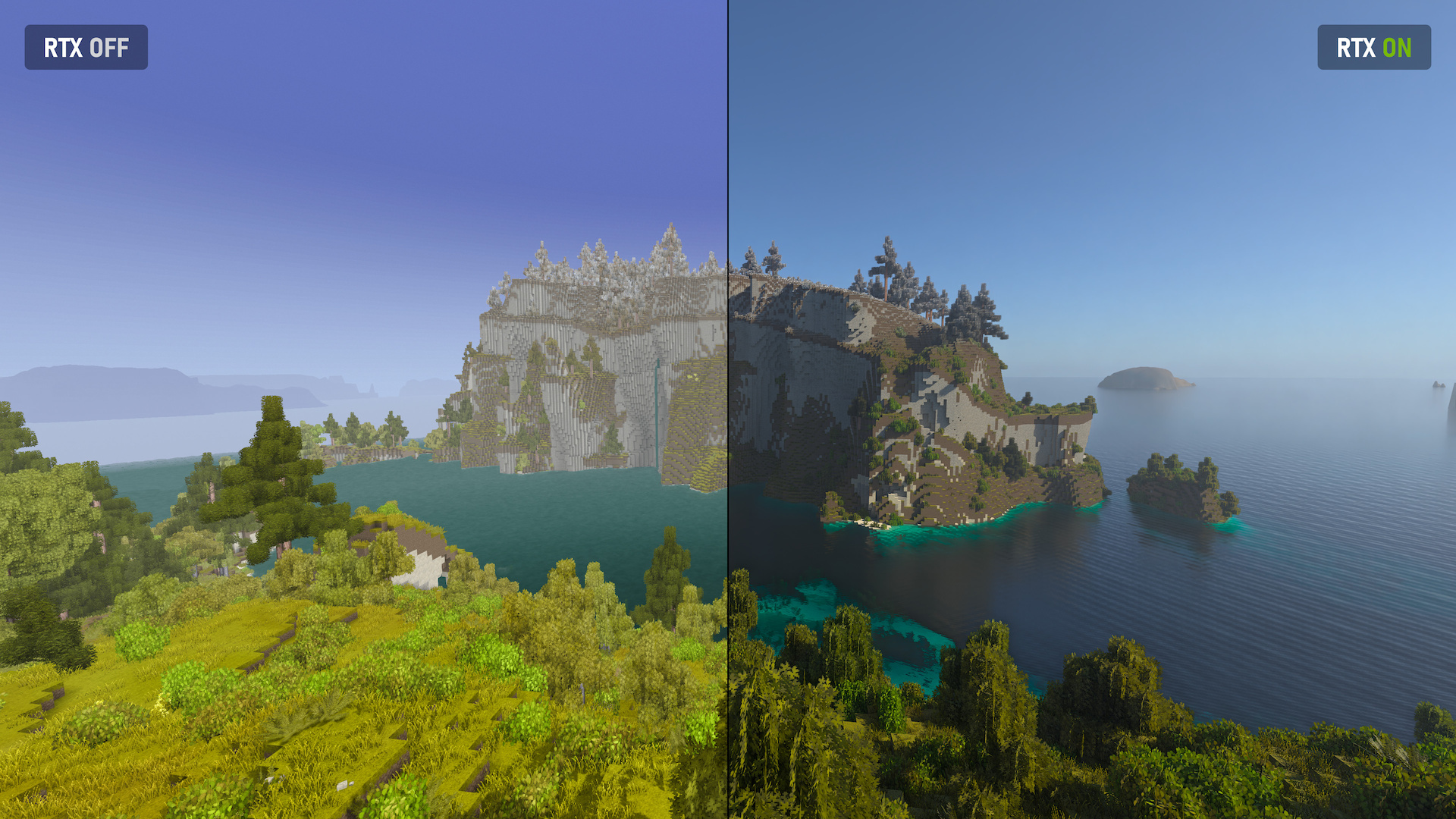
I just want to say thank you for making this mod. I was actually waiting for someone to make an RTX style mod for VS and, well, you frankly outdid yourself. This is just absolutely amazing and my 5090 can finally stretch its legs at 4K. Just one thing though: I cant get the water to look as nice as your water in your screenshots no matter what I try. Mine if very blurry.
I dont say this lightly: I dont think I can ever go back to normal VS anymore even if that means letting go of mods because of compatibility issues.
Thank you so much! F12 for photo mod if you didn't know. It will run a bunch of rays and make the water look much better, and can take HDR screenshots.
Ohhh thanks! Cool stuff!
And out of curiosity, are you using the latest DLSS RR model (4.5) or is still RR 4.0?
It's 4.5 :)
I'd like to cover this mod on my Youtube channel. Been waiting with excitement for the linux release and despite me rocking a 3060, I will still try to showcase this mod the best I can. Kudos to you for putting this much work into it.
Go for it! I would love a link if you do post a video.
Hey Chris,
I just wanted to say thank you for VSPT. I jumped in as soon as the Linux release dropped, and I'm blown away. For an early alpha, it runs incredibly well and looks absolutely fantastic. Honestly, I won't be playing Vintage Story without it from here on out.
I'm on the COSMIC desktop, which doesn't support HDR yet, so I haven't even seen it at its best, and the graphics and path tracing are still phenomenal. The way light moves through the world completely changes how the game feels. It's hard to go back once you've seen it.
You mentioned you're doing this out of love for the game, and it really shows. Hundreds of hours of work, a whole new renderer, Linux support, and updates coming this fast is no small thing. Thank you for all the hard work you've put into it. Well done, and I'm excited to see where you take it next!
FR
Thank you so much for the lovely words Feyd. I'm so glad you're enjoying VSPT 🥹
I plan to keep making it better and better. Vintage Story is such a great place to build awesome experiences.
so, it seems to load and function just fine through storyforge. however, ive had a few issues (with and without using storyforge). when i start the game after install it loads up the world just fine but the loading page stays up when the world is loaded. you can hear the game sounds and if you go the the menu you can see the normal game view. switching off path tracing restores the view and then switchin it back on gets past the loading screen. oncde path tracing is turned on and loaded its exremely noisy, almost pixelated. switch in the denoising to ultra makes it much better, but it still feels a bit noisy. if i get to that stage and then try to mess with the settings again (like switching path tracing off and on again) it reverts back to vanilla graphics or gets stuck on the settings screen never to go back. im on invidia geforce rtx 4060.
Bumping this for visibility.
The next version improves the shader compatibility process a bit. It would be good to have some screenshots and get a log report. Click the button after your have reproduced the issues in game. Settings > Path Tracing > Advanced > Package logs for report. Also good to raise an issue on the GitHub so I don't lose track.
This mod is fantastic! Looks and runs better than my Coriander + Distant Vistas setup.
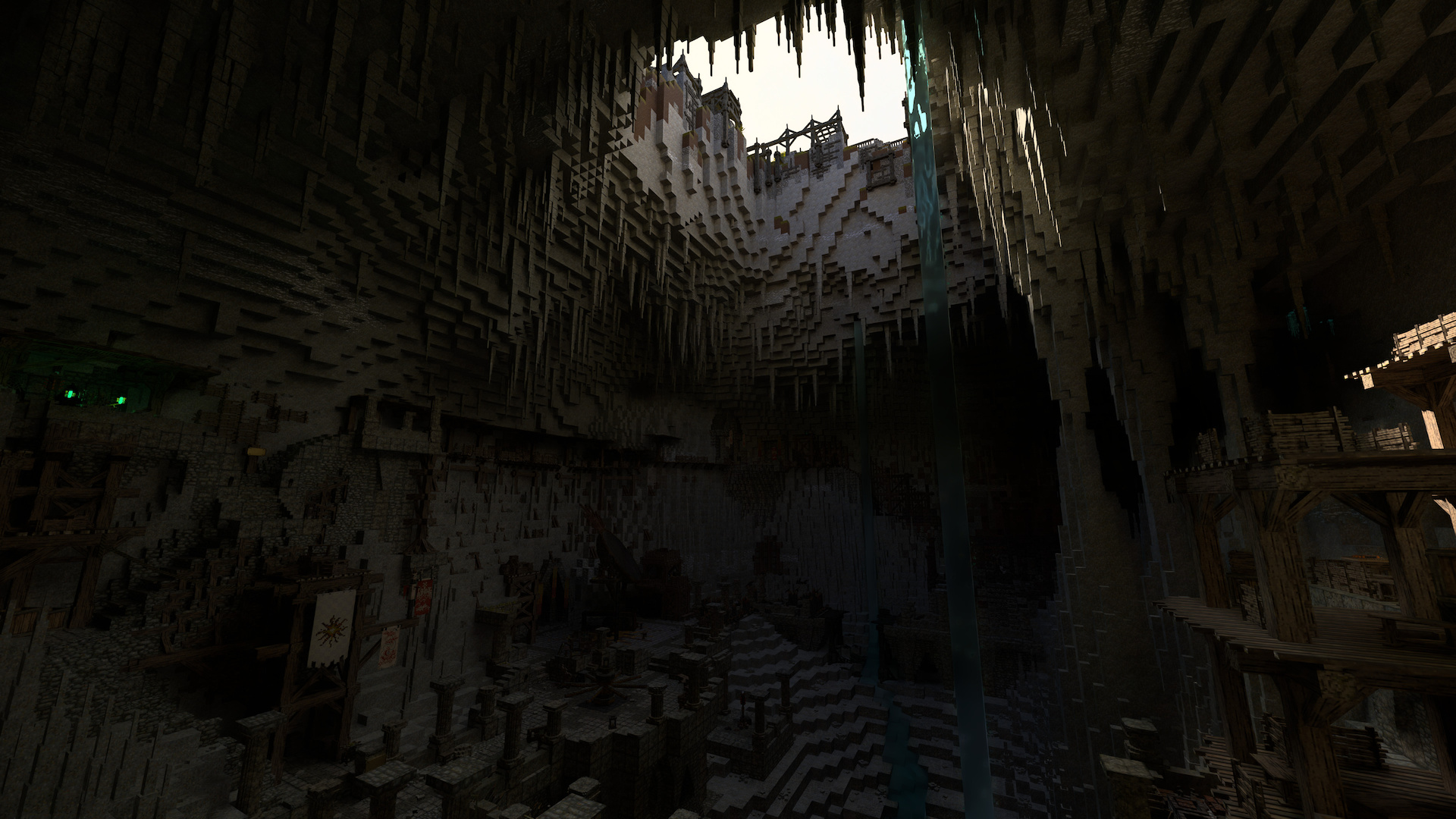
Is that cave in the 4th picture Vanilla or Modded?
What Setup and Settings are you using? I got around 5-10 fps with VSPT on Medium and 512 View Distance while Coriander + Distant Visas run with 60+...
I've got a 4070 and a 7800x3d. I'm mostly using whatever settings it defaulted to. I'm get 40 FPS.
With Coriander and DV I had a lot of stuttering and distant terrain had a lot of missing chunks. I was using the newer version of coriander and there was an annoying shadow glitch with tree leaves. I have a lot of mods so some incompatibility probably contributed.
The cave in the 4th picture is Sunrift from Better Ruins
Looks amazing. I could help with testing on rdna 4 amd card in the future, if you start working on it
another update: i got it to work with my friend. it needed the VSPT mod in the server so I can have the far terrain while he uses a different shader. he has an AMD card so he can't use VSPT.
This is really excellent, and makes my game actually run BETTER than without it, which is insane. Only thing I've noticed thats immersion breaking is torches, fires etc., have no smoke. I am using the 'real smoke' mod, don't know if that's just incompat
The real smoke mod probably won't be compatible. Anything that does custom rendering tends to hit openGL directly. The entire openGL renderer has been replaced with a Vulkan renderer in VSPT, so no visual effect mods will work without me adding specific compatibility patches.
I have created an issue to track Real Smoke compatibility
Real Smoke Compatibility · Issue #70 · unfocused-mods/vspt-issues
Right on! Thank you for the reply, appreciate your work =)
I think the main release works but the v2 beta doesn't.
the engine isnt updating, and the only reason it's giving is just "?????????????"
What OS are you on?
How far is it getting? Can you provide a screenshot?
Also, ideally, can you get the contents of the patcher log?
\data\vspt\logs\patcher.log
my bad, i deleted some stuff and broke it even harder right after making this comment. but i deleted even more stuff and reinstalled vs and now it works again after compiling the shaders again.
sorry!
This! A whole new world. I love it. The settings panel is amazing. I've only made a few changes from default (faster adjustments, exposure and light temps) Handles great on my RTX 4060 Laptop. Very few bugs so far (hot stuff disappears when I set it on the ground until it cools, and sometimes my weapons and tools disappear for 5 minutes or until a reset). Particles aren't looking good to me in any mode, but I can live with that. Awesome work! Thank you.
I'm glad you're enjoying it! Happy to look into those issues if you can raise them on the GitHub. Logs in particular are very helpful.
https://github.com/unfocused-mods/vspt-issues/issues/new/choose
Settings > Path Tracing > Advanced > Logs for Report
I got shuddering when turning in a boat. The shuddening is affecting the pitch/roll animation in
OnRenderFrame, to the point when no/or bearly pitch/roll is observed. Appears to studder on it.Is this a noted problem or should I adjust a setting to improve the response?
There it some slight shuddering, but it should be barely noticeable.
Could you please raise an issue and attach your logs?
https://github.com/unfocused-mods/vspt-issues/issues/new/choose
Settings > Path Tracing > Advanced > Logs for Report
I will do that when I get a chance to circle back; I've got a few mods that need attention. Thanks for the reply!
Graphics Card Renderer: NVIDIA GeForce RTX 4070 Ti/PCIe/SSE2
Could be that I'm running three 32-inch monitors
This is just amazing! Thanks for this, I missed RTX shaders when I moved from Minecraft a couple years ago.
So glad you're enjoying it!
When clay forming or knapping flint tools, the item I’m working on sometimes disappears and reappears depending on the viewing angle. Still an absolute must-have mod, amazing work and update, so much more fps!
Is this in 0.3.0, or an older version? I made changes to knapping to fix an issue in 0.3.0. If you can reproduce and do a log dump afterwards in the same session, that would be really helpful.
Settings > Path Tracing > Advanced > Logs for Report
so....just wow.
😌
Just installed 0.3.0, and out of the box it works surprisingly well so far on EndeavourOS + KDE (Wayland)! 1440p, high preset, DLSS Performance, no far terrain, 800 blocks view distance, no additional mods, no framegen gets me 30-55 FPS in dense forest on my RTX 3090.
Though I have to use Gamescope for Vintage Story, because with PT enabled the cursor won't lock to the game window.
Good to hear it's working surprising well! I have made a bug to look into the cursor locking.
Cursor not locking to game window · Issue #69 · unfocused-mods/vspt-issues
If you could, could you do a log dump and add it to that issue?
Settings > Path Tracing > Advanced > Logs for Report
VSPT 0.3.0 is out now! Linux support, Volumetric Clouds, Rainfall, Rainbows, and lots of bug fixes and performance tweaks!
https://www.reddit.com/r/VintageStory/comments/1xgoego/vspt_arrives_on_linux_030_adds_volumetric_clouds/
Great job as always enjoy your break dude
I'm currently exploring my world with a full moon for the first time since installing VSPT... It's a vibe... the lighting is brilliant!
I'm sailing an ocean in the vanilla boat, following the coastline to map my continent, and the atmosphere is incredible...
The land is silhouetted perfectly against the glow of the clouds and the reflection of the water under the full moon.
To the dev: You're doing incredible work and I really hope the game devs recognise your work and hire you to implement it into the base game as an option...
The whole reason i even got this laptop years ago was so i could play minecraft when it came out with ray tracing, but shortly after buying it i discovered VS and have been playing this game ever since.
now i have ray tracing in VS!
love your work, keep it up!
Thank you so much for the lovely words :)
Glad you're enjoying VSPT.
Just started testing this - Seems to work nicely! But requires a bit of fiddling with settings to get nice results.
Only Issues encountered thus far are:
The rain effects have been changed a bit. Puddles now don't form on dirt and gravel. You should see them on solid blocks like stones and metals.
I will take a look at the far terrain. Ultimately, it renders what Algernon's Terrain Sampler provides, so it will likely be an issue there.
Any idea on when Far Terrain will work on multiplayer?
Thanks for this message I was wondering how to get it to work and was almost getting frustrated that I could not make it work
I am working on a new version of the terrain sampler that can feed sampler data from a client to a server.
You can try it out. This needs to be on both client and server. It's not finished yet, and I expect there to be issues, especially if you use non vanilla terrain generation.
https://x3200.media/algernonsterrainsampler_1.4.0.zip
Just a quick message to thank you for this amazing mod, the game looks so much better!
🙏
What an incredible mod, congratulations!
Even though it has some bugs (like the item flickering in the forge...), it's amazing
:D
RTX 5070 Ti, 1440p, HIGH, DLSS E, FG 4x > 180 fps *PERFECT*
RTX 5070 Ti, 1440p, HIGH, DLSS Q > 60fps
-- 5070 Ti, 1440p, ULTRA, DLSS E, FG 4x, DLSS 5 > 80 fps *PERFECT*
RTX 5060, 1080p, MEDIUM, DLSS Q, FG 2x > 60 fps
RTX 5050, 1080p, LOW, DLSS E, FG 3-4x > 60 fps
RTX 2060 - Crash
GTX 1080Ti - Crash
RX 9070XT, 1080p, LOW, FSR 3 Q > 30-45 fps ((I had to do some workarounds to get it running))
Wow! Someone has some GPUs.
I would definitely suggest trying on DLSS Ultra Performance with no frame gen. It can actually run very well without frame gen and low DLSS settings still look great in VS.
Aight, you can't just say that and not share your AMD workaround, man. I tried playing with NeuralHub but had little to no luck on my 9070XT.
Then again, with the performance you're reporting on that, it feels a bit pointless.
Just to let everybody know.. this mod is absolutely nutters. Mind-blowing visuals. I have to run it with DLSS Balanced using FG 2x and still only get around 45-60 frames. 9800x3d, 4080s, 32gb ram, nvme drive.
Would it be possible to make a ray tracing variant as an option for people who don't have 5090s? XD
I might look at a hybrid in the future, but this is a brand new renderer that has been made as a path traced renderer from scratch. It literally doesn't have any raster rendering code in it at the moment.
What resolution are you at?
Understood, and nice work! I'm running quite a few mods and in 2k. I haven't tried this in tandem with Komet however. If that's even possible without some conflict.
So, a few things. This actually runs better now for some reason. I have no idea why. My only real gripe right now is rain occlusion. Rain clips through water surface and blocks, just through the world. Any ideas?
I was thinking about what to buy, 9070xt or 5070ti. I chose 9070xt, it was cheaper by more than 400+ euros. Too bad I can't install this mod(
just wondering why turn frame forge auto atlas off?? what is the issue there as that is meant to cut unused atlas pressure so it would be a good thing for this mod?? if the item atlas needs to be bigger for any reason you are more than welcome to reach out I would not mind looking into it but that being said what it does is actually quite helpful to give back GPU headroom Ie clearing up more room for this mod when not using unused atlas space as the game still alocates a full sheet regardless if its fully used or not? so on my Hd pack at about a gig per page at like 4 pages its around 4.5 gigs of GPU headroom with auto atlas its takes off about 2 gigs of that almost? my question is how does your mod do this "with FrameForge TSR, VS Path Tracing offers to turn its Auto Atlas off" ???? like does it turn stuff IN my mod off or just the whole mod itself? if the latter why? If had reached out I could look into compat as well as maybe helping performance with yours? if interested at all? My guess is your PBR maps add to atlas and now some things dont show up or bleed like the quern or are just relatively jenky? this is easily fixed you know if reach out ya know lol also since your upscalers are more advanced mine is meant for low tier and mid tier I could add a compat to mine that steps back my upscaling system entirely in place of yours when your mod is detected, just seems odd to turn things off from mods that give lots of frames back haha. especially when some of the issues is performance costs. and kind of semi side note its a better and more respectful practice to either put in the compat disclaimer that my mod might not be compatible or reach out like I mentioned I don't bite lol rather than going forward and putting in your mod an option to turn mine off??? Idk it is just a very odd and not exactly the most I guess pragmatic approach? I aint mad but like hiiiiiii I can help fix this lol bit of a kick in the cheeks to turn mine off than ask for help haha I do have a question tho how would say this mod work with my HD pack if I have my own pbr for all of that? would this be like a swap mine in place of yours kind of deal or would I need to repatch them in some manner? and yes I realize the cost of that is gonna be stupid haha but If I can just get ONE good screen shot before my pc takes off into space! im gold!
Hi SalemStyles!
It wasn't anything personal of course! I had several people report crashes, out of memory issues, and bad interactions with VSPT when using Frame Forge. VSPT already does automatic atlas management. VSPT simply prompts at the main menu to offer to disable the mod.
If there is something that is likely to cause issues for players, I have to make it as easy as possible to avoid them. This either means fixing mod incompatibility issues, or warning players. I do the same warning for Overwolf and out of date drivers.
I will revisit Frame Forge and see if there would be any benefit in exploring compatibility, and I will reach out. It's worth noting that VSPT is really memory heavy, and I have done a lot of work on my own automatic memory management solutions to make VSPT a fully integrated performant system. I do not want people to rely on other mods for improved memory management and performance. If there are issues, I will pursue fixes in VSPT.
I could also look into some compatibility on my end with your permission I do know quite a lot about optimizations and various system internals have been in game development and design for two years now and run a studio of three haha so if need a hand I do have a discord as well. But cheers and interested in seeing where this develops. I would basically make mine compatible with yours eliminating the need for you to do much if anything at all.
Visually, since my last comment. a lot of the issues I experienced are gone. However, on the performance side, for my specific setup (5600x and 5070ti) I am experiencing a significant performance loss.
A full re-install and allowing all of the compiling to complete seemed to have done the trick.
Yeah. The shader compiling takes a few minutes now to fully warm up after an upgrade 🙂
Yeah, I only noticed it was doing that when I was watching the debug menu in the settings. On first launch after the initial update, my whole world was covered in dots, I don't have a screenshot but it looks like everywhere a ray was casted was a single dot of red all across my screen and I was chugging at under 1fps, which slowly resolved over 45 seconds. The full reinstall did not experience that again.
Keep up the amazing work!
Yeah. There is a 90 second timeout on the shader compilation stage before it just shows the game world. This was plenty of time before, but now it's happening regularly before the game is ready for ray reconstruction. I will change this process in a future version.
One bug I have been having in recent updates is with knapping, clayforming, and assumedly smithing as well. The work item flickers when when interacting with the micro-grid.
Even if I'm not actually adding or removing voxles. Just clicking on the grid causes it.
I have had a couple reports of this. I will take a look today!
Hello! Thank you for your work, it is absolutely impressive !!
Would it be possible to make it compatible with the tools that enable Frame Gen on RTX 3xxx ?
Like one of those :
https://github.com/sdli1995/dlssg_for_sm86
https://github.com/rodjunger/opendlssgenabler
Thanks !
There was some discussion in the discord about this. I don't plan on packaging any DLSS unlocker tools with this mod, but apparently MFG Unlocker works.
This is wonderful—I'm tearing up. I can't even imagine what this will turn into in the future, but it really moves me. You're making the game even more wonderful. Thank you.
Add the ability to share configurations; I think this would be useful for users with low-end systems. On my PC (Ryzen 3600, RTX 4060, 16 GB RAM) it took me quite a while to configure VSPT to achieve acceptable performance; if a Copy/Paste feature were available, it could help users in the future—I think this is an important feature
Thank you so much for the kind words. A fantastic idea around the copy/paste for settings. I will add that in to the next version.
VSPT 0.2.7 is out now!
Distant Clouds, Brighter Firepits, Coloured Liquids, World Curvature, Improved Performance and Memory Management, Bug Fixes, and more in VSPT 0.2.7! : r/VintageStory
Wanted to say that I've been looking for a mod or implementation like this since I first discovered vintage story a bit over a year ago. Was searching around yesterday, and here it is! Beyond impressive. Tested it out yesterday and I'm sticking with it, but I wanted to mention glass and DLSS. Glass seems to have streaky, smeary, and delayed reflections (I've only seen chiseled glass so far in my forever world). Its quite distracting, but not going to stop me from using the mod. Which version of Ray Reconstruction are you using in DLSS? Is it 4.5? If not, would you possibly give us the option to change which DLSS versions the mod is using? Also, I don't know if you'v'e seen the latest view distance extension mods, but they've nearly nailed the whole infinite view distance like Voxy in Minecraft has, so I'm wondering if you'll get around to fixing your integrated view distance extension thing as well? The mod is Distant Vistas/Doden's Landscapes, and while I'm at it, ValksFuzzyClouds support would be awesome! With the transparency/reflection tuning, better view distance mods, sub surface scattering (for foliage), and ValksFuzzyClouds this would literally be THE most visually striking way to play Vintage Story!! Not that it isn't already ;)
It is DLSS 4.5! Glass and water are really just hard for the reconstruction to render. If you turn up paths per pixel (which will tank your performance) you will get a glimpse at what it would look like if you had a PC of the future, or if you go in photo mode and take a screenshot. The issue really is just that our PCs are too weak for this, not that the implementation is wrong. I will continue to look for ways to improve this.
Regarding LOD and cloud mods, I will never be able to support those mods in the sense that installing the mods will never work. They all render directly into the disabled OpenGL renderer. The best hope is if I can take learnings or code from those mods, and build it into VSPT itself. I am in chats with the LOD builders. I will have those discussions with them and look to improve VSPT's LOD system over time.
The main thing VSPT's LOD system does that others don't is a proper, seamless integration with the water including the waves and shaders. This has to be managed at quite a deep level.
If there are mods that you want supported in particular, I would really appreciate support on Patreon. Supporting these takes away from core development, and I am prioritizing the features my supporters are asking for :)
Have your say on the future of VSPT! | Unfocused Mods on Patreon
Not sure what changed, but today my performance was suddenly really bad and inconsistent. One second I am playing at a playable, yet undesirable 60-70fps, with FG enabled. The next second, I'm down to a slide show. The occasional hitches are also much worse than before as well. More common, and last significantly longer. The mod hasnt updated here since the last time I played, but it did recompile shaders when I launched it.
EDIT: Loading up the game again today, its suddenly running just fine again. Nothing changed, so I guess it was just a fluke?
Other than that, how can I get water to look clear like in the screenshots? Its super blurry and 'thick' for me, even when I am not in motion. I can only see the ground if I am right on the water, and the textures underneath look really smudgy.
EDIT: Seems like water is just blurry and jank when not in direct sunlight. My world was constant rain, so only got to see the jank water. As soon as the sunlight hit it though, it was bright and clear!
Hopefully the water issue gets cleared up (pun intended) sometime soon!
Anyways. The mod is fantastic, and I am really happy to have those light color options, thanks!
Update, I was confused with my FPS readings lmao. Whenever I would go to settings, the FPS counter would say 75 or so. But when I finally looked at the performance graph, I completely forgot that Frame Gen essentially "doubles" your frame rate. So it will read as, say, 80fps, but output around 160fps.
Whoops.
Just discovered a lighting issue - Large lanterns don't emit light when installed on the boat's mast. The small/regular lantern does emit light, but nowhere near as bright as if it were attached to a wall.
There's also a compatibility issue with Salty's immersive lanterns (the one that makes lanterns swing in your hand) where placed lanterns don't emit light. I hope you can find time to patch this because the swinging lantern at night with this mod looks awesome.
Otherwise, I'm still loving your work! With every update, my game runs smoother. I swear my game runs better now with this mod than it did without it, and I don't get any lag spikes anymore.
The latest updated seemed to help with performance a lot, it feels a lot smoother.
Everything look good so far! I am running a 5600x with a 5070 Ti and performance is not terrible. Still need to tweak things a little bit but I am so happy this is a thing. Installing this mod also fixed fullscreen borderless as base game the windows start menu still showed. One thing I have noticed so far though is the campfire is lit, yes, but just the embers and the particles being emitted. The actual surrounding area should be lit up, much like the torch, but it doesn't really emit much light, if at all, to the surrounding area.
I'm looking for feedback on what should come next for VSPT!
Mod support, new features, OS and hardware support etc. If you have any ideas or requests, comment on this post 😊
https://www.patreon.com/UnfocusedMods/posts/have-your-say-on-172844479
i downloaded the new update, its enable but it doesnt seem to work
Please log a bug on the github and provide your logs. Instructions in the mod description.
Just Downloaded the mod, it looks amazing. I'm getting around 120-150 fps average with frame gen on my 4090 on high settings. But I'm getting major stutters every once in a while, around a second or two of the game freezing. Is there any way to fix this or make it any better atleast?
Seems like its Dlss frame gen thats making stutters very bad.
Still feels choppy tho at 80ish fps with no frame gen. Frame gen makes it smoother, it just has stutter issues.
Please raise a bug on GitHub and attach logs after reproducing the stutters.
Frame Gen is more stuttery due to reflex being forced on. Reflex is very very sensitive to frame time variations and loves to cause random stutters.
i stopped understanding computer tech in like 2009, i have an rtx 3060, is this going to do anything meaningful for me other than make my pc very warm?
Have you ever looked up what Path Tracing is?
any word followed by tracing has become technobabble to me and i've aged 50 years. i cannot physically keep up. its all lighting/visual based things afaik and sometimes it looks nice and sometimes it just makes my graphics card go on fire. this is what i am trying to ask. does my specific card have the capacity to engage with this mod in a meaningful way that makes my game look better or will it just make everything run hotter and worse.
You can certainly try it, but honestly, a 3060 is a bit underpowered for this. The 30 series is when ray tracing became better, but not great. The 40 and of course 50 series is when ray tracing finally became usable, 100% of the time.
Also, ray tracing (path tracing) makes light work like real life in video games. Animated films, like Toy Story for example, have been doing this for YEARS but required render farms in order to make it possible in the final product. Hence why lighting looked so good in older animated films compared to video games, which just lit the entire room evenly until shadows became better.
So this mod is 100% worth it and changes the feel of the game a lot. But, it is costly for performance.
A 3060 is realistically a bit underpowered for this, but it's worth a try! It depends what your resolution is, and how comfortable you are with low framerates.
Is it possible to use smooth motion on this? I find the latency to be unbearable using frame gen.
That's just something you can enable in the NVIDIA App, right? I have no idea if it will work. You can try it though.
0.2.6 has improved input latency. I would suggest trying without frame gen and reducing your settings if input latency is a big concern for you.
What is your CPU/GPU?
I have a 5080 and 9800x3d on 1440p. I will try to enable it trough the app
After the newest updates, I feel like my FPS has gone down. I remember posting here that I got around 120fps, but now I'm sitting at 70-80fps. Did something change? 9800X3D, 32GB RAM, and 5090. This is with Frame Gen x2 and DLSS at Performance, instead of Balanced from 0.2.2.
0.2.6 has some big performance improvements.
I can provide settings support in the Discord channel.
https://discord.gg/BG5Ne98us
https://discord.com/channels/302152934249070593/1556092616360071338
Ideally come in with your logs and screenshots of your settings page.
Also note that there was an issue pre 0.2.6 where the pie chart itself actually reduced performance. It's now hidden by default on Alt+F3
This looks genuinely breathtaking and I am eagerly looking forward to trying this when Linux support is added!
Linux support is my next primary goal! I just need to replace my main SSD and I've been putting it off, but it's on my desk.
GhostChunks would be another great mod to replace farseer+DV.
also on the picture tab, the tone mapping option is a bit cut off on my screen.
It would also be nice to have more reset-to-default buttons per page / section.
Thank you!
edit: also, sometimes when im loading regular chunks as per my "view distance" setting. it will start rendering outwards then suddenly retract backwards (unloads chunks). it also does this on a server and in the log it says "Player requested new view distance: 1536" then when it retracts, it says "Player requested new view distance: ~320". I dont know why it does this. I have plenty of VRAM and RAM to spare (5090, 9850x3d, 64gb ram).
The picture tab cutoff has been addressed in 0.2.6. Please let me know if you still have issues there.
If you press alt+f3 twice, you wil get some charts that show memory usage and explain why your view distance is being restricted. You may be out of system memory.
Grab a screenshot and chuck it here and I'll explain the numbers :)
This is also with 0.2.7 of this mod.
I set max render distance, it starts loading chunks then all of a sudden it will retract the render distance and stop loading any further.
let me know what you think or need more data.
I love the mod, my only issue is caving is imposible, you can barely see anything because of how hand held lights work
Can you please log an issue on the GitHub with some screenshots?

This is what a torch looks like for me on the default settings. It's more than bright enough.
There is also a lamp brightness slider in the settings you can crank up as far as 800%
Interesting, if that default settings something is wrong with mine, i have my lamp light to 200%, exposure to +1 and im getting half the light you are getting and most of it its in a small area.
Also my lanters barely light up the place for some reason, its hard to navigate at night, even inside the house.
Can you please provide a log zip and add it to this issue?
Caving and night are too dark: held lights cover a small area, lanterns barely light a room · Issue #55 · unfocused-mods/vspt-issues
Settings > Path Tracing > Advanced > Logs for Report
Have you changed the auto exposure settings by any chance?
Running this on my PC is keeping my room toasty in the autumn.
🔥
Just wanted to say thank you for all your work on this mod. It looks incredible and the frequent updates/fixes are amazing. Downloaded it last night and you already fixed the invisible players. W dev
🙏
The updates will keep coming
I never got the option to Set up and Restart, ended up just deleting it from mod list. Unsure why it didnt work, unsure how to fix. Anyone else have this issue?
And yes, I tried with a fresh install of the game. No other mods.
*Alright, I am stupid. Didnt realize it was on world start, not game. Nevermind.
Yeah, gotta go in game. That's the first opportunity a mod has to do anything. They don't load in the main menu.
any ability for this to be compatible with amd gpu in the future? this looks amazing
I am aiming to make this open source next weekend. Will need support from the community to add AMD support. I have no AMD hardware.
This is very cool, and runs unexpectedly well! Any chance you could implement a panini projection option (a technique for reducing fisheye distortion when running wide fields of view), or work with the author of the Panini Projection mod to get the two mods to play nice?
love the look of the game so much, but after latest update it dosnt want to work on my server. i uninstalled and reinstalled and still dosnt work
Oh man. VS has never looked so good! And it runs surprisingly well! This, plus the additional distant terrain option is gennuinly game changing!
My one and only wish is that it was compatible with the Immersive Wakes, and Rain Curtains & Rainbows mods. Also, maybe a setting to change the torch color, as its aggressively orange.
Either way, I cannot wait to see how this grows and evolves, and what other people may add onto it!
Looks awesome! Can't wait for Linux support!
Thanks a lot for this impressive mod!
The atmosphere in this game was already great but now it feels phenomenal!
I've got a question about campfire as a light source, is it possible to make it a bit more dynamic (flickering) like the torch?
And would it be possible to increase the light source of the fire to make it more similar to that of the torch?
Plus I agree with dreadthefuture, something with mouse latency fix would be great!
Runs pretty well on my computer with an rtx 4060 (8gb memory) with 16gb of ram, but i've noticed that my frames actually get WORSE when i use any of the DLSS frame gen. I'll go from 30-50 on medium settings to single digit frames. I'm not sure if this is an issue or my rig is underpowered so I'm posting it here.
Also! I'm not sure if it's possible for Vintage Story but something like NVIDIA Reflex to fix mouse latency would be cool!
Reflex is enabled with Frame Gen on. It is a requirement.
It does add stutters though, so I haven't made it available with frame gen off. It truly is just a worse experience than without it, and I know people tend to just enable all the settings.
I might look at adding a dedicated setting for it in the future.
Awesome mod!
I have an issue with xskills Luminiferous and lantern attached to modular backpack - it looks like they are not picked up as a light source at all.
Not sure if it is my preset (low/medium) or gpu - rtx 3070
nice mod , but the game is then unplayable with only 32GB RAM and a GTX 3060Ti :( :( :(
Clicked uninstall the mod from main menu this is how it left me: needless to say less than impressed with the uninstall.
Also this broke numberous other mods on uninstall. I regret installing this. I think I got things mostly turned back on, now to tweak all my settings again...
That's very odd. Sorry for the poor experience. Out of curiosity, is that a screenshot of a window, or do you have a squarish monitor?
Do you normally play in fullscreen or windowed mode? All I can see from that screenshot is that the GUI scale is quite high for the window size, but the uninstall process definitely doesn't change GUI size. It just reverts to windowed mode for safety.
This is what happens when you click uninstall:
VintagestoryLib.dlland.pdbback into the game folder, and checks the hash.Vintagestory.runtimeconfig.json, which removes a garbage collector setting.LeaveBorderless: inclientsettings.json, ifgameWindowModeis 4 (borderless fullscreen), it rewrites it to 0 (windowed). It changes no other byte of the file.Vintagestory.exeagain with the same command-line arguments.It does not touch
Mods,disabledMods,modPaths, GUI scale or any other setting. The three vspt mods stay installed but do nothing, and the next world offers setup again. Removing them is left to the mod manager. A player who pressed “uninstall” may well have expected the mods to go too.Could you send me a few files so I can see what went wrong? They’re in your Vintage Story data folder, normally
%APPDATA%\VintagestoryData(paste that into the Explorer address bar). If you use a launcher with its own data folder, look there instead.vspt\logs\patcher.logvspt\relaunch-args.jsonLogsfolder, zipped. Please do this soon if you can: the game only keeps your last few sessions’ logs and deletes the oldest each time it starts.clientsettings.jsonin Notepad and copy me just these lines:gameWindowMode,guiScale,screenWidth,screenHeight,windowBorder,modPathsanddisabledMods. Please don’t send the whole file: it contains your login.Also: do you start the game through a launcher (CurseForge, Cairn, VS Launcher or similar), or straight from Vintagestory.exe? And before installing VS Path Tracing, were you playing fullscreen, windowed or maximised?
What specifically did it break with the numerous other mods after uninstalling?
When using a game launcher such as MVL for handling modlists, the setup couldn't find the necessary files to patch. As a workaround I installed it to default vintage story and let it do the setup and manually copied the patched files over to the MVL installation instance.
Needing to run the game and load into the world to install/update seems very tedious, is there not another way?
That is by far the simplest solution for most people, as it is a one click install. Mods are not loaded until being in game, so loading in once is required for the VSPT code to load so the game can be patched.
What would a simpler solution for you be? An install script?
I think a 'third party' install script or .bat of sorts would be fine, some way to allow to install or choose where to find the needed files. but I am unsure how that goes with uploading as a mod.
Also every other mod/file for the game seems to understand and use the correct game installation, even once your mod is run once in-game it creates the vspt folder in the correct location, the only problem is the script itself looking for the files in a specific and incorrect area for some reason
EDIT: Aside from that one issue, after doing the manual workaround of moving the files everything is working perfectly so far
Just trying to understand the setup process for this on MVL. When you said it couldn't find the necessary file to patch, was this after you had loaded into a world, and triggered the install and restart? ie it told you in a terminal window it failed to find the necessary files?
If so, I could just add an input step there for you to be asked.
It was after I loaded the world and clicked setup and restart, the game saved and closed but no terminal popped up and the game didn't reopen.
I found the log in the mod's folder saying the .dll couldn't be found.
(I do not have this log now as I replaced all the mod files when manually moving the patched files)
indoors is too dark, even with a lot of lanterns. how can I brighten it a little?
Either more lanterns/windows, or change the lamp brightness setting
I've encountered a crash when a coal pile was "collapsing" on the nearby block.
MeshData.GrowVertexBuffer threw IndexOutOfRangeException
Please log an issue on the GitHub with a log report
Bugs and feedback
Please report bugs on GitHub so they don't get lost: github.com/unfocused-mods/vspt-issues
There's a button in the game that packs your logs into one zip for me: Settings → Path Tracing → Advanced → Package logs for a bug report, or type
.vspt reportin chat (that works even if your screen is black). Drag the zip into your issue.Really hoping for Linux support as well!
If you search for my comment, there is a way to run it under linux.
Native Linux is next up on my list. I'm going to set up Bazzite on my PC tonight :)
NUTsTUN fyi
Hi! Hardware question. I was already planning on upgrading my GPU but now I am hoping to get a GPU that can run this mod (currently have a 1660).
For 1080p, what's the minimum GPU you'd recommend to achieve 120fps?
Dreaming about the day support comes to AMD cards, will keep it subscribed for the inevitable (PS, found this from a Reddit post).
chrisunfocused
Thanks for this wonderful mod. I had a tiny problem (caused by myself actually)
I did remove the mod by just deleting the zip files and removed the vspt folder; not sure how most players remove their mods. I usually just delete them.
This obviously did not revert the patched VintagestoryLib.dll - and I also deleted the backup this way.
This was not an immediate problem, but I guess this might lead to problems for further updates of the game for people that just delete their mods. Just wanted to give a heads-up.
I do see in the description, that there is a proper way to uninstall it; but who RTFM ?
😬
Long Story Short: Uninstalling should be done like intended and described, but users are dumb.
RTFM :D
I will try to make this clearer during the install process.
I have a 4080 super and it looks / runs okay, but there's some weird kind of motion smoothing going on here that I very much dislike. Setting the denoiser to super resolution fixes the motion smoothing but makes the whole scene grainy.
I have the same exact issue, also with a 4080 for what it is worth. I am planning to do some more tests today
This is kind of core to the experience of a real time path tracer. If you press F6, you will see what the actual undenoised game looks like. If you dislike it, this may not be for you. There is no traditional raster rendering involved. It's entirely path traced.
This improves with more powerful GPUs, higher frame rates, better resolutions. Suggest trying to up your DLSS quality level and use a bit of frame gen.
FYI Sanghren
Boy do i wish i had the framerate to give this a try because it looks gorgeous.
So how does the far terrain feature work? I'm playing on a tired old gaming laptop with RTX 3060. Even with vanilla graphics, I can only push 300 blocks for view distance before I get terrible lag spikes and FPS issues, so I've been relying on these LOD view distance mods to maximise immersion, and I assume that's what this far terrain feature is supposed to do, but I can't get it working. Is it a feature that only works on newer graphics cards?
Make sure you have installed Algernon's Terrain Sampler. Then you should be able to turn it on.
It also is single player/LAN host side only at this stage. Will work on getting it going on dedicated servers too.
I have the terrain sampler installed and i've tried messing with all the settings but no luck. I am also playing a heavily modded game which i'm sure isn't helping.
Nevermind, I just fired up VS and installed the latest update for this and it's working a treat now! I've also noticed my frame rate getting better with every update. Love your work!
Hey just a heads up, the engine patch is incompatible with optimum, my game refused to boot after restart until I wiped my folders and reinstalled it from scratch
Darn I wish I saw this before I did all that lmao
I will look at compatibility with Optimum. Can you please raise an issue on the GitHub?
https://github.com/unfocused-mods/vspt-issues/issues/new/choose
Sure thing
I tried this with Chiseled World 0.2.0, Material Needs: Geology 2.0.10 and Terra Prety 7.11.1 and while it wasn't compatible (invisible trees and gravel), I was still absolutely stunned with what you managed to do, I will be on the lookout for when you manage to tinker on compatibility
Definitely on my followed list, thank you for the time you put into this!
Thank you! Please raise mod compatibility suggestions on the GitHub. Otherwise they won't happen :)
https://github.com/unfocused-mods/vspt-issues/issues/new/choose
Really looking forward to an AMD support update, this is hype!
Me too, brother. Me too :D I just cant wait!!!
Here are my PC specs before I say anything -
9800X3D, 32GB RAM, RTX 5090, MSI MPG 491CQPX QDOLED
This mod is incredible. It makes me have to relearn the entire game and adjust my eyes completely. The game has gone from, "I can see block materials from a mile away," to, "I can't see what material is what unless I actually LOOK like in REAL LIFE."
The amount of attention to detail with every setting is incredible. There's more settings to fine tune in this mod than in Cyberpunk 2077, which is a compliment. The fact that 4 HDR modes were outsourced is amazing AND credit was given! My fiance really wants to have a PC that can run this, so, I guess I have to do that soon! 🤣
My only gripe is with lighting. It can be beautiful, but then it can be really harsh. I would really like to see lanterns be improved so that the bars aren't so obvious and blend better. Having thick outlines from the structure of the lantern makes it a bit disorienting, so if this can be adjusted somehow, that would be AWESOME. But man, the lighting really demonstrates why monsters spawn when all you have are oil lamps 🤣.
Overall though, this is incredible and should be implemented into the game as a major patch. The game has needed a lighting overhaul for so long, especially since it touts as being the realistic counterpart to Minecraft.
Well done and my hats off to you.
Also, I should add, that with my Super Ultrawide 5120x1440 resolution, I HAVE to use DLSS Balanced and Frame Gen 2X. This gives me the best image quality to FPS balance. I am currently getting around 120fps. There are stutters, but this is to be expected with an early release. I am also using the RAM cleanup mod and Minimally Invasive Performance improvement mod.
Thank you so much for the kind words!
I would note that harsh lighting specifically was addressed in yesterdays update 0.2.2, and stutters were addressed today in 0.2.3.
Please try again and let me know what you think.
I strongly suggest not using other performance mods at the moment. The closer to vanilla you get, the more support I can provide if you log an issue and provide your logs :)
You're welcome! When I update, I'll be sure to delete those mods. I only added those since people were reporting issues at the beginning, so I wanted to make sure it didn't happen to me.
Ill update tonight and report back!
I love the mod, and am responsible for a mod that isn't compatible (Scribe, which fails because it relies on a custom renderer in LibGUI). In short, even having these mods active immediately makes default game interfaces (player HUD, inventory, handbook, even the Escape menu) invisible.
My question is whether I should wait for progress on your end, or if I should start an investigation on my side to see if there's something to be done (I am hesitant, but may need to fork LibGUI, as its not been updated recently). I don't want to rush your process, but I want to eventually be able to enjoy your mod and my mod together!
EDIT: separately, I've been using Conquest VS textures and been patching them for compat. Conquest lanterns don't emit light when VSPT is enabled, and it looks like there's maybe an issue with certain textures not being tagged with emmisives? Any suggestions on our end? Or is this something you'd want to tackle more broadly?
Please log a suggestion on the GitHub for mod compatibility :)
https://github.com/unfocused-mods/vspt-issues/issues/new/choose
I also maintain a VSPT pack for Conquest, and I am going to publish a new version shortly to address the lantern issues.
Release Conquest VS Edition: PBR materials 0.1.0 · unfocused-mods/vspt-packs
I will put this on ModDB in the next few days too.
This is really neat! But one question, is there way to enable fps limit? I do get decent fps but gpu load is 98-99% which I believe is causing some freezing here and there?
If you enable frame gen, it will enable an FPS limit. I have not implemented an FPS limit beyond that. Please raise a suggestion on the GitHub :)
https://github.com/unfocused-mods/vspt-issues/issues/new/choose
I found out what was causing this issue, it wasn't the amount of memory (4070 Super) or mod but MSI Afterburner. I run it to ocassionally check how well games run and IT has never caused any issues on games. I actually thought I was getting decent FPS but MSI had some issues with the mods render engine/plugin (pardon me for not knowing correct terms) it flickered between Vulkan and OGL and showed almost 200fps with framegen x2 and DLSS on balanced (hence why I thought I was getting decent fps). After disabling afterburner, freezing stopped completely.
Quick question since I don't have time to troubleshoot right now.
I can't hit hostile mobs or animals while using path tracing but if I swap to non path traced via f8 I can hit them again.
nvm new update works fine
I am actually mind blown how something like this is possible in VINTAGE STORY... lol I was using 4070ti super and 32gb ram and it was truly breathtaking, REALLY AMAZING WORK!!!!!! will there ever be like komet support or any other performance mods?
PS:I read the description after writing my comment and I will be patiently waiting for more updates and support for this mod like truly amazing work:)
Thank you!
Realistically, this is going to be GPU limited for everyone, and the entire renderer is custom, so other performance mods are not going to do much other than potentially smooth out hitches from the base game.
That said, I have tried to do as much of that myself as I can in this mod.
Performance gains will come over time as I continue to explore optimisations for every fraction of a millisecond of frametime cost.
For now, use Alt+F3 to see the breakdown of what settings are costing, and tweak the settings while monitoring the FPS so you know 100% what is making the most impact. And DLSS + Frame Gen of course.
Fair enough haha but yeah will be keeping a close eye on the project, one thing I noticed was that when you look at the water and then you look away there is a weird light thing going on
Any chance of listing what changes to the settings you made? Same GPU and it looked pretty awful on my end sadly using the base settings preset (high). Everything looked washed out, flicker/get noisy a ton whenever moving, but worst of all was looking at gravel in shallow water. It was so obviously AI generated looking in the worst way possible lol (think early AI)
Edit: It seems that my issues were caused by heavy fog. I kept the slidder to 10%, less than that is fully disabled. So depending on the weather, if the fog gets heavy, everything gets blurred/noisy as it updates whenever moving.
If anything ever looks noisy then the cause is always ray construction being disabled (what I have noticed in every game that has Ray tracing) and I did not really tweak that many settings besides enabling the view distance LOD chunks (mind blown btw) and I noticed the game runs the smoothest on DLSS PERFORMANCE (other sadly do not run as well currently ) and borderless fullscreen is always the better option
Will be waiting on amd😁. Though what are the differences in between programing for nvidia and amd? All i know is that amd doesnt tolerate nonsense like writing int value in float area but thats about it. Anyway on rtx this looks so cool
Is it possible to update the mod so I can use DLSS and FG without path traced lighting?
No, but this might interest you.
VulkanStory - Vintage Story Mod DB
Path tracing is beautiful but can't quite seem to get it to a point where it's playable in terms of performance and consistency. I did find that using DLSS and frame generation helps enormously. It really smooths everything it much better than anything else available. It still stutters just a tiny bit but is barely noticable unless I look for it. I was using Sheydermod and Komet as well with no issues in regards to bugs or crashing
Why does it overright your window preferences and FORCE the game to be either borderless windows, OR fullscreen. every time the game boots, it boots up on my 3rd monitor, which is hooked up to my motherboard as its used for stuff like discord. I CANT MOVE IT.
Edit: also, loading into a game, it switches it from windowed mode, BACK to borderless windowed, and to fix it, I have to fullscreen the game to unfullscreen the game, thus BREAKING the mod.
I removed excusive fullscreen mode because it was causing a bunch of issues with the new renderer.
In the settings, if you set it to windowed mode, resizable, it should become a normal window and stay that way, even if you close and reopen the game, enter worlds etc.
F11 should work pretty much as you would expect, just without exclusive fullscreen mode.
Can you please raise a bug report on the github and export your logs according to the instructions in the mod description?
Do you have anything else, like borderless gaming, installed that might be adjusting the window?
I have infact moved my ticket to github and look forwards to continueing to help troubleshoot the problem with you over there.
The performance is a little questionable but I haven't messed w/ the settings that much so far so it may get better when I do so. Really impressive and it looks really neat!
What would cause block placements not showing or destroyed blocks not being removed? I open doors and can walk through the shut version of them. Place a torch and it isn't there visually but it says it is placed.
I hit f8 and the problem ceases
This is detailed in known issues in the mod description. Please try lowering your render distance. What is your GPU? Can you please do a log export according to the mod description and raise an issue on GitHub with the zip attached?
Yes i will do all that thank you.
currently running a 5080 with a 9800x3d so i figured mine wouldn't fall under that problem. I have render at like 1000ish though so ill lower it
I usually do about 384 with a 5080. With far terrain on, you really don't need render distance to be that high.
Are you planning on implementing a render scale option (i.e. rendering at less than 100% of native resolution)?
I have added DLSS upscaling for that.
I'm dumb read description don't be dumb like me
use dis https://mods.vintagestory.at/miptfc and https://mods.vintagestory.at/ramgarbagecollector for me 4070 +100 fps
I played for 8 hours on stream the other day and didn't encounter any leaks.
Can you export your logs when it starts to slow down and raise a github issue?
My best guess is that you're running out of VRAM, and your settings need to be adjusted.
The mod description covers the known issue of blocks not updating. Generally it's due to VRAM overload.
it runs so ass on my 3090 but looks so good
Praying for a 1.22.6 version
What's stopping the upgrade to 1.22.7 out of curiosity?
Servers that remain on version 1.22.6 since its decently stable, and updating requires every mod used to also be updated to 1.22.7.
Updating the server should require no mods to update, unless they require binary specific compatibility with 1.22.6, which almost no mods do.
I would be surprised to hear that any server on 1.22.6 would have issues with mods after an update to 1.22.7.
Downloading in a heartbeat once AMD is supported, my 7900XTX looks hungry
I've waited so long that I decided to switched back to Nvidia... just for that kind of things. AMD just can't keep up.
Would it at all be possible to include the recently discovered unlock to make frame generation available even on RTX 3000 series GPU's? Normally I would patch this in myself, but seeing how this is a mod I can't quite figure out how to get it to work. It would be a huge benefit to those of us running older hardware, though I'd understand if this would be difficult to do. If only I could afford a better GPU to run this mod... 😭😭
--> https://www.reddit.com/r/nvidia/comments/1waqh36/you_can_run_dlss_framegen_on_rtx_3000_cards_now/
I looked at that but unfortunately they didn't open source their work and they didn't release a Vulkan version :(
Oh, actually, this is a bit different. I'll take a look. See what I can do.
I am absolutely in love with this mod everything looks stunning from the reflections, the lighting, water and pbr! It runs very smoothly on my rtx 5060 ti 16gb card, so far I have had no issues with it while playing and testing it on a new world and my old one aside from the crucible blocking my screen if I have more than 100 units of hot metal in it and pouring it into a mould and clouds flickering weirdly during thunderstorms. Im also very happy to see it compatible with most of my other mods I play with and I cant wait to see how this mod grows. Thank you very much for making this and I look forward on the progress of this gem
Thank you so much for the kind words. I am happy to look into issues if you can get screenshots and log a GitHub issue :)
Despite following the instructions, and ensuring the path tracing setting is turned on, it seems to not want to function. All the lighting stays vanilla.
Please report bugs on GitHub so they don't get lost: github.com/unfocused-mods/vspt-issues
There's a button in the game that packs your logs into one zip for me: Settings → Path Tracing → Advanced → Package logs for a bug report, or type
.vspt reportin chat (that works even if your screen is black). Drag the zip into your issue.Happy for you to chuck that into one of the Discord channels too. See the description.
Amazing work, everything is so gorgeous! Runs smoothly on my multiplayer server with more than 70 mods loaded.
I just noticed some weird textures on berries bushes.
Thank you! Screenshot of those berry bushes?
Here you go: https://imgur.com/SbgjSAr
Edit: It seems to be linked only to the texture of the berries growing up, not the bush itself.
cool....but after 20 minutes the screen flickers and return on normal engine idk why but game dont crash...also 90fps rtx470 (defecto)
adding that V-Sync doesn't work, nor does the FPS limiter.
It's compatible with optimization mods and runs incredibly well with a custom setting of 350 blocks, and with a modpack of 127 mods it goes up to 110 FPS. It's funny, it's much more stable than vanilla.
Would love to see a log export around that presentation loss. Settings > Path Tracing > Advanced. You can export logs there, and add them to a github issue :)
Very cool concepts. Running on original settings with 384 render distance and activated long range rendering with about 25 - 40 fps on my heavily modded server according to your own FPS graph, the game itself shows an average of 110 and lows of 8. There is noticable stutter for me and I enjoy smoother gameplay more than the visuals, but I think for the lighting it is impressively good. Lots of textures don't really work out well yet, but that is no fault of your mod!
My Setup: Win11 25H2, RTX 3080 + Intel A380, Ryzen 9 5700X, 64GB DDR4 3600
I do think 30 series is unfortunately not going to have a great time for this. There are a lot of optimization techniques beyond just tracing rays that run so much faster on newer GPU architectures.
DLSS Ultra Performance + FSR 3 frame gen might get you into playable territory
Hey, If that could be helpful, I am available to beta test on linux (Bazzite) with a 4080TI super, and servers. :)
That will be helpful! Realistically, I am going to have to install Linux myself to make good progress. There is a lot that needs to be done and tested.
What needs doing
GL_EXT_memory_object_win32in AtlasShare.cs, GuiCapture.cs and MenuGuiLayer.cs, plus the export side inshared_atlas.cppandgui_layer.cpp_fdversions (VK_KHR_external_memory_fd,GL_EXT_memory_object_fd,GL_EXT_semaphore_fd). Ownership differs: OpenGL takes ownership of the file descriptor when it imports it. NVIDIA’s Linux driver supports these extensions.WinVerifyTrustsignature check (fsr_frame_generation.cpp)WIN32, and the flags assume MSVC (/W4 /WX,/INCREMENTAL:NO, links todxgi,dbghelp,advapi32) (CMakeLists.txt:17)-Werrorto catch things MSVC let through. DXC has Linux builds, butget-dxc.ps1fetches the Windows one.dbghelp(stall_watch), thread setup (worker_pool), timers (frame_profile), and window code in thert_viewandhdr_testappsuser32,kernel32andimm32: thread affinity, the input-method bypass,GetForegroundWindow, test mouse input. LiveNative.cs:41 loadsvsrtx_native+".dll"OperatingSystem.IsWindows(); most simply aren’t needed on Linux. Loadlibvsrtx_native.soinstead.VintagestoryLib.dll(compare hashes). If it differs,patch-checkhas to pass against that file too.%APPDATA%), and the GPU lock, deploy and package scripts assume WindowsFor information, I have been able to run it on Bazzite using Lutris. I had to use wintetricks to install vcrun2022 and specify msvcp140 and msvcp140_atomic_wait to n,b. Since, it works perfectly.
The only "issue" we have is the mod astria porta is not displaying the vortex when opening.
Well, that's insane. For your efforts, I'll take a look at astria porta
That's really kind of you. Thanks a lot!
Great mod, it looks fantastic, but unfortunately I only have a GTX 1650 and cannot experience it.
This is the real pain, I have AMD :(
Walking through the woods feels amazing with this mod. Well done sir!
I don't intend to keep the raytracing mod on at all times, but I do want to keep the mod downloaded and redy to go whenever I want to get that ray tracing feel. Does leaving the mod in the VS mod folder have negative performance effects on VS without actually activating the mod?
It shouldn't! But I will double check :)
Genuinely pogging at my screen rn oml
BROOOOOOOOOOOO
😎
Dude, this adds DLSS support to the game?? This is absolutely bewildering, just... absolutely stunning??? It's not even mentioned in the mod description?? I would download this in a heartbeat just for that alone.
Sure is! I have updated the mod description too :)
Is there any chance of you making a separate mod of just the LOD? I would love a colored Farseer. (ps. This looks absolutly amazing and cant wait to try it.)
I might look at that in the future, but be aware that ChunkLOD V2 is being worked on and will be much better for vanilla compatibility. The main reason I made one was to support the PT shaders properly and remove seams.
I know V2 of chunkLOD is being worked on, and it lookes really good. Call me a simple man but I just really like the looks of a colored Farseer. Add the fact you fixed the seams (one of my main problems with it) and smoothed it out
Is there any chance I could help with development by offering to test the mod? I have a 9800X3D, 32GB of RAM, a 5090, and a super ultrawide QDOLED monitor. I can test every resolution apart from 4K. I'm ALL about ray tracing and HDR.
Just follow here! Test releases will go up this weekend :)
Sounds good! I'll post my findings when the mod drops!
AMAZING mod, You should add caustics and improve water, if you can add shader ripples, That'd be awesome. the rain and wading through the water alongside other creatures will create waves and such. maybe even an option to turn the clouds in the sky volumetric?
Excellent feedback! I will look at caustics. Water already had ripples from the rain, and I have added wading. I also added puddles :)
The clouds are volumetric!
Take a look at the gallery. I just added some more shots.
https://x3200.media/vspt-gallery/
I have done a couple more streams as part of my end to end playthrough for testing.
It looks stunning, and it was also fun to see Sunrift here 😄
Sunrift is an amazing build!
❤️
I did a little test gameplay stream. VOD is here :)
Vintage Story Path Tracing - Dev Testing
i need this i cant wait til test builds release
Sorting out the legal stuff now and have reached out to Anego. Will take a couple of weeks, but I am working hard :)
Ray Reconstruction is mandatory or AMD boys are not out of luck? And if not, is there a possibility to have AMD tech in the mod, like Ray Regeneration?
It is functionally mandatory as it stands today. Ray Regen doesn't support Vulkan unfortunately. I will look at other denoisers to see what is available for team red.
Also never followed anything this fast in my life! Unreasonably hyped and excited for this. I've always felt that the lighting is definitely still one of the weak spots of VS, and I've seen some other tentative mods that are trying to improve the lighting with the existing renderer, but there's only so much to work with (especially in terms of block lighting updates, apparently, where the default renderer is very conservative to save performance). Having actual full PT is gonna be such an insane upgrade and elevate the looks of the game to the next level. :3
Will definitely keep an eye out on this and test it. This looks amazing!
I have never followed something so fast in my life. This is quite possibly one of the most amazing aesthetic mods I've ever seen for this game.
This looks amazing so far. +1 Follower. Eager to test this on my 4090.