
Mods / Portals Reborn
- Tags:
- Author:
- Arisilde
- Side:
- Both
- Created:
- Feb 16th at 3:47 AM
- Last modified:
- May 22nd at 4:58 PM
- Downloads:
- 2568
-
Latest release (for Vintage Story 1.22.2, potentially outdated):
portalsreborn_1.0.3.zip 1-click install
Welcome to the first iteration of Portals Reborn.
This mod is an overhauled and expanded version of our previous mod, Viking Portals Modified; itself an update of the very excellent Viking Portals.
I've decided to release it as a stand-alone mod rather than an update to VPM because its changes are just too extensive, and I'd rather not force that on existing users of VPM.
This way everyone can choose which experience they prefer.
Overview:
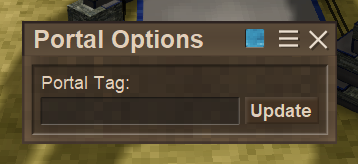
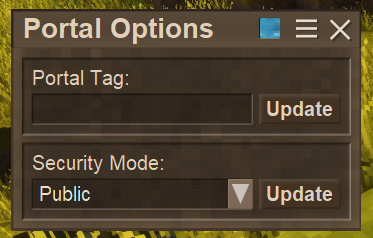
Portals Reborn, adds craftable portals which you can place in the world and link by giving them text "Tags". Any number of portals can be given the same Tag, but only the 2 most recent portals sharing the Tag will be linked. This means both newly placed portals given the Tag, and existing portals that have their Tag changed to it. The link automatically updates itself when new portals are given the Tag, when the Tag is removed from one, or when a portal using the Tag is broken. The user doesn't have to do anything beyond the assigning the Tag.
This much functions exactly like previous mods VMP and VP, although the system handling it behind the scenes is significantly more robust. If this is all the user wants, they can set the config allowCustom = false; and the rest of the system will be disabled entirely, no extra options to fuss with.
This doesn't prevent the use of the material blacklist however (disabled by default). This allows users to set up Valheim style limitations on what is allowed to be taken through portals. Currently this is determined serverwide, but down the road the system could be expanded if there's sufficient interest in it.
The system is fully server authoratative. The server ModSystem keeps the master dictionaries, and is the only one that saves them. Clients lazy load only information they actively need at runtime, and save nothing. Additionally, there are automatic self maintenance routines that run on the dictionaries periodically to flush out expired data, so they shouldn't build up over time beyond data actively in use.
With all of the security options, you can create anything from a completely public portal anyone can use and break, to absolutely private portals only the owner and server admins have any access to, including breaking them. Portals geared toward serving entire groups, or small bands of friends. Curated access to special events, POIs, dungeon, etc access. Faction/RP servers. Etc. The possibilities are vast if you use your imagination.
Teleportation:
On the surface, the portals behave exactly as you'd expect. Place them, link them, step on them, and get spat out in a new location. Like the original mod, these portals do not require a charge up time like the vanilla Translocators do. When you step on a portal you will be teleported effectively instantly.
In the background there are a number of features to improve the reliability and safety of this system. Stepping on a portal doesn't brute force update your location. On contact, a teleport request is registered with the system. It will reject any duplicate requests, so only 1 will ever be active for any 1 player. No risk of weird double behavior or anything. These events technically get processed as a queue, but in practice they happen within a single frame, so you won't even notice it unless you're experiencing significant server slowdown. The target location for portals is created automatically when you place the portal. It is always one block "in front" of the portal. This means there's no risk of ending up landing on top of the target portal and getting teleported back and forth infinitely. Portals face you when placed, so when you place one in the block in front of you, you are standing in the target location. Unlike the original mod, portals do not reserve space around themselves, so you can build them into tight spaces, use chiseled blocks, etc. The only exclusion is you can't place portals directly next to each otherm there has to be at least 1 block in between, but that block doesn't have to be empty. The portals also break any blocks you try to place on top of them, or in the target block. It unfortunately can't prevent you from placing a block in the space right above the target, right where your head would be when you teleport in. To solve for this, the teleport event clears the target block and the space above it right before you teleport in. The blocks are broken and drop, not deleted. So they can be picked back up. You won't lose them. Additionally, the teleport event tries to solve for any target portal errors right before you land. It checks if the portal actually exists and is loaded, if it really the twin still or if there has been some data desync, etc. If it notices any problems it will return you to the target location of the portal you left from. It'll then try to solve the issue, which generally results in it disconnecting the busted portal to fix the errorneous link. So the portal you're at will relink to the next oldest remaining on the Tag, if there is one.
Also of note, Yaw still seems to be broken in the API, so you don't face the correct direction when coming out of a portal. Your direction doesn't update and you continue facing whatever direction you entered the portal in. This is a known bug, and not something I have any control over at the moment. Users will just have to keep it in mind, and be careful not to place paired portals in opposing directions unless you want to recreate the feel of portal 1 and make an infinite portal loop 😜 On the bright side, these loops end if you stop pressing the move keys, so they're not game breaking, merely annoying.
Custom Security Profiles:
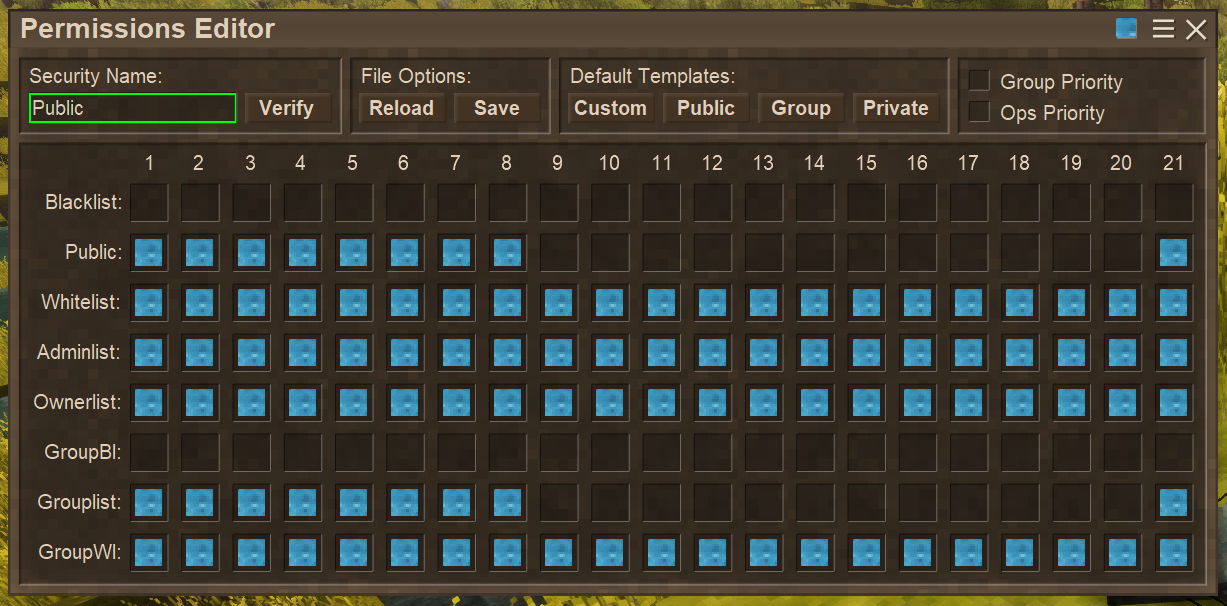
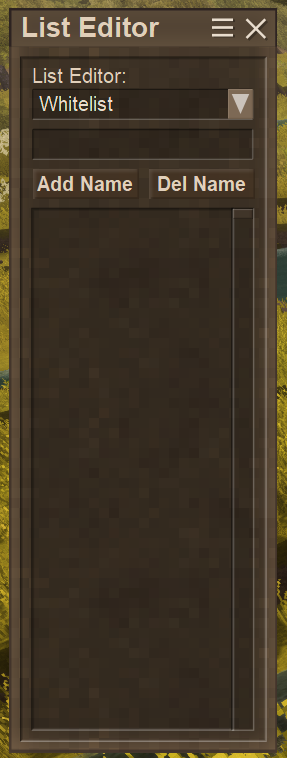
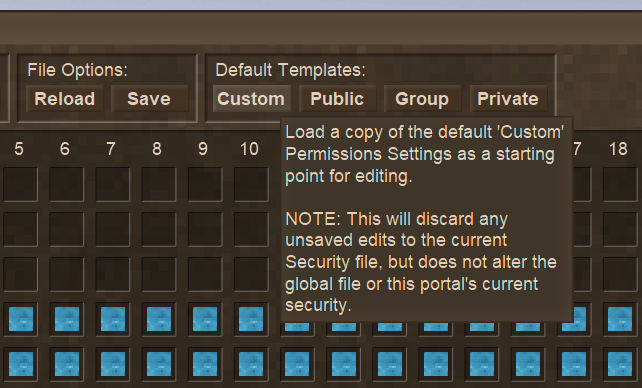
The core of the new system revolves around these profiles. If enabled, users are able to define new Security profiles by name, and then set up very granular access controls using the GUI. The user who assigns a new name is automatically set as its owner. These profiles can be shared between any number of portals, giving users a way to quickly set up new portals with similar behavior without having to redo all the Permissions for each one. The profiles' Permissions determine who can interact with a portal using it, with the permission settings themselves, and the profiles lists that dictate who belongs to which access group, which I call "Roles". The basic Roles are fairly straightforward, Whitelist, Blacklist, Adminlist, and Ownerlist. Placing a user's name on any of these lists determines their access, and the system automatically makes related changes without the users having to. For example, if a user is on the Whitelist and is added to the Blacklist they will automatically be removed from the Whitelist as well, the profile owner can not be removed by anyone else, etc.
Additionally, the system also supports VS's groups. There are additional Roles that allow you to grant entire groups specific access through permissions; Grouplist, GroupWhitelist, and GroupBlacklist. These act exactly the same as the basic Roles, just for groups.
Finally, there are 2 special administrative Roles, EditBlacklist, and AdminBlacklist. These are used to prevent a user from being given additional rights by adding them to othr lists without first explicitly removing them from these. The use case for this would be situations like a user who has abused their priviledges previously, you can add them to the appropriate one of these 2 lists to keep track of that internally, so no other Admins/Owners can unknowingly re-add them by mistake. It gives profile users more granualr controls than having to resort to a full Blacklisting.
Profiles also have 2 options to control how their lists are prioritized. When a user ends up in 2 conflicting lists, for example on the local whitelist, but they belong to a group on the GroupBlacklist, these settings determine which rule is used. These are both mainly used to control the feel of a security profile. if it leans more toward serving a group, or an individual or people not using groups.
Group Priority: Allows a list to prioritize groups over individuals. What this means is that when the system is determining permission, this setting makes group whitelists overrule the basic blacklist, or vice versa.
Ops Priority: When used, Group Ops will be given priority over blacklists.
Server admins always have full access to all portals and security. Profile owners always have full access to all features on any portal using their profile. Everything beyond is based on permissions.
Currently custom Roles are not supported. I personally believe the current roles are granular enough they will cover the majority of use cases, but we can see how that looks as folks use it in real server situations. I'm open to feedback.
Security profiles are stored in a dictionary by string name, which enforces unique profile names. This, along with permission based ability to edit existing profiles, limits any possibilities of data conflicts with profiles trying to save over each other or anything similar.
GUI:
In addition to the GUI, the mod also adds extended info the the BlockInfo HUD. When you look at a portal (if you have permission!) you'll see info on what tag it's using, if it's paired, where it's twin is, in what direction, and approximately how far away. This could potentially be expanded in the future, for example listing which security its using, but I felt it was already bordering on too busy so I stopped with what it has for now. I can possibly make this extra info a server config to diable globally as well, if there's sufficient demand for that.
Updates and Data Persistence:
Data Model:
I'm unsure how many people this will even interest, so I placed it down here in the depths of the list, but half of the reason I switched the mod to server auth is to make it as lightweight on data as possible. Each player only stores a single bool (for GUI tooltip option persistence). Portal entities store the bare minimum of into, just a couple values. They use almost no Attributes, meaning both their performance impact is reasonably lightweight, and their entity stores very little to the save file. They store the BlockPos of their twin, if they have one, the BlockPos of its target block, and the facing direction (which is sadly useless until they fix Yaw). All of this is a tradeoff to doing API lookups for the block entities/positions every single time a change or teleport is made, which would be significantly heavier on performance. It also allows the extra BlockInfo HUD information. They also store only the string name of their security profile, not the whole profile itself. This means the data footprint is significantly smaller. Portals use the string name to look up their security from the ModSystem each time they're loaded, and its disposed when they're unloaded.
This means 2 main things:
- The amount of data built up in the save file is very low compared to similar mods. No json storage is created for anything but the config file. Everything else is stored compressed as byte data in the save file, and only 1 copy of most of it, rather than everything saving its own info. So even that impact is pretty small comparitively.
2. Its very uncoupled from the base game. All of it's data is in one place, and doesn't use or reference vanilla systems for pretty much any values. It also doesn't interact with anything any other mods might interact with, so there should be no possibility of any conflicts other than if one randomly uses the same commant registration I am, but that's unlikely. Together this also means uninstalling is much safer. If you get data corruption in a portal, it will simply delete the Entity for that portal. You break it, it returns the block, and you place it again and it'll be fixed, ready to have a new Tag/Security set. If you uninstal, you'll get those broken ? blocks in place of portals with no crashes, and almost no residual data anywhere but the one copy in the save.
The other major consideration is RAM build-up. If you have run a server you know how much of a problem this is. Portals all using central data means they don't create a bunch of data objects. Just about everything other than network packets is just references not objects, so they don't build up in RAM, and the network packets don't get stored, so they are GC'ed pretty quickly. I'm not a pro coder by any means, so there are probably some things I missed, and other further optimizations that will reveal themselves when the mod starts getting heavier use than I could put it under, but I think it's starting from a pretty good place at least.
Server Commands:
There are a number of server commands to help servers use and maintain this system. These commands are easy to expand upon over time, so again, open to feedback as users feel the system out and notice things that would be handy.
Examples of commands are things like listing all current Tags or Security Profiles currently stored. Removing Tags or Profiles if they get corrupted somehow. Emptying the current Tag or Security dictionaries. Adding and removing to a profile's lists directly by name or UID. Etc. Ther eare other commands that allow fine tuning of various mod behaviors, like the frequency of the automatic dictionary self maintenance routines, various timeouts for user teleport requests, etc. Most of these are more directed at controlling the behavior of the system, and fixing any errors. They're not required for using the portals normally. User's can control the system resource usage by changing the various time values and such. I believe the system is extremely lightweight, but I don't know how it will perform on bad internet or bad hardware, and I don't really have any way to test that, so please let me know if you have any performance issues and we'll see what we can do.
Material Blacklist:
Other Assorted Features:
There are many small features tucked away in the system that don't really belong to any of the major systems. A few of note:
Many of the GUI features give user feedback via the chat box. I'll be expanding upon this some as I go back through and clean up some of my internal debug logging. Some of it might be useful to convert to user feedback.
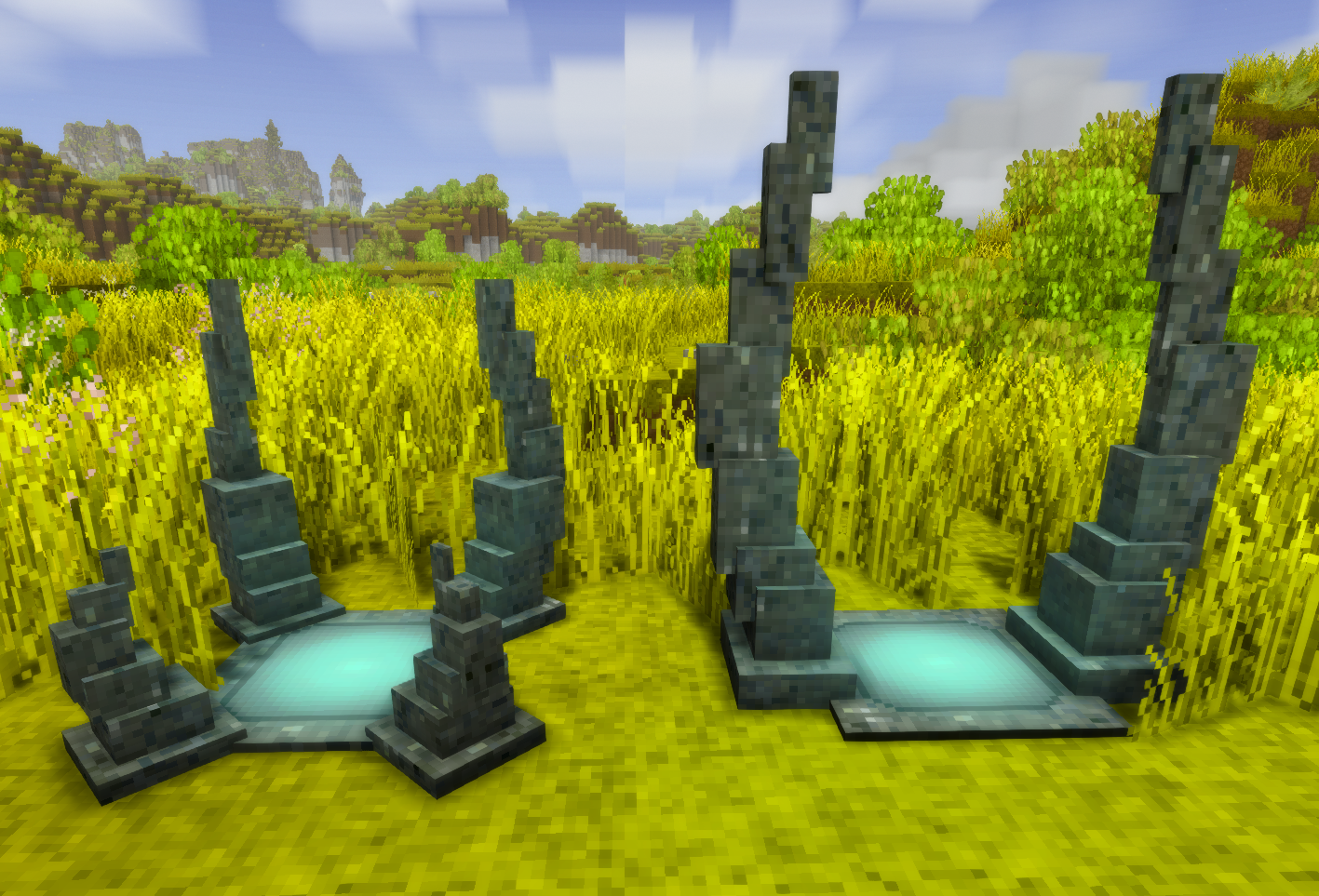
I created 2 new portal models. I didn't feel right taking the original author's model into a new mod. They're nothing special, but they're servicable. I may update them later if people hate them.
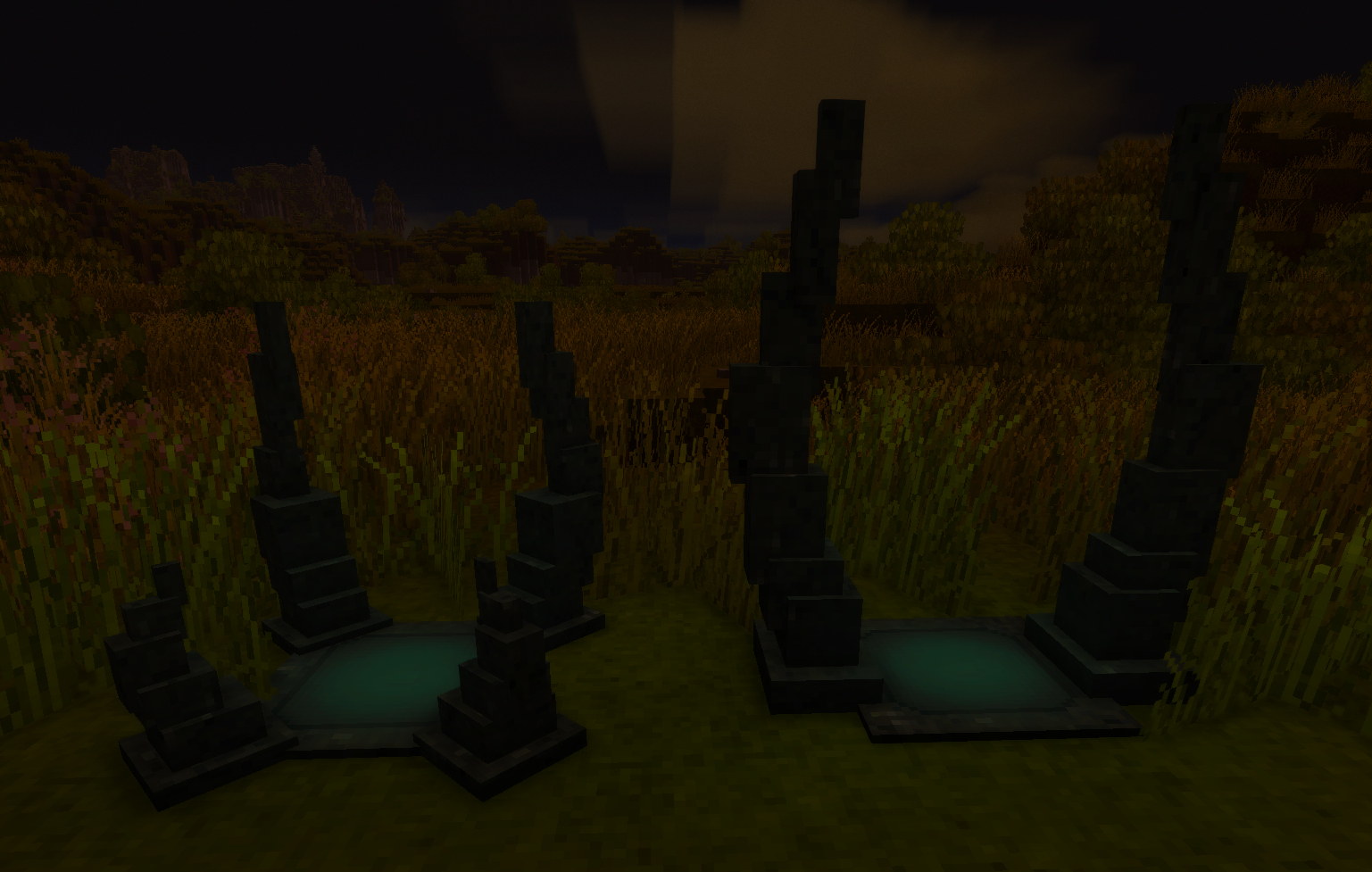
I also made a custom portal texture simulating object source lighting to make the portal seem to glow, and added a faint blue light source so they do actually glow on top of that. The unexpected outcome of which is you can technically carry a portal as a really bad lantern 😅 They glow as an item as well as a block.
Guide:
I tried to make the system as intuitive as possible, and I want to keep pushing it toward a state where no guide is really neccessary. I want it to be that obvious. So I don't have a user guide or wiki finished right now. I'm very interested to get some blind user feedback to see what's working and what isn't in regards to the intuitiveness, and in the meantime I'll continue working to get a guide together. I've already put together my notes, I just need to make sure I have everything, get user feedback covered, and I need to figure out how best to host/format it in a way that's less garbage than a Git wiki. Anyone with a suggestion on that front I am all ears. All feedback helps me make the guide as good, and make as much sense as possible. And of course, I'll answer questions in here as often as I can, and on discord pretty much always, so pop in over there if you need a fast reply.
Discord Post
In Closing:
I consider this mod very much a work in progress, although it is in a fairly stable state right now as far as I can tell. Either way, there's probably bugs. Do be kind with your feedback if you please.
I'll be halting active development for a time to allow some user feedback to come in. I'll then work on bug fixes and optimizations before expanding functionality. I've done extensive testing myself over the past few months, but there's only so much you can catch yourself or with small groups. Live testing always chases more bugs out of the woodwork. There are certain optimizations I was uncertain if were necessary, so I left them as is until I get performance feedback from a wider variety of hardware. For me, everything is so snappy its almost always instant. I'm hopeful that will be the same for everyone.
The crafting recipe for the portals is a holdover from the original mod. Its early copper era, making the portals pretty easy to get into. This is nice for some, a bit overpowered for others. I haven't really considered how I would change it yet, but feel free to give feedback.
I also have a fairly extensive list of possible feature additions I might be interested in working on, but I'm leaving that for the future as well. It depends entirely upon how much interest the mod generates. I'll happily expand with demand. It also depends on the sort of feedback that comes in. Naturally I'll focus more on things that interest a greater portion of the users.
I guess we'll see.
Good luck to us all in this endeavor 🤣
| Mod Version | Mod Identifier | For Game version | Downloads | Released | Changelog | Download | 1-click mod install* |
|---|---|---|---|---|---|---|---|
| 1.0.3 | portalsreborn | 1389 | May 22nd at 4:58 PM | portalsreborn_1.0.3.zip | 1-click install | ||
|
Fixed an error causing config.json to be nulled on server/game close. | |||||||
| 1.0.2 | portalsreborn | 488 | Mar 28th at 3:05 AM | portalsreborn_1.0.2.zip | 1-click install | ||
|
Update for 1.22.0.rc-5 | |||||||
| 1.0.1 | portalsreborn | 691 | Feb 18th at 2:51 AM | portalsreborn_1.0.1.zip | 1-click install | ||
|
Squashed a bunch of debug logging left in. | |||||||
| 1.0.0 | portalsreborn | 0 | Feb 18th at 1:57 AM | Release Retracted | |||
Retraction Reason:Left in heaps of debug. Changelog:Initial release 🤞 | |||||||
is there any update on a guide, at least for the security permissions? I have no clue what the numbers mean across the top when I try to create a private security profile. The words down the side are confusing as well.
Works for 1.22.3, however, as the comment below me stated, it seems like OPs cannot use portals?
Players can, but I cannot.
Hi, it seems to work quite well for the users on my server - unfortunately I am unable to use the portals myself. I'm not sure if its because I'm the admin of the server and there is some odd interaction with it, or because I placed the portals, but even when set to public, I still cannot use them.
Additionally, is there a way to craft the second portal style? So far I have only been able to create them myself using commands or switching to creative mode. The other players have not been able to make them.
As a small-scale server administrator I'm also interested in the "balancing" behind this mod. I am curious if the portals are tuned in such a way they're gonna pop up dozens and replace walking, or if they're an end game luxury.
As an ordinary single-player user who is new to this mod(and not a server administrator), I can’t find any information on the overview page to help me decide whether or not to install it. I think having general information about the mod itself on the overview page—such as what materials are needed to create portals, whether there are any movement distance limits, and if so, what those limits are—would really help me make that decision.
there is a picture and a slight descripon in the origingal mod pages. plate, nails, TG, some rock, and tools. And the the whole thing is based on valheim so I would guess unlimited distance.
there is also the option of downloading the mod and testing it out in a creative world. and if you want to make sure you don't forget to turn it off you can use an instance manager like rift launcher to create a seperate instance with it's own mods
Stason4ikRU Thank you for the bug report. The new version fixes it.
I've also validated that the mod works on 1.22.2, so I've updated the supported version number.
When I turn off the server, the config is erased and writes Null. Therefore, it is not possible to change anything in it.
Upt: Besides this, it would be nice to add a function that would immediately limit all items in the game except clothes.
There are also mods for dogs and cats, dragons and they have bags. Can't you carry items in these bags? Or are pets unable to pass through portals at all?
Updated the mod for 1.22.0.rc-5
Arisilde I'll preface by saying we're running 1.22.0 rc-5 so that might be the issue we're having, but we're not able to teleport with this on the server. The gui opens alright, the portals are craftable but when we step on them nothing happens and this gets printed to the server log:
No crashes or anything, just this to the log and no teleport. We've got a few other mods in there
Thanks for the comprehensive response, and for considering my request! No pressure to make it work the way I suggested, of course.
gndrneutralnoun
With how the system works now, not really I'm afraid. One of the main reasons this system is so lightweight is that it doesn't store a lot of information. It doesn't keep track of every portal that has ever been placed, it only knows what security profiles and tags exist, and what players are online (via the API, it doesn't even store this itself). Each player's client keeps track of the portals it currently has loaded, but it doesn't check actively. It's left up to the portals to "check in" when they are loaded, telling the client "I exist, and this is my currect security profile". They update the server when a user changes the profile it's using, and then again when they are unloaded to remove themselves from the list of loaded portals. It's kind of a mix of centralized and decentralized. The saved data is centralized and all portals request it from the server, but the runtime data is decentralized to keep most of the processing off the server. To make a portal network, the system would have to keep track of every portal that exists, loaded or unloaded, it's location, and what security it's using. Otherwise the server would have no way to know what portals are available to populate a network you set up.
So right now the system doesn't support that. Long term, potentially, but it would be pretty complicated, and a pretty big change. I'd definitely have to make it a server option because it would fundamentally change how the mod affects server performance. I'm not sure it would be a huge hit, but I do like to give people options for anything that does rather than force it on them. I'd also have to think about how best to implement it. There would be a lot of factors in determining what portals a player/security should be allowed to turn into a network. Easiest way would be you can only make a network of portals sharing a security profile. That may or may not cover all the use cases people might have though, unsure.
Sir_MAL1CE
Not currently just through the mod. The only way I know of would be to remove the recipe from the mod files before launching, then they would only be spawnable through creative. That would require manually sending the edited mod .zip to your friends, but it would work for the time being. Long term, I could definitely make that a server option. I believe that would be fairly simple. One option is the recipe could require a custom Trait, and that trait could just not be given to anyone. I believe another is I could set up something in the loading to unregister the recipe after checking the config, or add a custom item to the recipe that is only available via creative. I'd have to look into other ways, but I'm pretty sure there are several more options. I have no doubt I could find one that fits. I'll add it to the idea list, thank you ☺️
Manthony
Sounds quite promising! Thank you for the feedback.
Arisilde
we have only just started replacing our tele networks the other day. i will let you know how it is when its fully in place. However from the start it feels much quicker in terms of unloading and loading(been testing with 50k distance to start). havnt had any entity sound issues (which vannilla is filled with) no ones ram has remained bloated after repeated uses either.
thanks again. I will report back after some stress tests.
And i made my own work around for elk tele. i just made bone flutes inf range.
I am setting up a server to play with friends. Would it be possible to place the teleporters at each of the players location as OP then make them uncraftable? I am looking to make it easy to visit friends but not make a sweaping gameplay change.
Is there any chance we could have a "portal network" mode, where one can use a portal to teleport via a GUI to any other portal, potentially with certain limitations down the line (private/permission-based portals, a player needs to discover the portal before they can teleport to it, separate networks, etc.)? I'm mostly an SP player but I think this mod could be seriously useful in large multiplayer servers to allow people to spread their bases out more without worrying about having to go on long trips to visit others. Very interested in where it's going.
Manthony
I'm glad to hear you're having a good time with it. I was very interested to hear how performance would be on more populated servers. Are you confirming it's running well then? Would you mind giving a little more detail on the performance you're seeing? I'd appreciate it greatly :)
As for mounts and such, you're correct in that it only supports player teleports at the moment. Technically the code almost supports other entities. It would be a small additional check/redirect in the teleport request on my end. The problem is the vanilla teleport method (which I am using for the final player movement) doesn't move other entities. That's something they disabled a couple updates back for some reason. I'd have to look into it a bit more to see exactly why, and if there's a way around it. I just wanted to make sure the player portion was working well before expanding to that. So unfortunately, all I have at the moment is a vague "it depends" I'm afraid.
I am very gratefull for this. The basic creative tele messes with everyones ram on my server.
But i do have a question. Is there a way to enable mounts and elk to go through?
i feel like its made in a way that it ignores most other entities other than players.